| 18798 |
1-NTT Routing on SMP ref: 14305 |
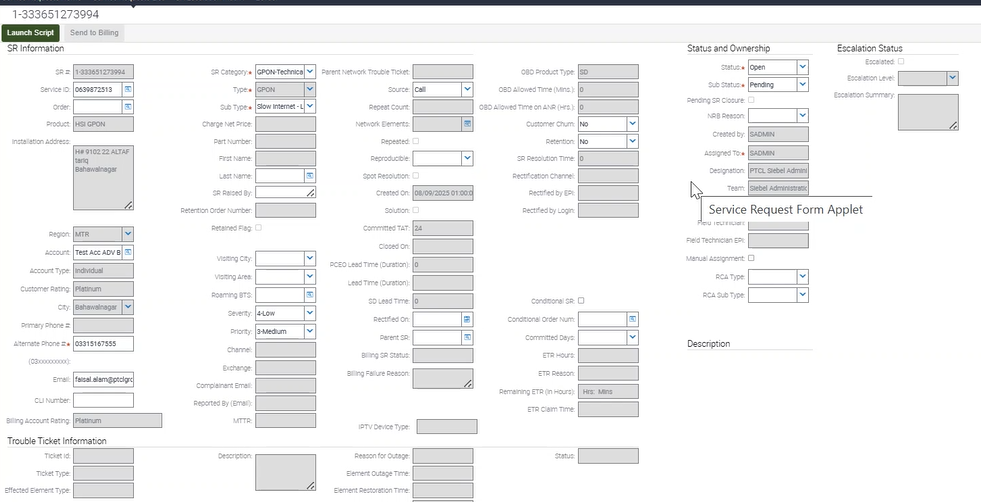
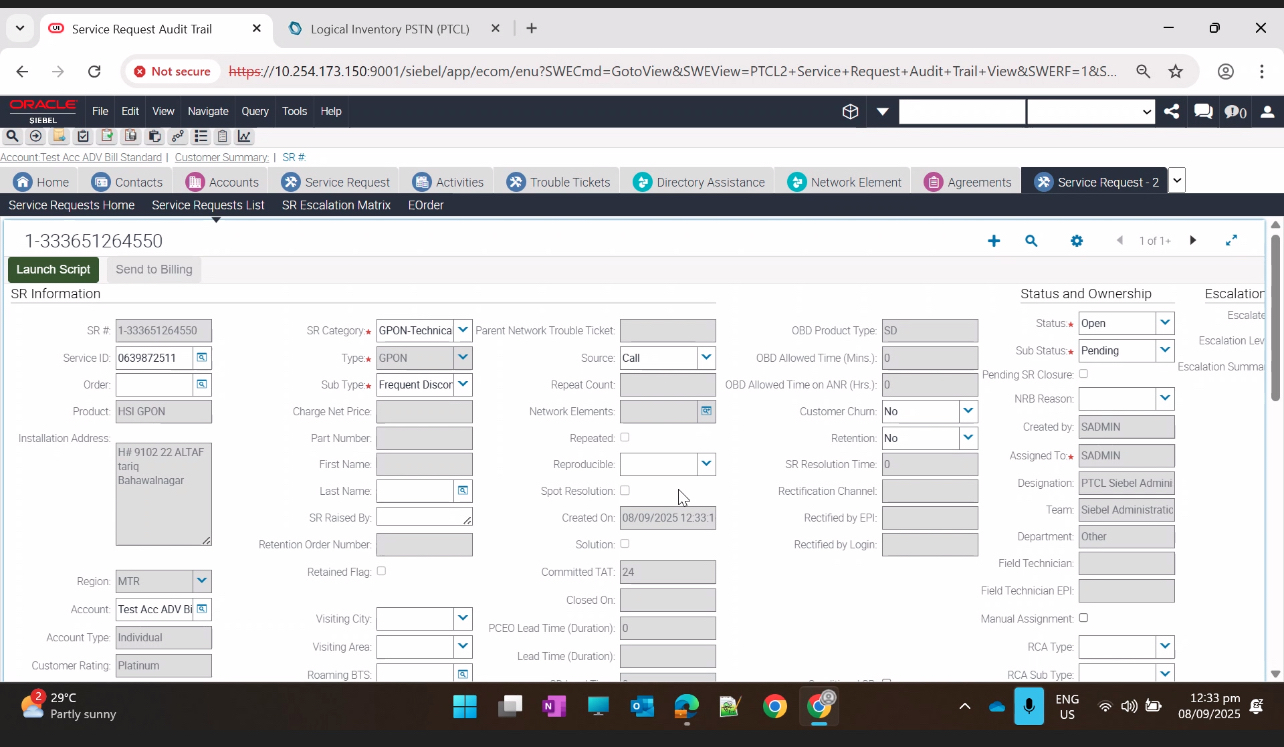
4-To verify that when an SR is created under GPON Technical Services, with a configured Trouble Ticket, undergoes an SMP Health Check for rectification. After rectification SR goes to OBD, upon customer reopen the system correctly assigns the SR to the appropriate ABM and F |
P
|
08-Sep-25 |
|
| 18798 |
1-NTT Routing on SMP ref: 14305 |
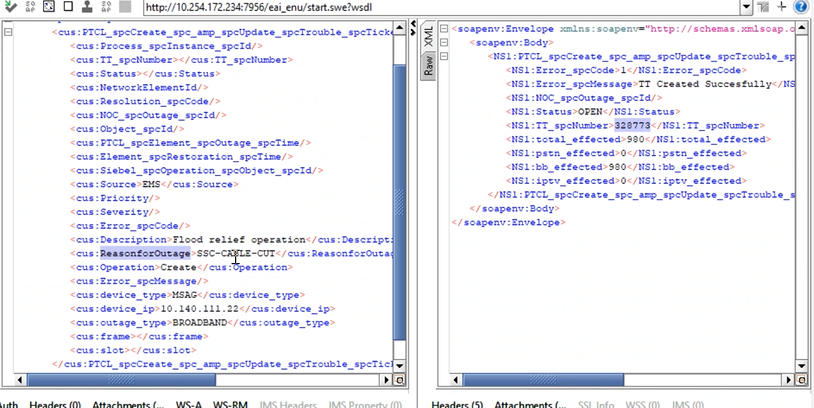
1-To verify that when an SR is created under Technical Services, with a configured Trouble Ticket, undergoes an SMP Health Check for rectification. After rectification upon SMP Reopen the system correctly assigns the SR to the appropriate ABM and FT. |
P
|
08-Sep-25 |
|
| 18798 |
1-NTT Routing on SMP ref: 14305 |
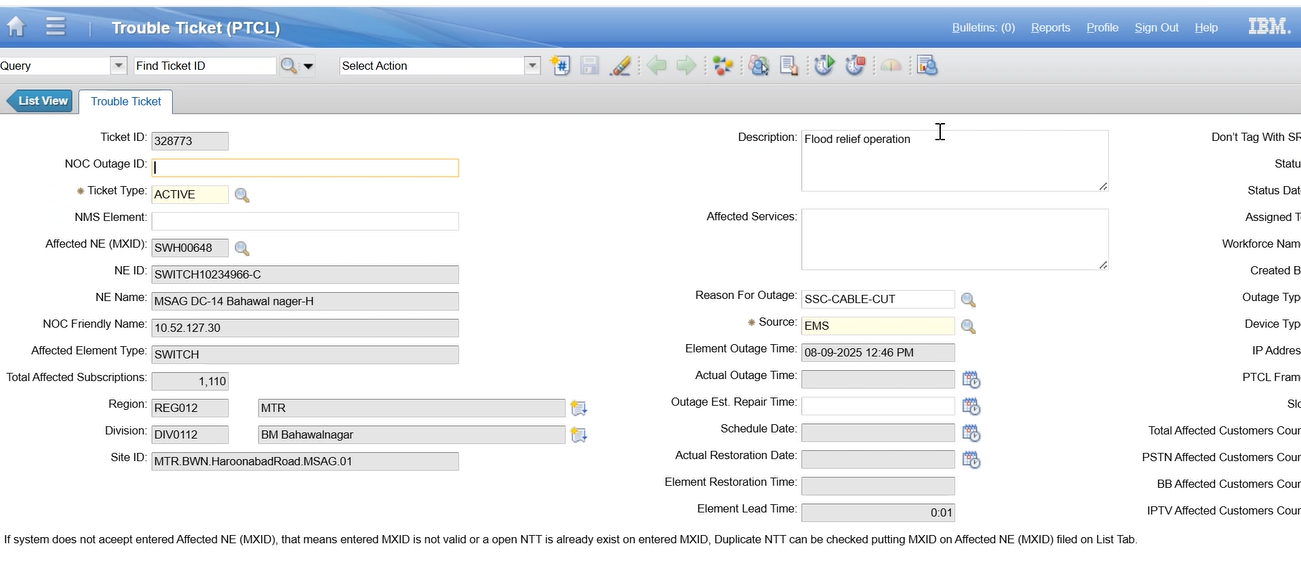
1-To verify that when an SR is created under Technical Services, with a configured Trouble Ticket, undergoes an SMP Health Check for rectification. After rectification upon SMP Reopen the system correctly assigns the SR to the appropriate ABM and FT. |
P
|
08-Sep-25 |
|
| 18798 |
1-NTT Routing on SMP ref: 14305 |
1-To verify that when an SR is created under Technical Services, with a configured Trouble Ticket, undergoes an SMP Health Check for rectification. After rectification upon SMP Reopen the system correctly assigns the SR to the appropriate ABM and FT. |
P
|
08-Sep-25 |

|
| 18798 |
1-NTT Routing on SMP ref: 14305 |
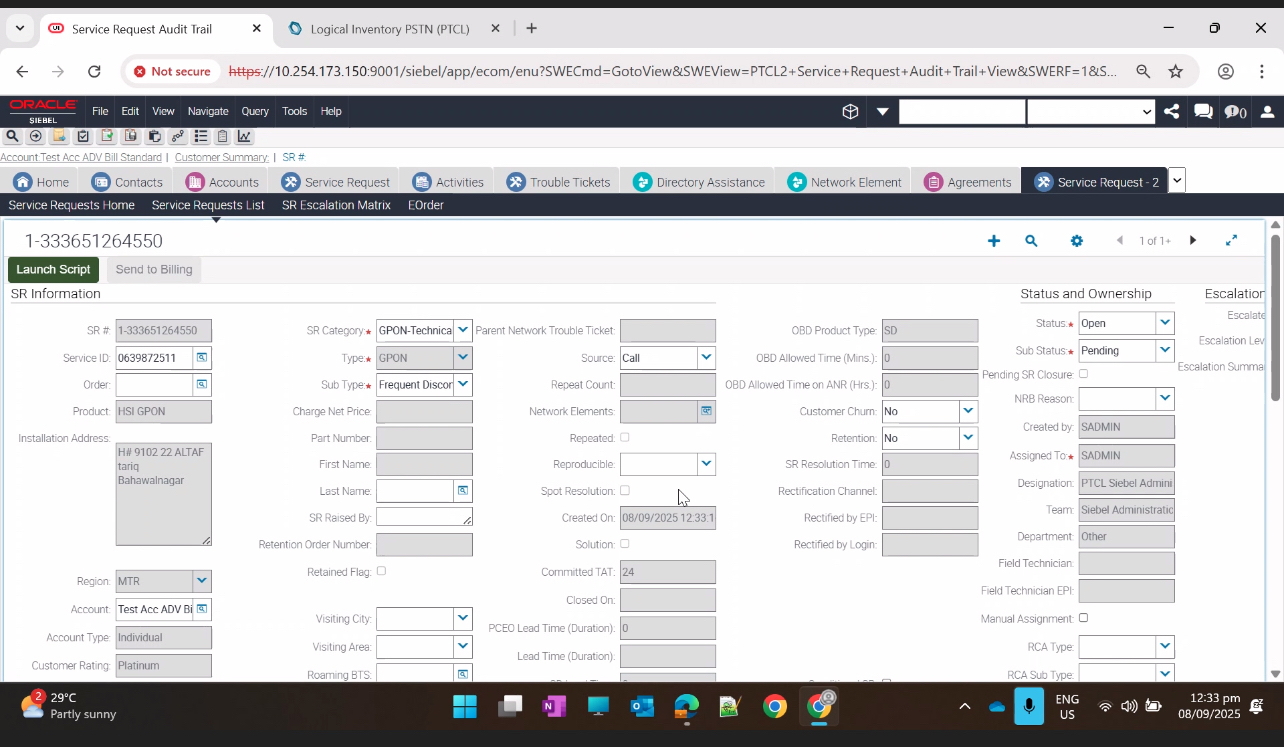
2-View log on content view |
P
|
08-Sep-25 |
|
| 18798 |
1-NTT Routing on SMP ref: 14305 |
2-View log on content view |
P
|
08-Sep-25 |
|
| 22011 |
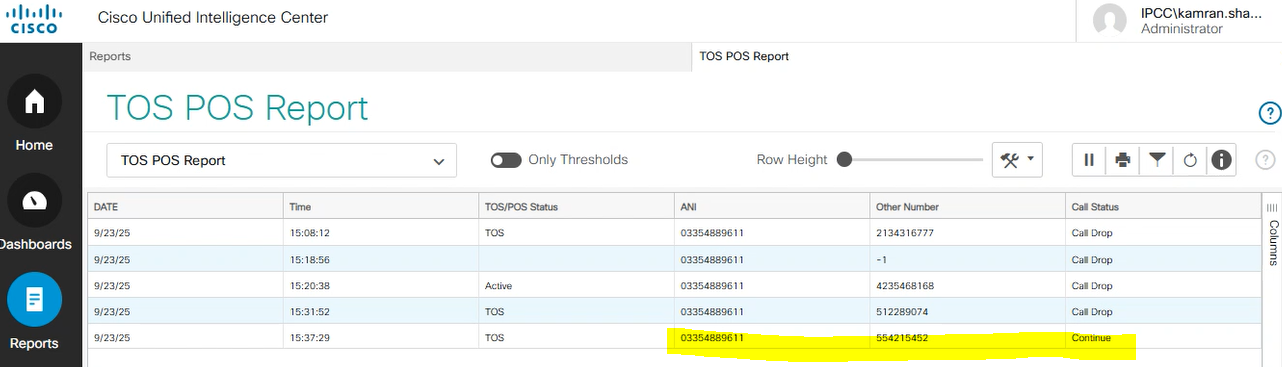
1-Auto Detection of TOS-POS Numbers and Billing Announcement at IVR
|
4-Landline (General Validation)
|
P
|
23-Sep-25 |
|
| 22011 |
1-Auto Detection of TOS-POS Numbers and Billing Announcement at IVR
|
3-Mobile (Not Whitelisted, Check via Web Service)
|
P
|
23-Sep-25 |
No image
|
| 22011 |
1-Auto Detection of TOS-POS Numbers and Billing Announcement at IVR
|
2-Landline (Whitelisted in Supervisor Tool)
|
P
|
23-Sep-25 |

|
| 22011 |
1-Auto Detection of TOS-POS Numbers and Billing Announcement at IVR
|
1-Calling from Mobile (OMO Number)
|
P
|
23-Sep-25 |
No image
|
| 22011 |
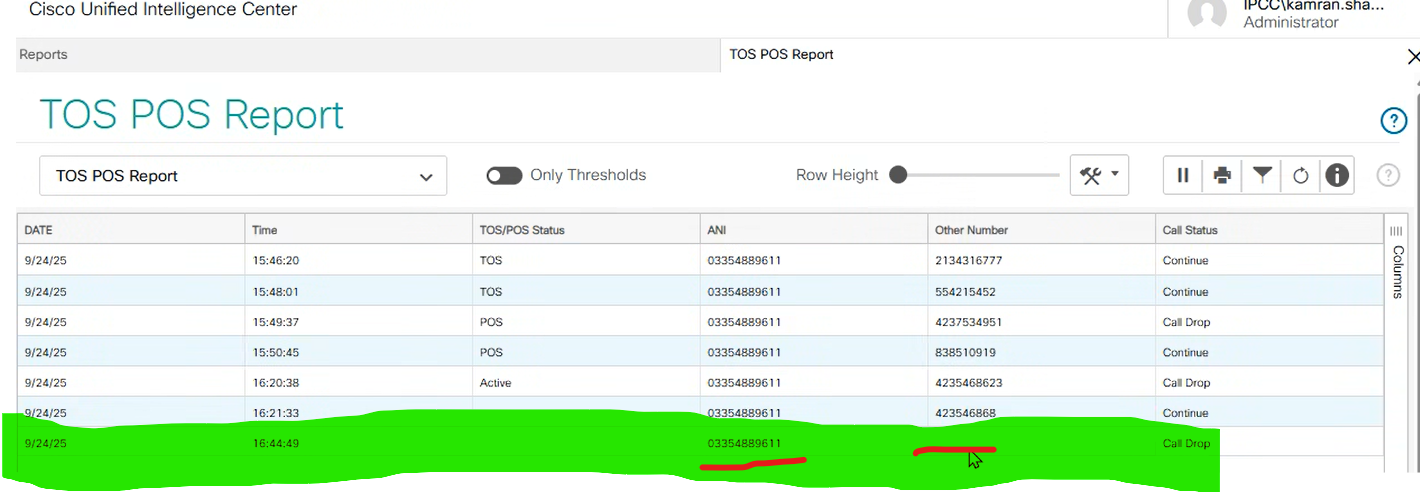
1-Auto Detection of TOS-POS Numbers and Billing Announcement at IVR |
5-Report Varification |
P
|
24-Sep-25 |
|
| 17243 |
1-Consolidated bill register for B2B Product |
1-Consolidated Report included Cloud and Data products |
F
|
26-Sep-25 |
No image
|
| 21449 |
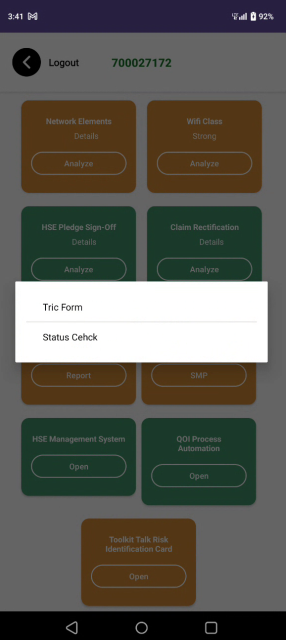
1-Digitalization Toolbox talk Risk Identifications card(TRIC) |
1-User logs in to WIFI Analyzer
|
P
|
30-Sep-25 |
|
| 21449 |
1-Digitalization Toolbox talk Risk Identifications card(TRIC) |
7-User resubmits a form assigned for resubmission by manager |
P
|
30-Sep-25 |
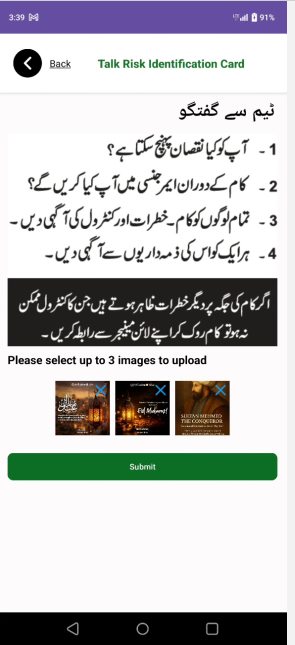
|
| 21449 |
1-Digitalization Toolbox talk Risk Identifications card(TRIC) |
4-User fills three Urdu forms with mandatory fields |
P
|
30-Sep-25 |
No image
|
| 21449 |
1-Digitalization Toolbox talk Risk Identifications card(TRIC) |
2-User clicks TRIC icon on main screen
|
P
|
30-Sep-25 |
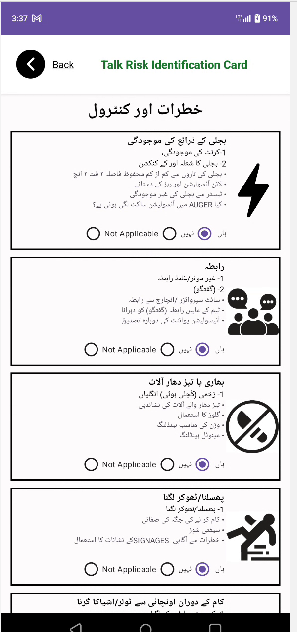
|
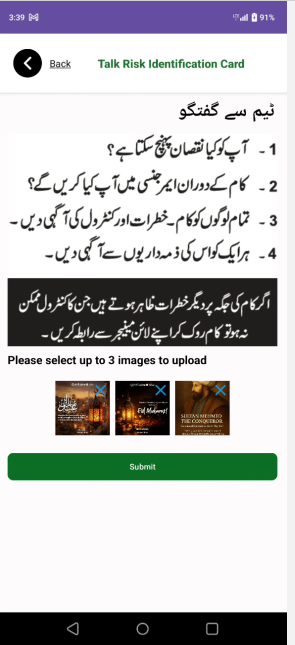
| 21449 |
1-Digitalization Toolbox talk Risk Identifications card(TRIC) |
5-User uploads images (optional) and submits form
|
P
|
30-Sep-25 |
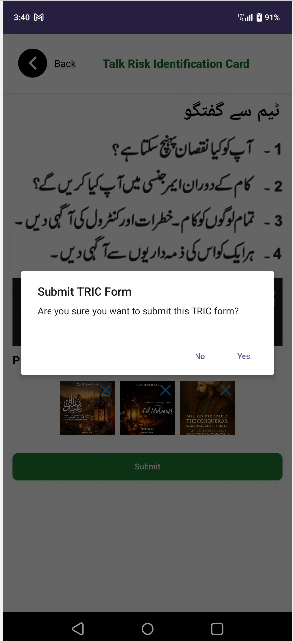
|
| 21449 |
1-Digitalization Toolbox talk Risk Identifications card(TRIC) |
6-User checks submitted forms status |
P
|
30-Sep-25 |
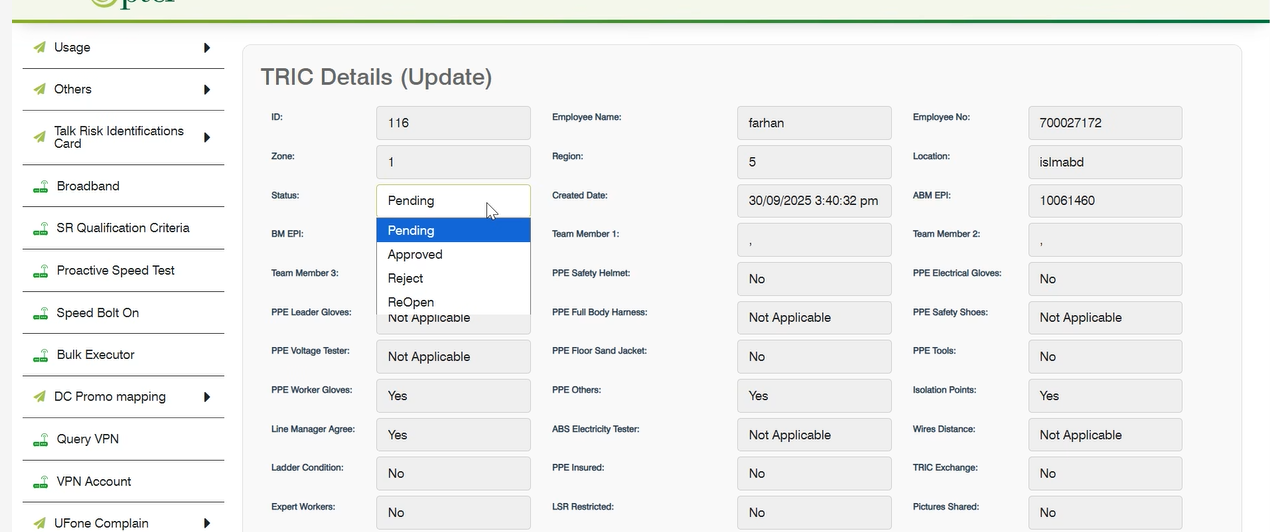
|
| 21449 |
1-Digitalization Toolbox talk Risk Identifications card(TRIC) |
3-User opens TRIC Form and fills Employee Details form
|
P
|
30-Sep-25 |
|
| 17243 |
1-Consolidated bill register for B2B Product |
1-Consolidated Report included Cloud and Data products |
F
|
13-Oct-25 |

|
| 22339 |
1-SR Creation for postpaid to Advance- PTCL Web |
5-Error message for arelady Sr submitted |
P
|
14-Oct-25 |

|
| 22339 |
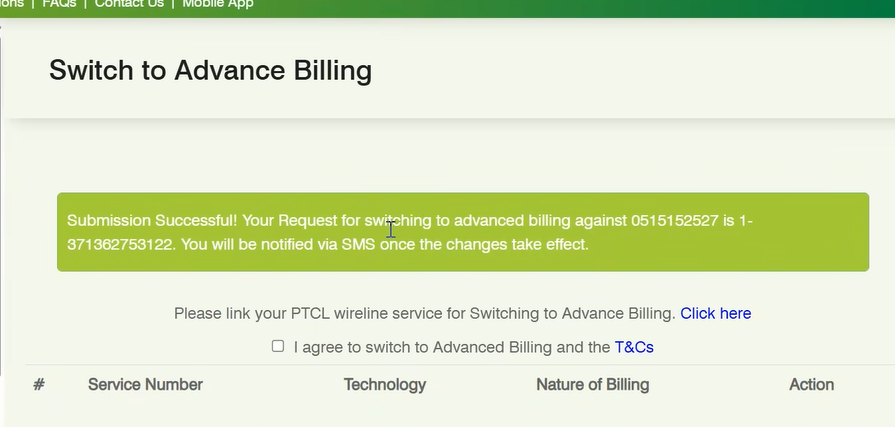
1-SR Creation for postpaid to Advance- PTCL Web |
2-SR is Creation |
P
|
14-Oct-25 |
|
| 22339 |
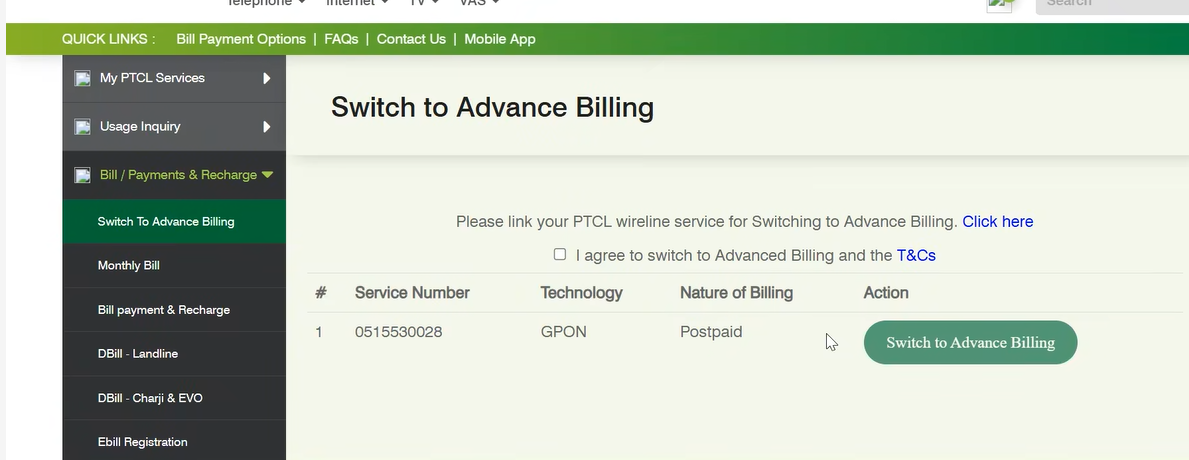
1-SR Creation for postpaid to Advance- PTCL Web |
4-Button Disable/Enable for Advance Billing |
P
|
14-Oct-25 |
|
| 22339 |
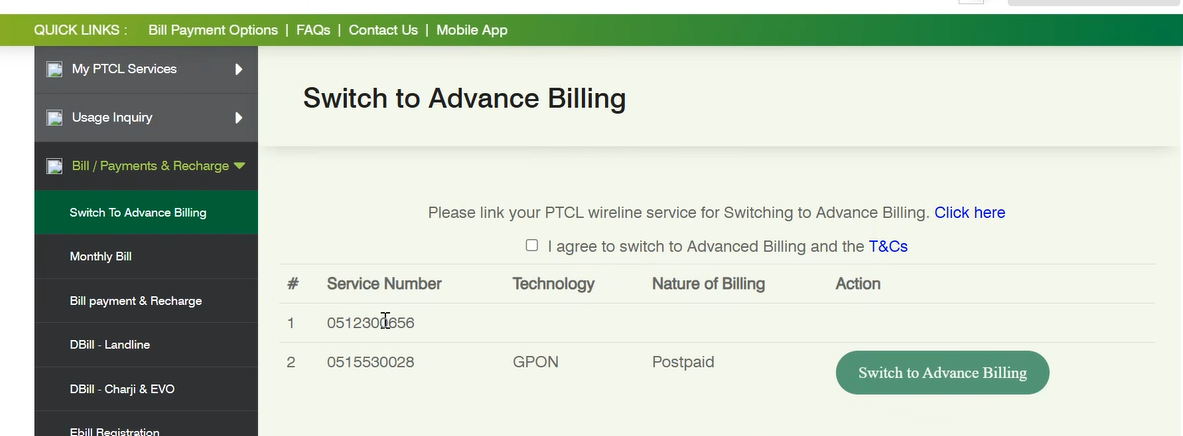
1-SR Creation for postpaid to Advance- PTCL Web |
1-Button is not enable untill customer agree T&C |
P
|
14-Oct-25 |
|
| 22339 |
1-SR Creation for postpaid to Advance- PTCL Web |
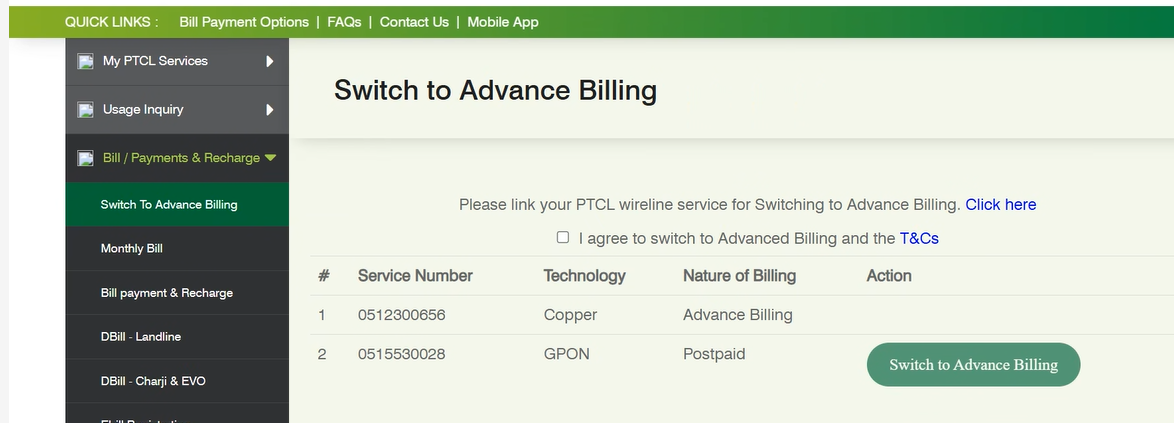
6-IF Nature of Billing is Advance |
P
|
14-Oct-25 |
|
| 22339 |
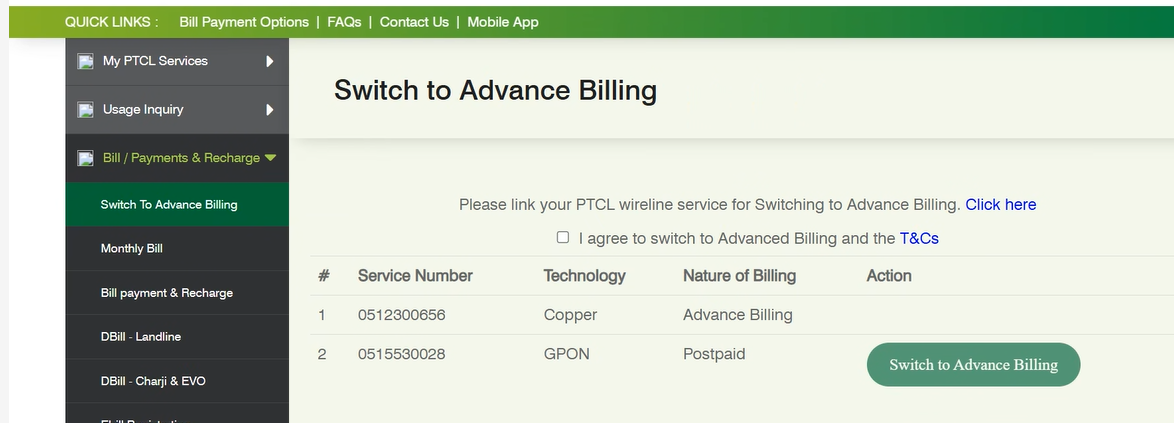
1-SR Creation for postpaid to Advance- PTCL Web |
3-Natite of Billing |
P
|
14-Oct-25 |
|
| 17243 |
1-Consolidated bill register for B2B Product |
1-Consolidated Report included Cloud and Data products |
F
|
12-Nov-25 |
No image
|
| 20009 |
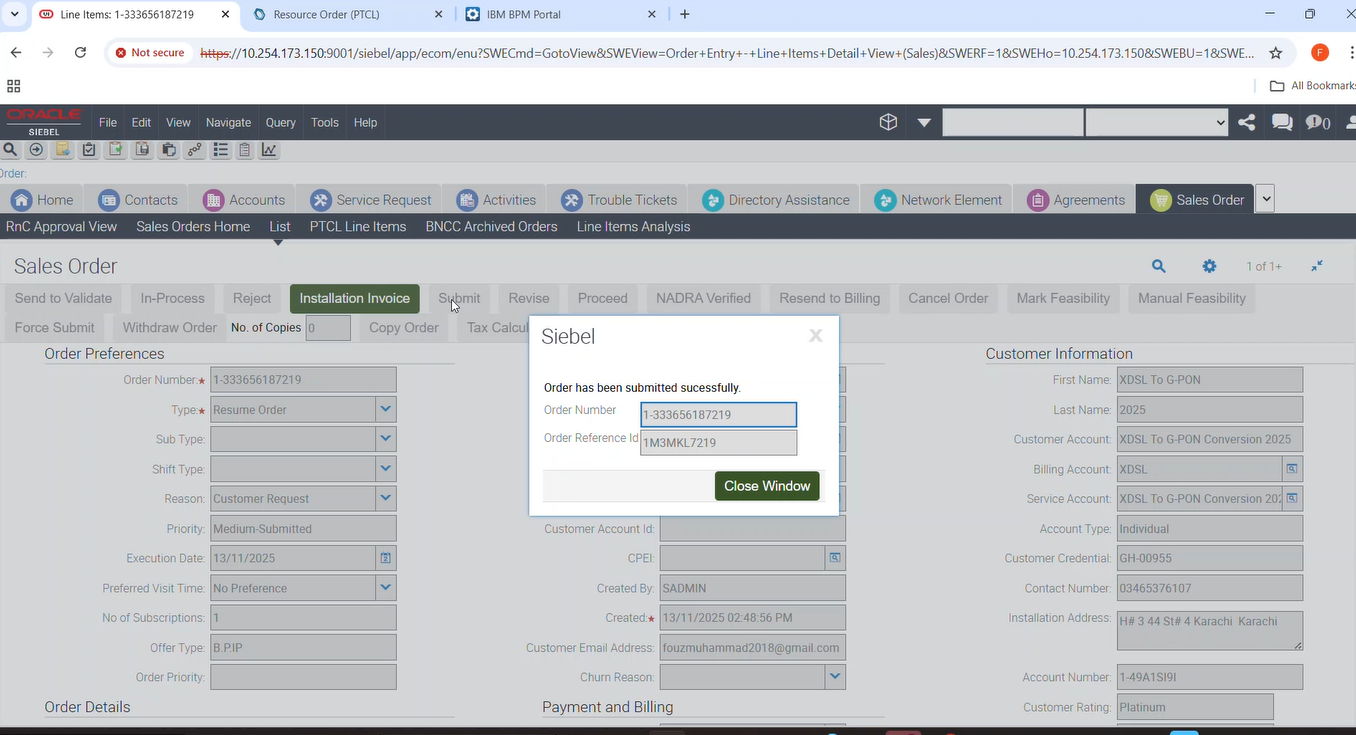
1-GPON Auto Eligibility/Feasibility |
12-To Create a Resume Order for Suspended customer which already contains promotional Price Plan & Discount Suite for GPON Subscription. |
P
|
13-Nov-25 |
|
| 17243 |
1-Consolidated bill register for B2B Product |
1-Consolidated Report included Cloud and Data products |
F
|
12-Nov-25 |
|
| 20009 |
1-GPON Auto Eligibility/Feasibility |
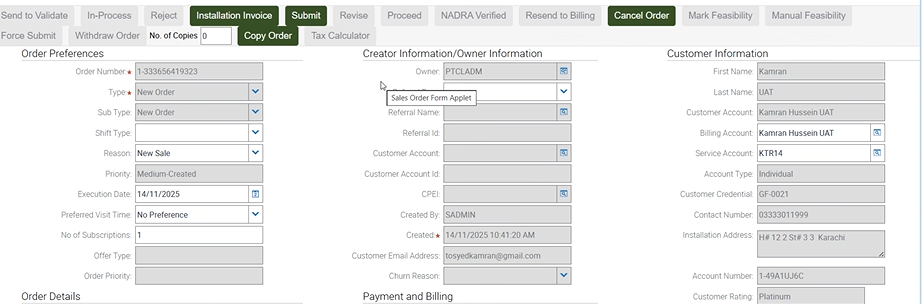
18-To Verify that for New Order having GPON Subscription when ‘N’ is returned from Auto Feasibility the Order is moved to ‘Awaiting Mark Feasibility’. Add a valid promotion. |
P
|
14-Nov-25 |
|
| 20009 |
1-GPON Auto Eligibility/Feasibility |
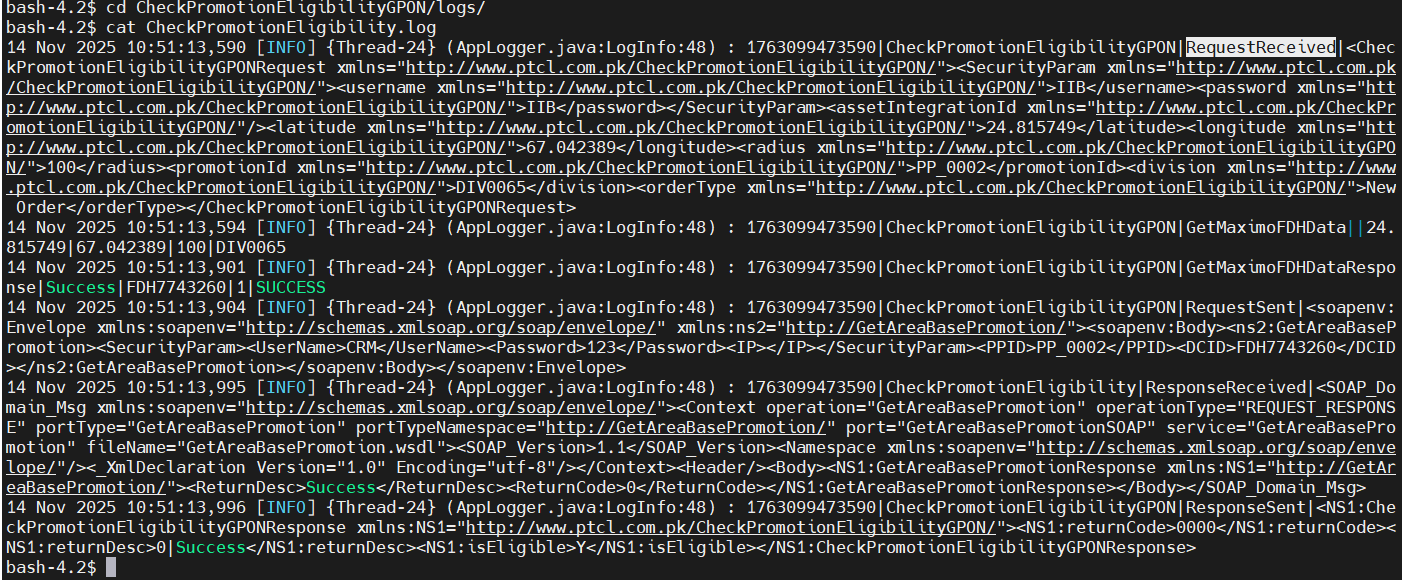
18-To Verify that for New Order having GPON Subscription when ‘N’ is returned from Auto Feasibility the Order is moved to ‘Awaiting Mark Feasibility’. Add a valid promotion. |
P
|
14-Nov-25 |
|
| 20009 |
1-GPON Auto Eligibility/Feasibility |
18-To Verify that for New Order having GPON Subscription when ‘N’ is returned from Auto Feasibility the Order is moved to ‘Awaiting Mark Feasibility’. Add a valid promotion. |
P
|
14-Nov-25 |
No image
|
| 20009 |
1-GPON Auto Eligibility/Feasibility |
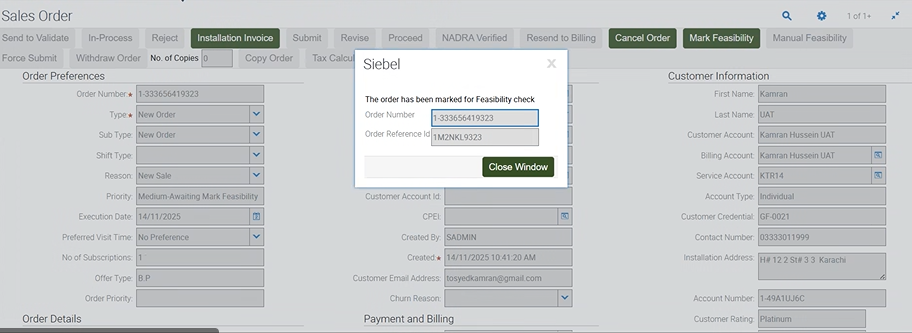
18-To Verify that for New Order having GPON Subscription when ‘N’ is returned from Auto Feasibility the Order is moved to ‘Awaiting Mark Feasibility’. Add a valid promotion. |
P
|
14-Nov-25 |
|
| 20009 |
1-GPON Auto Eligibility/Feasibility |
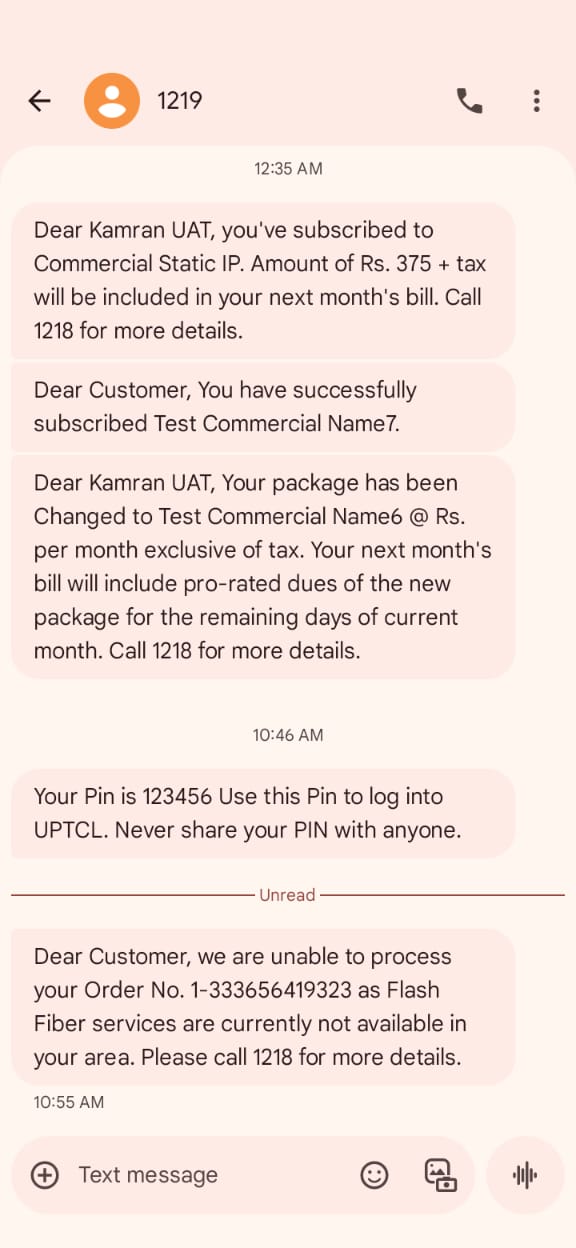
18-To Verify that for New Order having GPON Subscription when ‘N’ is returned from Auto Feasibility the Order is moved to ‘Awaiting Mark Feasibility’. Add a valid promotion. |
P
|
14-Nov-25 |
|
| 20009 |
1- |
17-To Verify that for New Order having GPON Subscription when ‘Y’ is returned from the Auto Feasibility the Order is moved to ‘Awaiting Payment Confirmation’ or ‘WFRA’ and SMS sent to customer. Also check revision 2 for feasibility copy. |
P
|
14-Nov-25 |

|
| 20009 |
1- |
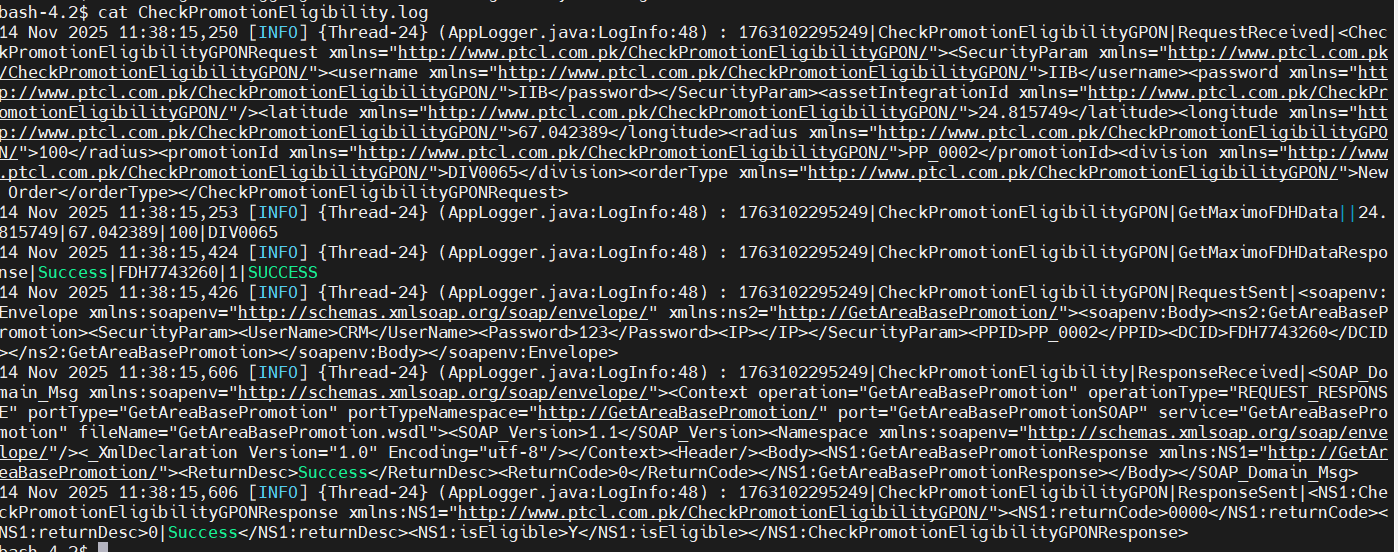
16-To Verify that for New Order having GPON Subscription the ‘Y’ or ‘N’ status of the Auto Feasibility is displayed in the Order Header after Submitting the order when the Lat/Long values and radius are provided in the Service Account and Order revision is less than or equal to 1. |
P
|
14-Nov-25 |
|
| 20009 |
1- |
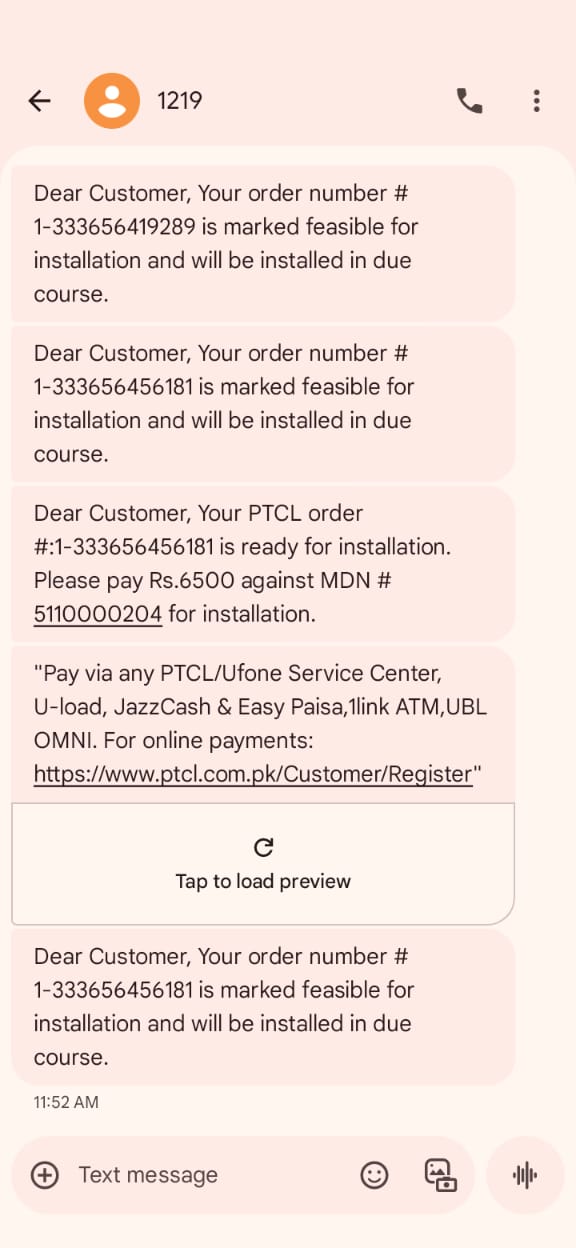
17-To Verify that for New Order having GPON Subscription when ‘Y’ is returned from the Auto Feasibility the Order is moved to ‘Awaiting Payment Confirmation’ or ‘WFRA’ and SMS sent to customer. Also check revision 2 for feasibility copy. |
P
|
14-Nov-25 |
|
| 20009 |
1- |
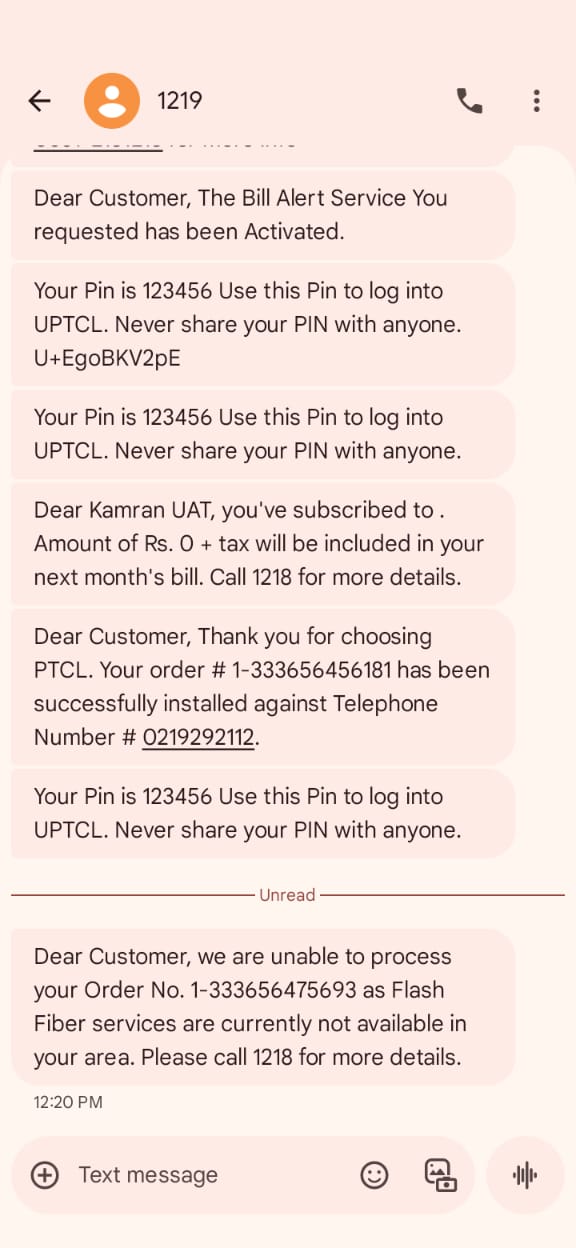
25-To Verify that for Restore Order having GPON Subscription when ‘N’ is returned from Auto Feasibility and Manual Feasibility marks ‘Not Feasible’, Order is marked as Not Feasible and SMS sent. |
P
|
14-Nov-25 |
|
| 20009 |
1- |
25-To Verify that for Restore Order having GPON Subscription when ‘N’ is returned from Auto Feasibility and Manual Feasibility marks ‘Not Feasible’, Order is marked as Not Feasible and SMS sent. |
P
|
14-Nov-25 |

|
| 20009 |
1- |
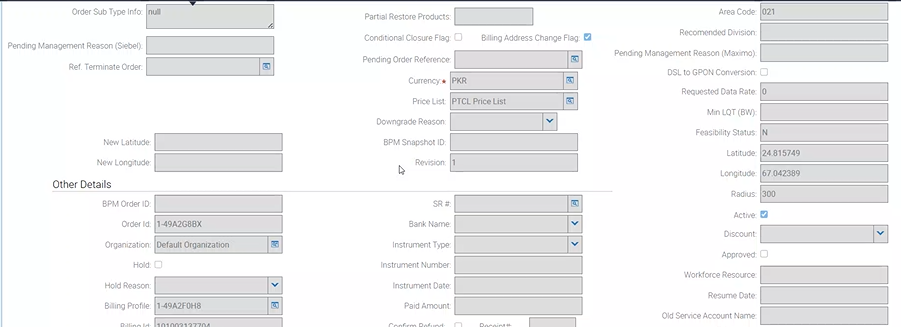
25-To Verify that for Restore Order having GPON Subscription when ‘N’ is returned from Auto Feasibility and Manual Feasibility marks ‘Not Feasible’, Order is marked as Not Feasible and SMS sent. |
P
|
14-Nov-25 |
|
| 20009 |
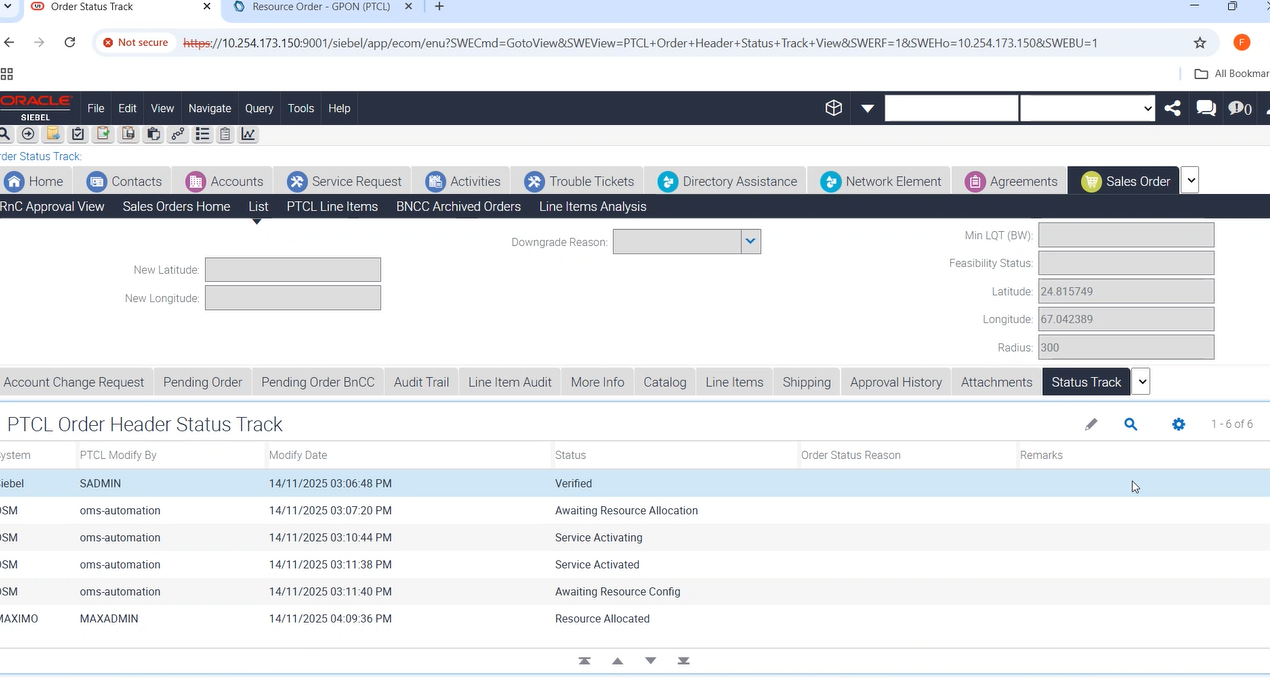
1- |
8-To Create a Modify Order with promotion Price Plan for GPON Subscription having the correct Lat Long value for specific FDH for which the promotion is eligible. |
P
|
14-Nov-25 |
|
| 20009 |
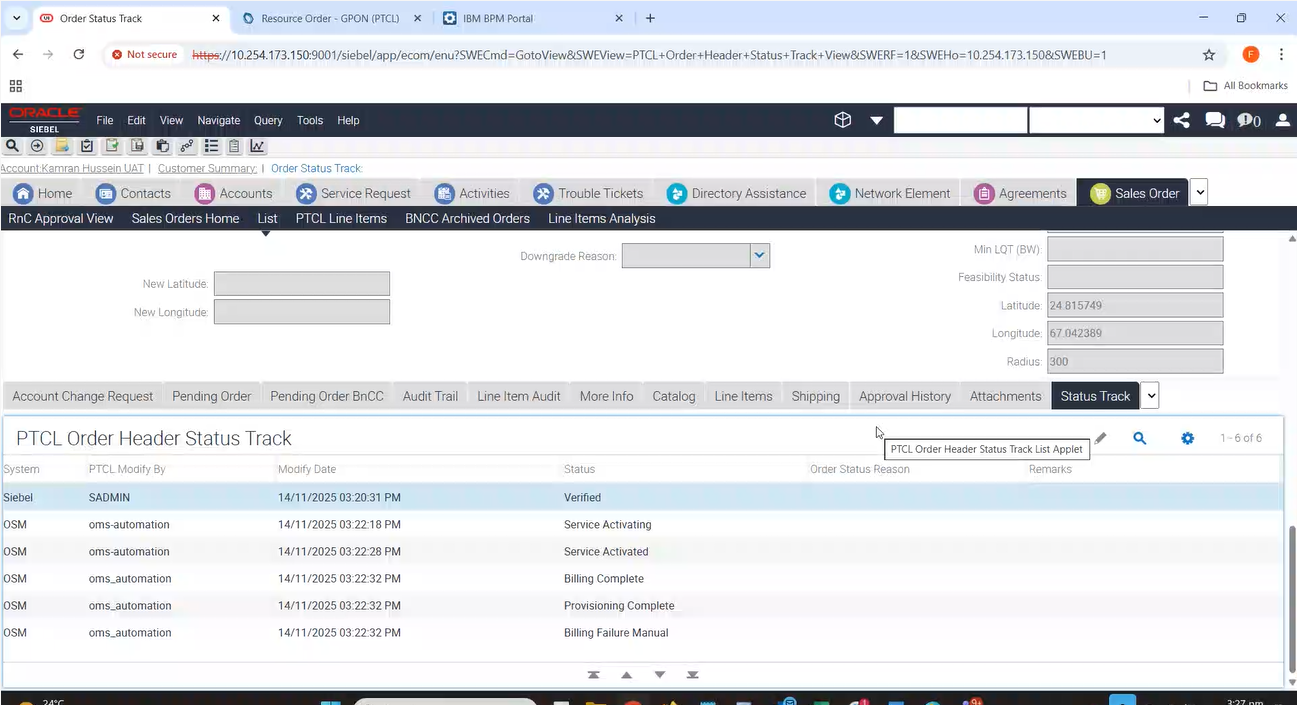
1- |
8-To Create a Modify Order with promotion Price Plan for GPON Subscription having the correct Lat Long value for specific FDH for which the promotion is eligible. |
P
|
14-Nov-25 |
|
| 20009 |
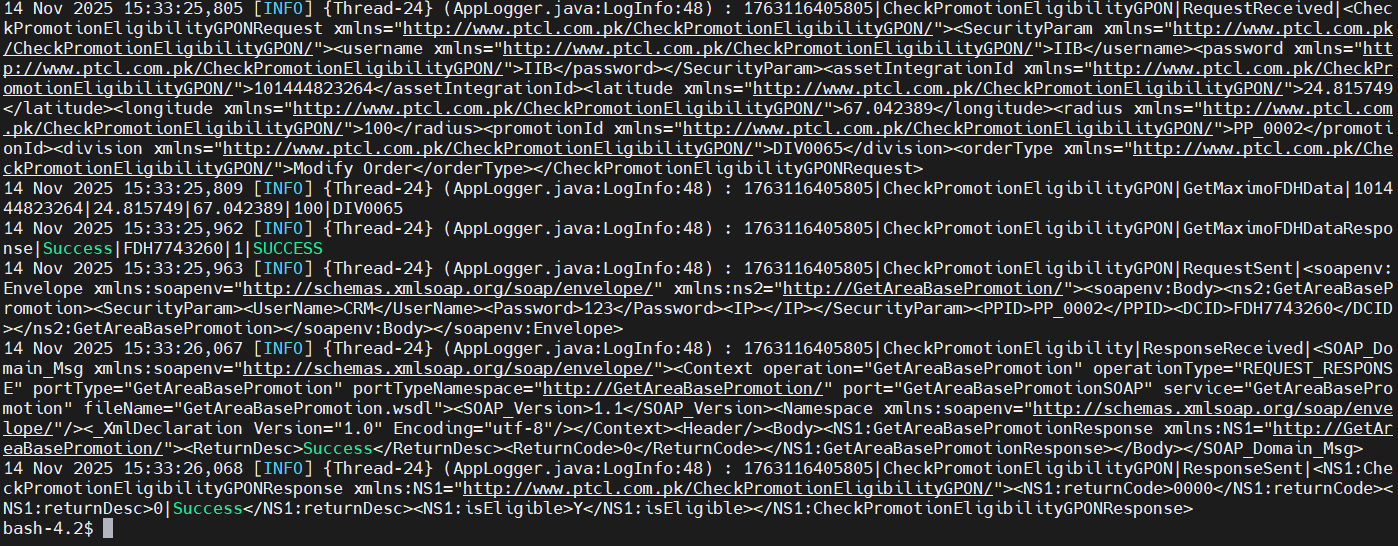
1- |
8-To Create a Modify Order with promotion Price Plan for GPON Subscription having the correct Lat Long value for specific FDH for which the promotion is eligible. |
P
|
14-Nov-25 |
|
| 20009 |
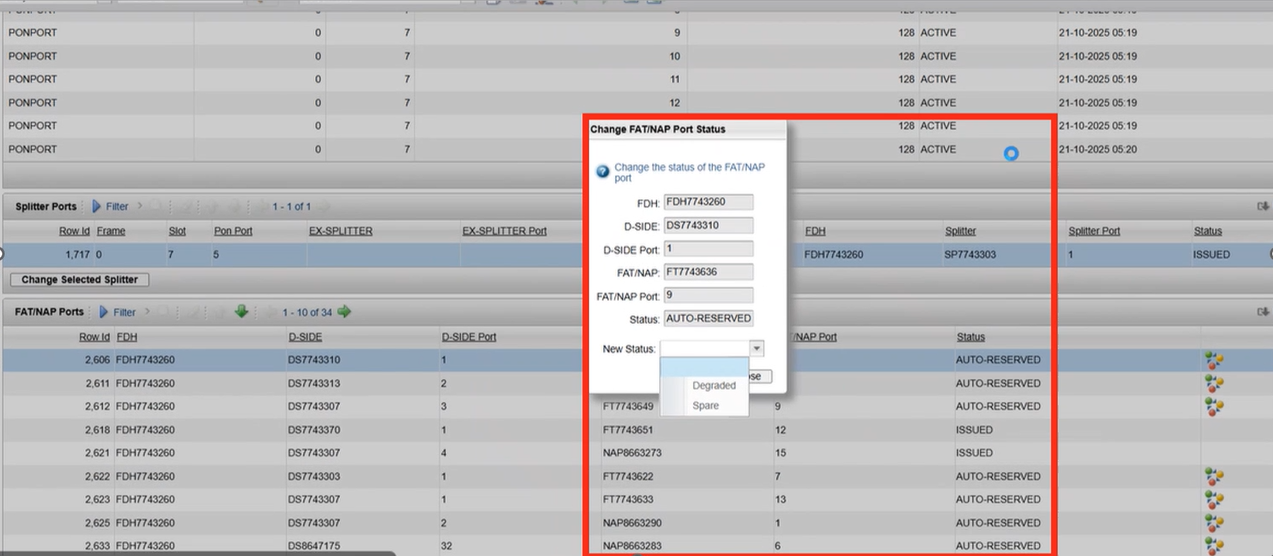
1-GPON Auto Eligibility/Feasibility |
15-To Create a New Order for GPON Subscription and verify that the auto feasibility is called upon Submitting the order when the Lat/Long values and radius are provided in the Service Account and Order revision is less than or equal to 1. Also add a valid promotion in the order. |
P
|
17-Nov-25 |
|
| 20009 |
1-GPON Auto Eligibility/Feasibility |
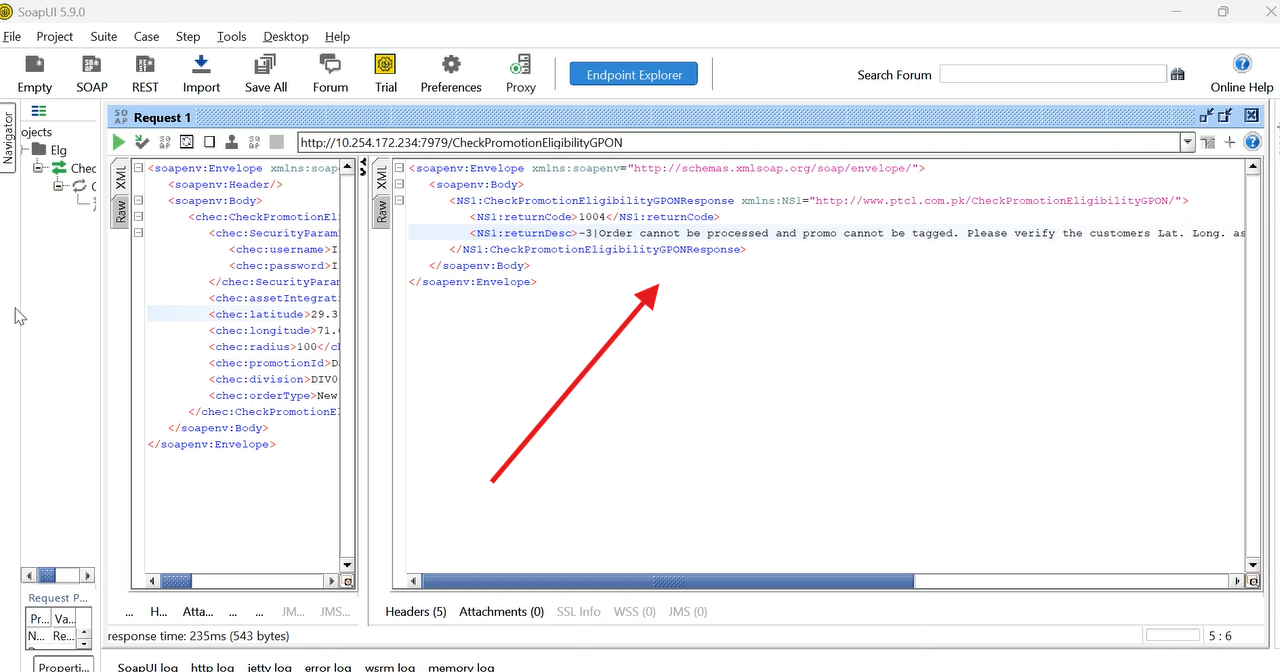
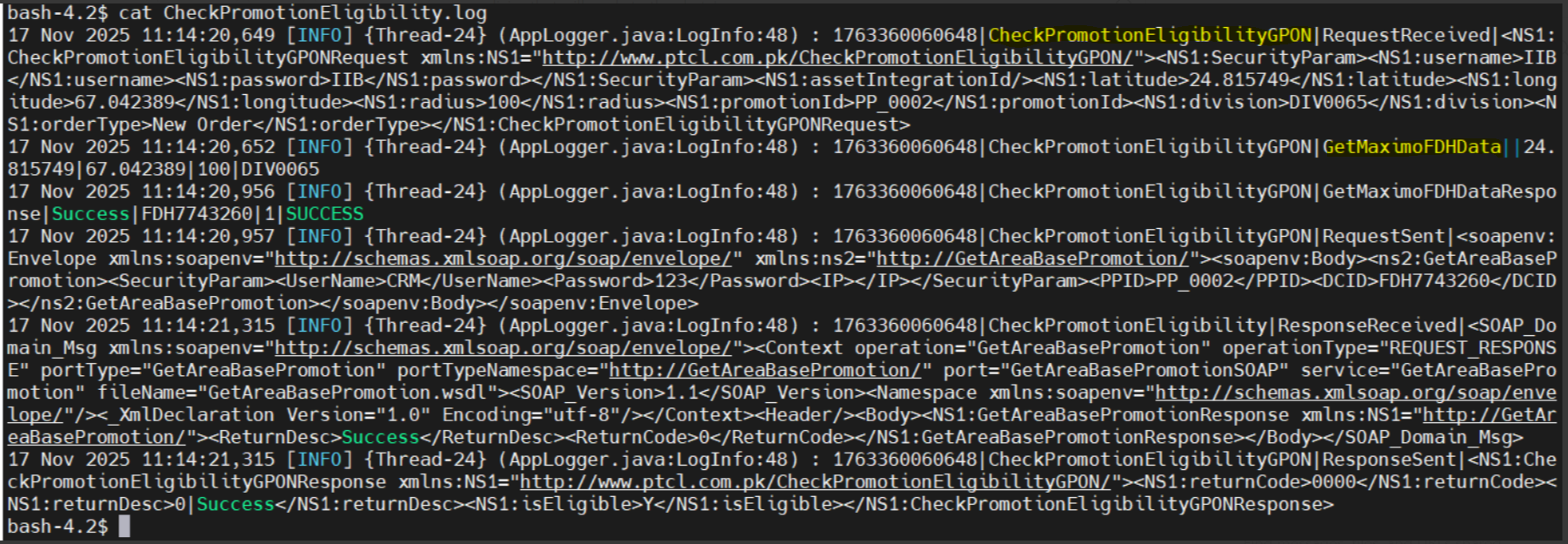
35-Auto Eligibility web service (ACE wrapper) will be called from SoapUI with values expected to return “Yes”. |
P
|
17-Nov-25 |
|
| 20009 |
1-GPON Auto Eligibility/Feasibility |
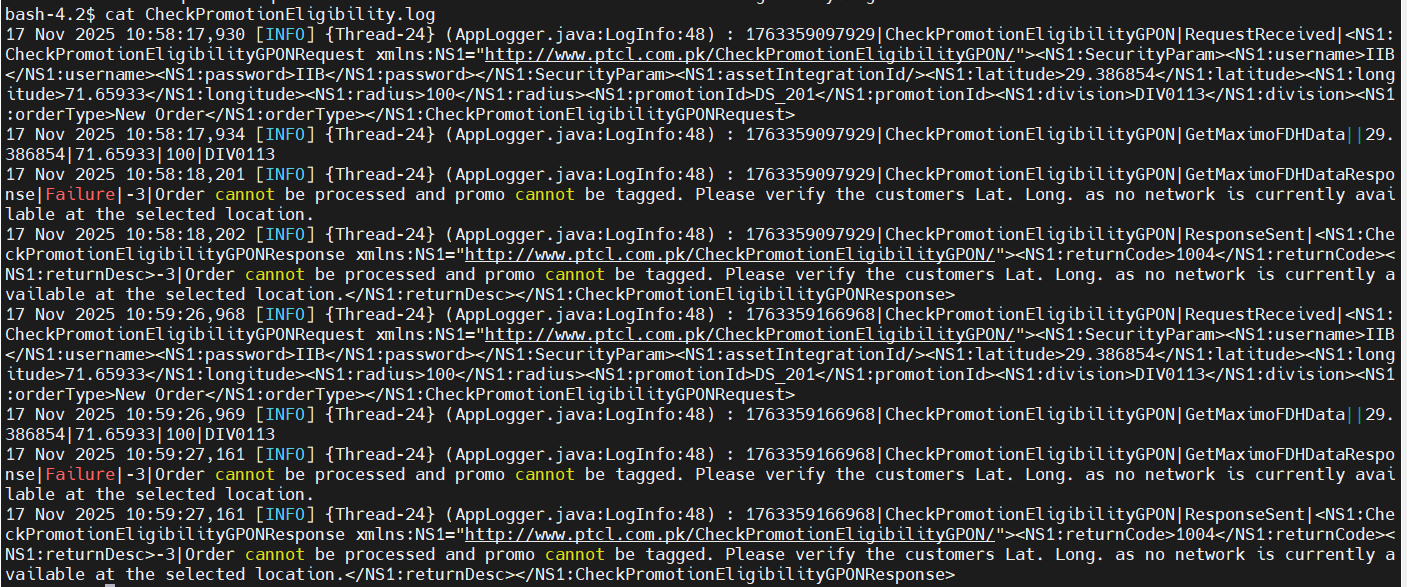
35-Auto Eligibility web service (ACE wrapper) will be called from SoapUI with values expected to return “Yes”. |
P
|
17-Nov-25 |
|
| 20009 |
1-GPON Auto Eligibility/Feasibility |
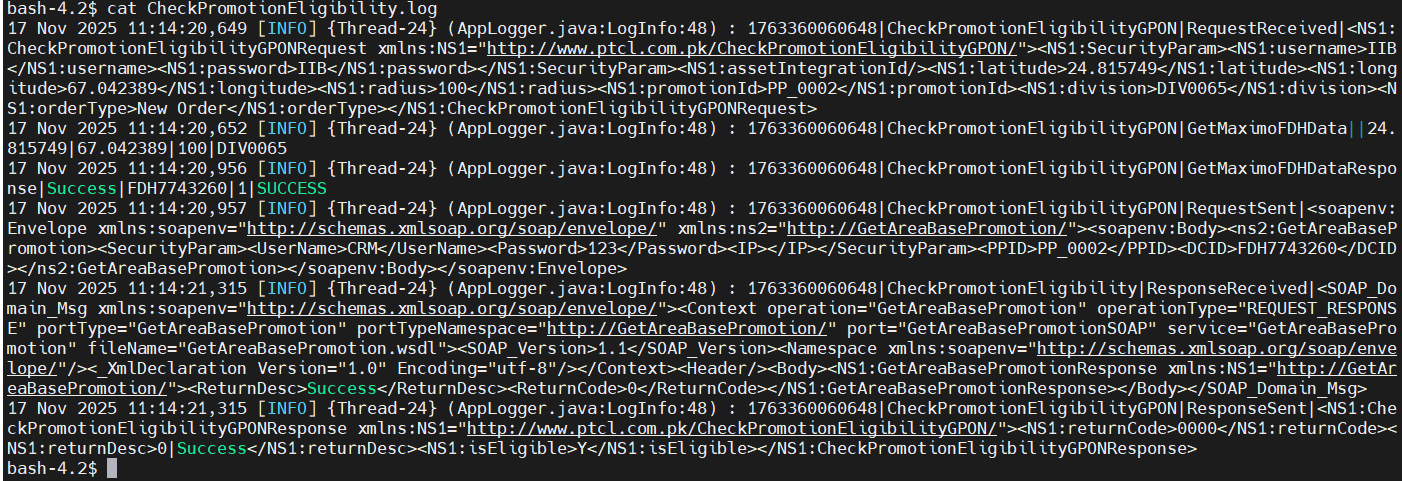
35-Auto Eligibility web service (ACE wrapper) will be called from SoapUI with values expected to return “Yes”. |
P
|
17-Nov-25 |
|
| 20009 |
1-GPON Auto Eligibility/Feasibility |
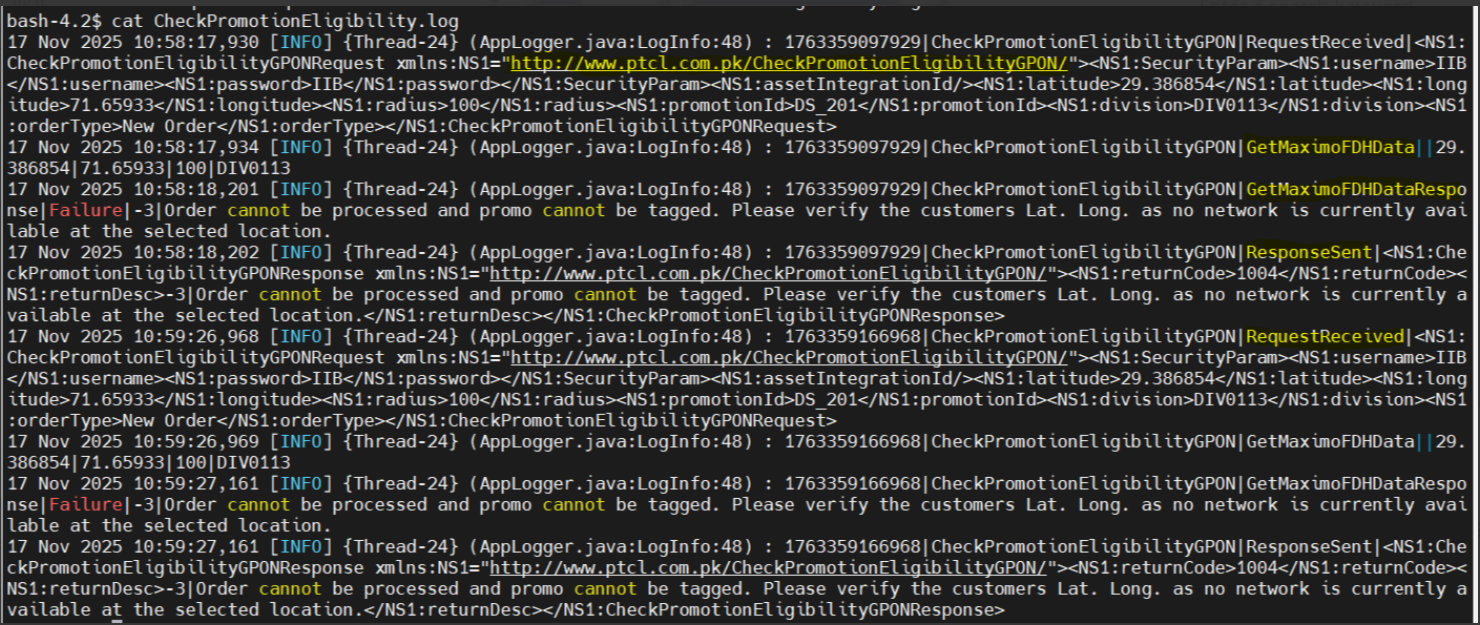
35-Auto Eligibility web service (ACE wrapper) will be called from SoapUI with values expected to return “Yes”. |
P
|
17-Nov-25 |
|
| 20009 |
1-GPON Auto Eligibility/Feasibility |
35-Auto Eligibility web service (ACE wrapper) will be called from SoapUI with values expected to return “Yes”. |
P
|
17-Nov-25 |
|
| 20009 |
1-GPON Auto Eligibility/Feasibility |
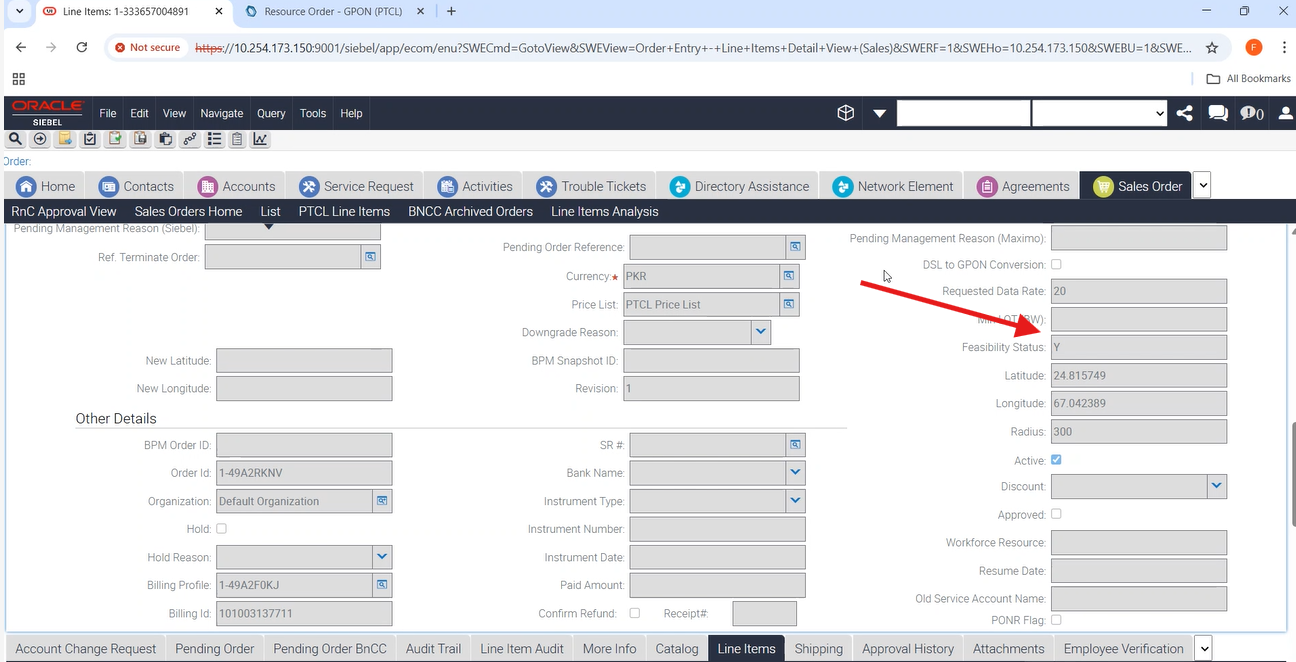
38-To Verify that for New Order having GPON Subscription (OTC > 0, Feasibility Bypass=N, Payment Bypass=N, Auto Feasibility=N, Manual Feasibility=Feasible) — Order should go to WFRA. |
F
|
17-Nov-25 |
|
| 20009 |
1- |
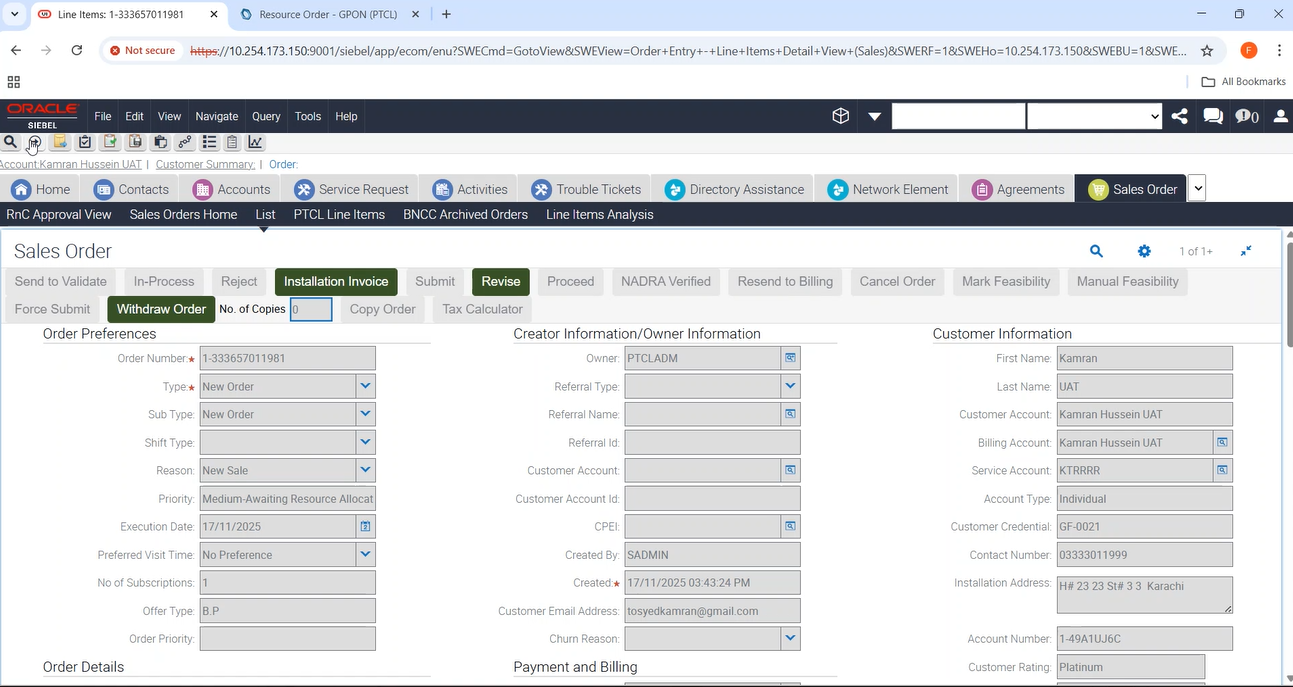
31-To Verify that in a New Order for GPON Subscription when Payment Bypass line item is available in the Order and the Order has 0 upfront payment, the Order should move directly to Awaiting Resource Allocation upon receiving success response from Auto-Feasibility webservice. |
P
|
17-Nov-25 |
|
| 20009 |
1- |
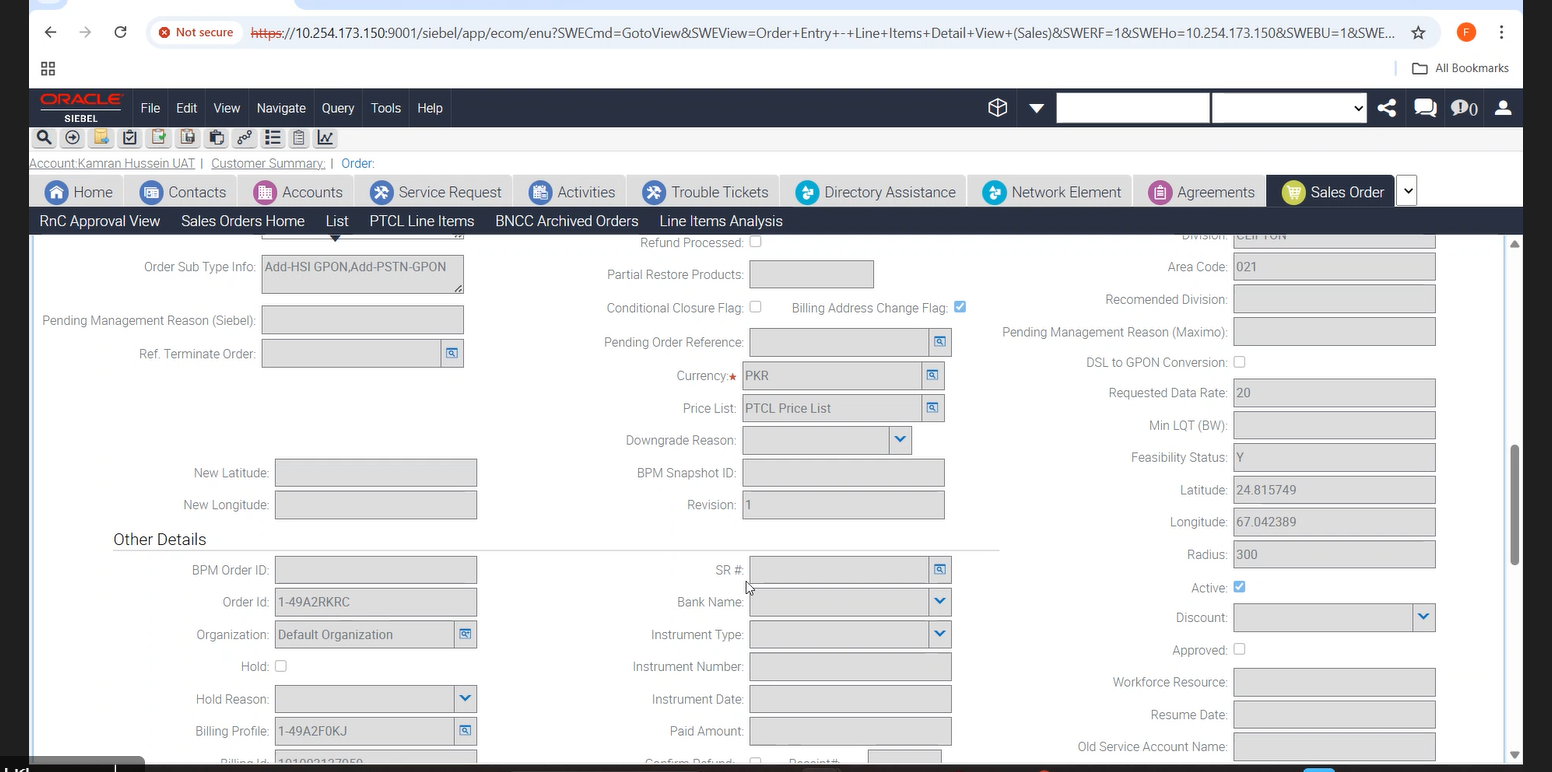
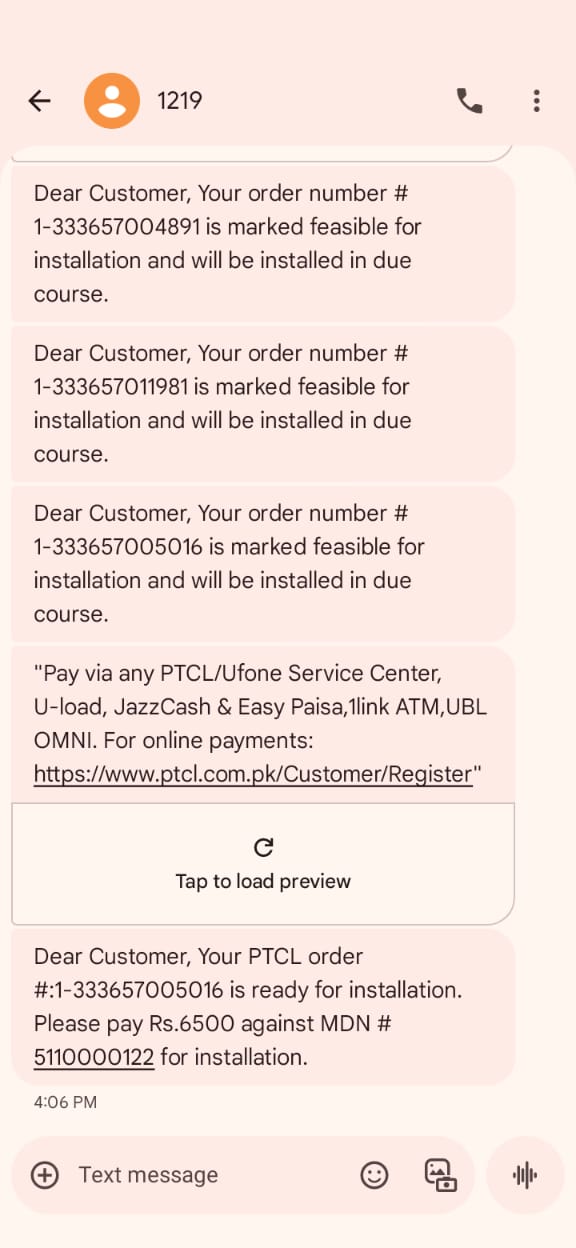
17-To Verify that for New Order having GPON Subscription when ‘Y’ is returned from the Auto Feasibility the Order is moved to ‘Awaiting Payment Confirmation’ or ‘WFRA’ and SMS sent to customer. Also check revision 2 for feasibility copy. |
P
|
17-Nov-25 |
|
| 20009 |
1- |
17-To Verify that for New Order having GPON Subscription when ‘Y’ is returned from the Auto Feasibility the Order is moved to ‘Awaiting Payment Confirmation’ or ‘WFRA’ and SMS sent to customer. Also check revision 2 for feasibility copy. |
P
|
17-Nov-25 |
|
| 20009 |
1- |
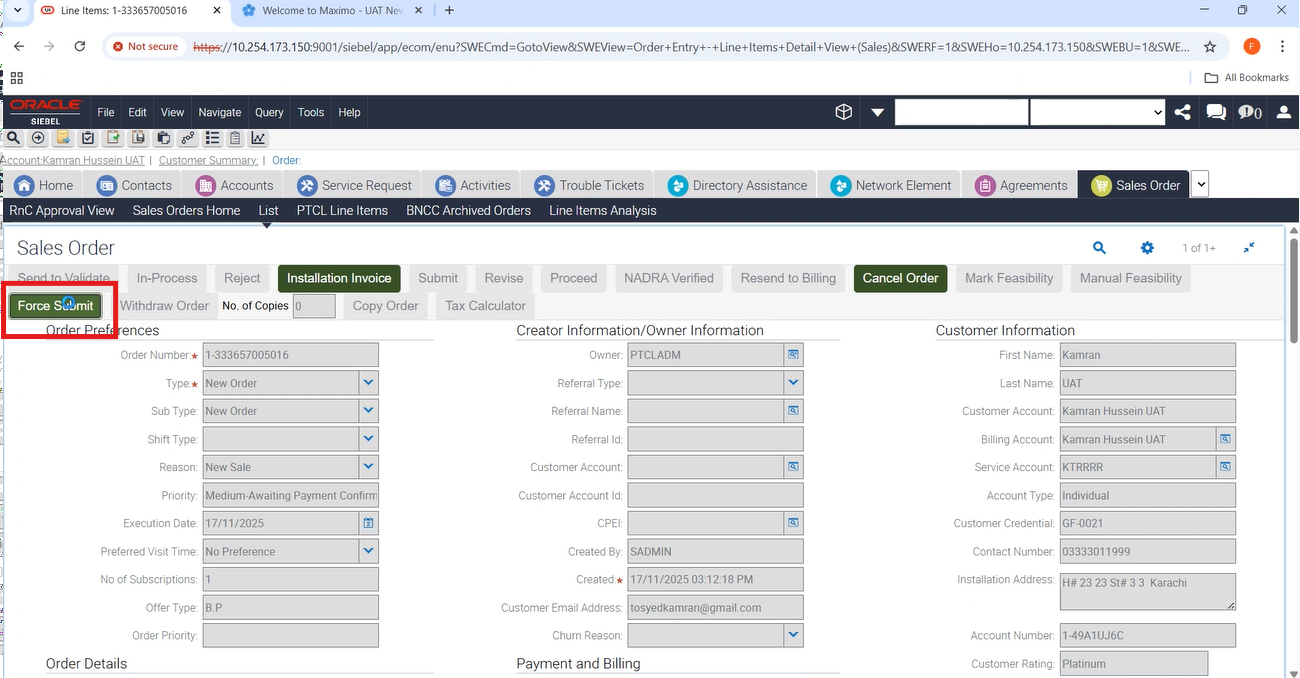
17-To Verify that for New Order having GPON Subscription when ‘Y’ is returned from the Auto Feasibility the Order is moved to ‘Awaiting Payment Confirmation’ or ‘WFRA’ and SMS sent to customer. Also check revision 2 for feasibility copy. |
P
|
17-Nov-25 |
|
| 20009 |
1- |
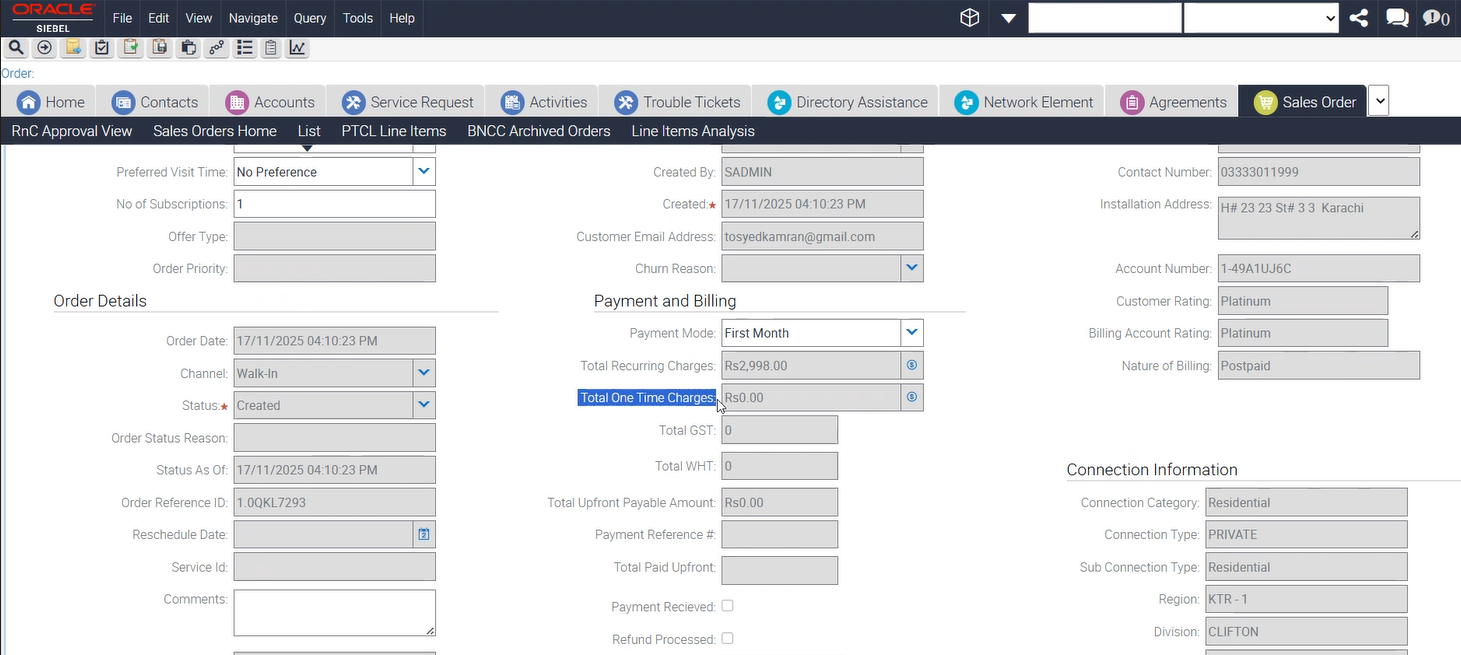
44-To Verify that for New Order having GPON Subscription (OTC = 0, Feasibility Bypass = N, Payment Bypass = Y, Auto Feasibility Response = Y) — Order should go to WFRA. |
P
|
17-Nov-25 |
|
| 20009 |
1- |
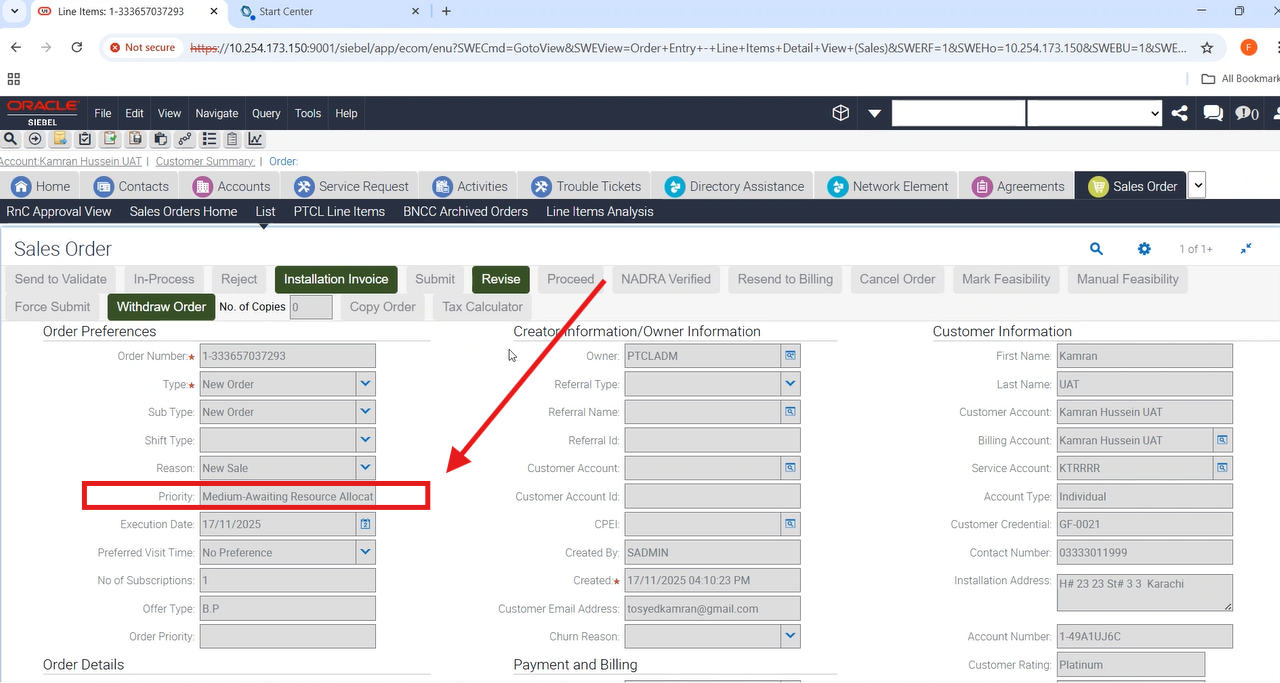
44-To Verify that for New Order having GPON Subscription (OTC = 0, Feasibility Bypass = N, Payment Bypass = Y, Auto Feasibility Response = Y) — Order should go to WFRA. |
P
|
17-Nov-25 |
|
| 20009 |
1- |
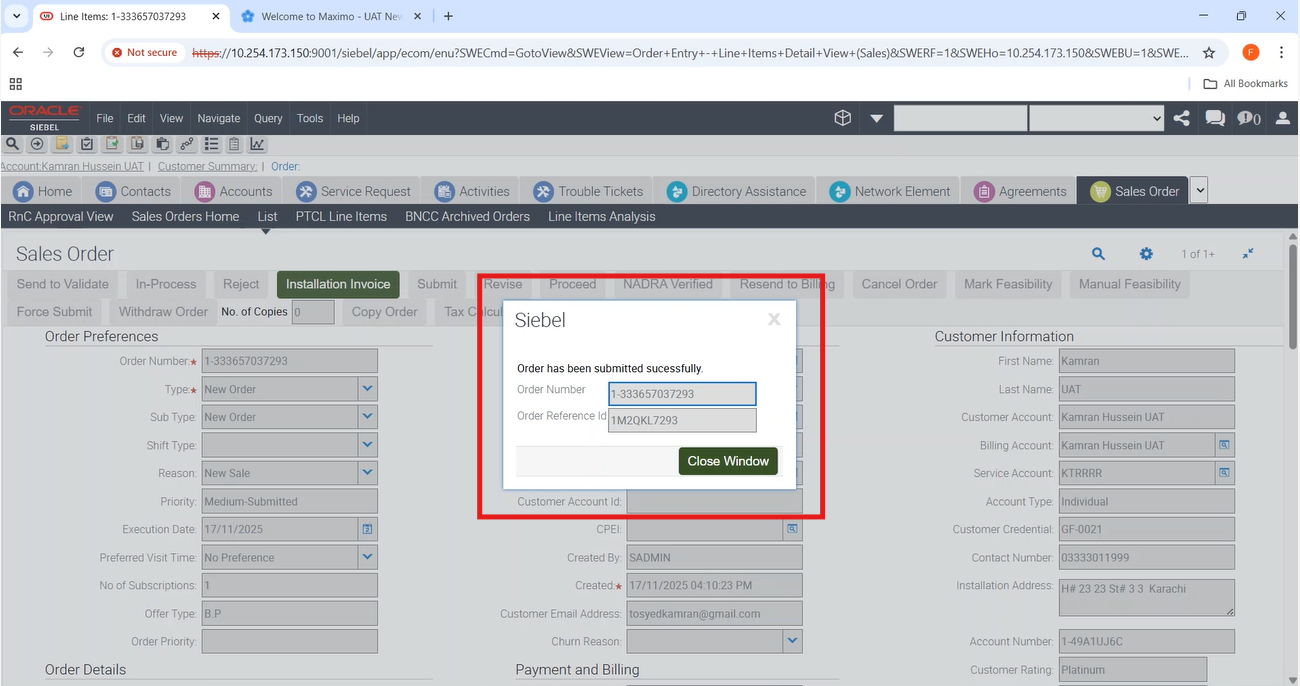
44-To Verify that for New Order having GPON Subscription (OTC = 0, Feasibility Bypass = N, Payment Bypass = Y, Auto Feasibility Response = Y) — Order should go to WFRA. |
P
|
17-Nov-25 |
|
| 20009 |
1- |
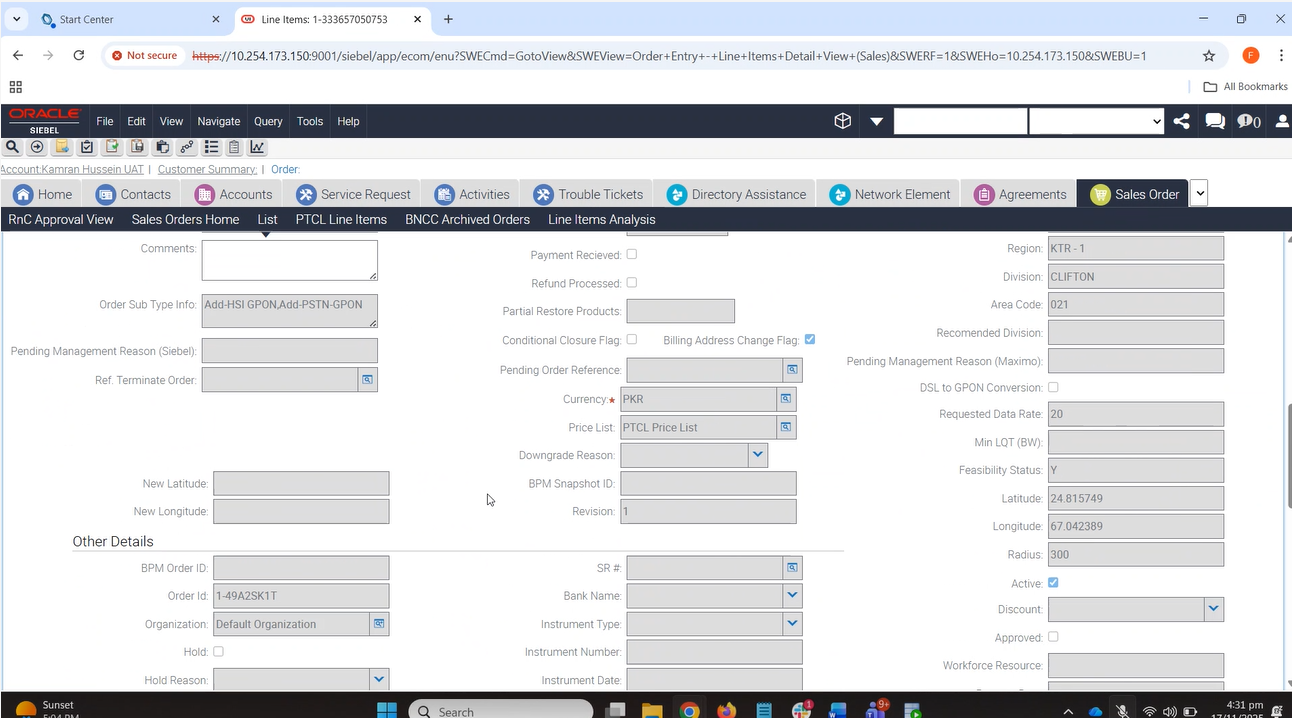
44-To Verify that for New Order having GPON Subscription (OTC = 0, Feasibility Bypass = N, Payment Bypass = Y, Auto Feasibility Response = Y) — Order should go to WFRA. |
P
|
17-Nov-25 |
|
| 20009 |
1- |
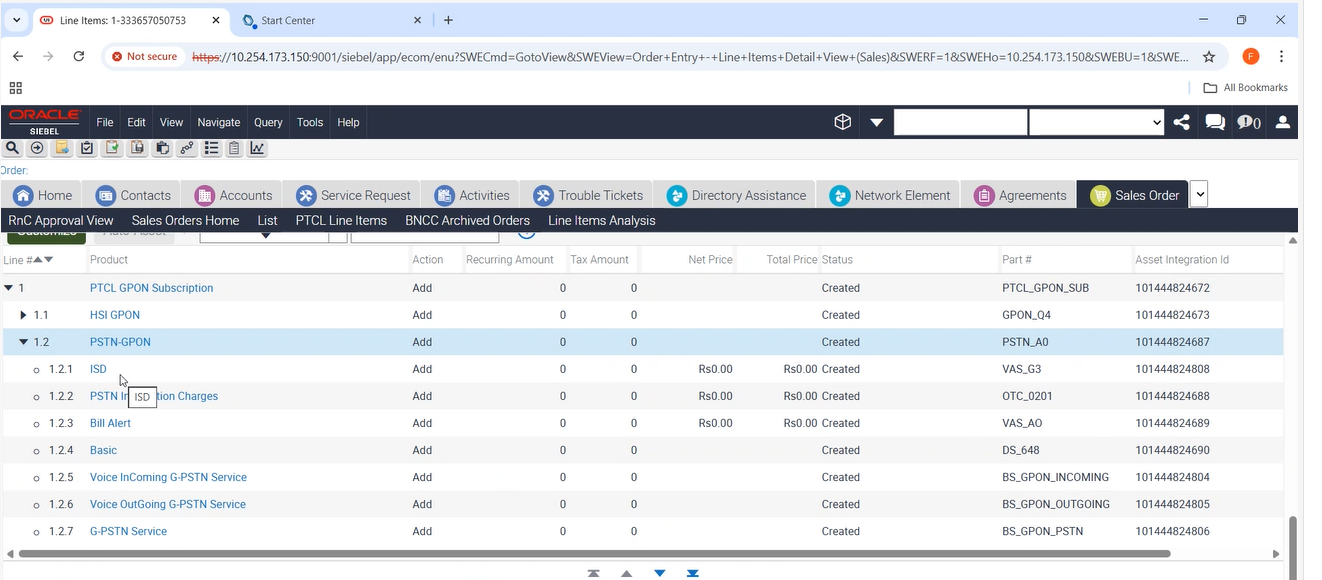
44-To Verify that for New Order having GPON Subscription (OTC = 0, Feasibility Bypass = N, Payment Bypass = Y, Auto Feasibility Response = Y) — Order should go to WFRA. |
P
|
17-Nov-25 |
|
| 20009 |
1- |
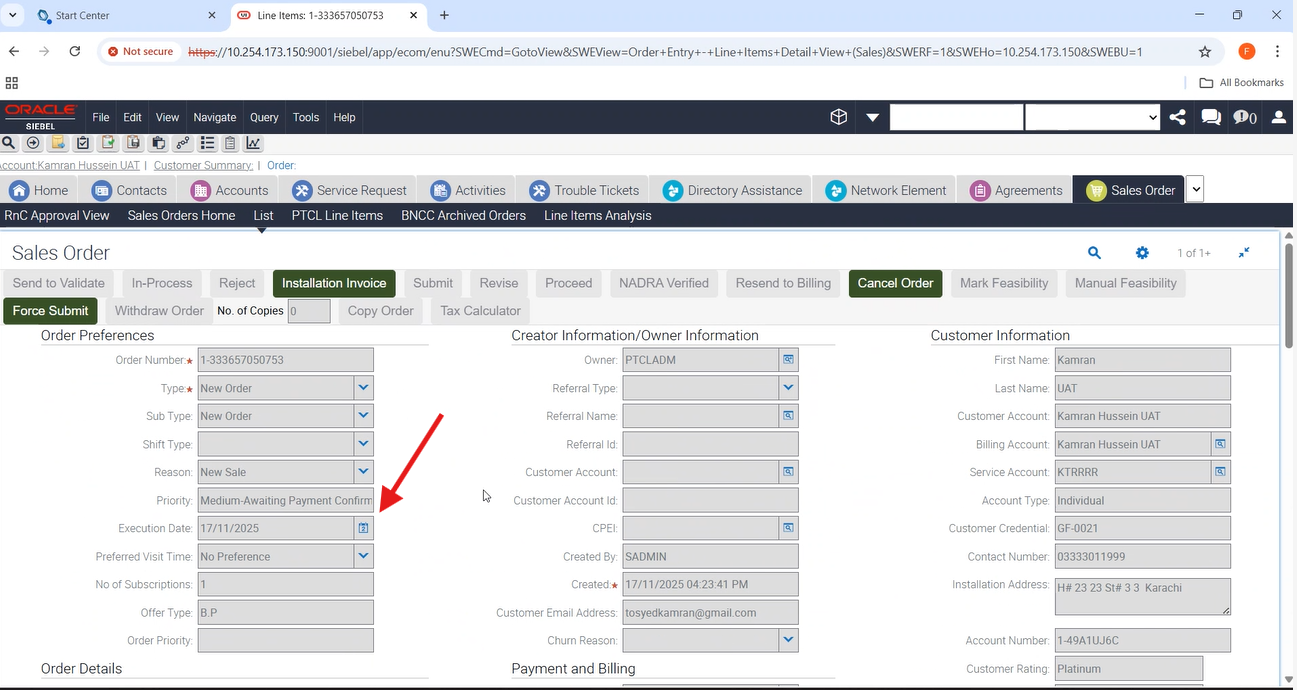
44-To Verify that for New Order having GPON Subscription (OTC = 0, Feasibility Bypass = N, Payment Bypass = Y, Auto Feasibility Response = Y) — Order should go to WFRA. |
P
|
17-Nov-25 |
|
| 20009 |
1-GPON Auto Eligibility/Feasibility |
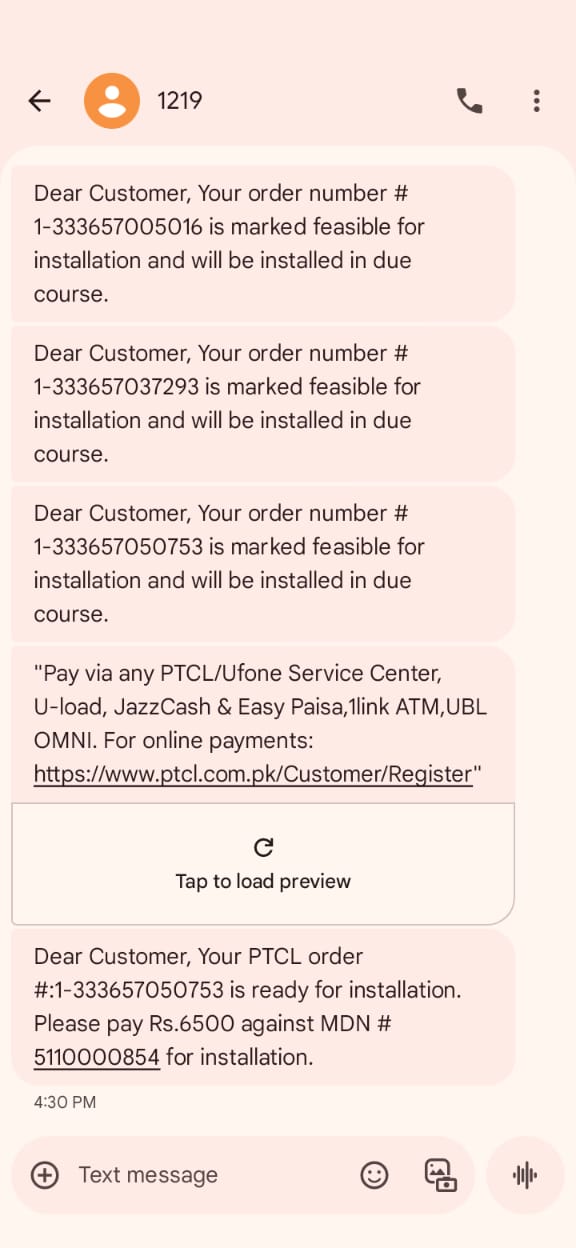
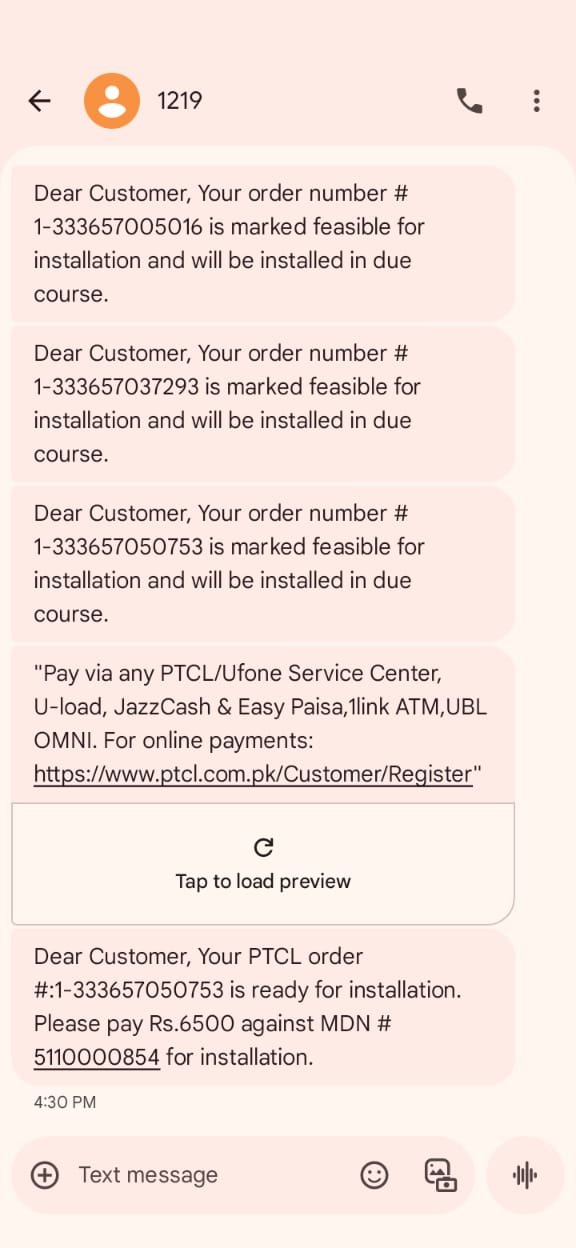
46-To Verify that for New Order having GPON Subscription (OTC > 0, Feasibility Bypass = N, Payment Bypass = Y, Auto Feasibility Response = Y) — Order should go to WFRA. |
P
|
17-Nov-25 |
|
| 20009 |
1- |
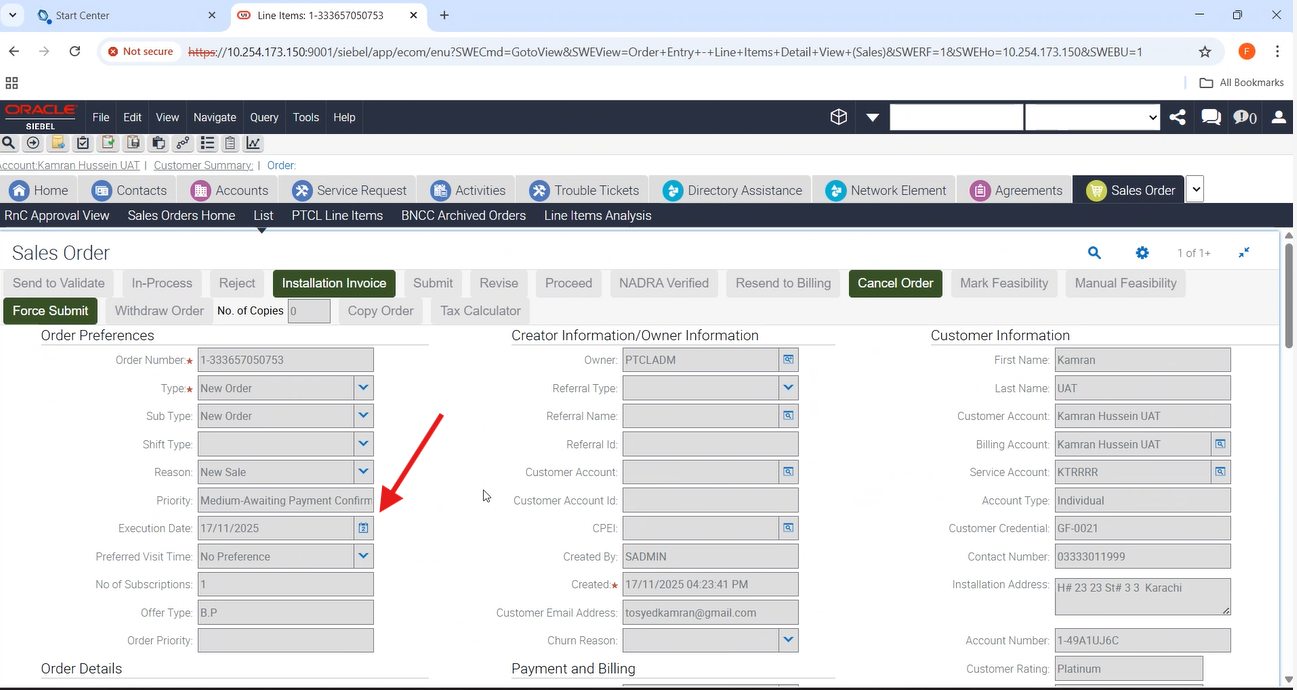
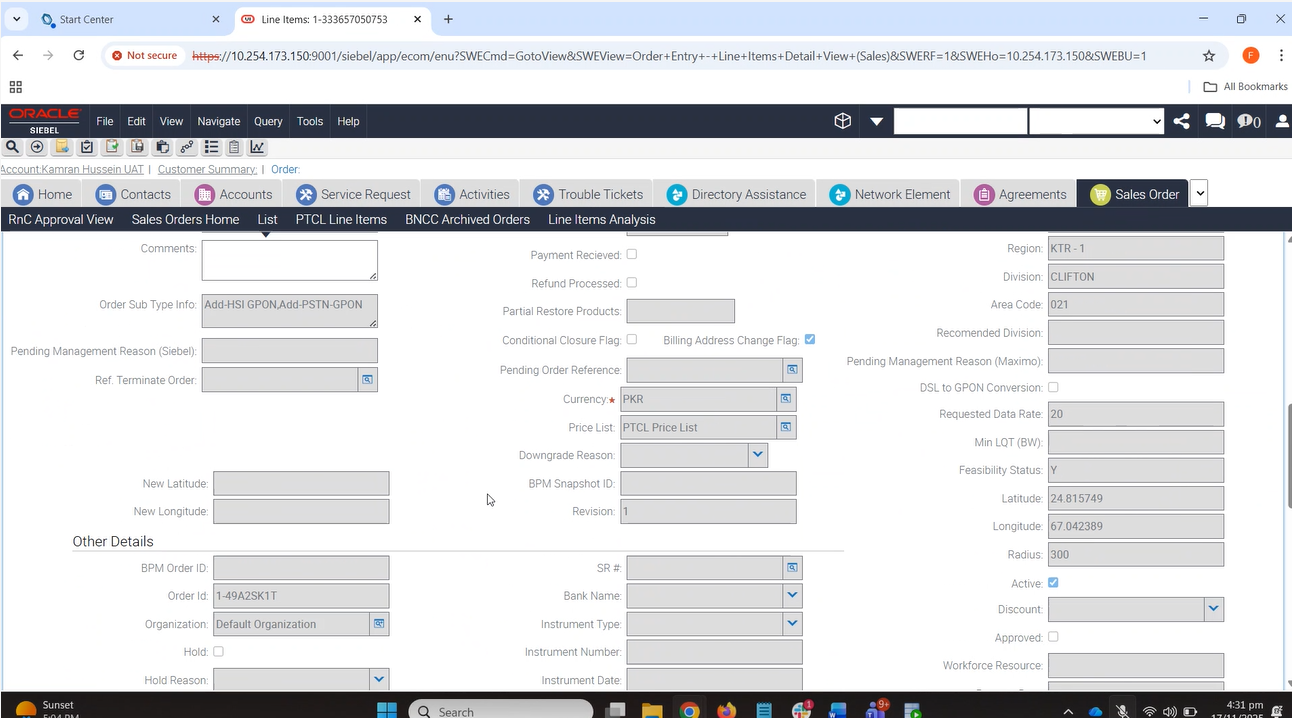
44-To Verify that for New Order having GPON Subscription (OTC = 0, Feasibility Bypass = N, Payment Bypass = Y, Auto Feasibility Response = Y) — Order should go to WFRA. |
P
|
17-Nov-25 |
|
| 20009 |
1- |
44-To Verify that for New Order having GPON Subscription (OTC = 0, Feasibility Bypass = N, Payment Bypass = Y, Auto Feasibility Response = Y) — Order should go to WFRA. |
P
|
17-Nov-25 |
|
| 20009 |
1-GPON Auto Eligibility/Feasibility |
46-To Verify that for New Order having GPON Subscription (OTC > 0, Feasibility Bypass = N, Payment Bypass = Y, Auto Feasibility Response = Y) — Order should go to WFRA. |
P
|
17-Nov-25 |
|
| 20009 |
1- |
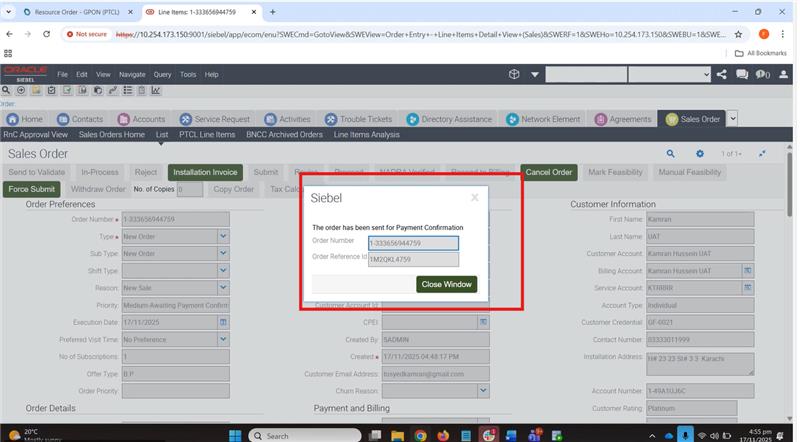
18-To Verify that for New Order having GPON Subscription when ‘N’ is returned from Auto Feasibility the Order is moved to ‘Awaiting Mark Feasibility’. Add a valid promotion. |
P
|
17-Nov-25 |
|
| 20009 |
1- |
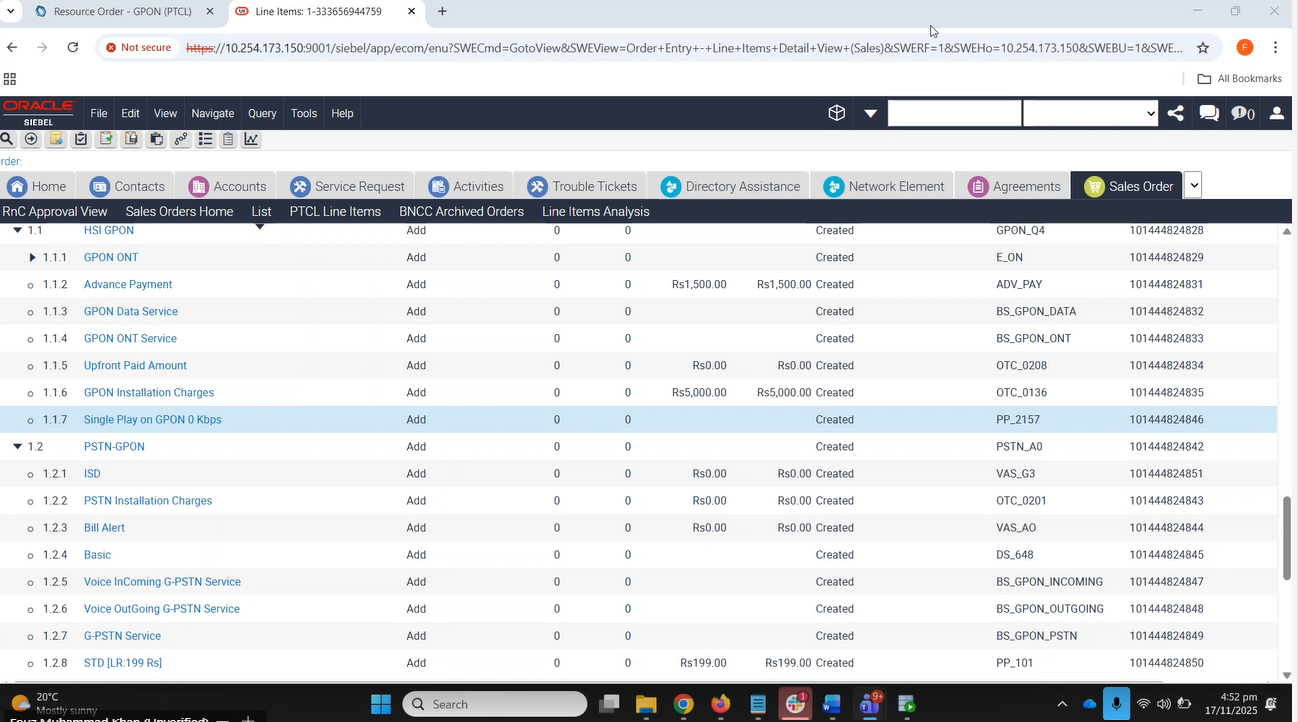
18-To Verify that for New Order having GPON Subscription when ‘N’ is returned from Auto Feasibility the Order is moved to ‘Awaiting Mark Feasibility’. Add a valid promotion. |
P
|
17-Nov-25 |
|
| 20009 |
1- |
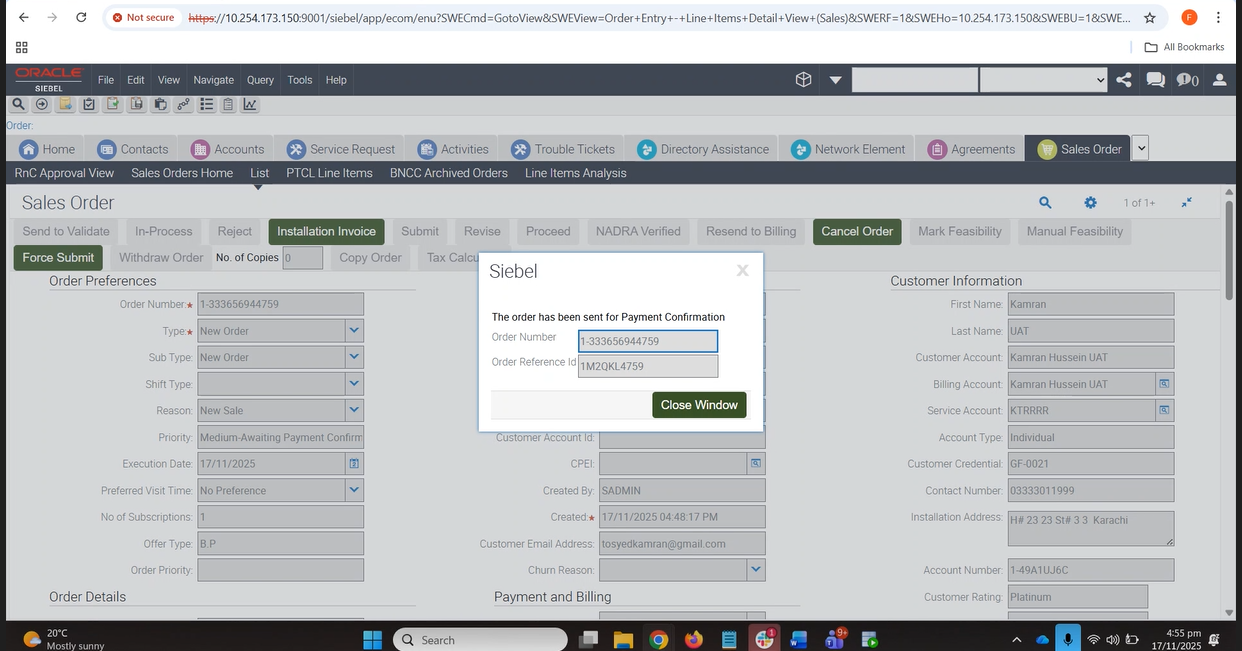
18-To Verify that for New Order having GPON Subscription when ‘N’ is returned from Auto Feasibility the Order is moved to ‘Awaiting Mark Feasibility’. Add a valid promotion. |
P
|
17-Nov-25 |
|
| 20009 |
1- |
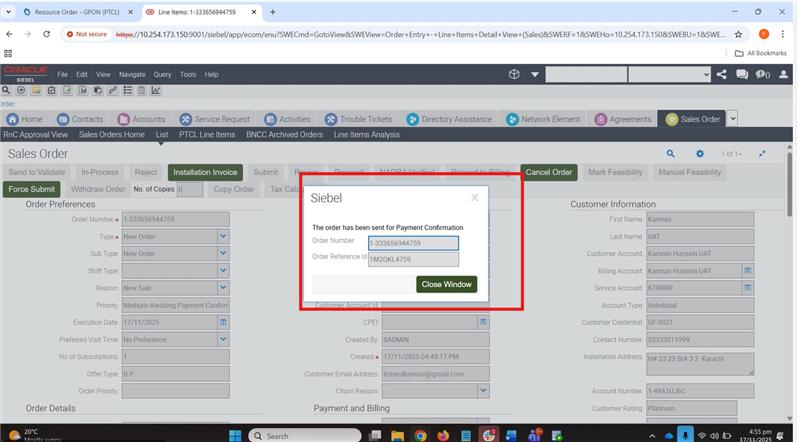
18-To Verify that for New Order having GPON Subscription when ‘N’ is returned from Auto Feasibility the Order is moved to ‘Awaiting Mark Feasibility’. Add a valid promotion. |
P
|
17-Nov-25 |
|
| 20009 |
1- |
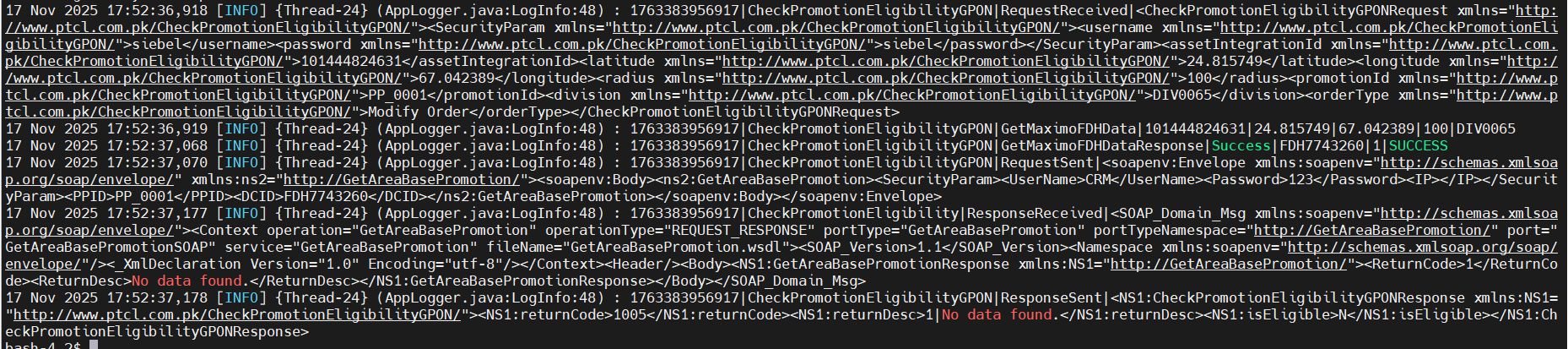
28-To Create a Modify Order with promotion Price Plan for GPON Subscription having the correct Lat Long value for FDH where promotion is not eligible. |
P
|
17-Nov-25 |
|
| 20009 |
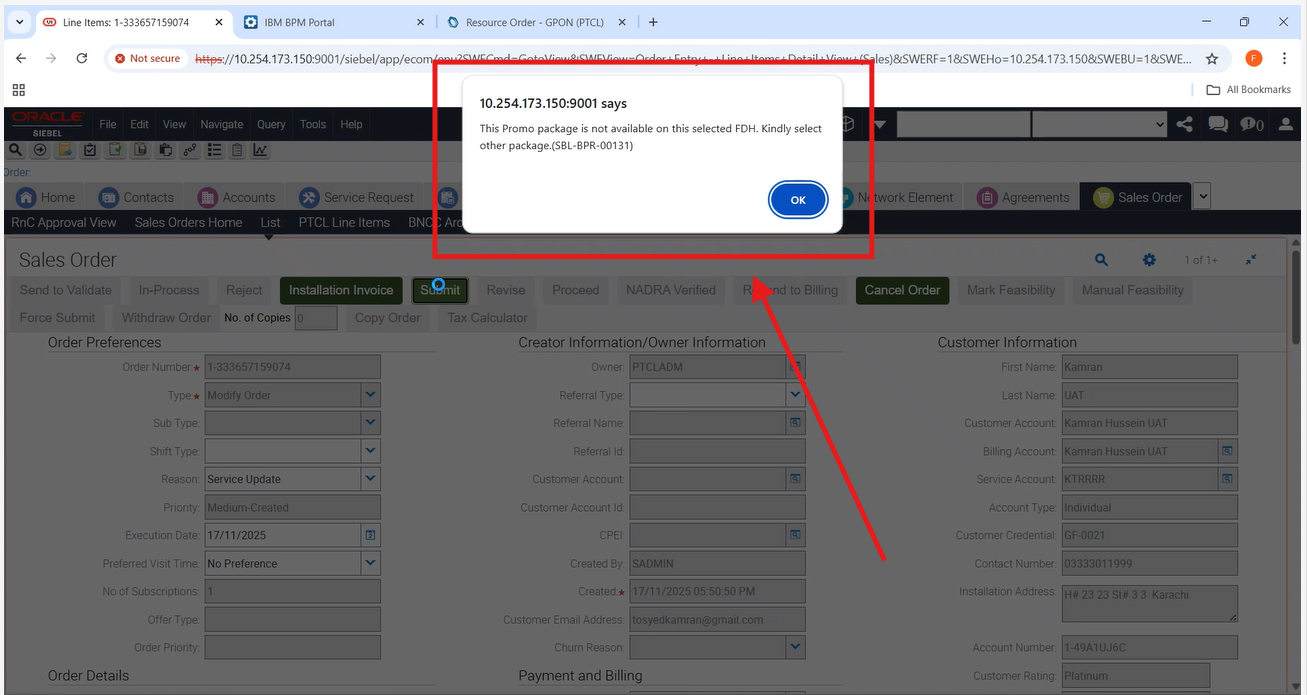
1- |
28-To Create a Modify Order with promotion Price Plan for GPON Subscription having the correct Lat Long value for FDH where promotion is not eligible. |
P
|
17-Nov-25 |
|
| 20009 |
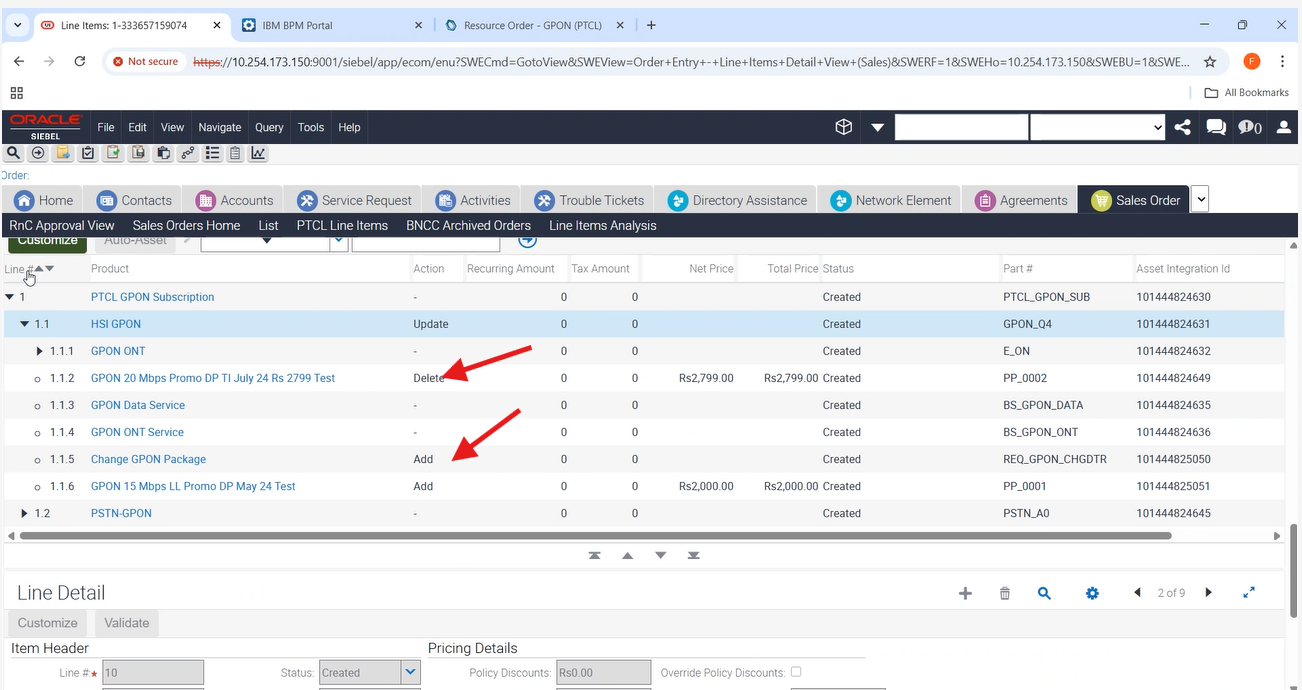
1- |
28-To Create a Modify Order with promotion Price Plan for GPON Subscription having the correct Lat Long value for FDH where promotion is not eligible. |
P
|
17-Nov-25 |
|
| 20009 |
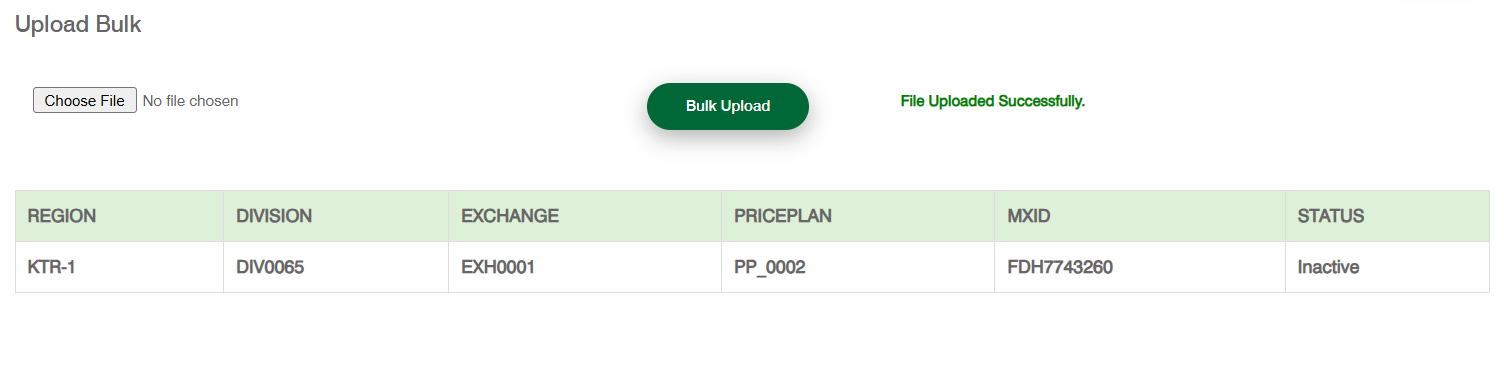
1- |
28-To Create a Modify Order with promotion Price Plan for GPON Subscription having the correct Lat Long value for FDH where promotion is not eligible. |
P
|
17-Nov-25 |
|
| 20009 |
1- |
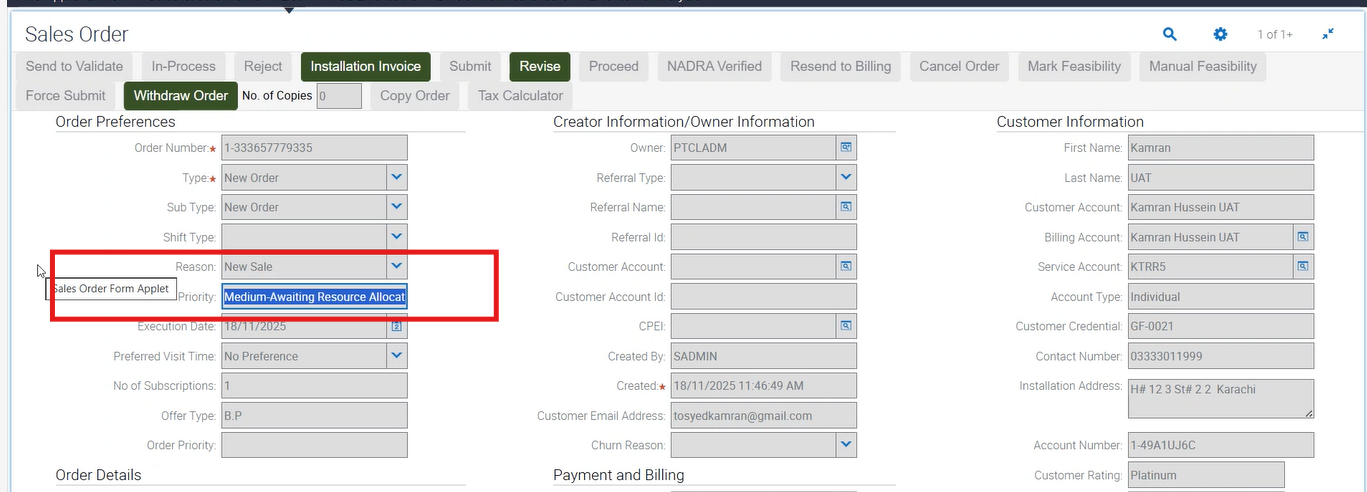
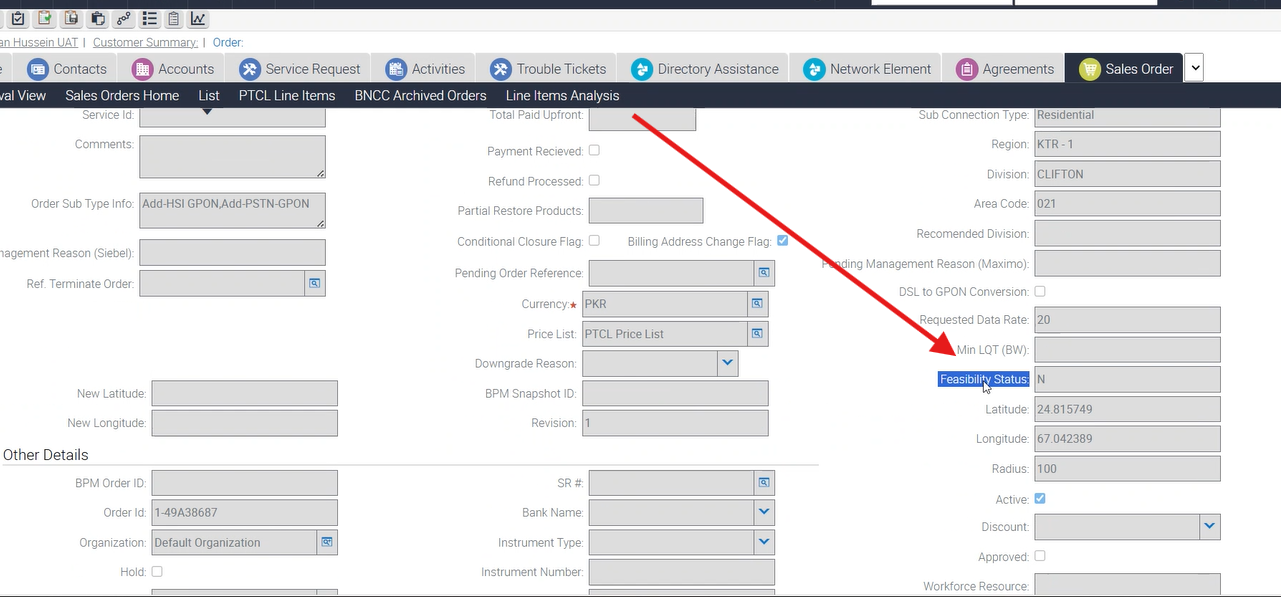
45-To Verify that for New Order having GPON Subscription (OTC = 0, Feasibility Bypass = N, Payment Bypass = Y, Auto Feasibility = N, Manual Feasibility = Feasible) — Order should go to WFRA. |
P
|
18-Nov-25 |
|
| 20009 |
1- |
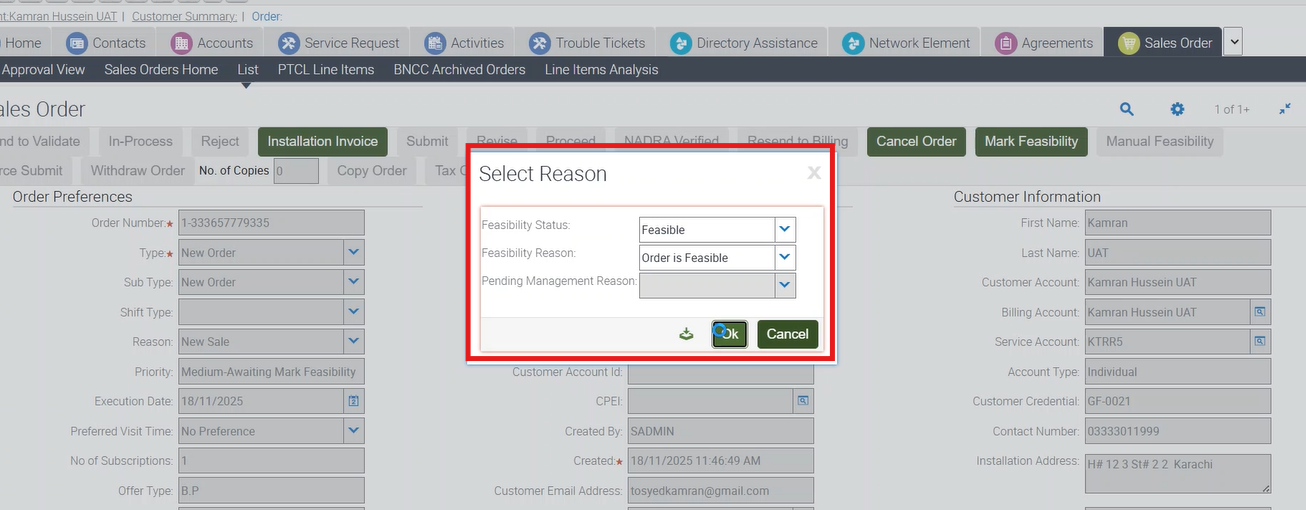
45-To Verify that for New Order having GPON Subscription (OTC = 0, Feasibility Bypass = N, Payment Bypass = Y, Auto Feasibility = N, Manual Feasibility = Feasible) — Order should go to WFRA. |
P
|
18-Nov-25 |
|
| 20009 |
1- |
45-To Verify that for New Order having GPON Subscription (OTC = 0, Feasibility Bypass = N, Payment Bypass = Y, Auto Feasibility = N, Manual Feasibility = Feasible) — Order should go to WFRA. |
P
|
18-Nov-25 |
|
| 20009 |
1- |
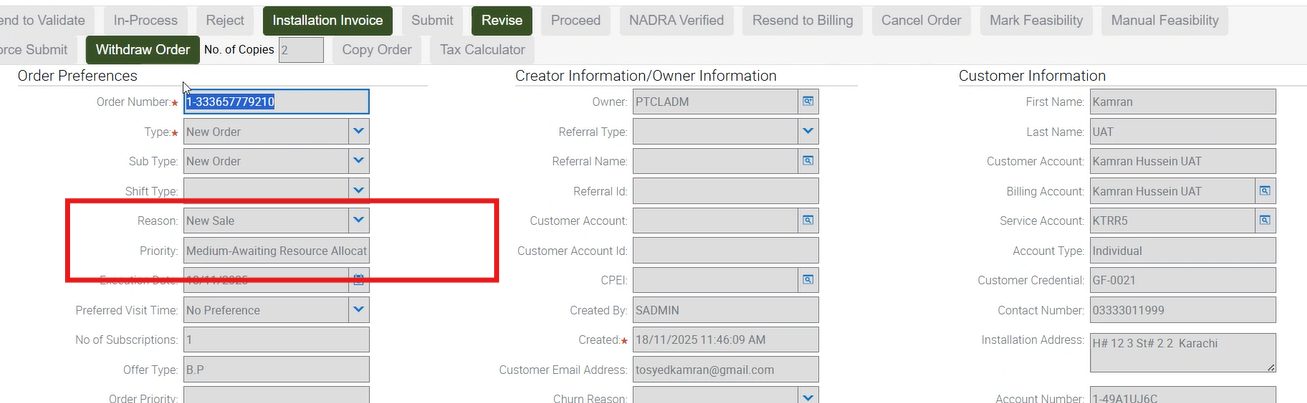
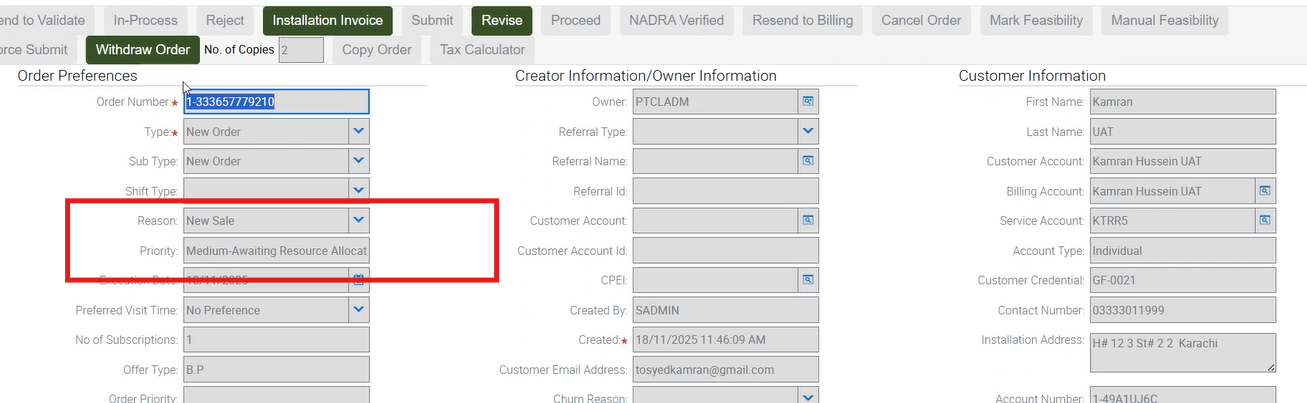
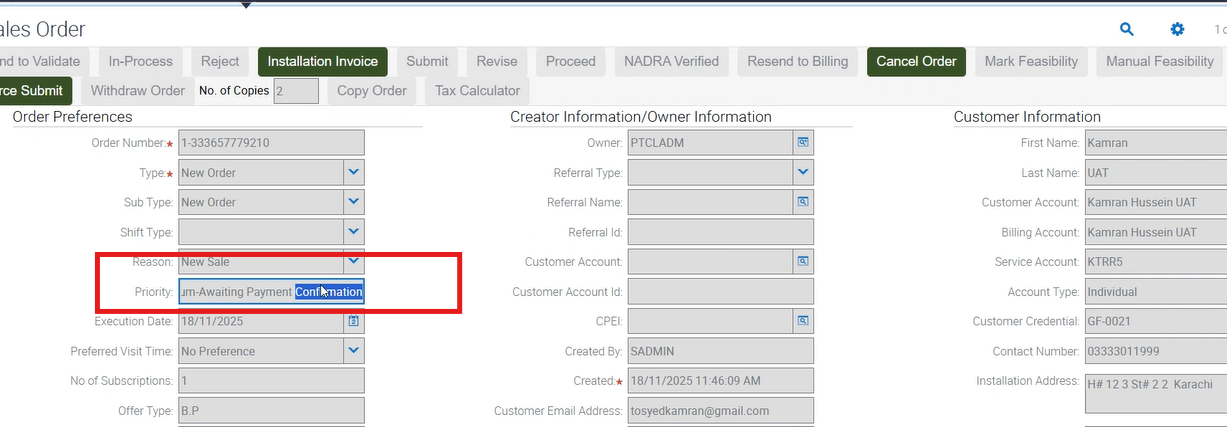
43-To Verify that for New Order having GPON Subscription (OTC > 0, Feasibility Bypass = Y, Payment Bypass = Y) — Order should go to WFRA. |
P
|
18-Nov-25 |
|
| 20009 |
1- |
43-To Verify that for New Order having GPON Subscription (OTC > 0, Feasibility Bypass = Y, Payment Bypass = Y) — Order should go to WFRA. |
P
|
18-Nov-25 |
|
| 20009 |
1- |
43-To Verify that for New Order having GPON Subscription (OTC > 0, Feasibility Bypass = Y, Payment Bypass = Y) — Order should go to WFRA. |
P
|
18-Nov-25 |
|
| 20009 |
1- |
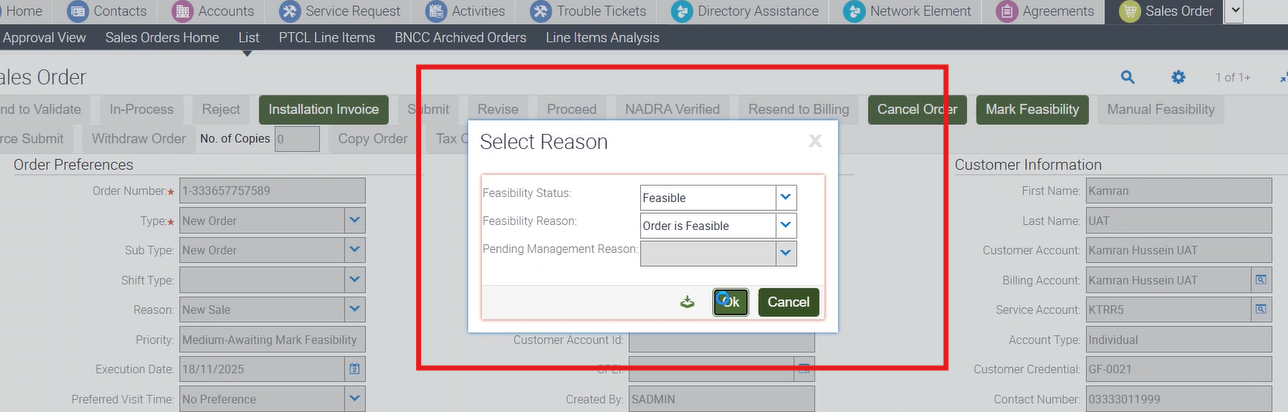
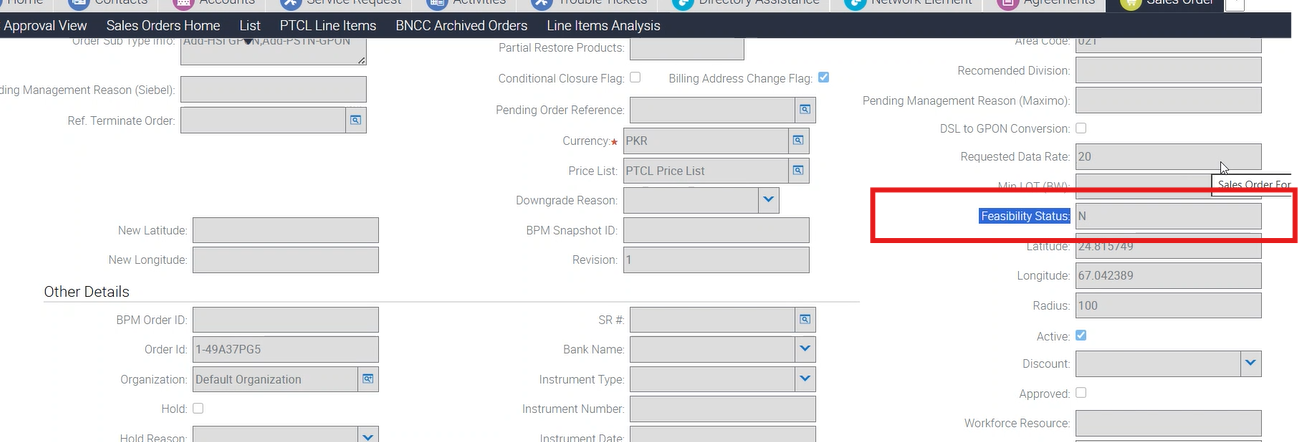
42-To Verify that for New Order having GPON Subscription (OTC = 0, Feasibility Bypass = Y, Payment Bypass = Y) — Order should go to WFRA. |
P
|
18-Nov-25 |
|
| 20009 |
1- |
42-To Verify that for New Order having GPON Subscription (OTC = 0, Feasibility Bypass = Y, Payment Bypass = Y) — Order should go to WFRA. |
P
|
18-Nov-25 |
|
| 20009 |
1- |
42-To Verify that for New Order having GPON Subscription (OTC = 0, Feasibility Bypass = Y, Payment Bypass = Y) — Order should go to WFRA. |
P
|
18-Nov-25 |
No image
|
| 20009 |
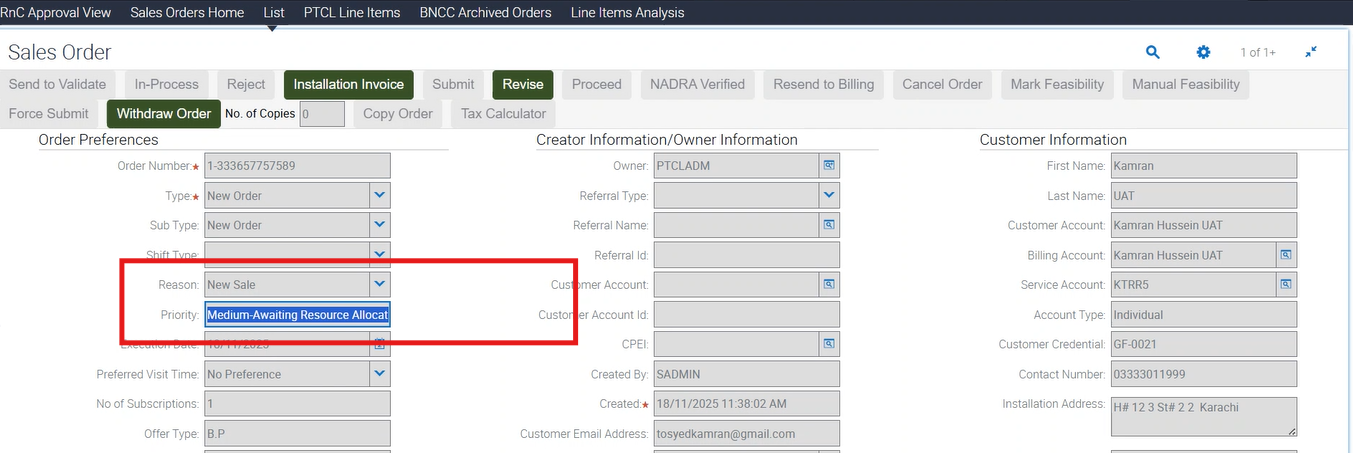
1- |
42-To Verify that for New Order having GPON Subscription (OTC = 0, Feasibility Bypass = Y, Payment Bypass = Y) — Order should go to WFRA. |
P
|
18-Nov-25 |
|
| 20009 |
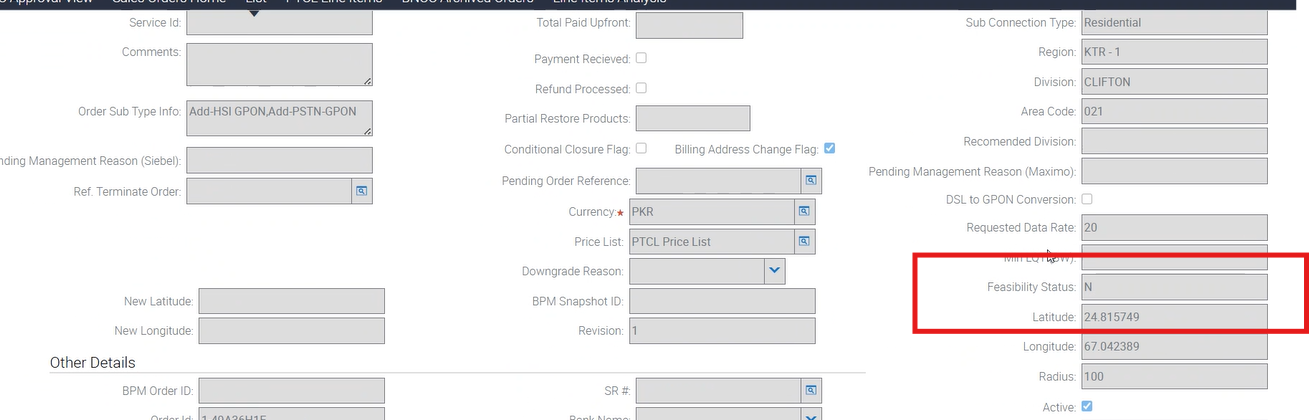
1- |
41-To Verify that for New Order having GPON Subscription (OTC > 0, Feasibility Bypass = Y, Payment Bypass = N) — Order should go to Payment Confirmation and then WFRA. |
P
|
18-Nov-25 |
|
| 20009 |
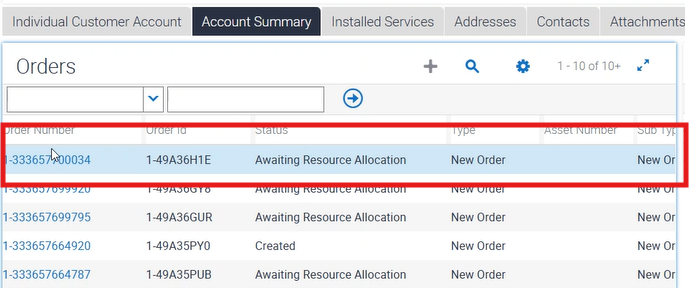
1- |
41-To Verify that for New Order having GPON Subscription (OTC > 0, Feasibility Bypass = Y, Payment Bypass = N) — Order should go to Payment Confirmation and then WFRA. |
P
|
18-Nov-25 |
|
| 20009 |
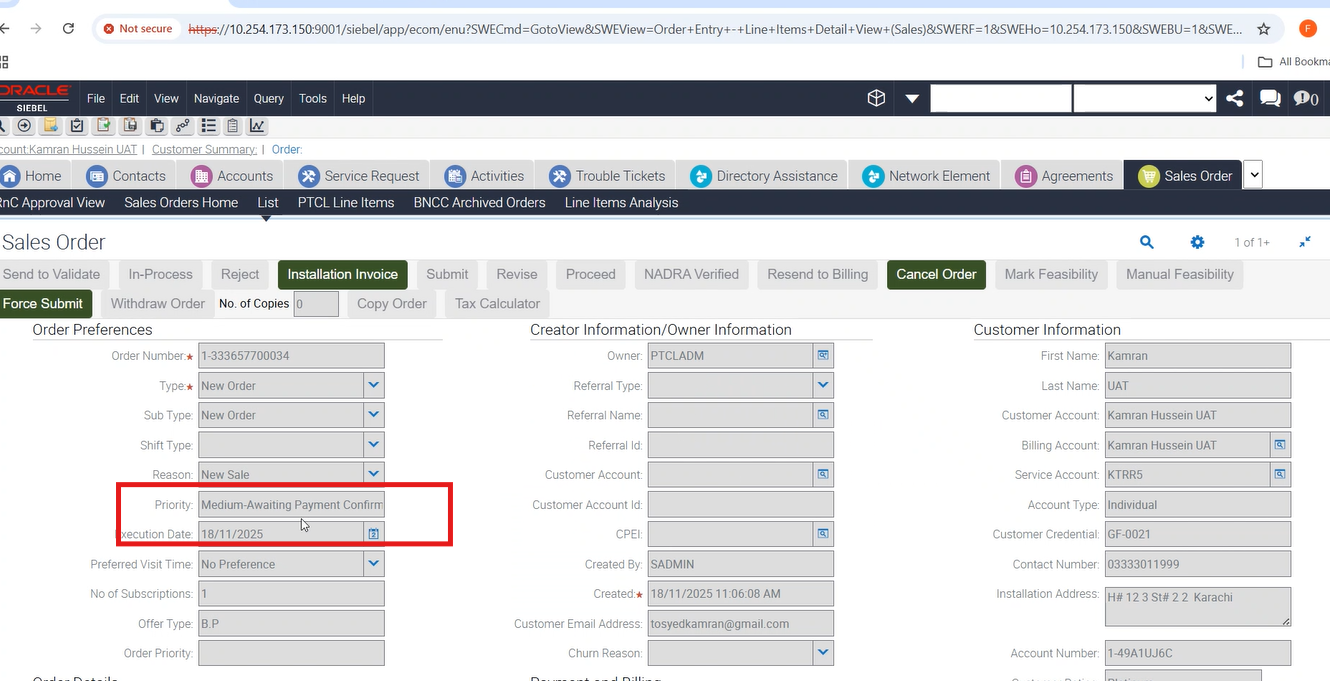
1- |
41-To Verify that for New Order having GPON Subscription (OTC > 0, Feasibility Bypass = Y, Payment Bypass = N) — Order should go to Payment Confirmation and then WFRA. |
P
|
18-Nov-25 |
|
| 20009 |
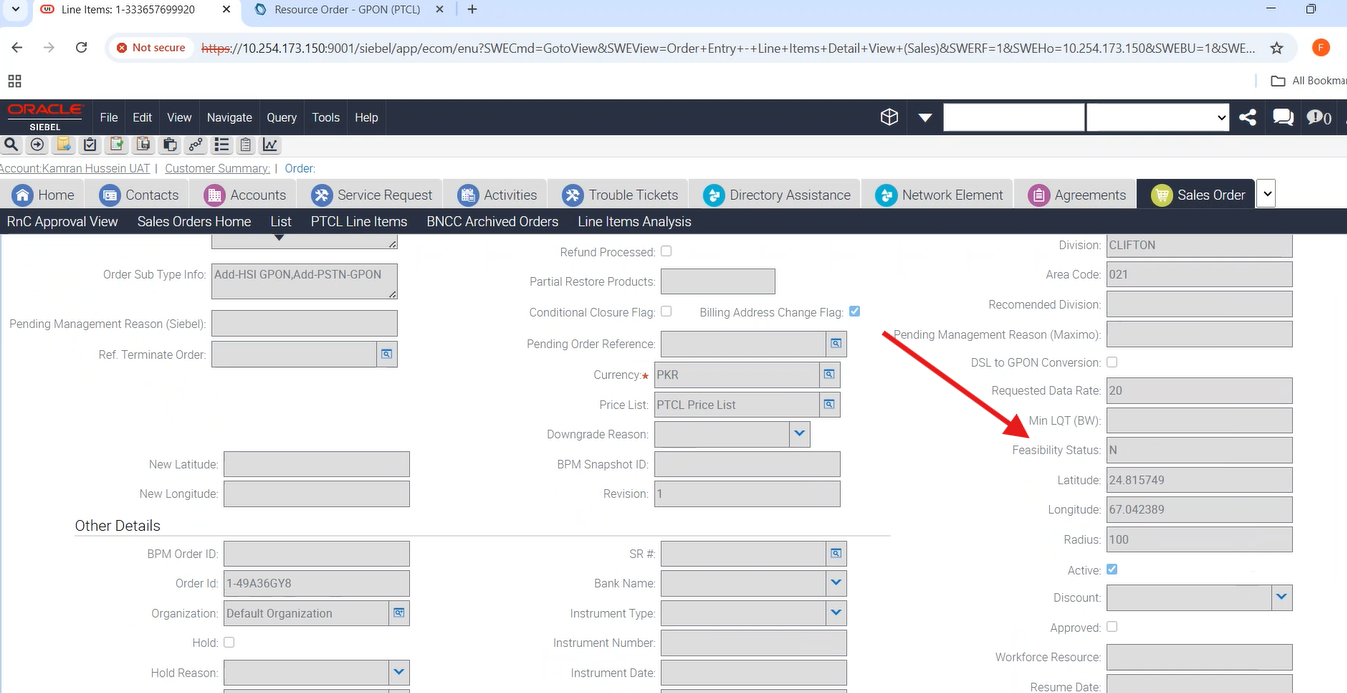
1- |
40-To Verify that for New Order having GPON Subscription (OTC=0, Feasibility Bypass=Y, Payment Bypass=N) — Order should go to WFRA. |
P
|
18-Nov-25 |
|
| 20009 |
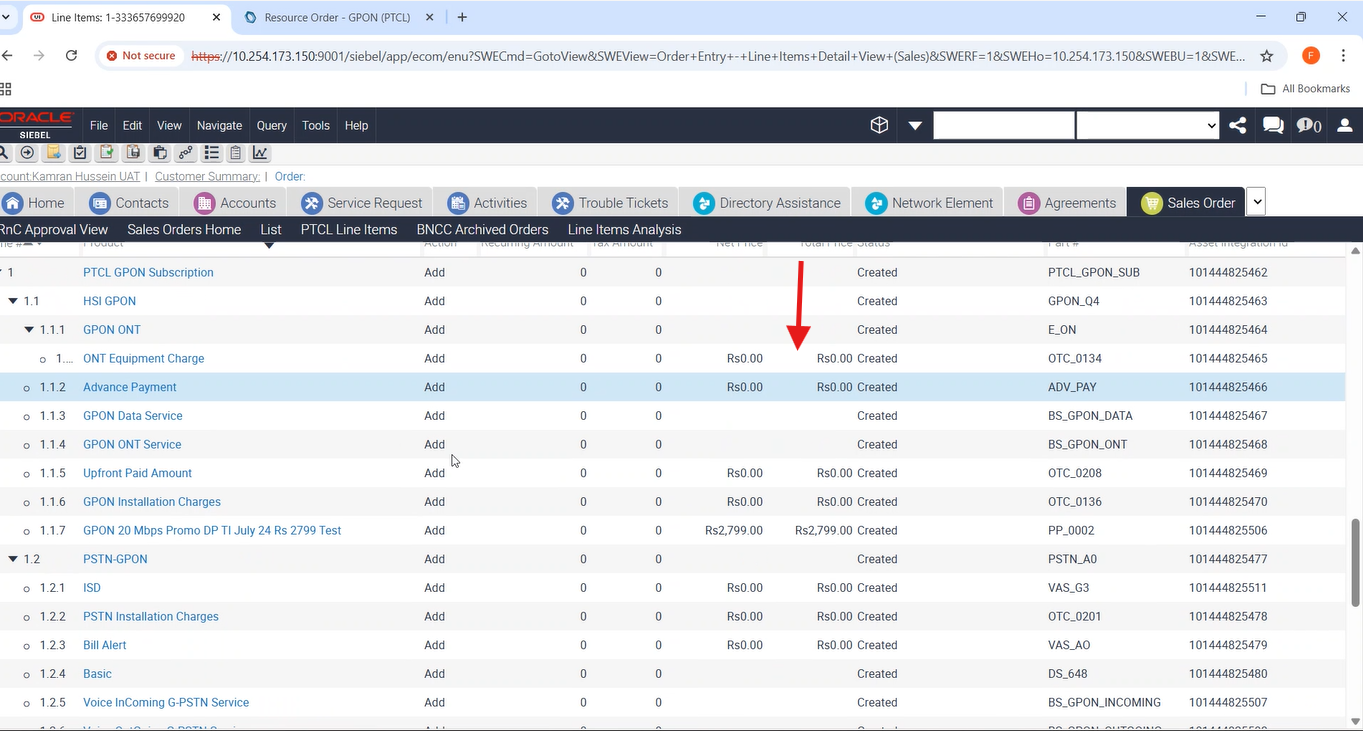
1- |
40-To Verify that for New Order having GPON Subscription (OTC=0, Feasibility Bypass=Y, Payment Bypass=N) — Order should go to WFRA. |
P
|
18-Nov-25 |
|
| 20009 |
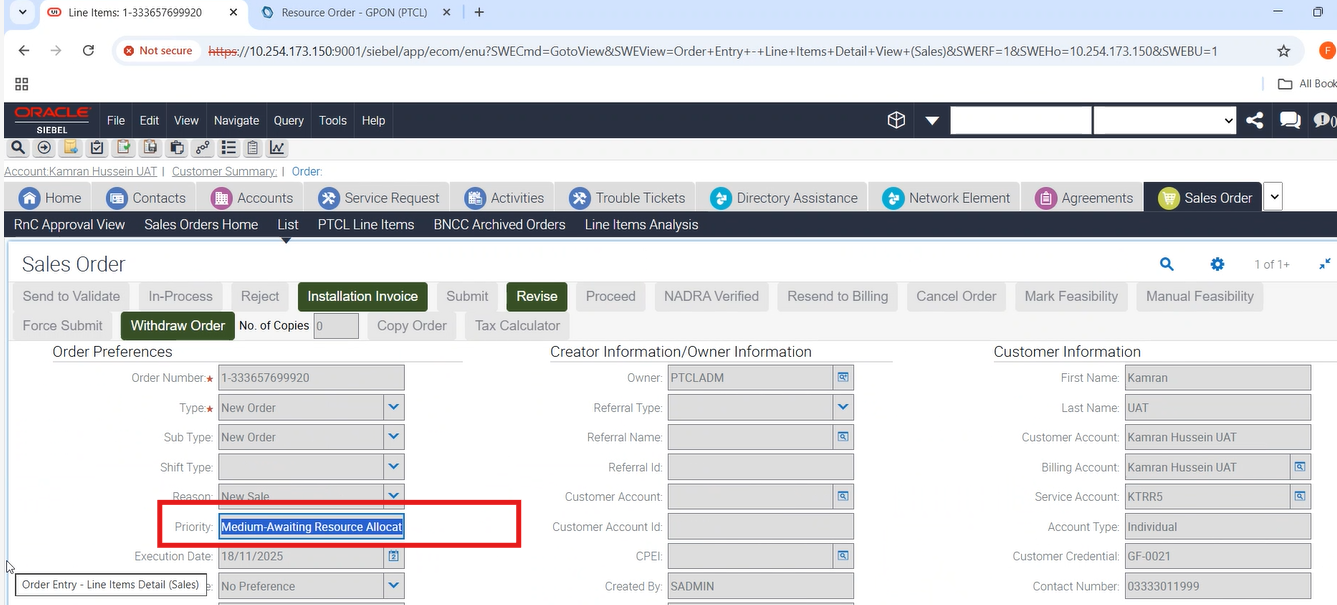
1- |
40-To Verify that for New Order having GPON Subscription (OTC=0, Feasibility Bypass=Y, Payment Bypass=N) — Order should go to WFRA. |
P
|
18-Nov-25 |
|
| 20009 |
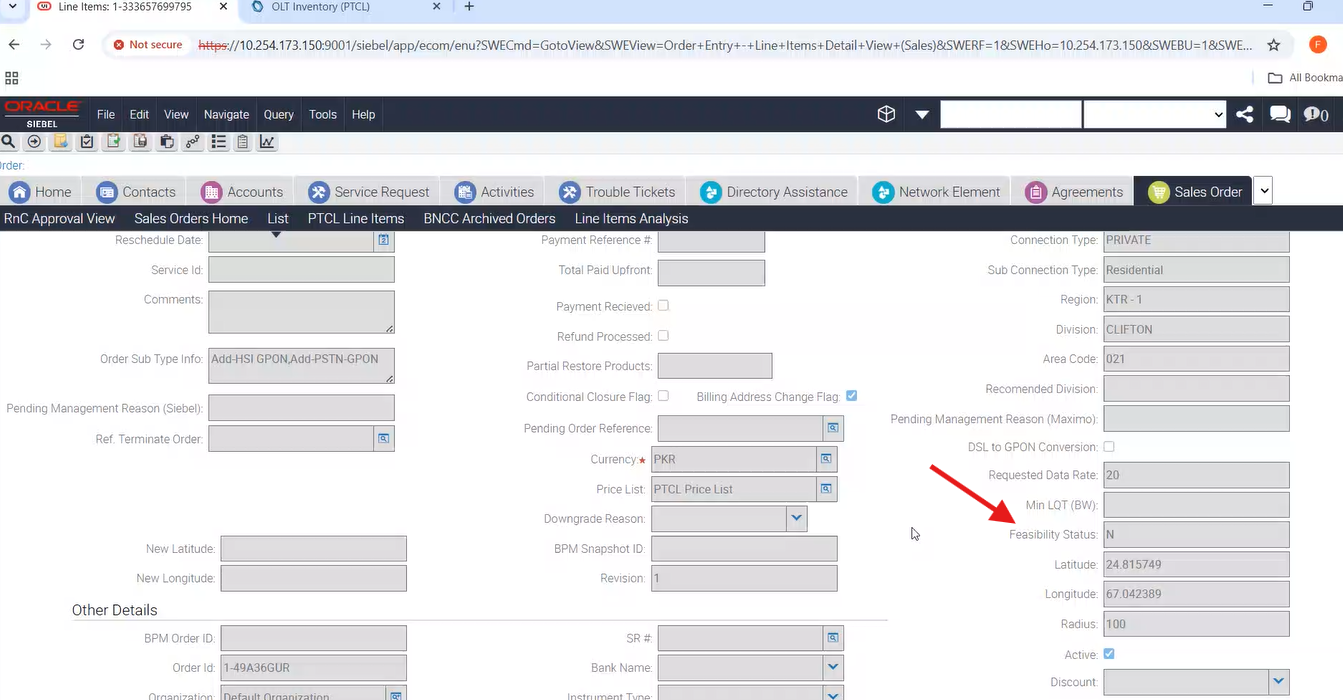
1- |
39-To Verify that for New Order having GPON Subscription (OTC=0, Feasibility Bypass=N, Payment Bypass=N, Auto Feasibility=N, Manual Feasibility=Feasible) — Order should go to WFRA. |
P
|
18-Nov-25 |
|
| 20009 |
1- |
39-To Verify that for New Order having GPON Subscription (OTC=0, Feasibility Bypass=N, Payment Bypass=N, Auto Feasibility=N, Manual Feasibility=Feasible) — Order should go to WFRA. |
P
|
18-Nov-25 |
|
| 20009 |
1- |
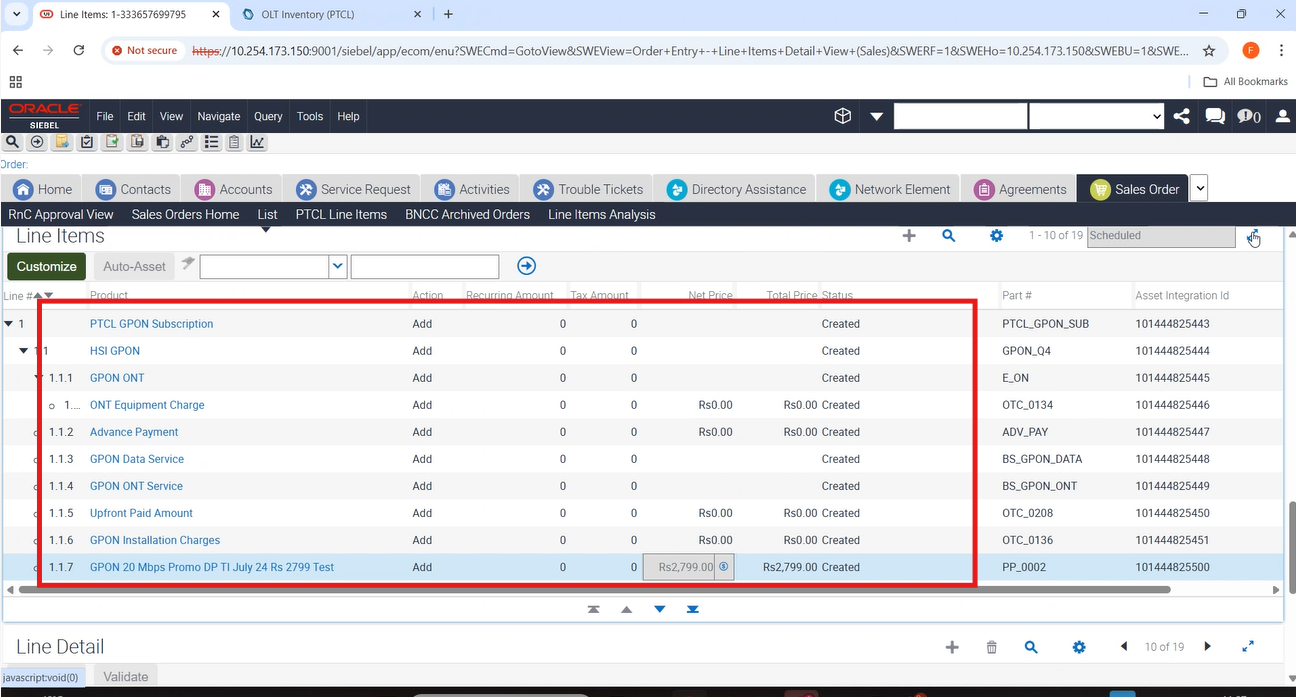
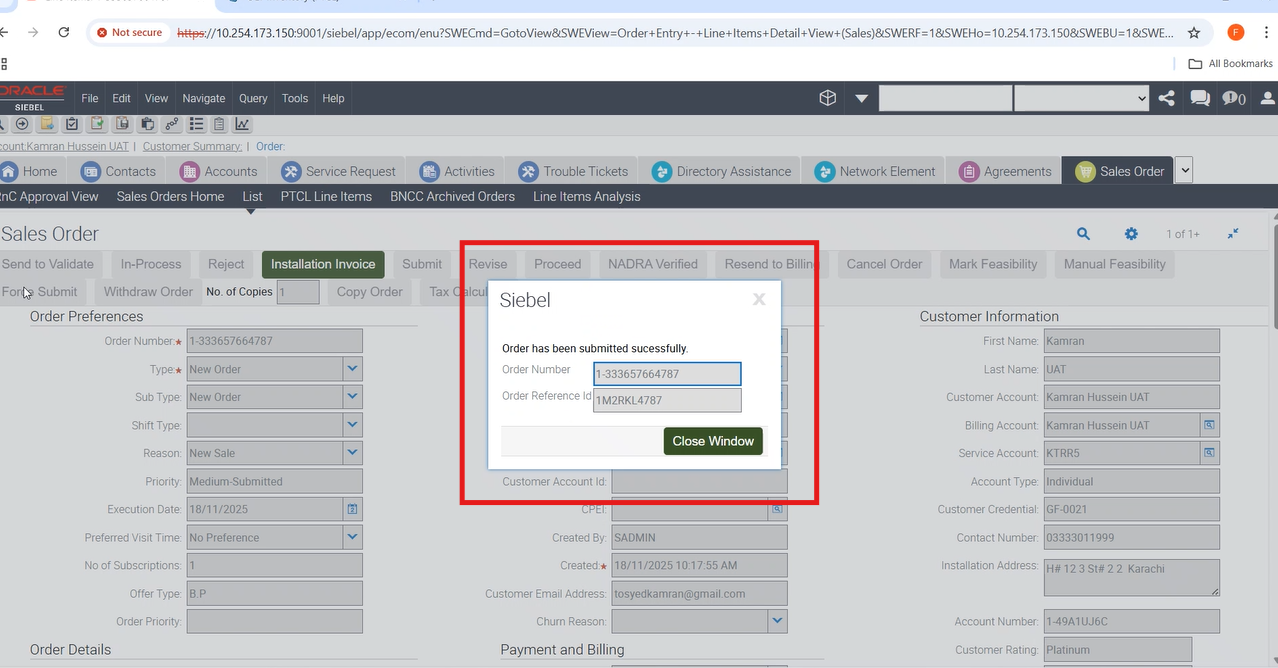
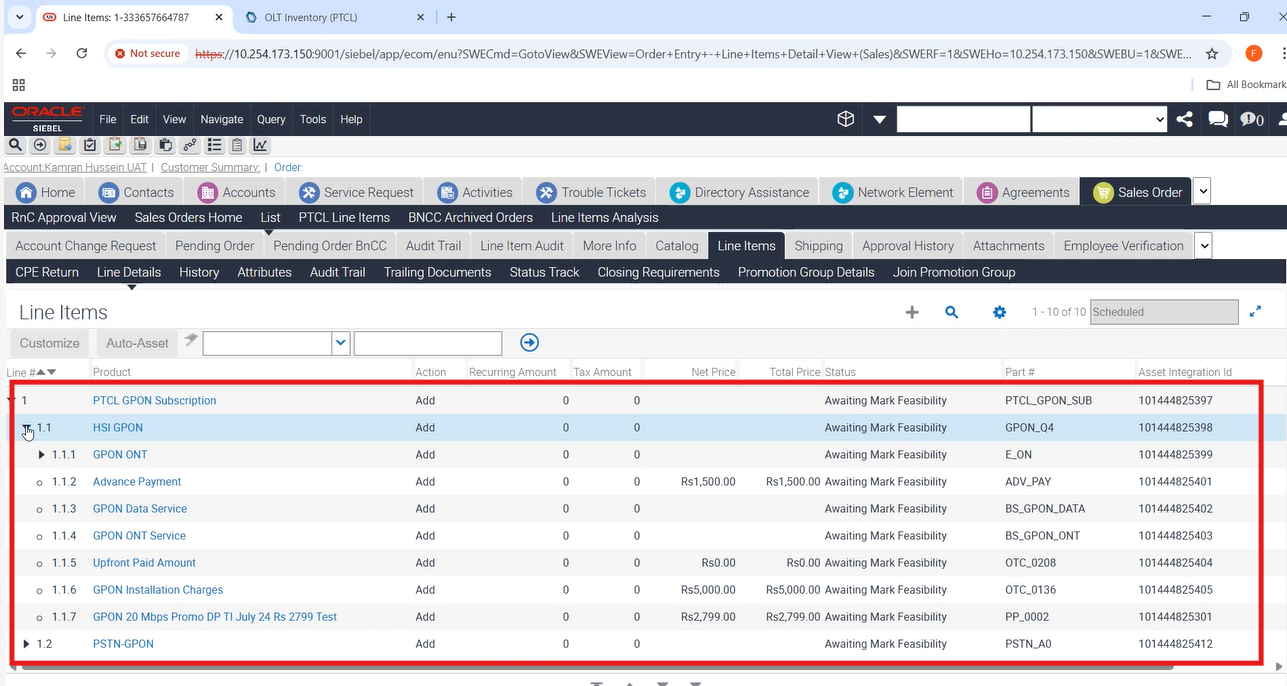
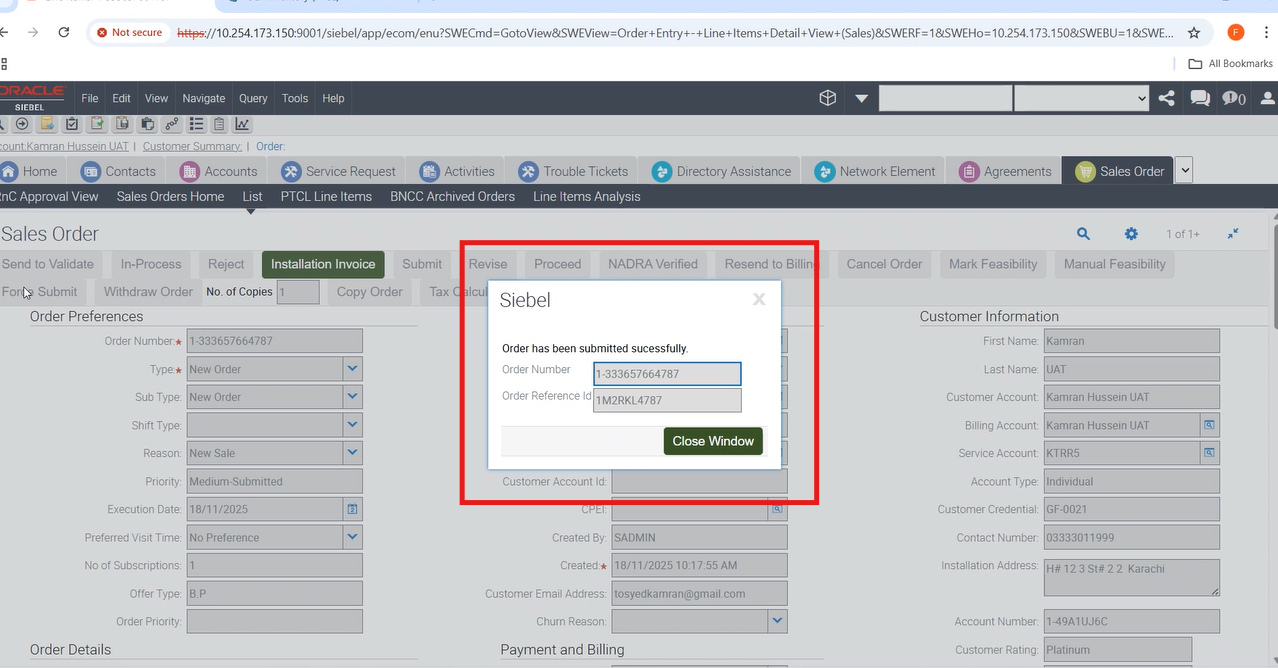
38-To Verify that for New Order having GPON Subscription (OTC > 0, Feasibility Bypass=N, Payment Bypass=N, Auto Feasibility=N, Manual Feasibility=Feasible) — Order should go to WFRA. |
P
|
18-Nov-25 |
|
| 20009 |
1- |
38-To Verify that for New Order having GPON Subscription (OTC > 0, Feasibility Bypass=N, Payment Bypass=N, Auto Feasibility=N, Manual Feasibility=Feasible) — Order should go to WFRA. |
P
|
18-Nov-25 |
|
| 20009 |
1- |
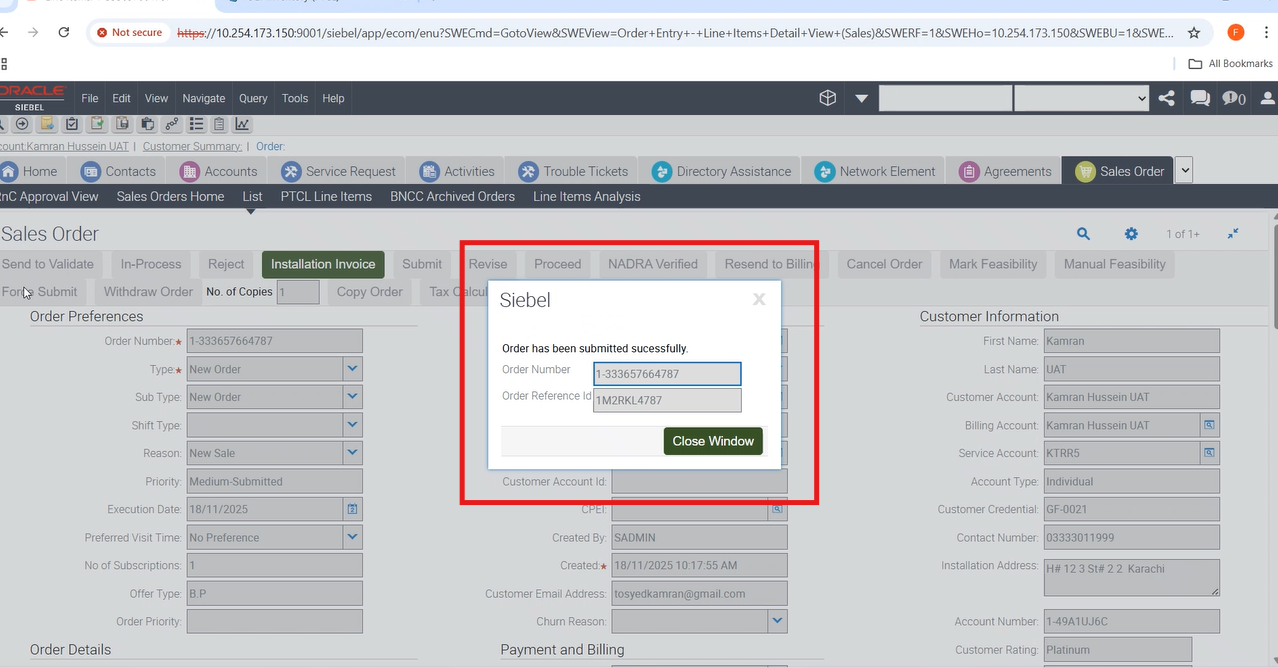
38-To Verify that for New Order having GPON Subscription (OTC > 0, Feasibility Bypass=N, Payment Bypass=N, Auto Feasibility=N, Manual Feasibility=Feasible) — Order should go to WFRA. |
P
|
18-Nov-25 |
|
| 20009 |
1- |
38-To Verify that for New Order having GPON Subscription (OTC > 0, Feasibility Bypass=N, Payment Bypass=N, Auto Feasibility=N, Manual Feasibility=Feasible) — Order should go to WFRA. |
P
|
18-Nov-25 |
|
| 20009 |
1- |
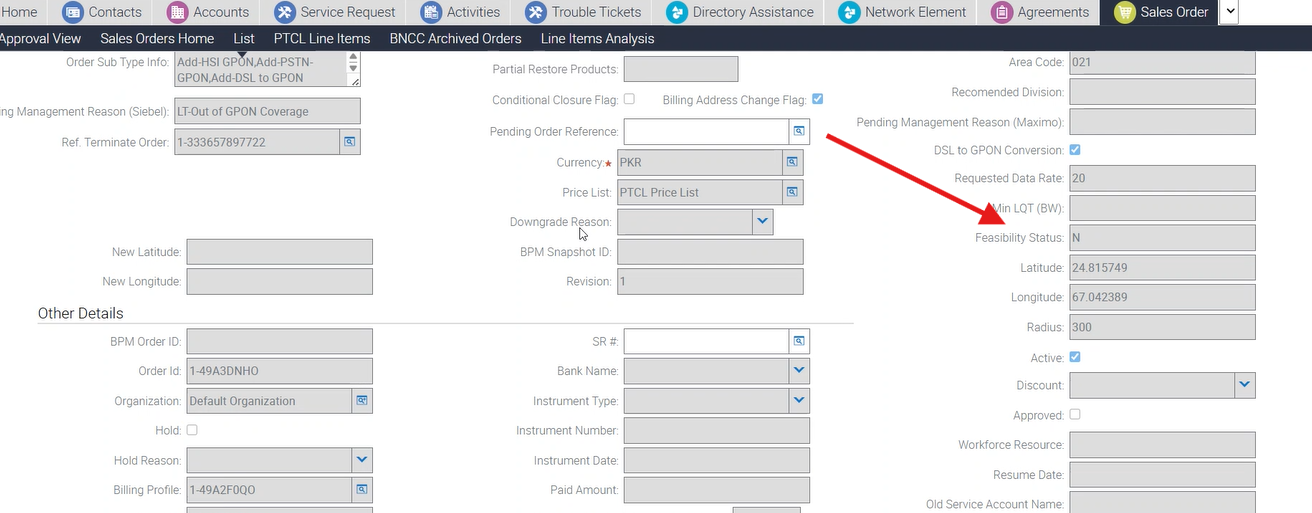
34-To Create a xDSL to GPON Conversion New Order with promotion Price Plan for GPON Subscription and verify Auto Feasibility returns N when Lat/Long and radius are provided and revision =1. |
P
|
18-Nov-25 |
|
| 20009 |
1- |
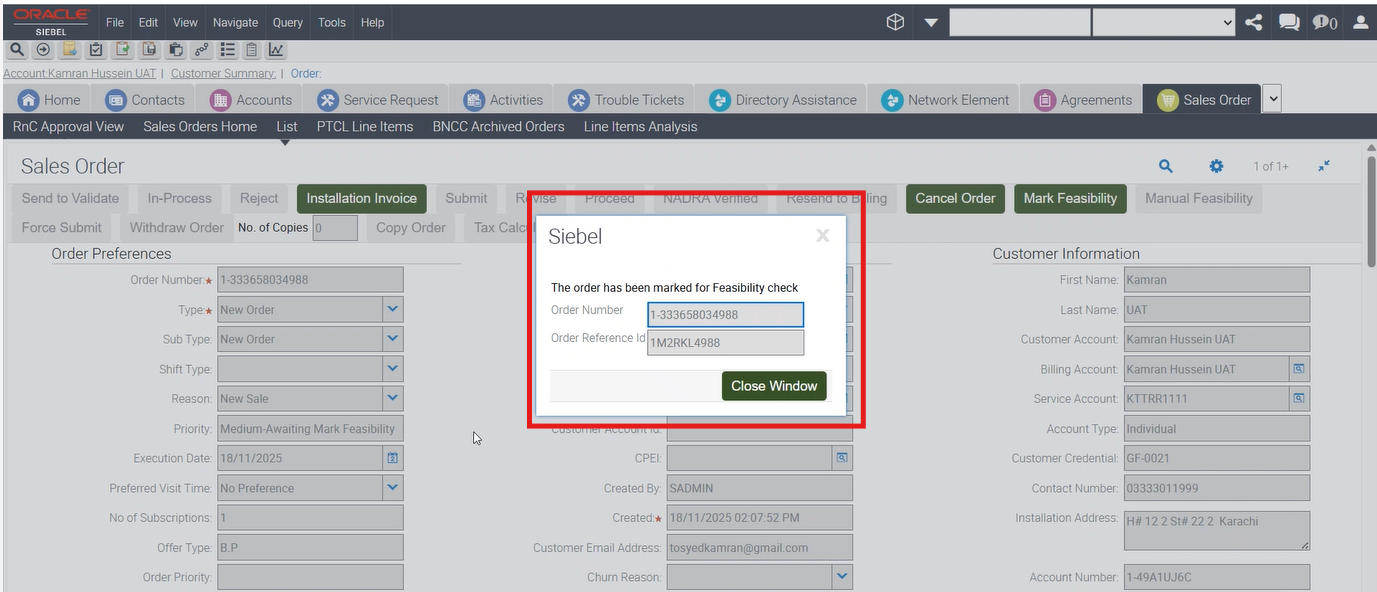
34-To Create a xDSL to GPON Conversion New Order with promotion Price Plan for GPON Subscription and verify Auto Feasibility returns N when Lat/Long and radius are provided and revision =1. |
P
|
18-Nov-25 |
|
| 20009 |
1- |
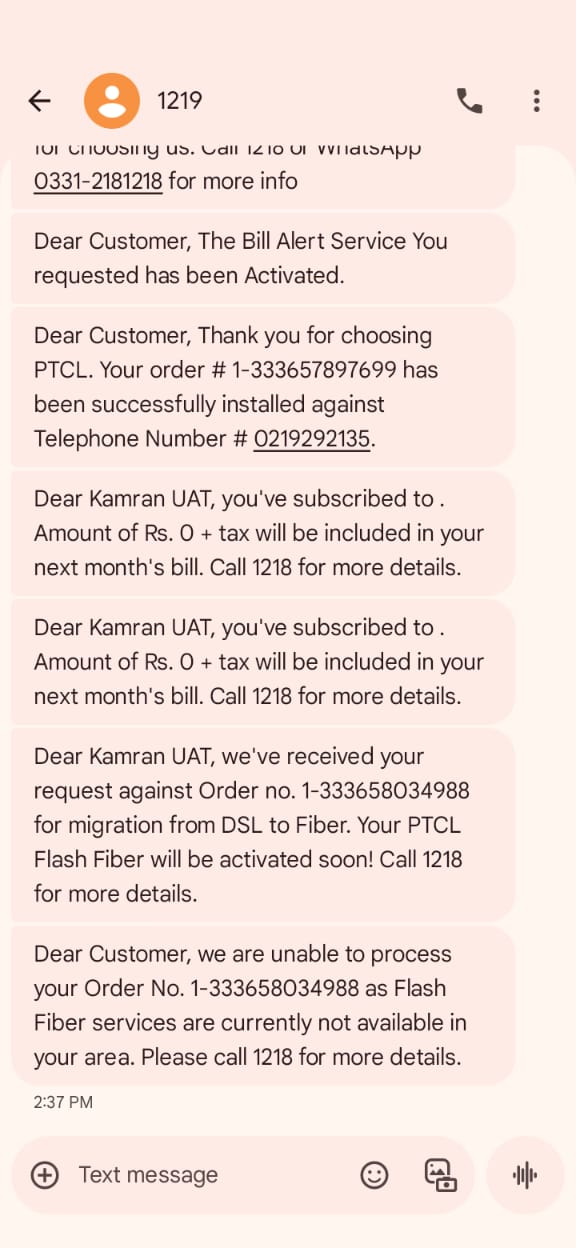
34-To Create a xDSL to GPON Conversion New Order with promotion Price Plan for GPON Subscription and verify Auto Feasibility returns N when Lat/Long and radius are provided and revision =1. |
P
|
18-Nov-25 |
|
| 20009 |
1- |
34-To Create a xDSL to GPON Conversion New Order with promotion Price Plan for GPON Subscription and verify Auto Feasibility returns N when Lat/Long and radius are provided and revision =1. |
P
|
18-Nov-25 |
No image
|
| 20009 |
1- |
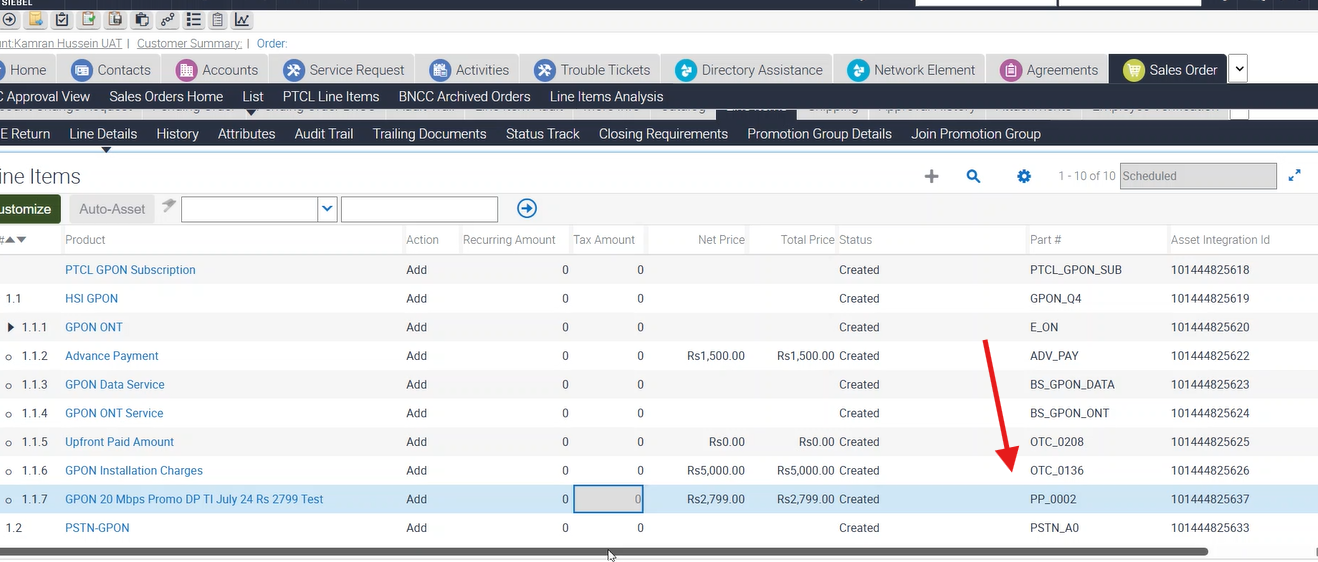
34-To Create a xDSL to GPON Conversion New Order with promotion Price Plan for GPON Subscription and verify Auto Feasibility returns N when Lat/Long and radius are provided and revision =1. |
P
|
18-Nov-25 |
|
| 20009 |
1- |
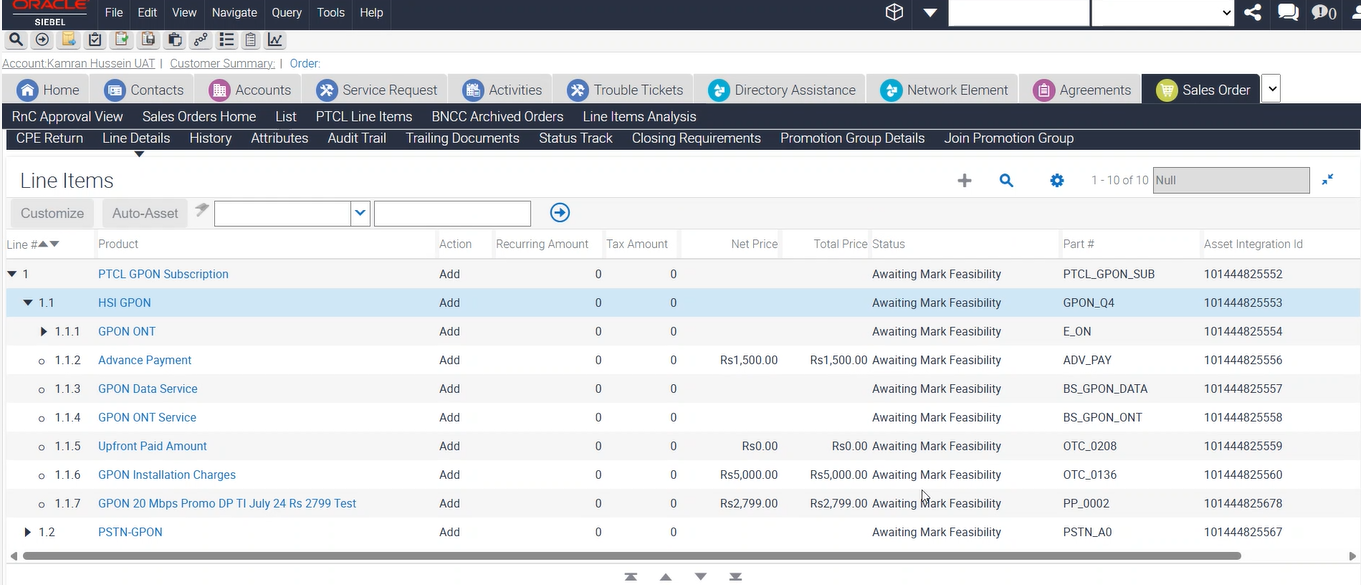
47-To Verify that for New Order having GPON Subscription (OTC > 0, Feasibility Bypass = N, Payment Bypass = Y, Auto Feasibility = N, Manual Feasibility = Feasible) — Order should go to WFRA. |
P
|
18-Nov-25 |
|
| 20009 |
1- |
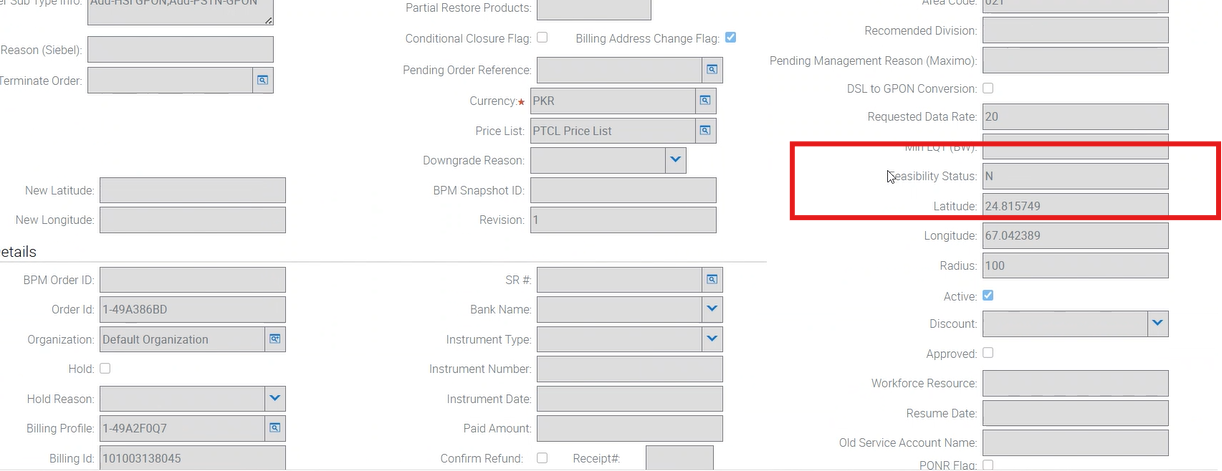
47-To Verify that for New Order having GPON Subscription (OTC > 0, Feasibility Bypass = N, Payment Bypass = Y, Auto Feasibility = N, Manual Feasibility = Feasible) — Order should go to WFRA. |
P
|
18-Nov-25 |
|
| 20009 |
1- |
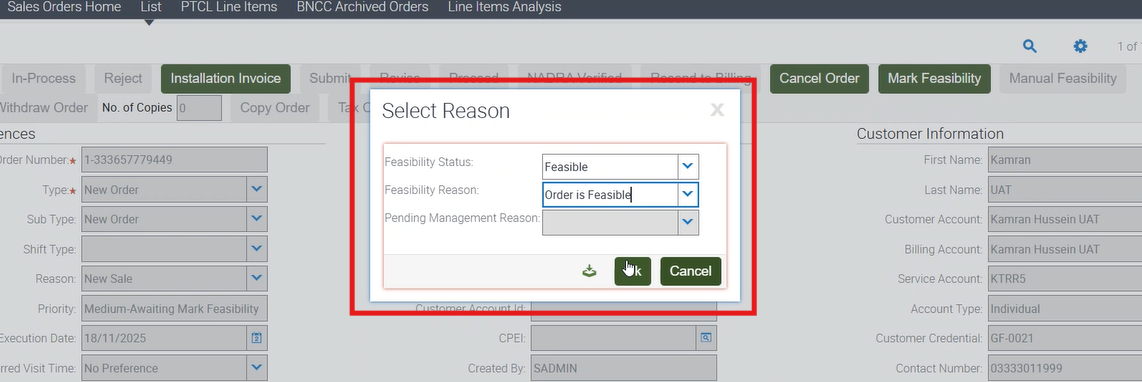
47-To Verify that for New Order having GPON Subscription (OTC > 0, Feasibility Bypass = N, Payment Bypass = Y, Auto Feasibility = N, Manual Feasibility = Feasible) — Order should go to WFRA. |
P
|
18-Nov-25 |
|
| 20009 |
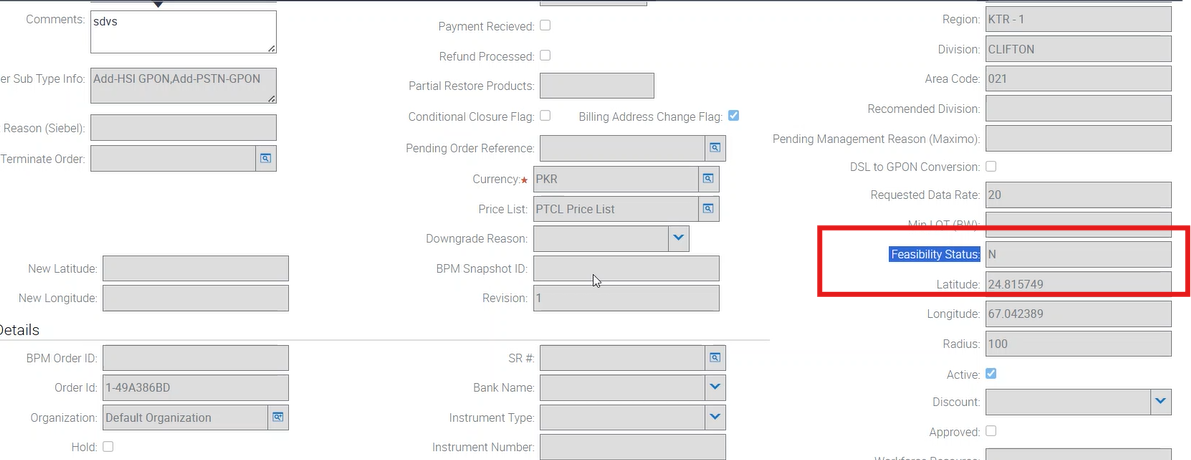
1- |
47-To Verify that for New Order having GPON Subscription (OTC > 0, Feasibility Bypass = N, Payment Bypass = Y, Auto Feasibility = N, Manual Feasibility = Feasible) — Order should go to WFRA. |
P
|
18-Nov-25 |
|
| 20009 |
1- |
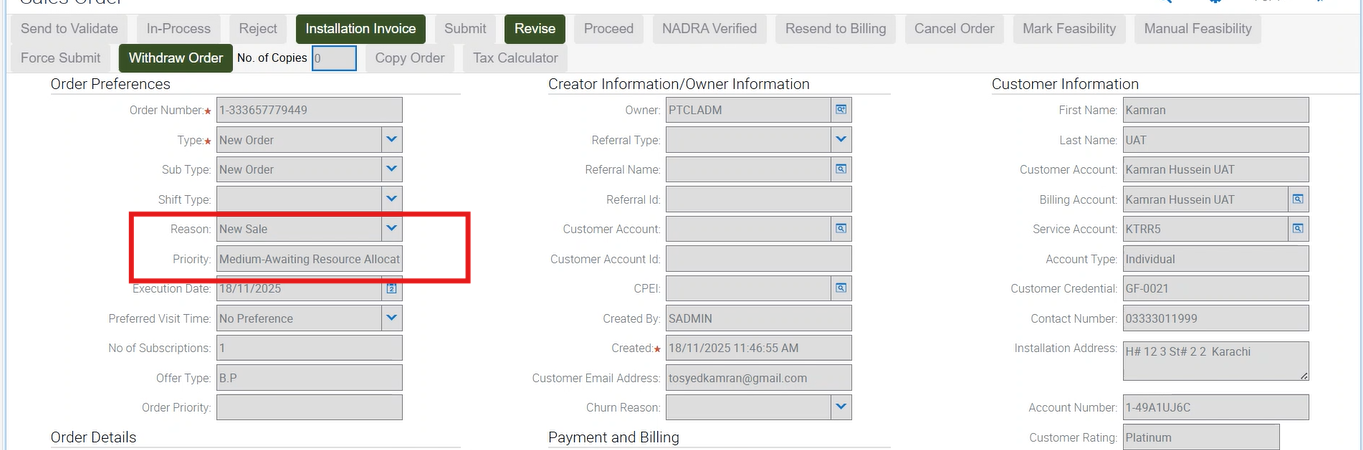
47-To Verify that for New Order having GPON Subscription (OTC > 0, Feasibility Bypass = N, Payment Bypass = Y, Auto Feasibility = N, Manual Feasibility = Feasible) — Order should go to WFRA. |
P
|
18-Nov-25 |
|
| 20009 |
1- |
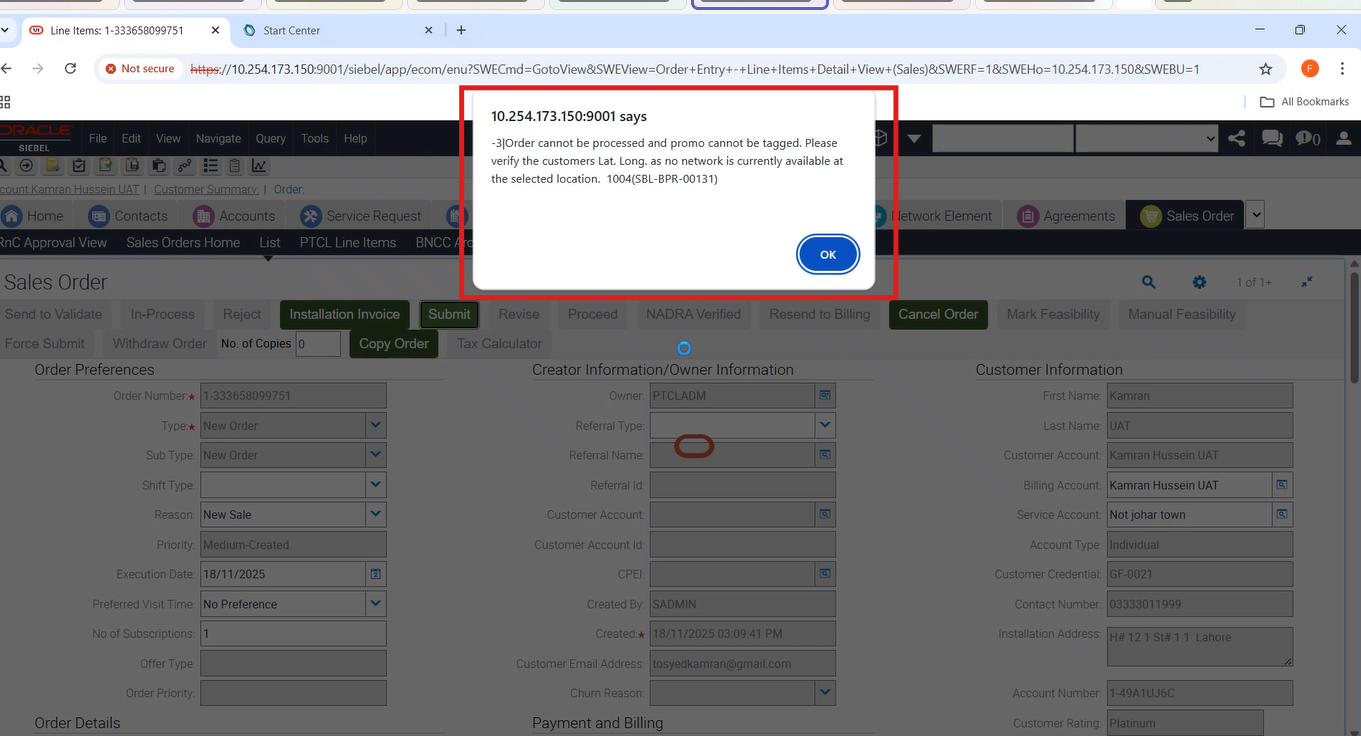
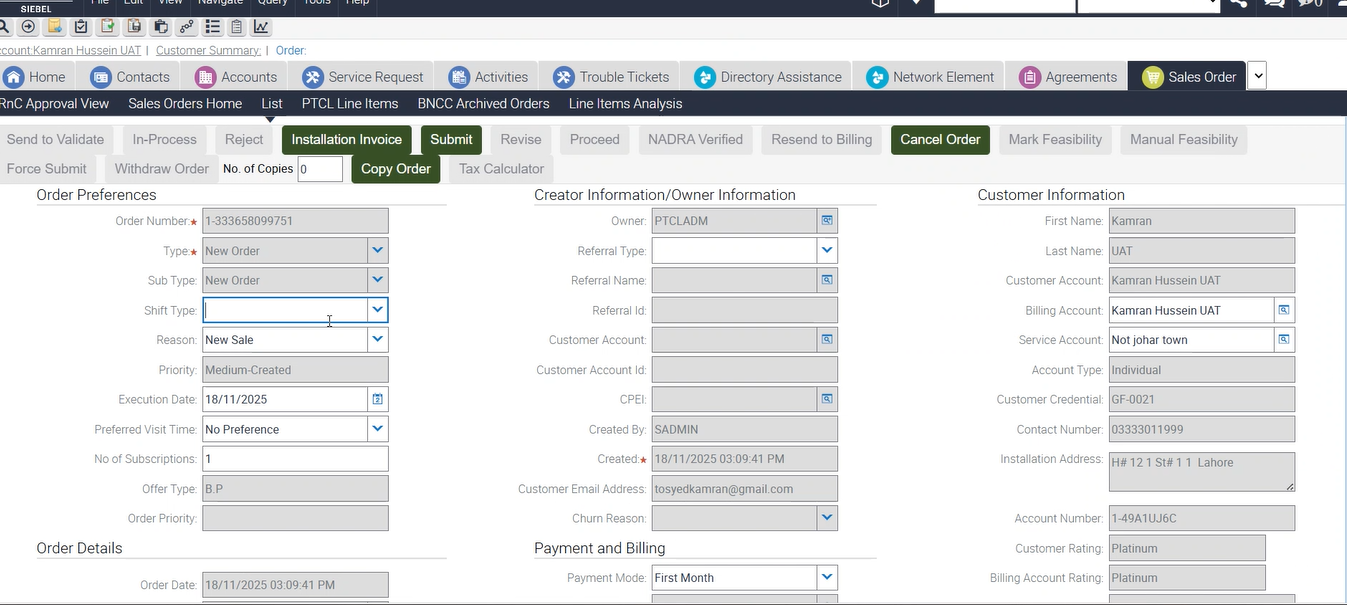
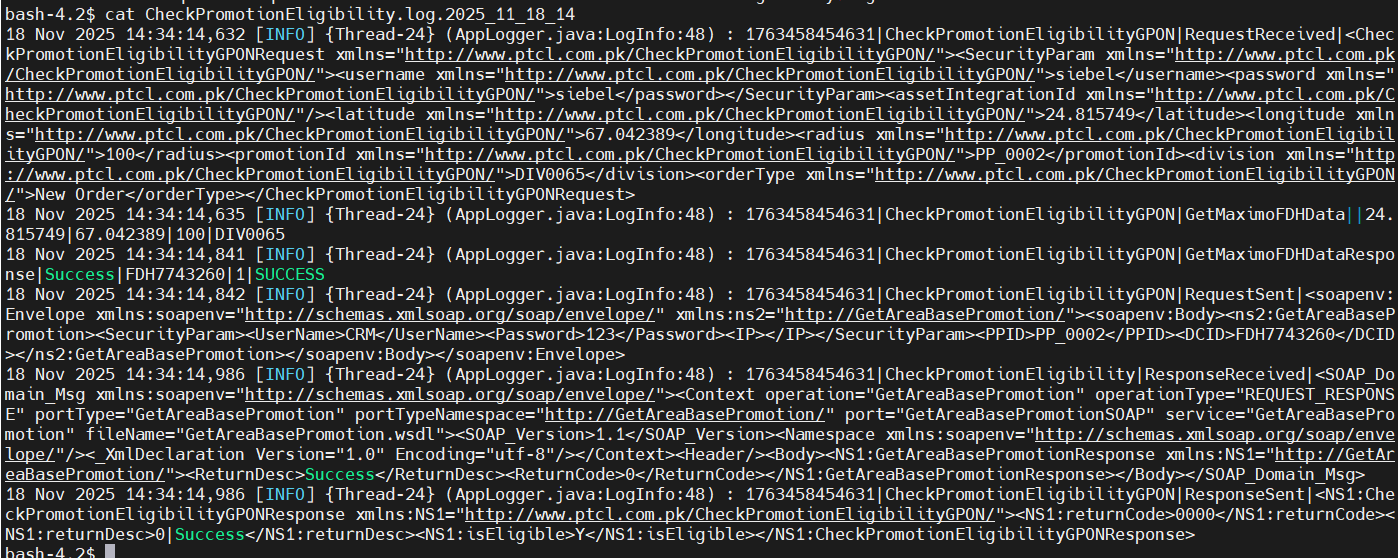
32-To Verify the error responses returned from Maximo in case of Missing Hierarchy. |
P
|
18-Nov-25 |
|
| 20009 |
1- |
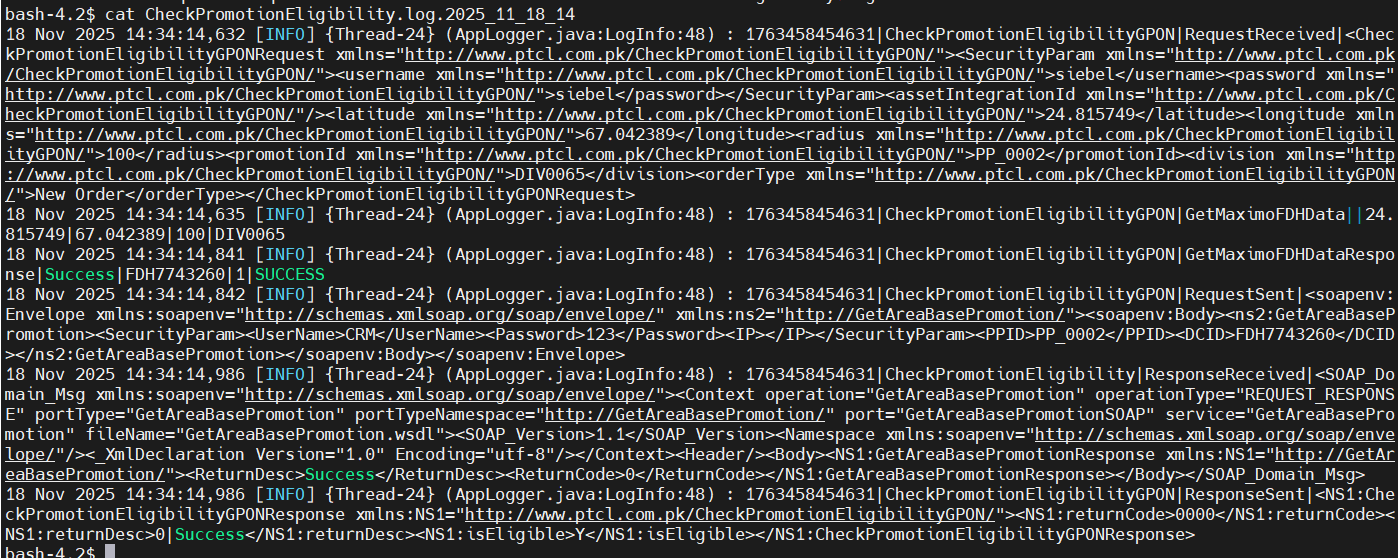
32-To Verify the error responses returned from Maximo in case of Missing Hierarchy. |
P
|
18-Nov-25 |
|
| 20009 |
1- |
32-To Verify the error responses returned from Maximo in case of Missing Hierarchy. |
P
|
18-Nov-25 |
|
| 20009 |
1- |
32-To Verify the error responses returned from Maximo in case of Missing Hierarchy. |
P
|
18-Nov-25 |
No image
|
| 20009 |
1- |
32-To Verify the error responses returned from Maximo in case of Missing Hierarchy. |
P
|
18-Nov-25 |
|
| 20009 |
1- |
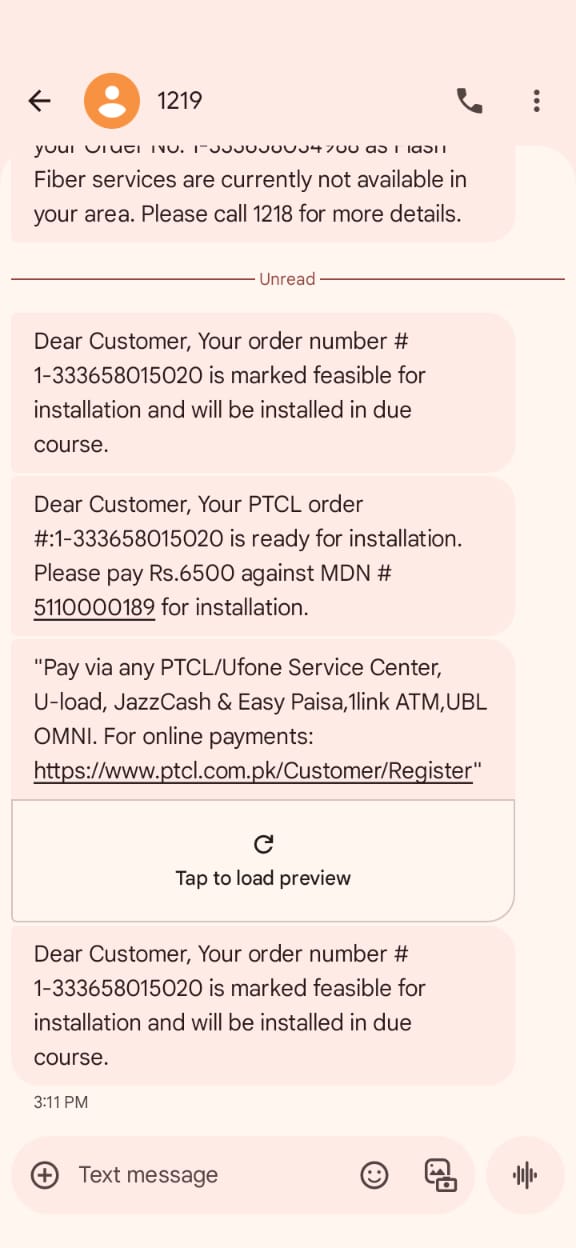
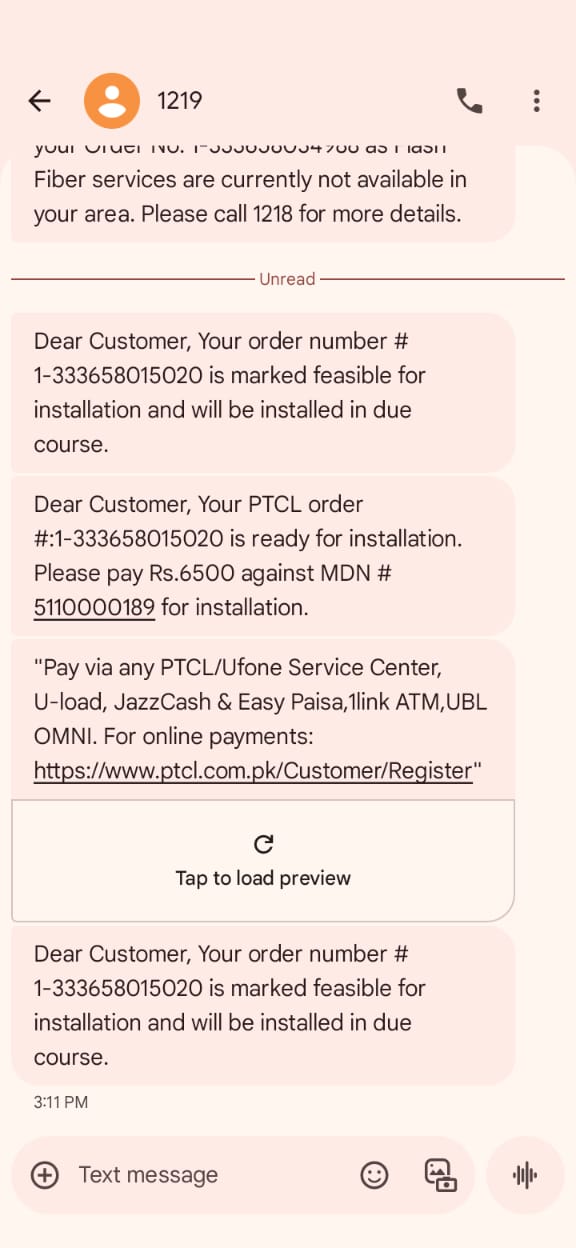
17-To Verify that for New Order having GPON Subscription when ‘Y’ is returned from the Auto Feasibility the Order is moved to ‘Awaiting Payment Confirmation’ or ‘WFRA’ and SMS sent to customer. Also check revision 2 for feasibility copy. |
P
|
18-Nov-25 |
|
| 20009 |
1- |
16-To Verify that for New Order having GPON Subscription the ‘Y’ or ‘N’ status of the Auto Feasibility is displayed in the Order Header after Submitting the order when the Lat/Long values and radius are provided in the Service Account and Order revision is less than or equal to 1. |
P
|
14-Nov-25 |
|
| 20009 |
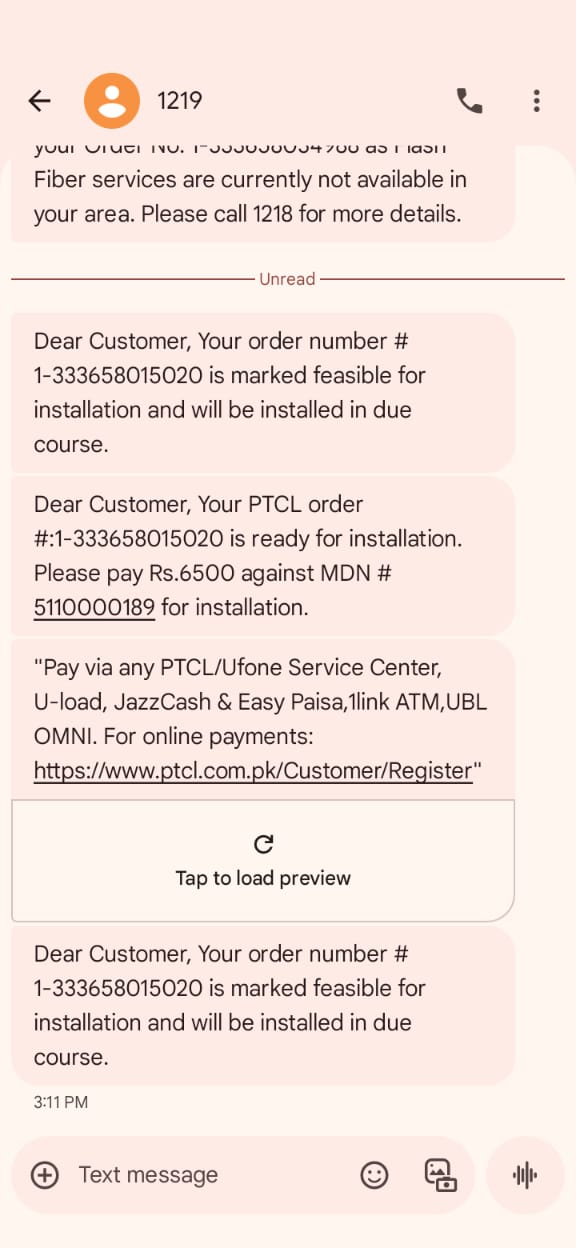
1- |
17-To Verify that for New Order having GPON Subscription when ‘Y’ is returned from the Auto Feasibility the Order is moved to ‘Awaiting Payment Confirmation’ or ‘WFRA’ and SMS sent to customer. Also check revision 2 for feasibility copy. |
P
|
18-Nov-25 |
|
| 20009 |
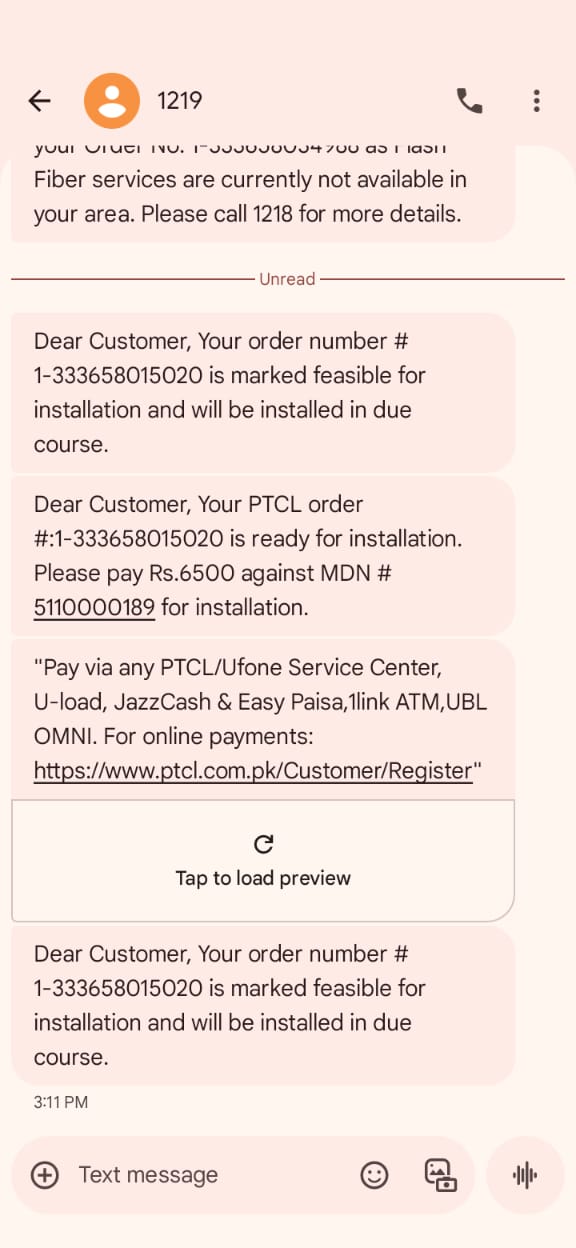
1- |
15-To Create a New Order for GPON Subscription and verify that the auto feasibility is called upon Submitting the order when the Lat/Long values and radius are provided in the Service Account and Order revision is less than or equal to 1. Also add a valid promotion in the order. |
P
|
18-Nov-25 |
|
| 20009 |
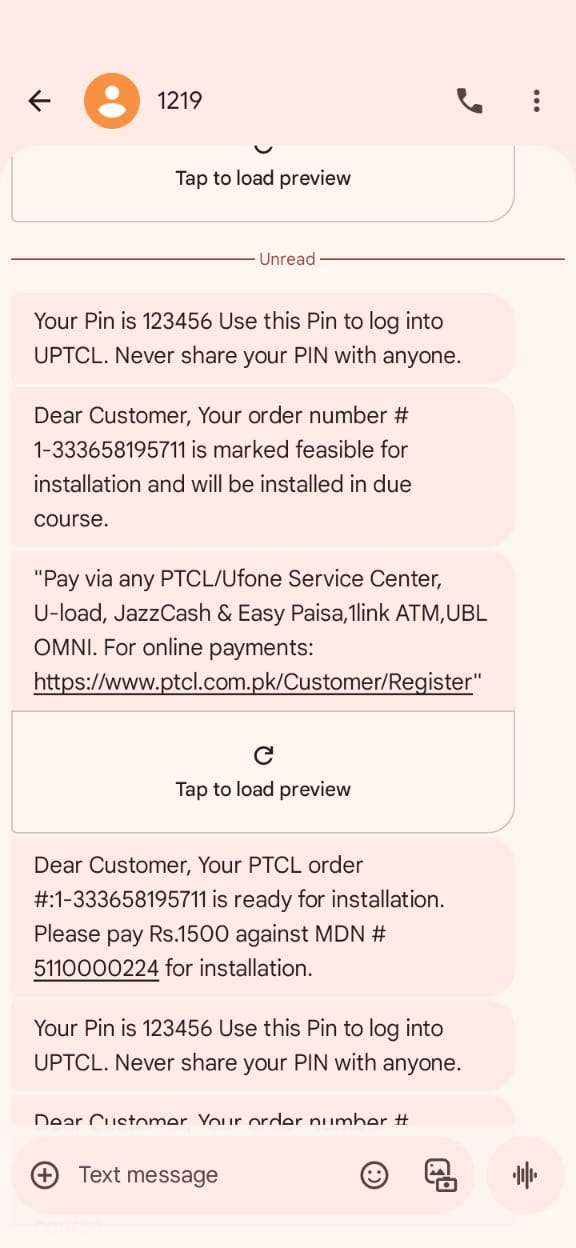
1-GPON Auto Eligibility/Feasibility |
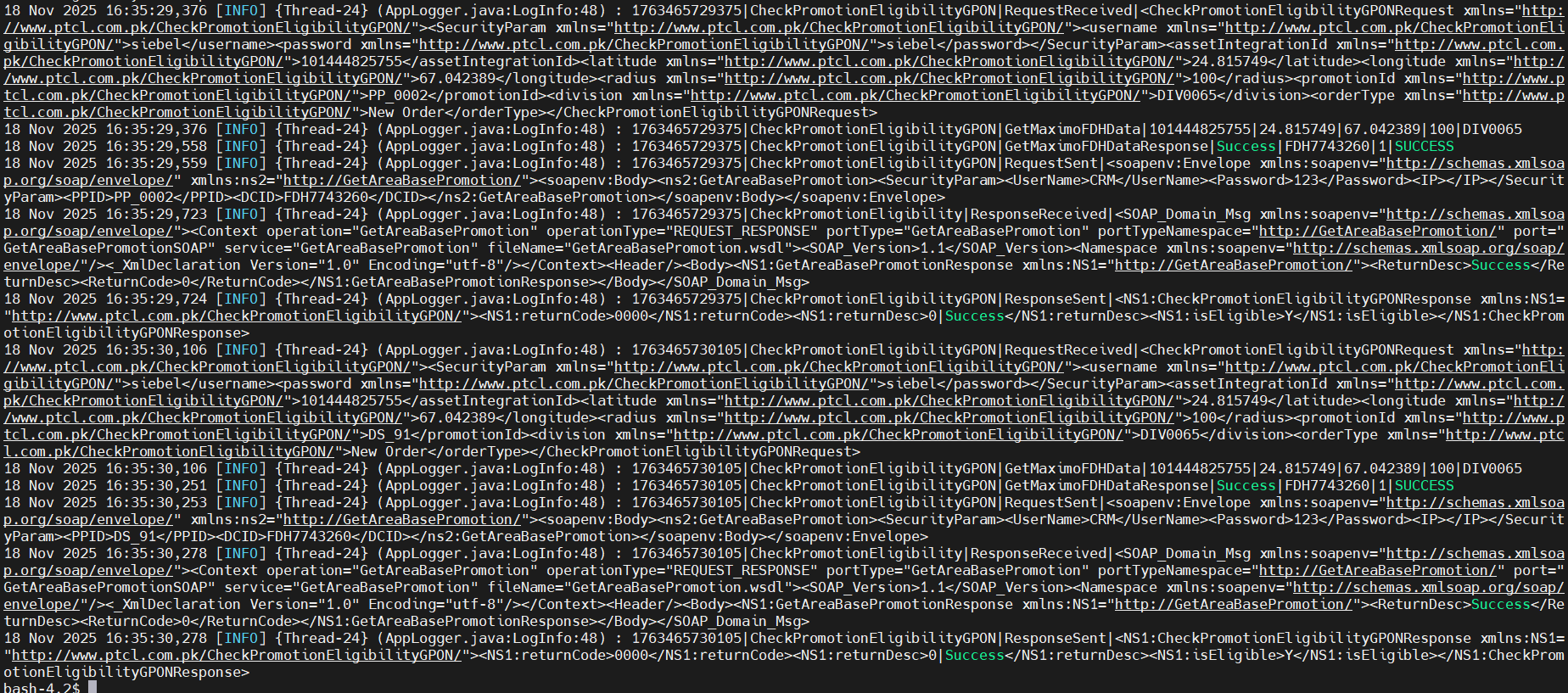
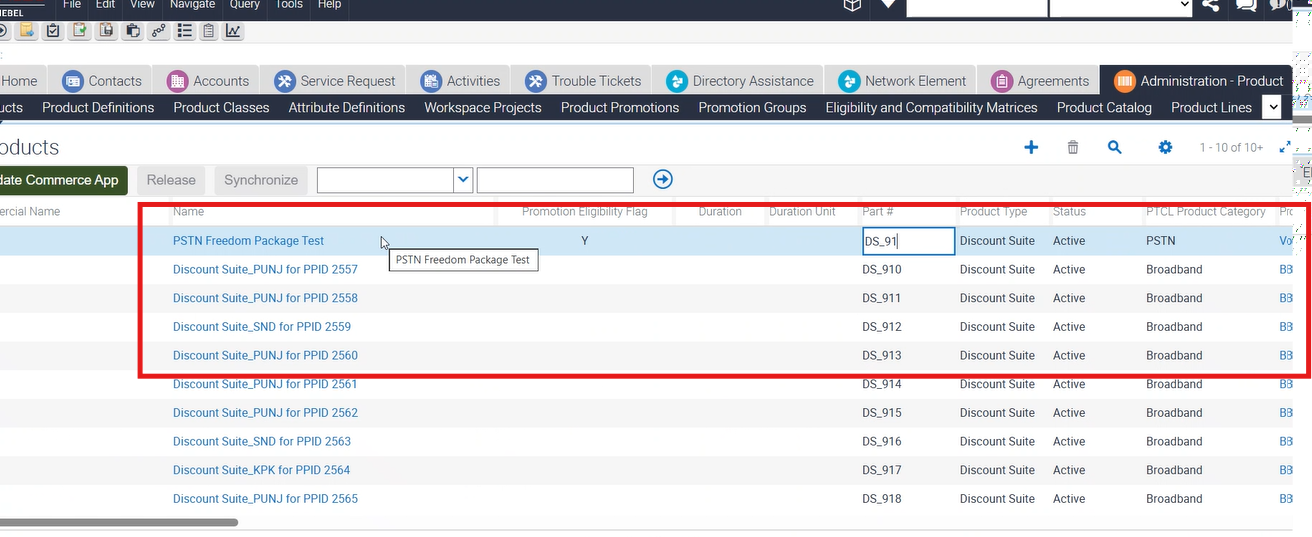
14-To Create a Restore Order for Terminated customer which already contains promotional Price Plan & Discount Suite for GPON Subscription but promotional Price Plan and Discount Suite are valid at the time of Restore Order. |
P
|
18-Nov-25 |
|
| 20009 |
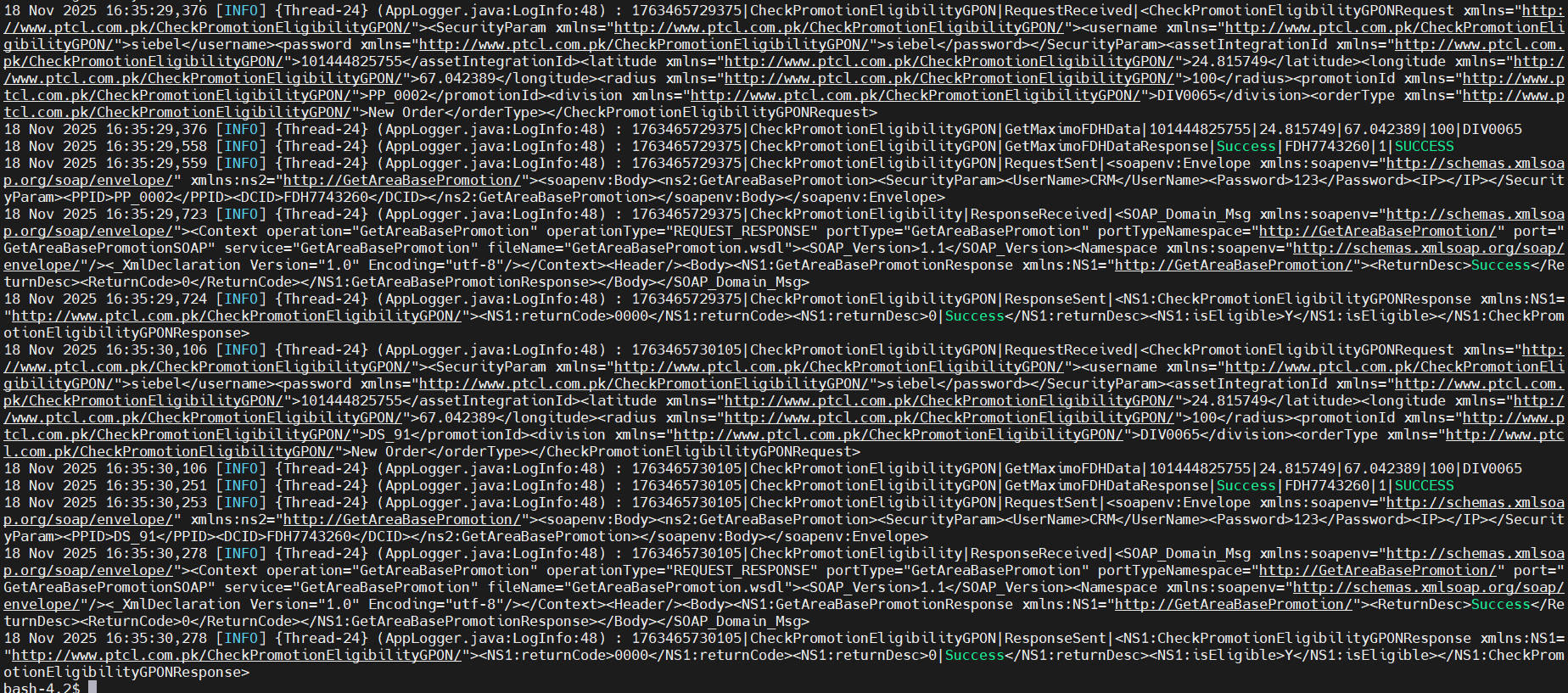
1-GPON Auto Eligibility/Feasibility |
14-To Create a Restore Order for Terminated customer which already contains promotional Price Plan & Discount Suite for GPON Subscription but promotional Price Plan and Discount Suite are valid at the time of Restore Order. |
P
|
18-Nov-25 |
|
| 20009 |
1-GPON Auto Eligibility/Feasibility |
14-To Create a Restore Order for Terminated customer which already contains promotional Price Plan & Discount Suite for GPON Subscription but promotional Price Plan and Discount Suite are valid at the time of Restore Order. |
P
|
18-Nov-25 |
|
| 20009 |
1-GPON Auto Eligibility/Feasibility |
14-To Create a Restore Order for Terminated customer which already contains promotional Price Plan & Discount Suite for GPON Subscription but promotional Price Plan and Discount Suite are valid at the time of Restore Order. |
P
|
18-Nov-25 |
|
| 20009 |
1- |
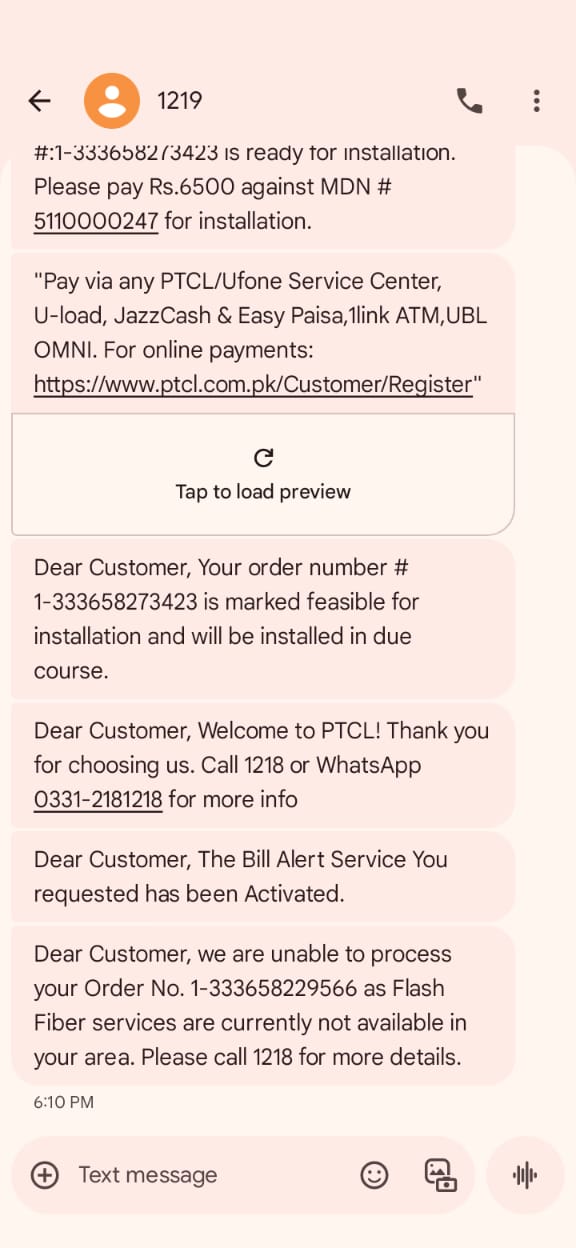
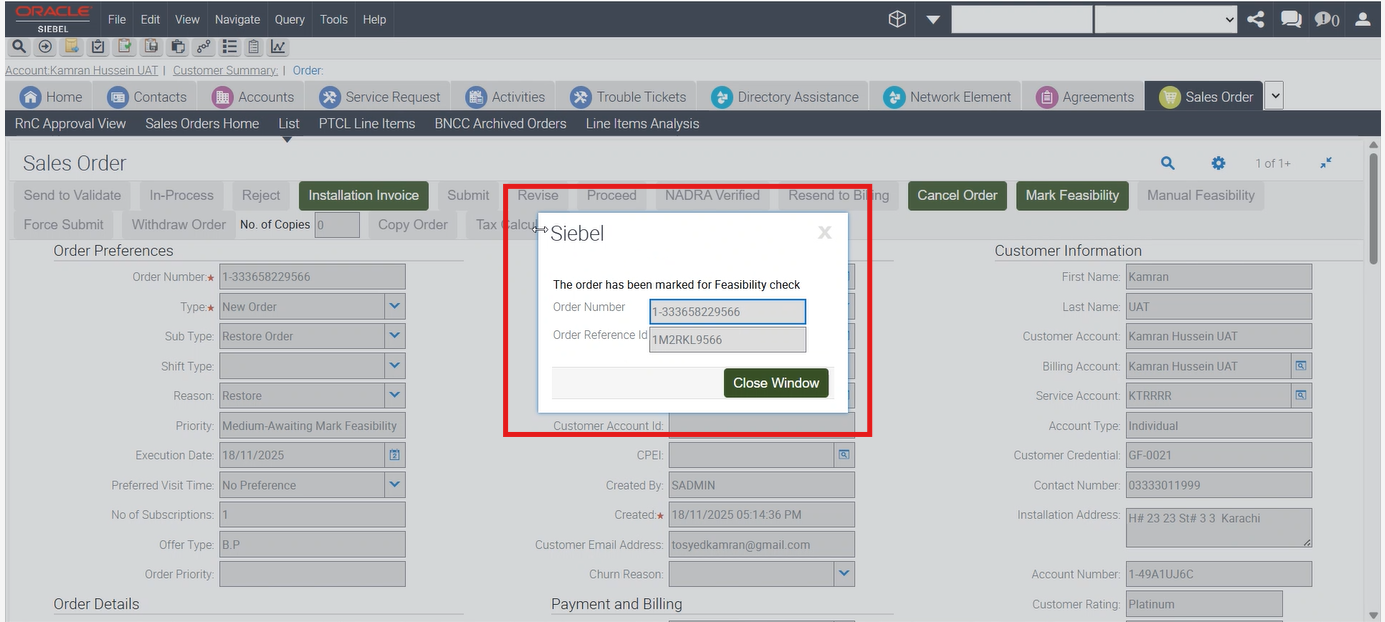
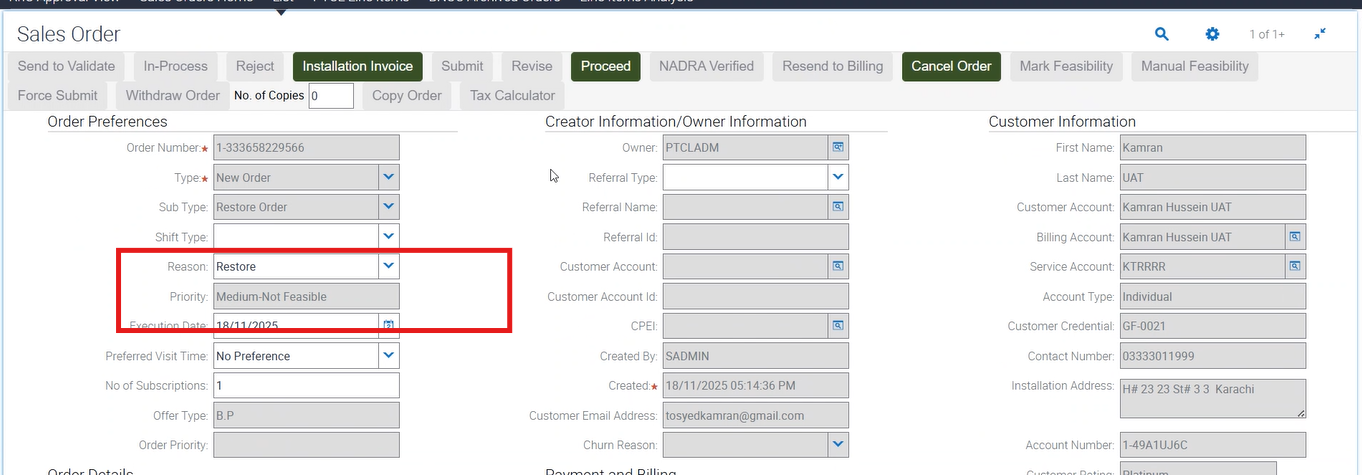
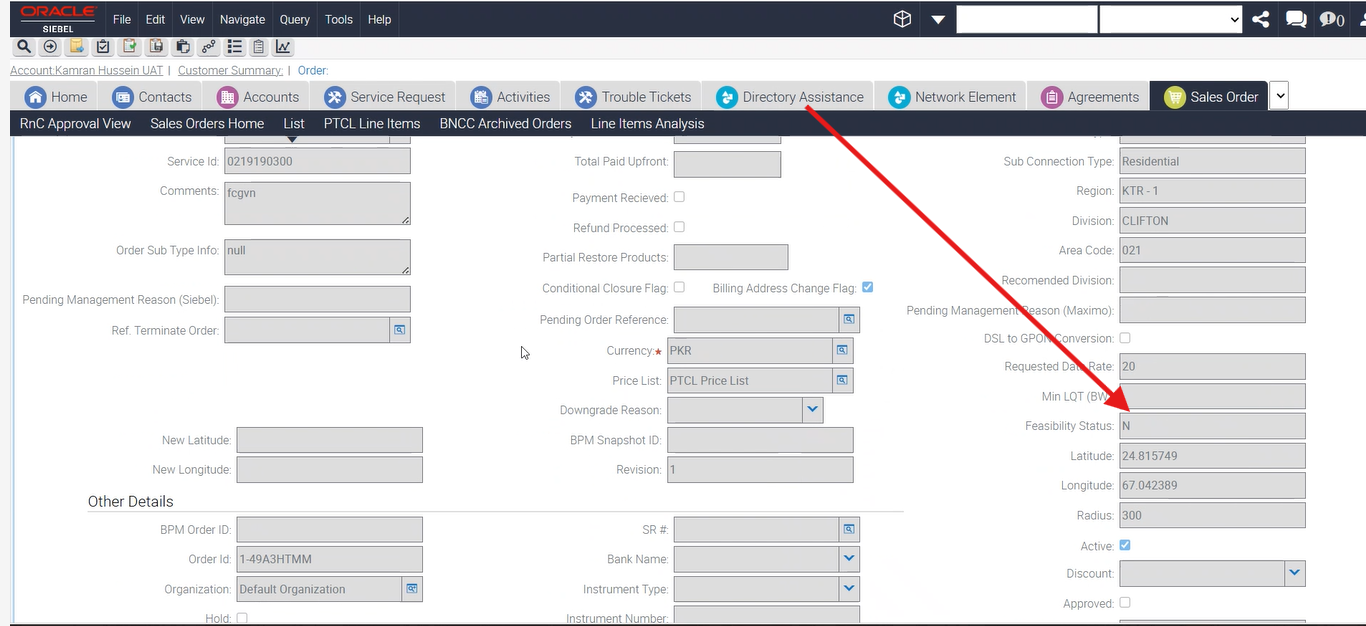
24-To Verify that for Restore Order having GPON Subscription when ‘N’ is returned from Auto Feasibility the Order moves to ‘Awaiting Mark Feasibility’. |
P
|
18-Nov-25 |
|
| 20009 |
1- |
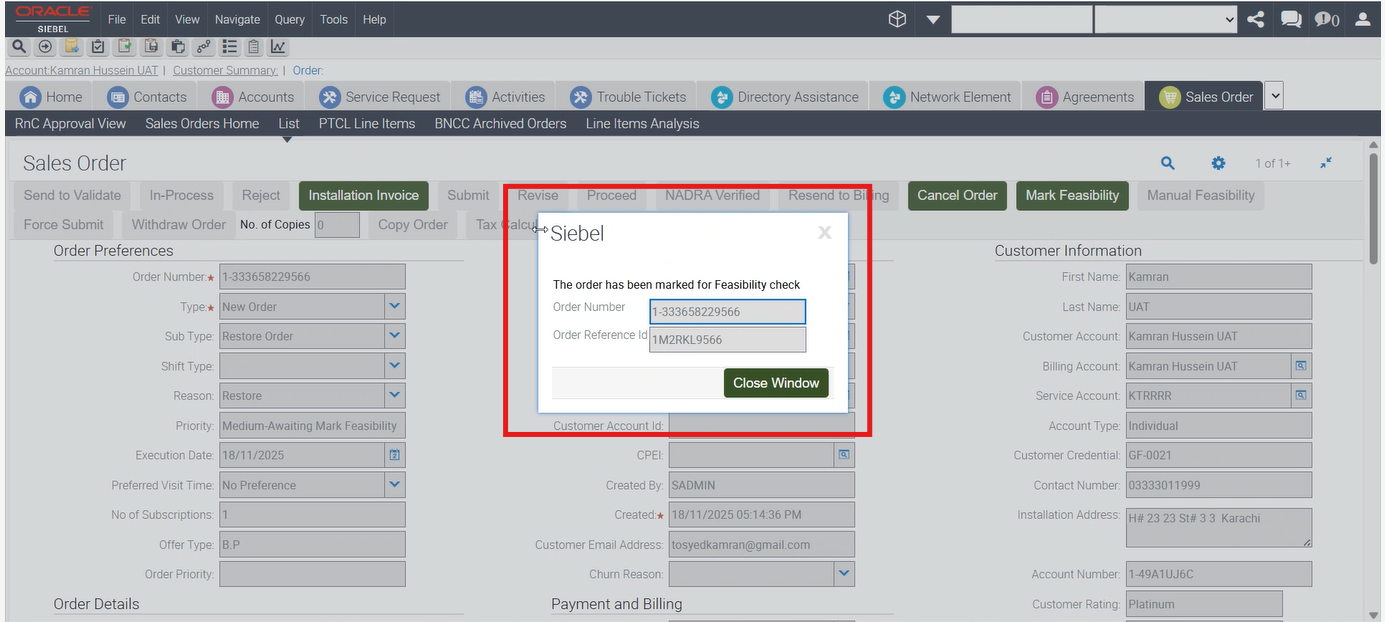
24-To Verify that for Restore Order having GPON Subscription when ‘N’ is returned from Auto Feasibility the Order moves to ‘Awaiting Mark Feasibility’. |
P
|
18-Nov-25 |
|
| 20009 |
1- |
24-To Verify that for Restore Order having GPON Subscription when ‘N’ is returned from Auto Feasibility the Order moves to ‘Awaiting Mark Feasibility’. |
P
|
18-Nov-25 |
|
| 20009 |
1- |
24-To Verify that for Restore Order having GPON Subscription when ‘N’ is returned from Auto Feasibility the Order moves to ‘Awaiting Mark Feasibility’. |
P
|
18-Nov-25 |
|
| 20009 |
1- |
24-To Verify that for Restore Order having GPON Subscription when ‘N’ is returned from Auto Feasibility the Order moves to ‘Awaiting Mark Feasibility’. |
P
|
18-Nov-25 |
|
| 20009 |
1-GPON Auto Eligibility/Feasibility |
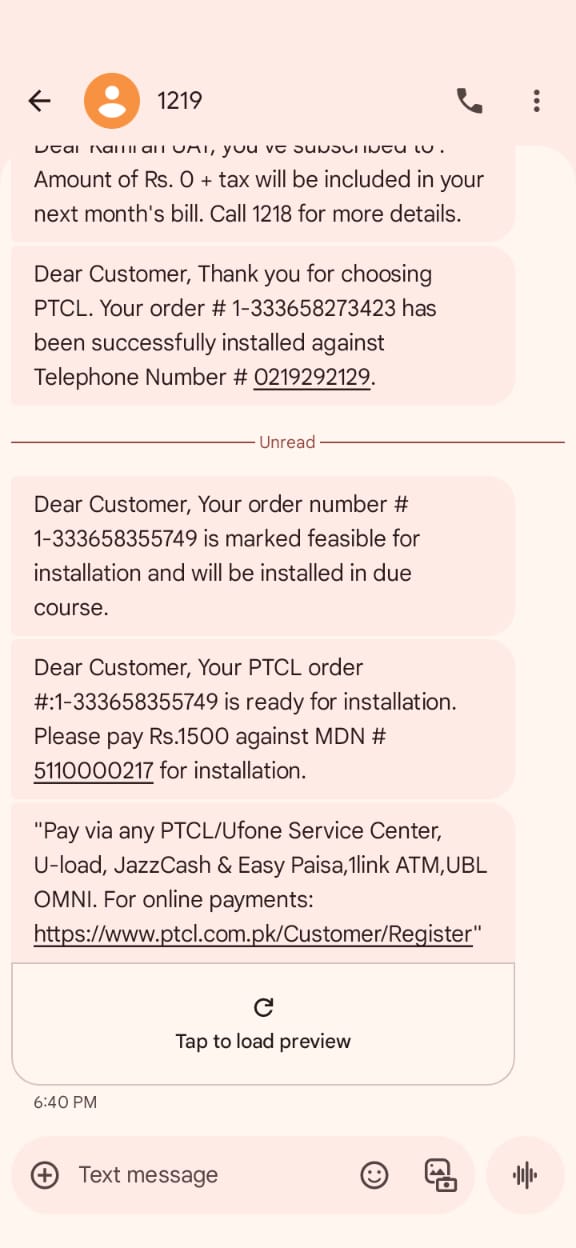
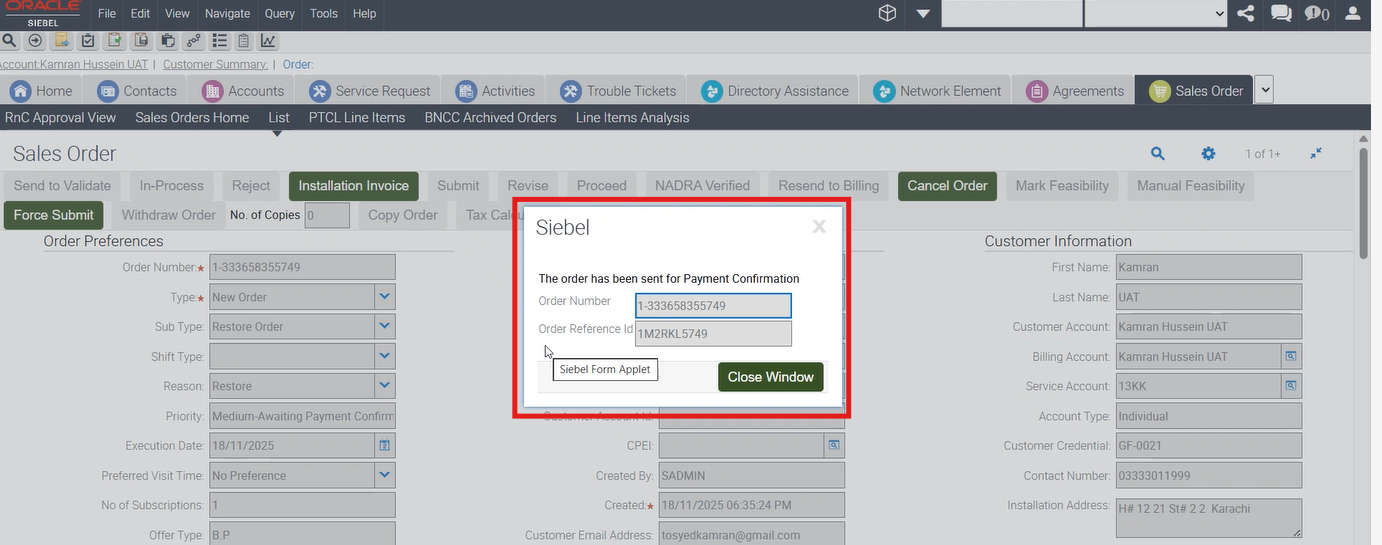
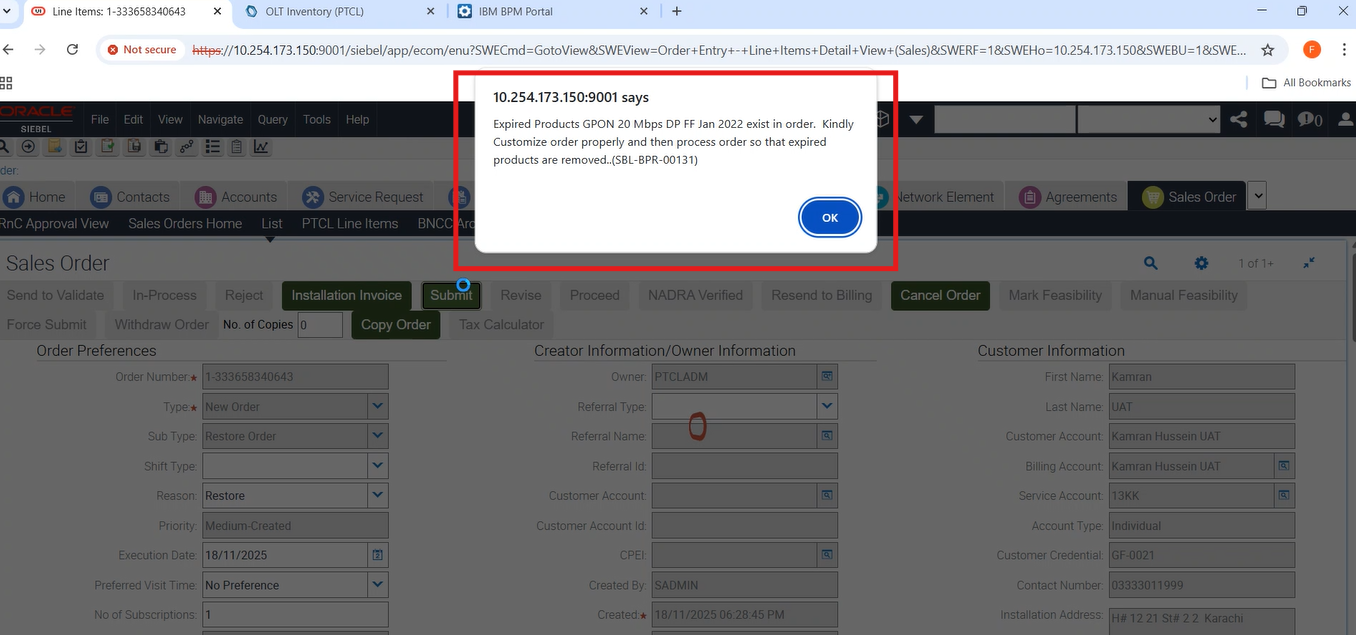
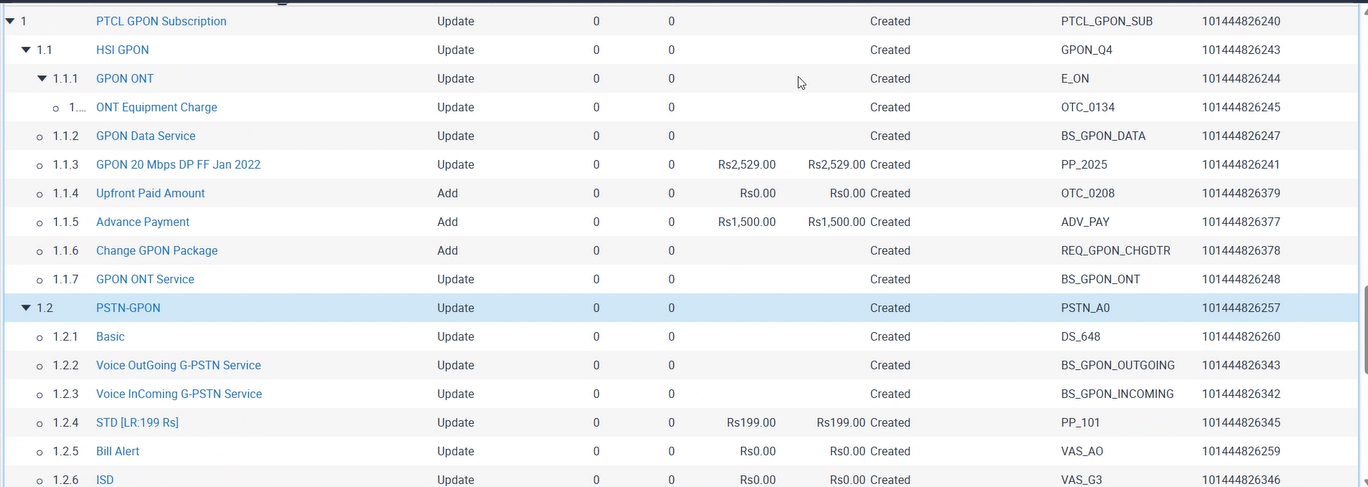
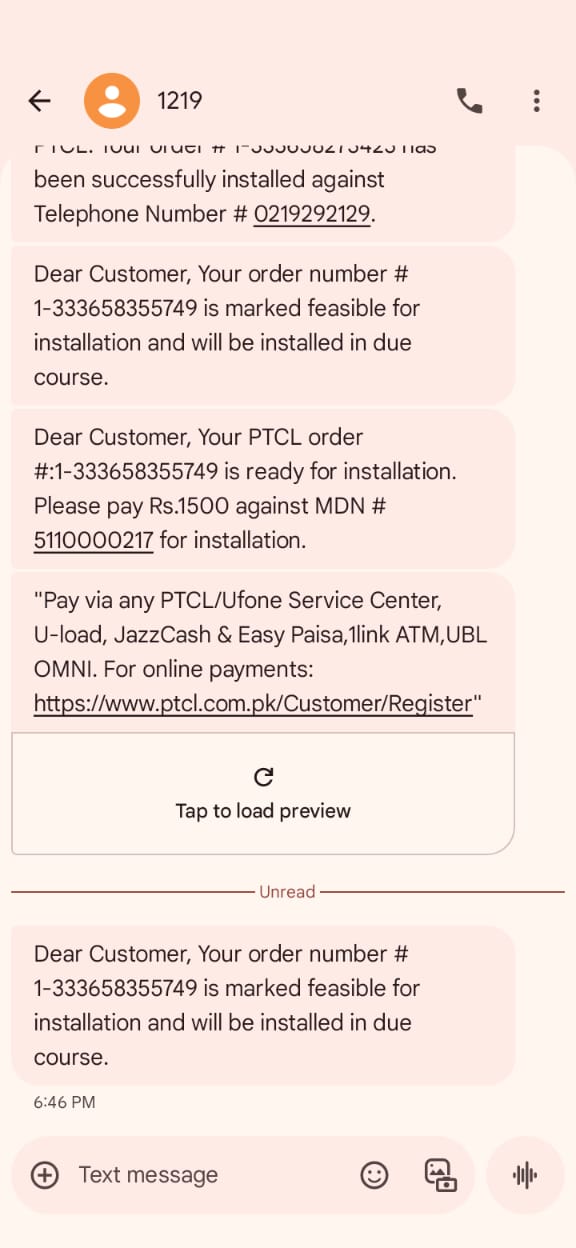
23-To Verify that for Restore Order having GPON Subscription when ‘Y’ is returned from Auto Feasibility the Order moves to ‘Awaiting Payment Confirmation’ or ‘WFRA’ and SMS is sent. |
P
|
18-Nov-25 |
|
| 20009 |
1-GPON Auto Eligibility/Feasibility |
23-To Verify that for Restore Order having GPON Subscription when ‘Y’ is returned from Auto Feasibility the Order moves to ‘Awaiting Payment Confirmation’ or ‘WFRA’ and SMS is sent. |
P
|
18-Nov-25 |
|
| 20009 |
1-GPON Auto Eligibility/Feasibility |
23-To Verify that for Restore Order having GPON Subscription when ‘Y’ is returned from Auto Feasibility the Order moves to ‘Awaiting Payment Confirmation’ or ‘WFRA’ and SMS is sent. |
P
|
18-Nov-25 |
|
| 20009 |
1-GPON Auto Eligibility/Feasibility |
23-To Verify that for Restore Order having GPON Subscription when ‘Y’ is returned from Auto Feasibility the Order moves to ‘Awaiting Payment Confirmation’ or ‘WFRA’ and SMS is sent. |
P
|
18-Nov-25 |
|
| 20009 |
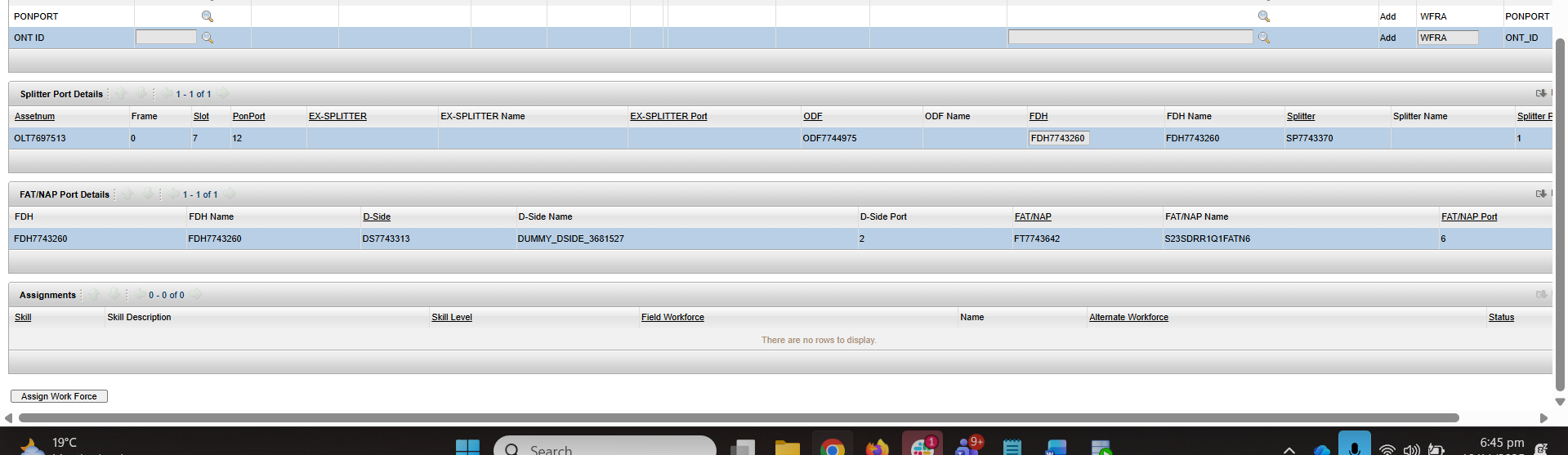
1- |
23-To Verify that for Restore Order having GPON Subscription when ‘Y’ is returned from Auto Feasibility the Order moves to ‘Awaiting Payment Confirmation’ or ‘WFRA’ and SMS is sent. |
P
|
18-Nov-25 |
|
| 20009 |
1- |
23-To Verify that for Restore Order having GPON Subscription when ‘Y’ is returned from Auto Feasibility the Order moves to ‘Awaiting Payment Confirmation’ or ‘WFRA’ and SMS is sent. |
P
|
18-Nov-25 |
|
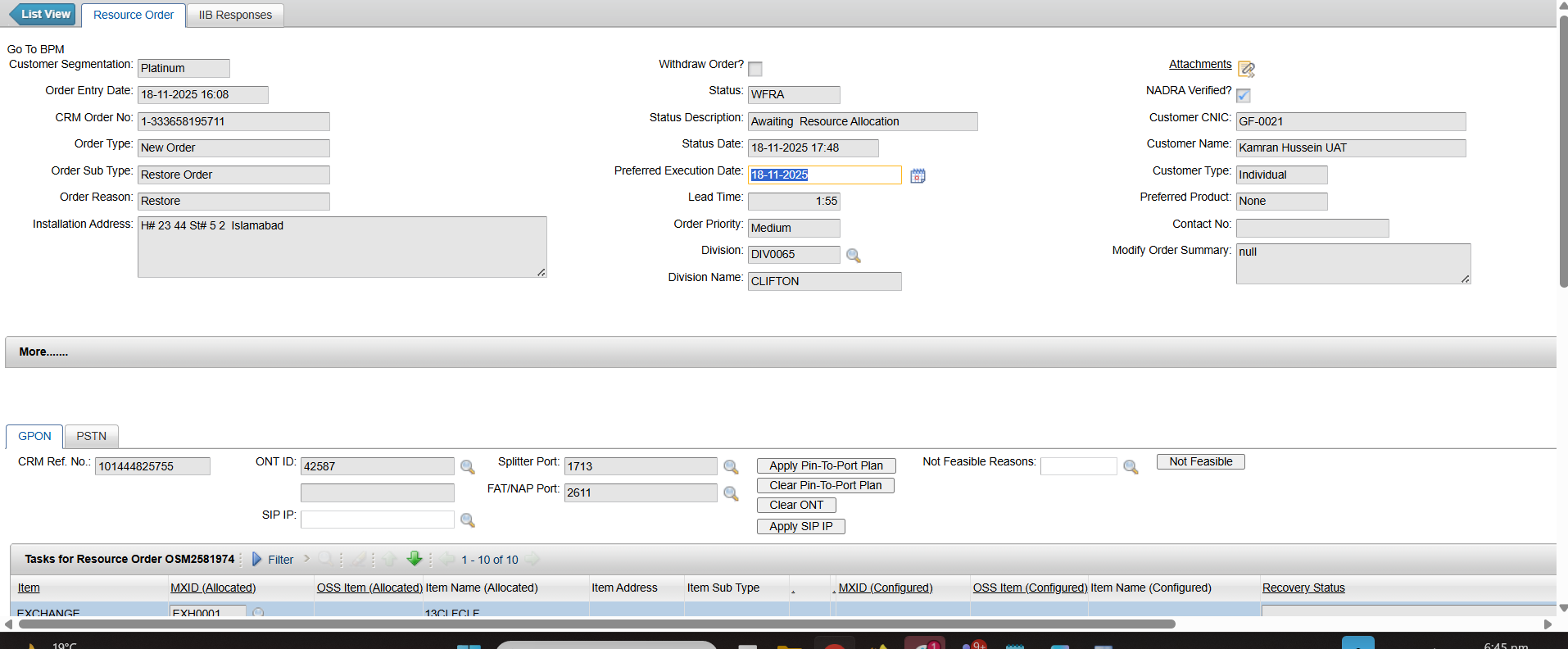
| 20009 |
1- |
23-To Verify that for Restore Order having GPON Subscription when ‘Y’ is returned from Auto Feasibility the Order moves to ‘Awaiting Payment Confirmation’ or ‘WFRA’ and SMS is sent. |
P
|
18-Nov-25 |
|
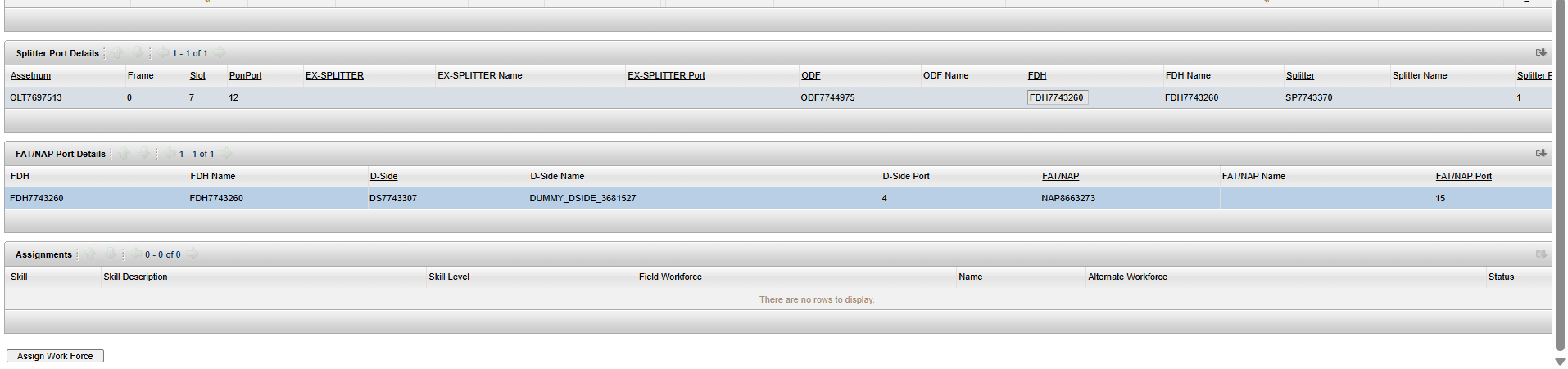
| 20009 |
1- |
23-To Verify that for Restore Order having GPON Subscription when ‘Y’ is returned from Auto Feasibility the Order moves to ‘Awaiting Payment Confirmation’ or ‘WFRA’ and SMS is sent. |
P
|
18-Nov-25 |
|
| 20009 |
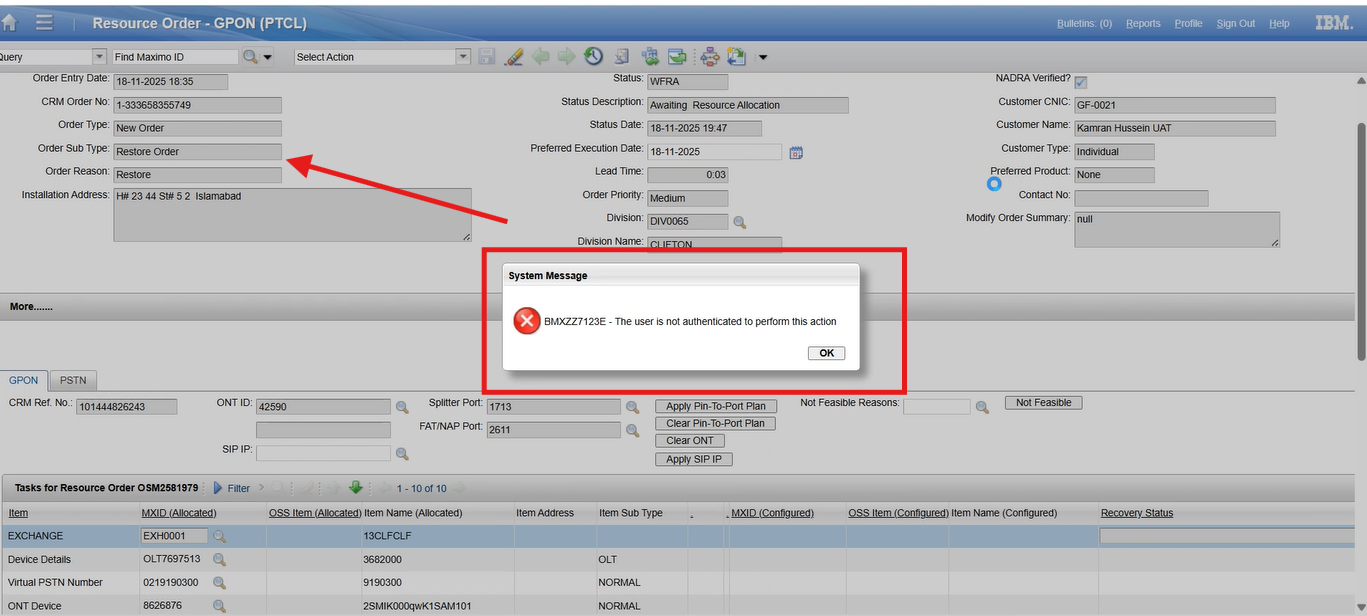
1-GPON Auto Eligibility/Feasibility |
26-To Create a Restore Order having GPON Subscription when ‘Y’ is returned from Auto Feasibility, verify order moves to ‘Awaiting Payment Confirmation’ or ‘WFRA’, SMS sent, and resources not editable in Maximo. |
P
|
18-Nov-25 |
|
| 20009 |
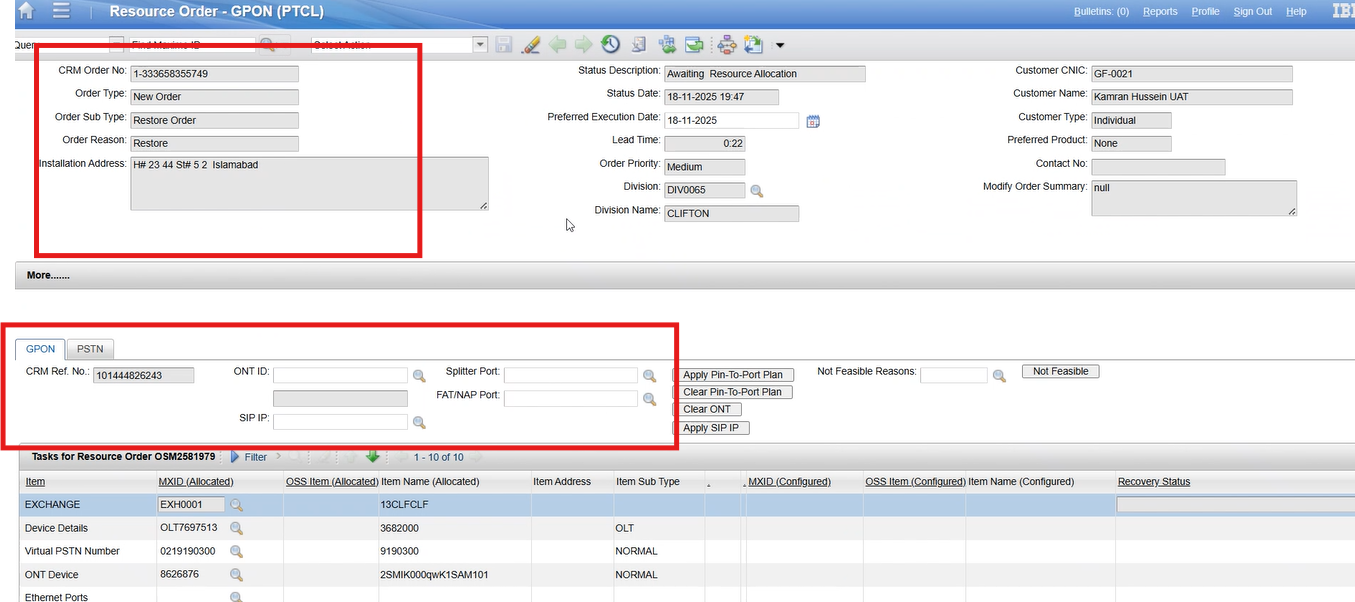
1- |
27-To Create a Restore Order having GPON Subscription when ‘Y’ is returned from Auto Feasibility, verify order moves to ‘Awaiting Payment Confirmation’ or ‘WFRA’, SMS sent, and resources editable after new role assignment in Maximo. |
P
|
18-Nov-25 |
|
| 20009 |
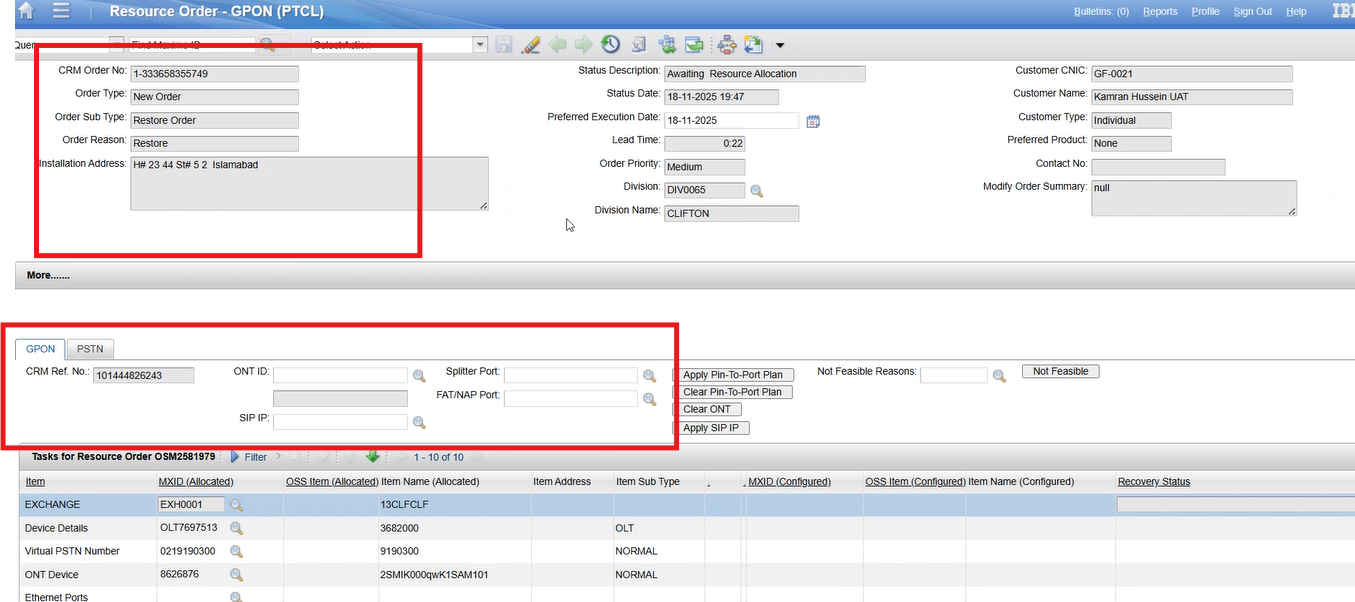
1- |
27-To Create a Restore Order having GPON Subscription when ‘Y’ is returned from Auto Feasibility, verify order moves to ‘Awaiting Payment Confirmation’ or ‘WFRA’, SMS sent, and resources editable after new role assignment in Maximo. |
P
|
18-Nov-25 |
|
| 20009 |
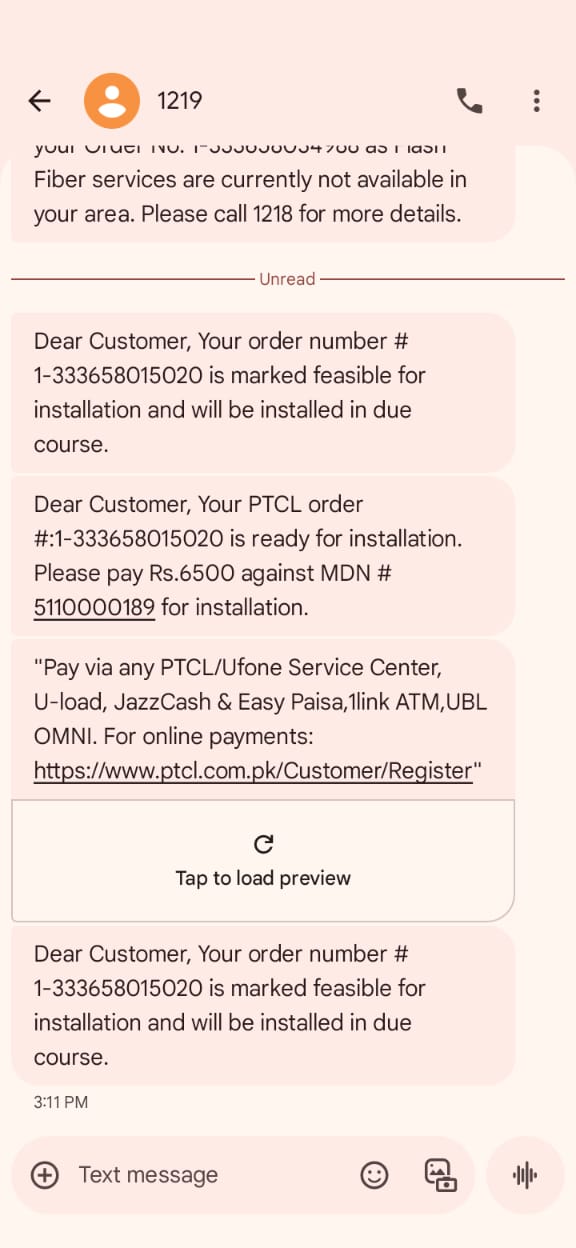
1-GPON Auto Eligibility/Feasibility |
19-To Verify that when Auto Feasibility returns ‘N’, and Manual Feasibility marks ‘Not Feasible’, the Order is marked as Not Feasible and SMS sent. |
F
|
11-Nov-25 |
|
| 20009 |
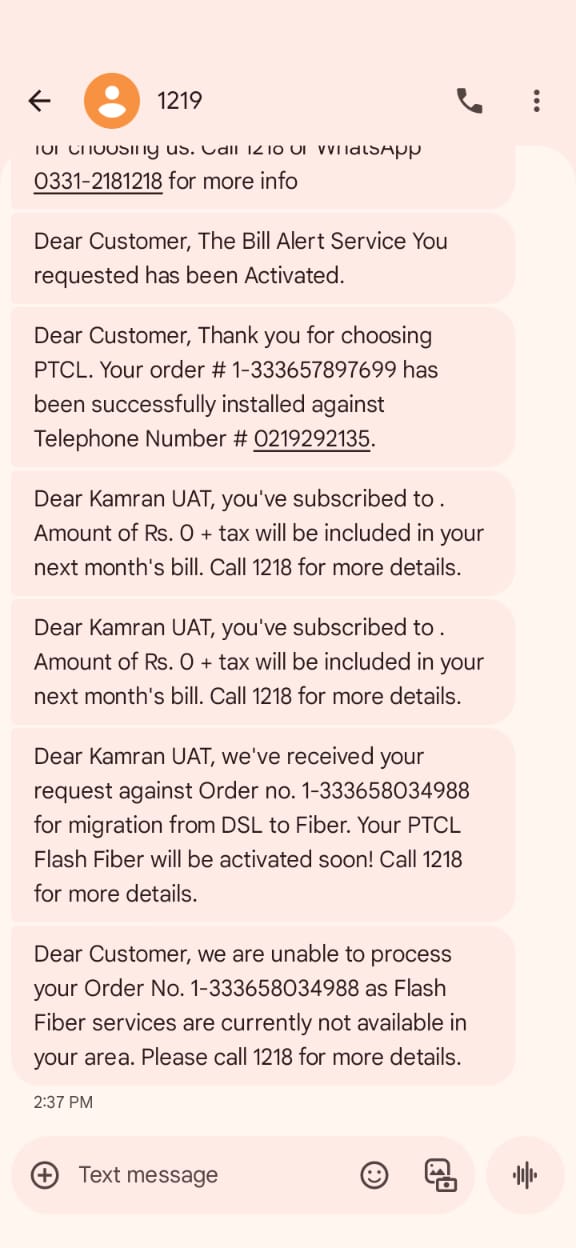
1- |
22-To verify that for a Restore Order for GPON Subscription if there are any OTC Charges available then the Order moves to Awaiting Payment Confirmation, and proceeds after payment is received. |
P
|
18-Nov-25 |
|
| 20009 |
1-GPON Auto Eligibility/Feasibility |
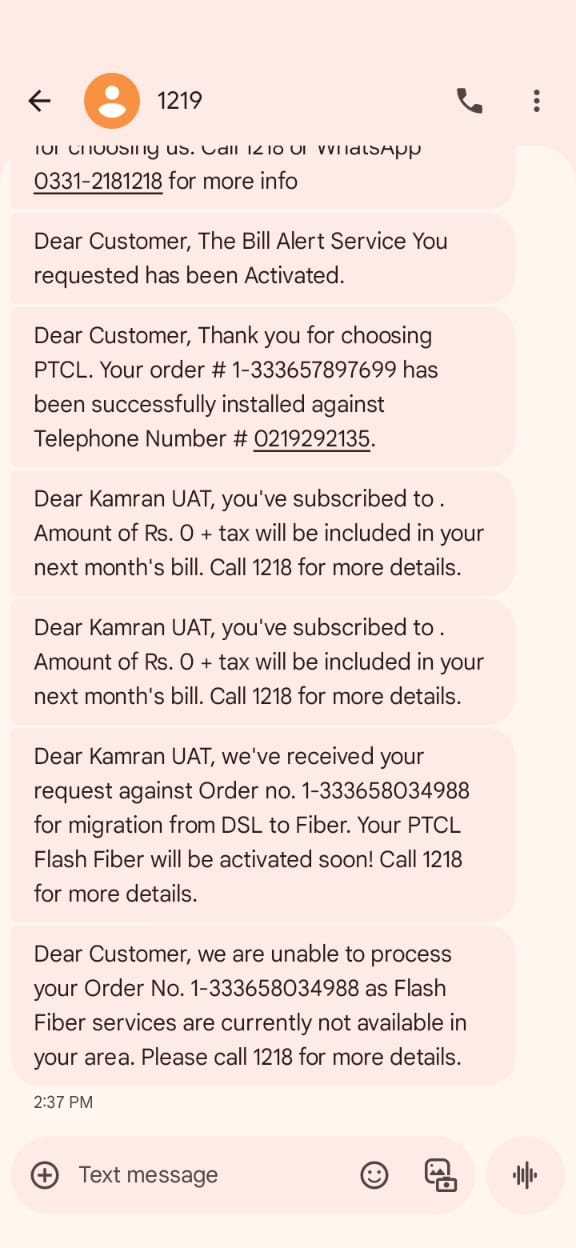
10-To Create a xDSL to GPON Conversion New Order with promotion Price Plan for GPON Subscription having the correct Lat Long value for specific FDH for which the promotion is eligible. The feasibility response to be Y. |
P
|
18-Nov-25 |
|
| 20009 |
1- |
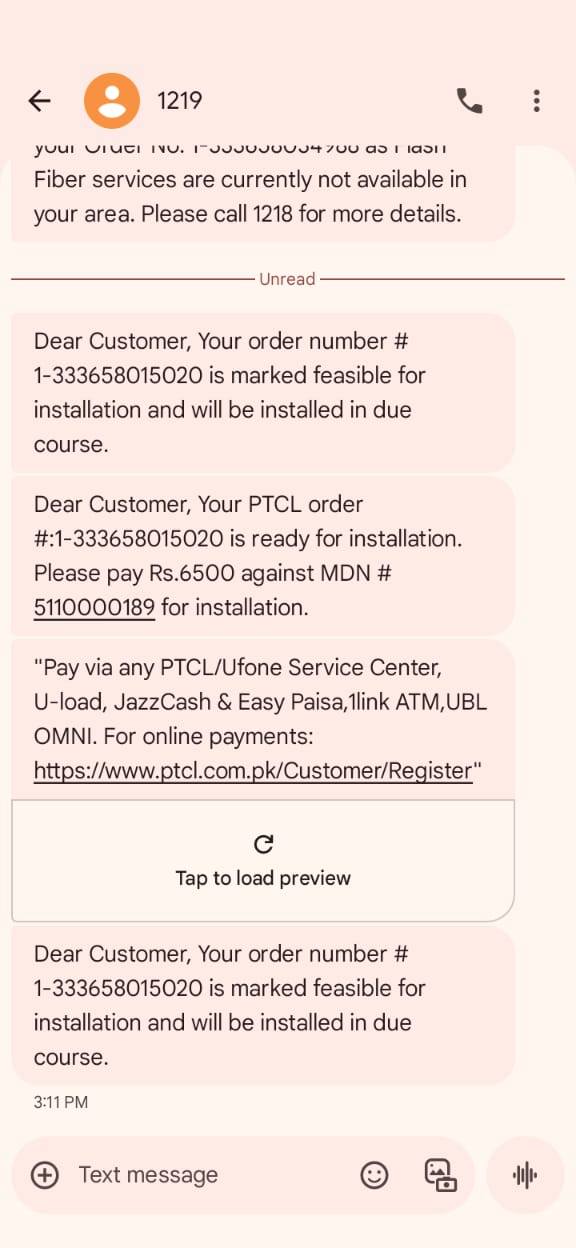
6-To Create a New Order with promotion Discount Suite for GPON Subscription having the correct Lat Long value for specific FDH for which the promotion is eligible. This will be tested after one promo returns N as eligibility. |
P
|
18-Nov-25 |
|
| 20009 |
1-GPON Auto Eligibility/Feasibility |
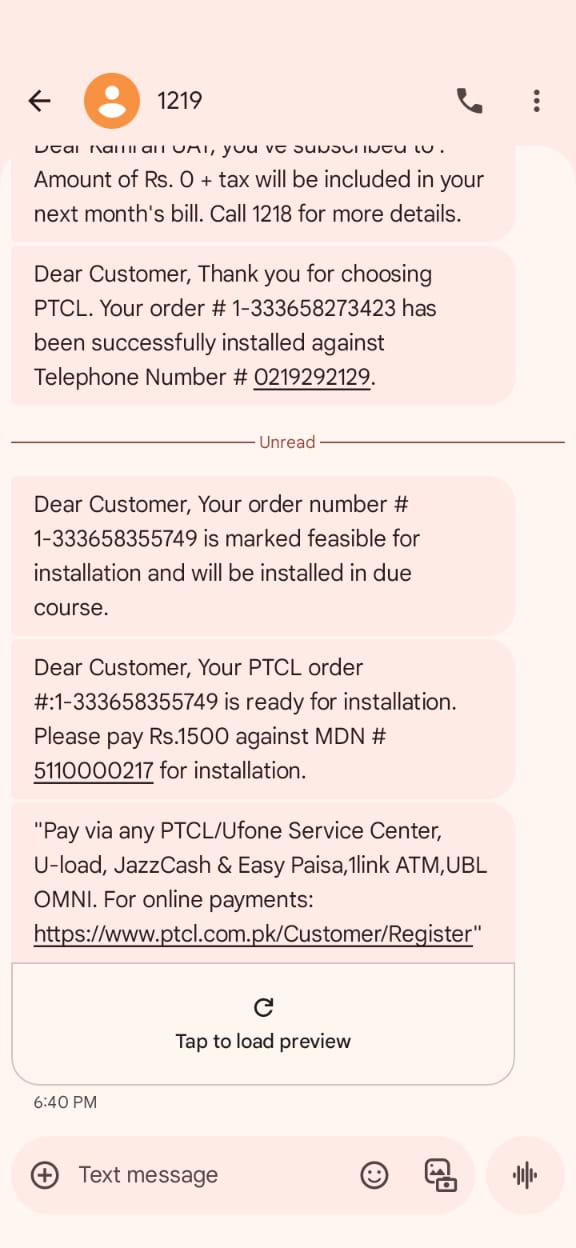
19-To Verify that when Auto Feasibility returns ‘N’, and Manual Feasibility marks ‘Not Feasible’, the Order is marked as Not Feasible and SMS sent. |
P
|
18-Nov-25 |
|
| 20009 |
1- |
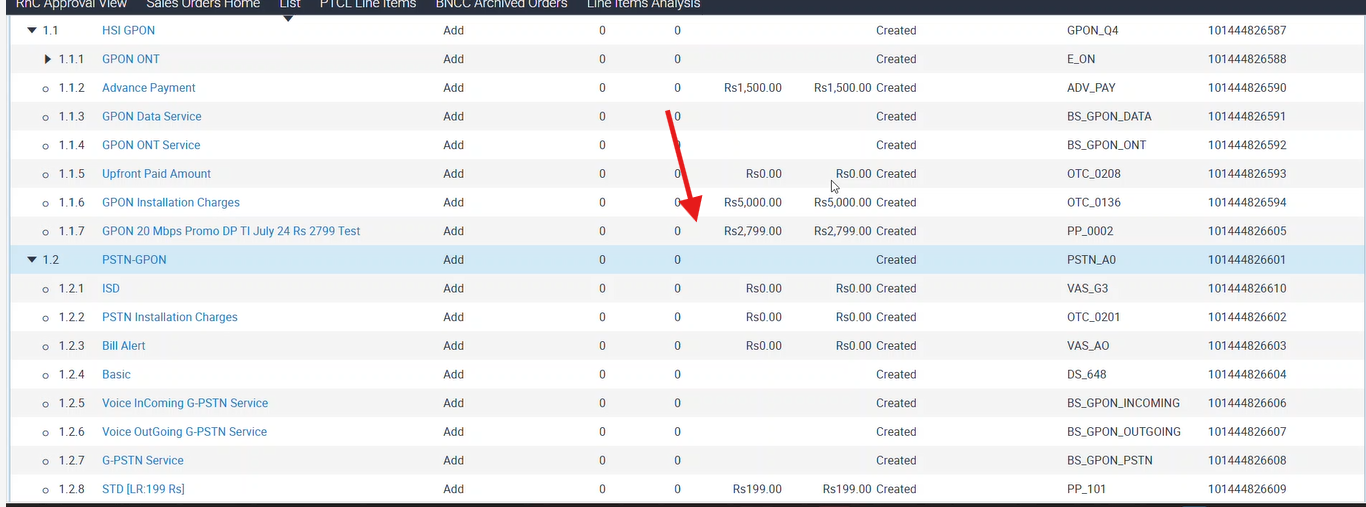
20-To Create a New Order having GPON Subscription when ‘Y’ is returned from Auto Feasibility, verify order moves to ‘Awaiting Payment Confirmation’ or ‘WFRA’, SMS sent, and resources locked in Maximo. |
P
|
19-Nov-25 |
|
| 20009 |
1- |
20-To Create a New Order having GPON Subscription when ‘Y’ is returned from Auto Feasibility, verify order moves to ‘Awaiting Payment Confirmation’ or ‘WFRA’, SMS sent, and resources locked in Maximo. |
P
|
19-Nov-25 |
|
| 20009 |
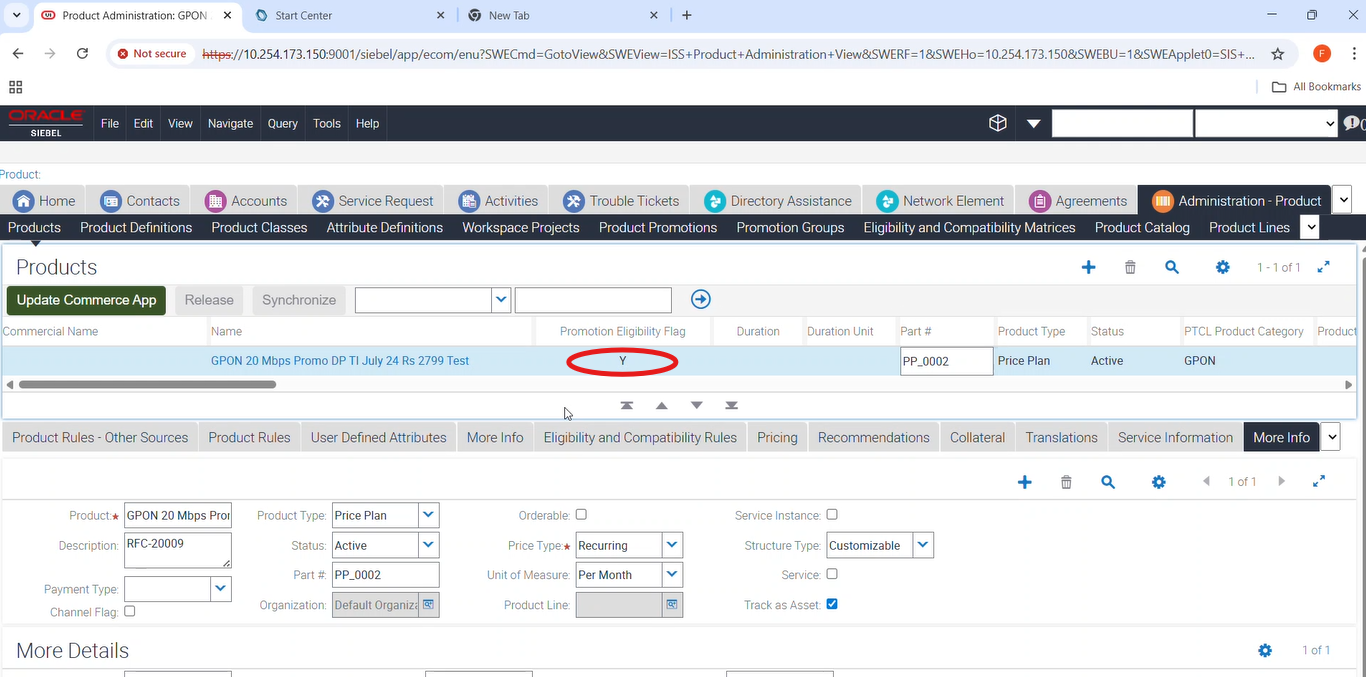
1- |
20-To Create a New Order having GPON Subscription when ‘Y’ is returned from Auto Feasibility, verify order moves to ‘Awaiting Payment Confirmation’ or ‘WFRA’, SMS sent, and resources locked in Maximo. |
P
|
19-Nov-25 |
|
| 20009 |
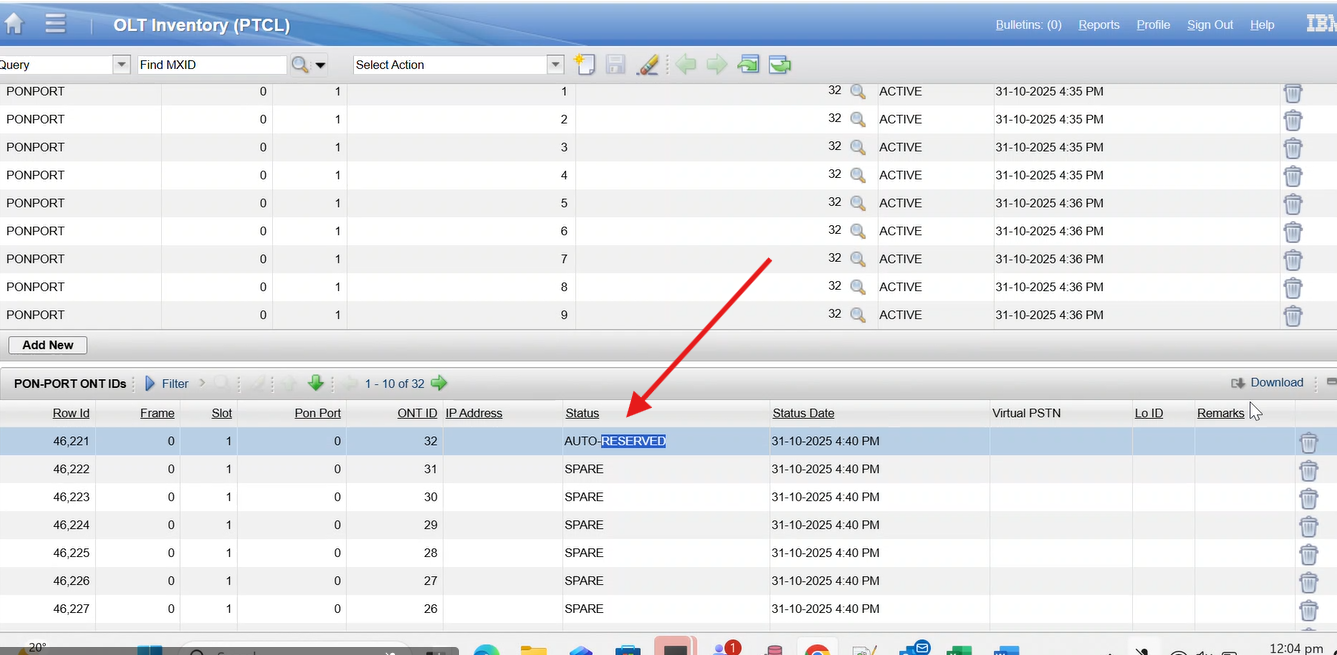
1- |
20-To Create a New Order having GPON Subscription when ‘Y’ is returned from Auto Feasibility, verify order moves to ‘Awaiting Payment Confirmation’ or ‘WFRA’, SMS sent, and resources locked in Maximo. |
P
|
19-Nov-25 |
|
| 20009 |
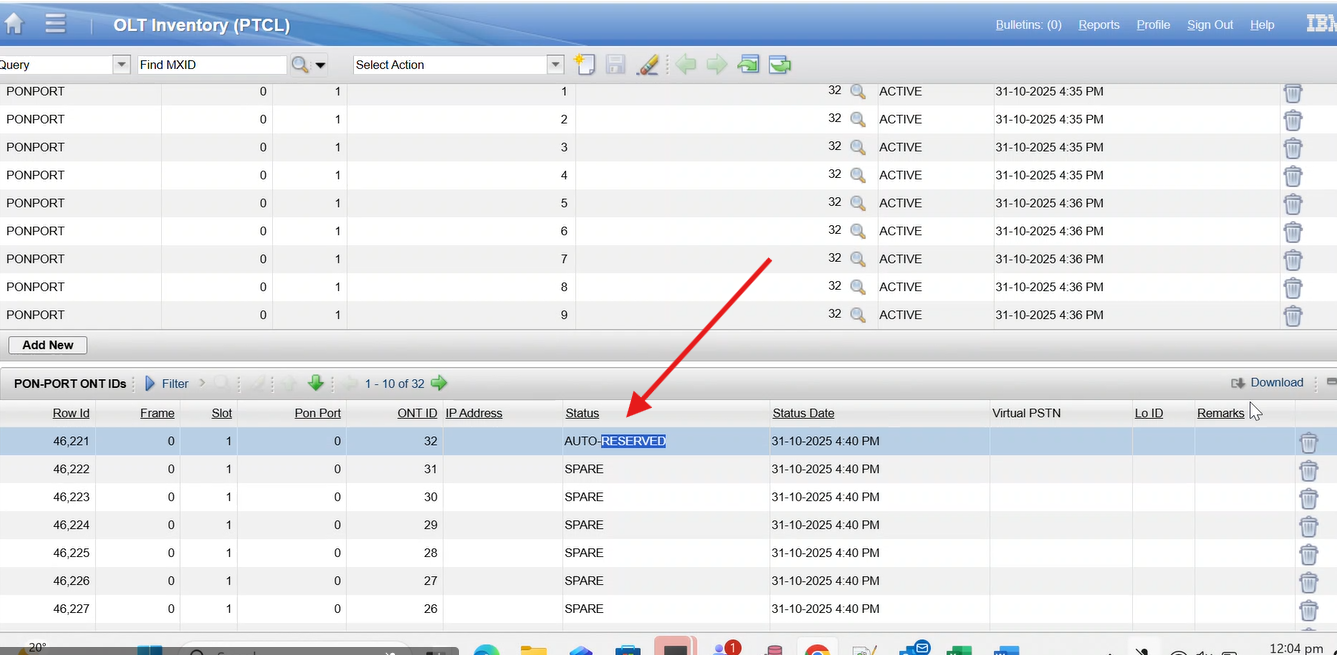
1- |
20-To Create a New Order having GPON Subscription when ‘Y’ is returned from Auto Feasibility, verify order moves to ‘Awaiting Payment Confirmation’ or ‘WFRA’, SMS sent, and resources locked in Maximo. |
P
|
19-Nov-25 |
|
| 20009 |
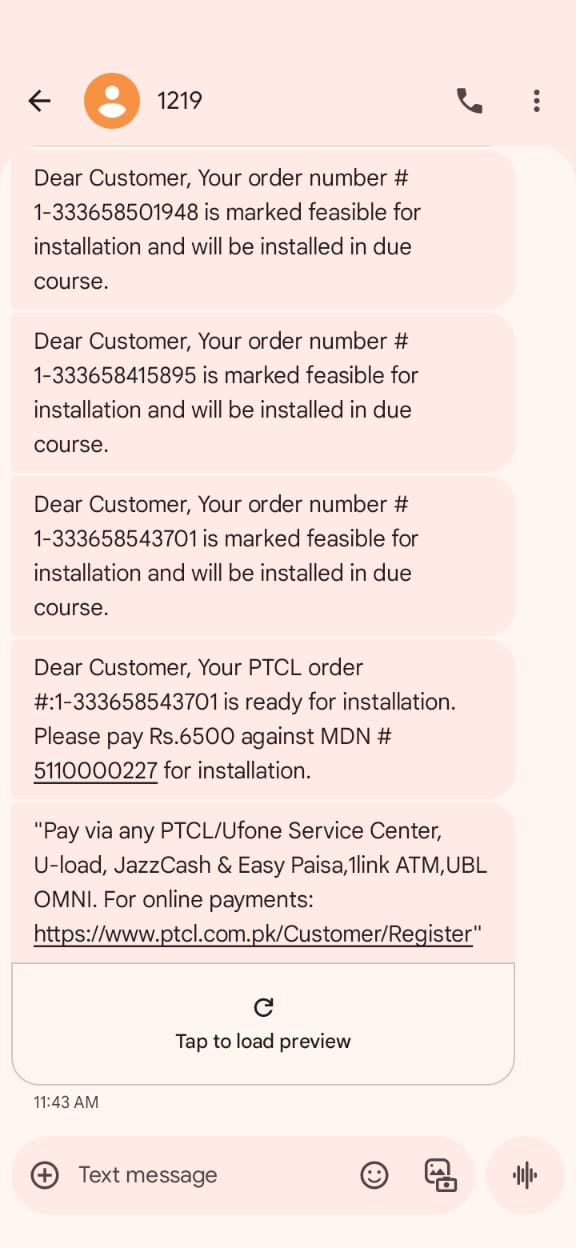
1- |
20-To Create a New Order having GPON Subscription when ‘Y’ is returned from Auto Feasibility, verify order moves to ‘Awaiting Payment Confirmation’ or ‘WFRA’, SMS sent, and resources locked in Maximo. |
P
|
19-Nov-25 |
|
| 20009 |
1- |
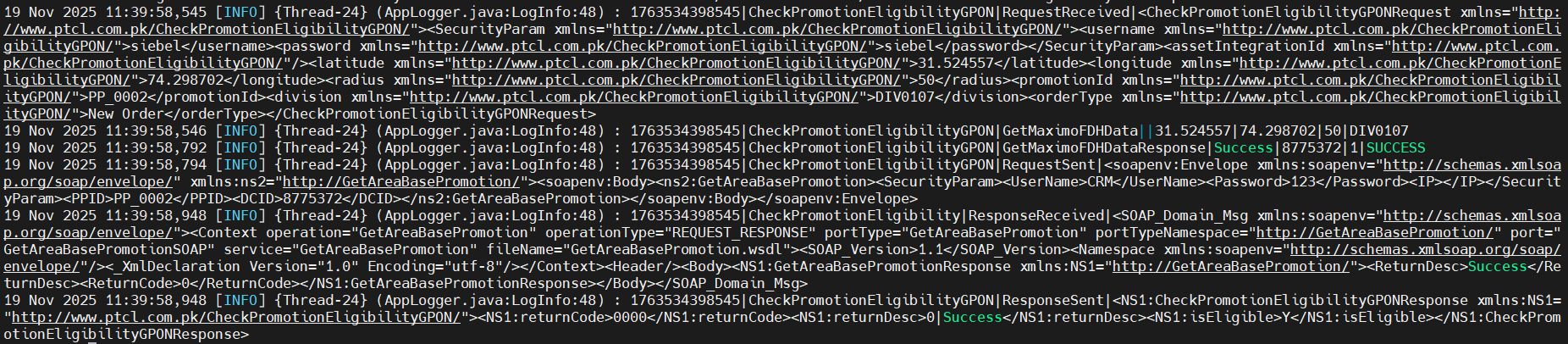
20-To Create a New Order having GPON Subscription when ‘Y’ is returned from Auto Feasibility, verify order moves to ‘Awaiting Payment Confirmation’ or ‘WFRA’, SMS sent, and resources locked in Maximo. |
P
|
19-Nov-25 |

|
| 20009 |
1- |
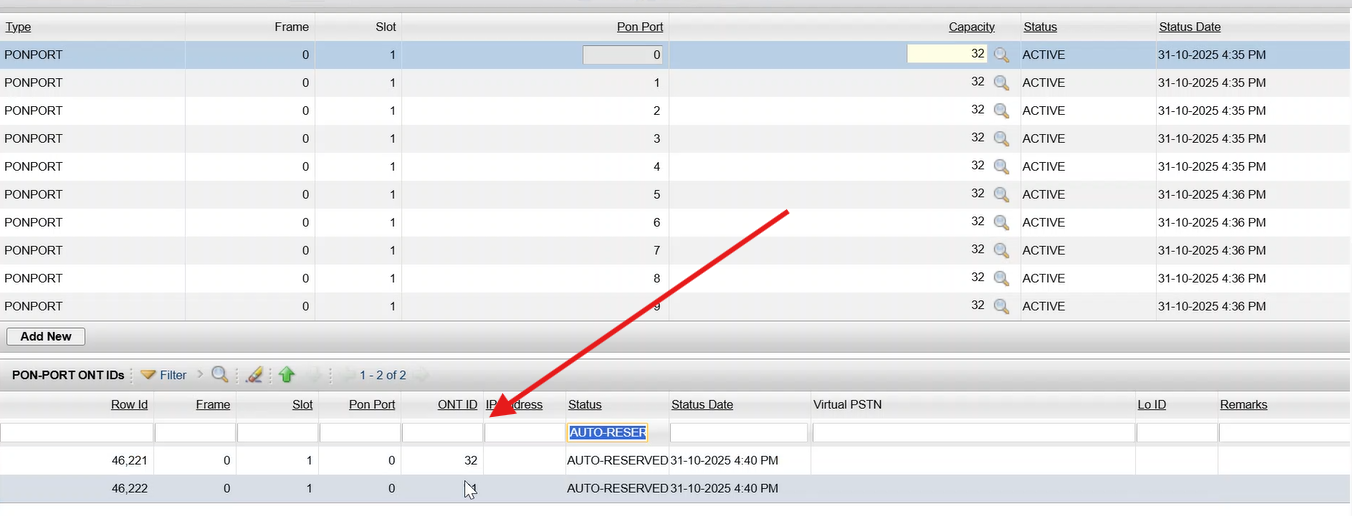
16-To Verify that for New Order having GPON Subscription the ‘Y’ or ‘N’ status of the Auto Feasibility is displayed in the Order Header after Submitting the order when the Lat/Long values and radius are provided in the Service Account and Order revision is less than or equal to 1. |
P
|
19-Nov-25 |
|
| 20009 |
1- |
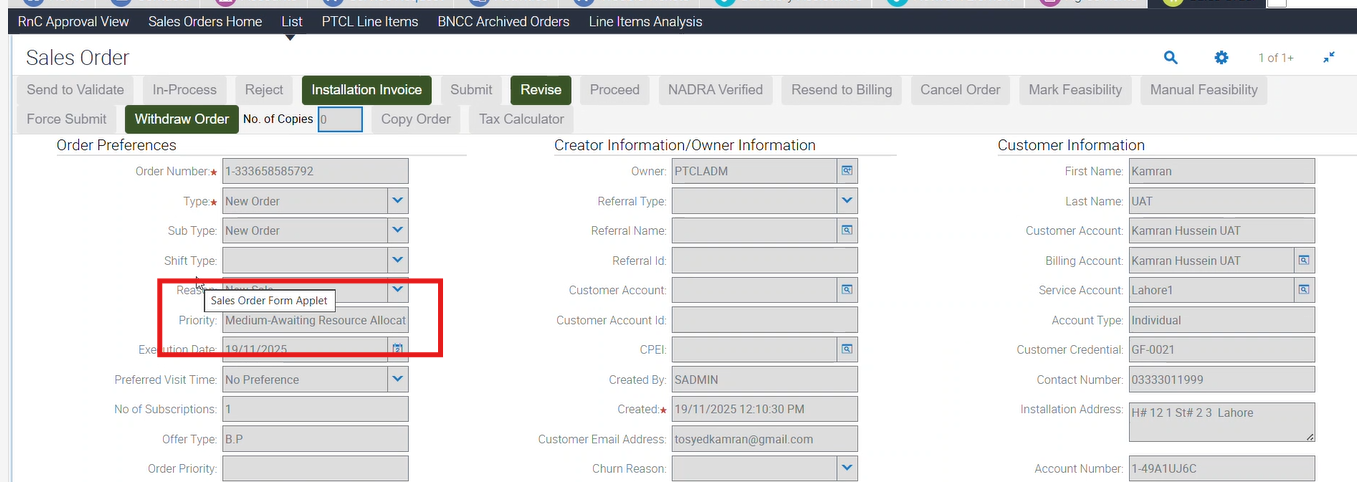
16-To Verify that for New Order having GPON Subscription the ‘Y’ or ‘N’ status of the Auto Feasibility is displayed in the Order Header after Submitting the order when the Lat/Long values and radius are provided in the Service Account and Order revision is less than or equal to 1. |
P
|
19-Nov-25 |
|
| 20009 |
1- |
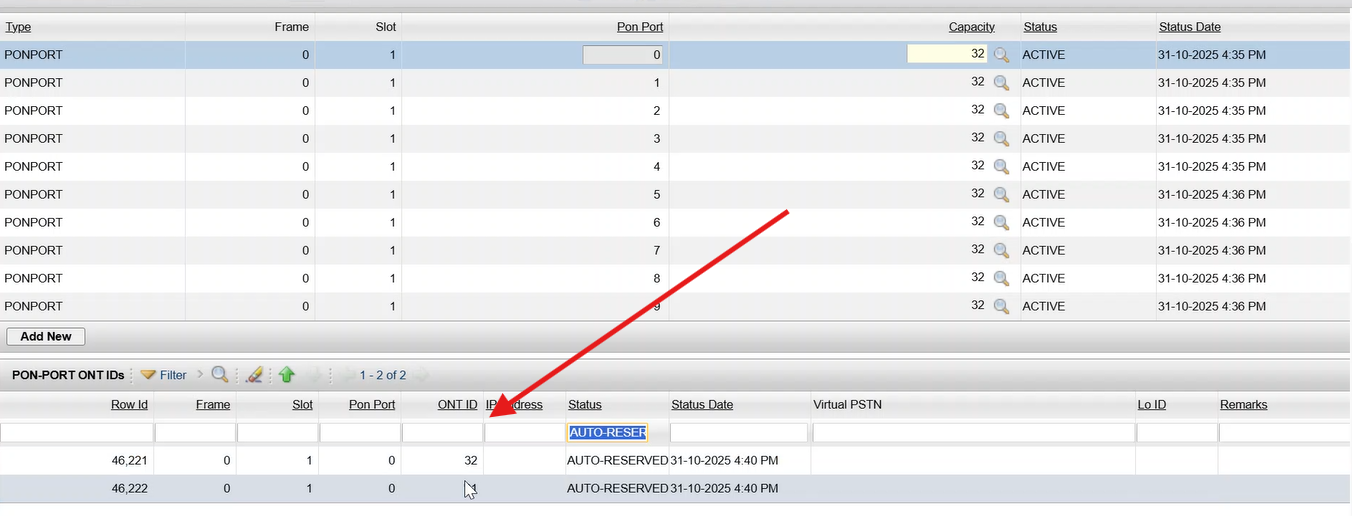
16-To Verify that for New Order having GPON Subscription the ‘Y’ or ‘N’ status of the Auto Feasibility is displayed in the Order Header after Submitting the order when the Lat/Long values and radius are provided in the Service Account and Order revision is less than or equal to 1. |
P
|
19-Nov-25 |
|
| 22339 |
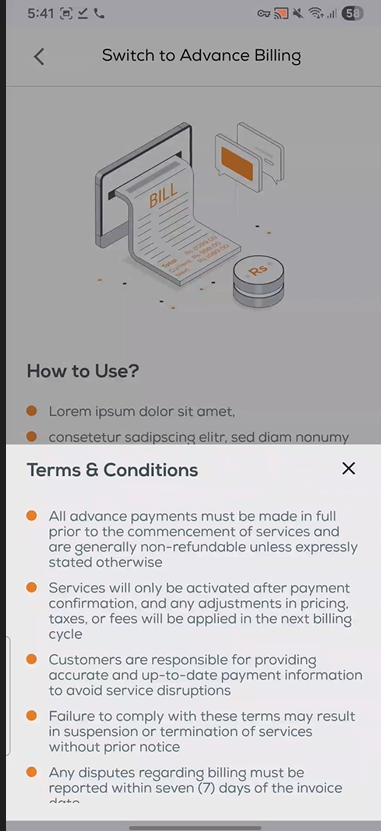
2-SR Creation English Android |
19-If existing SR exists, show appropriate message. |
P
|
19-Nov-25 |
|
| 22339 |
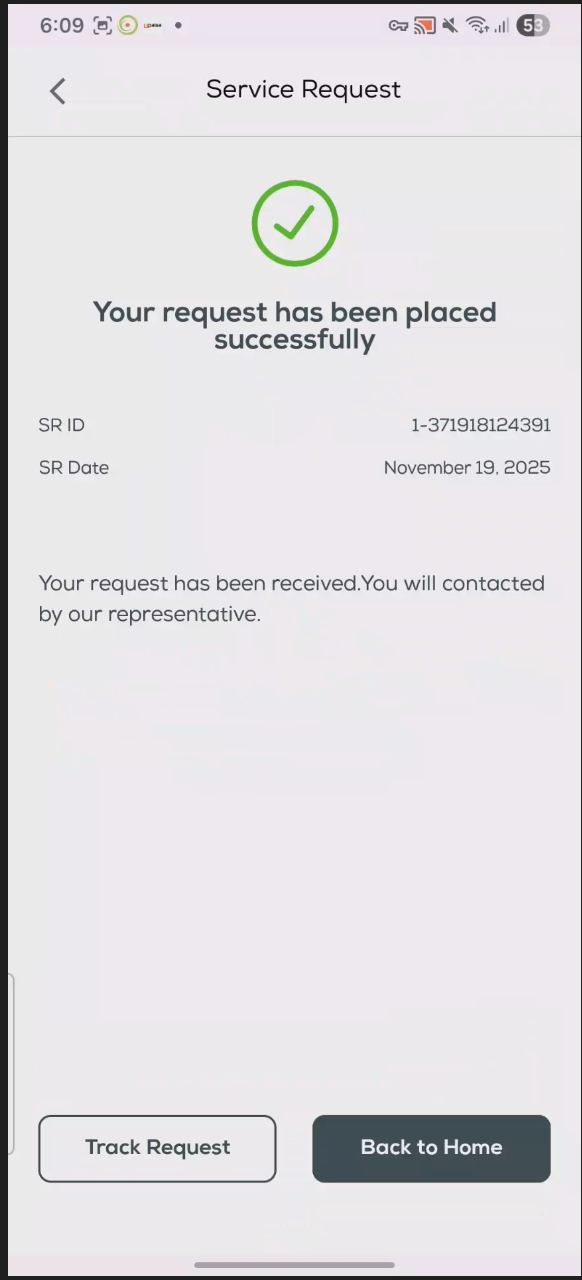
4-SR Creation Urdu Android |
8-Terms & Conditions bottom sheet should appear and can be closed using X icon. |
P
|
19-Nov-25 |
|
| 22339 |
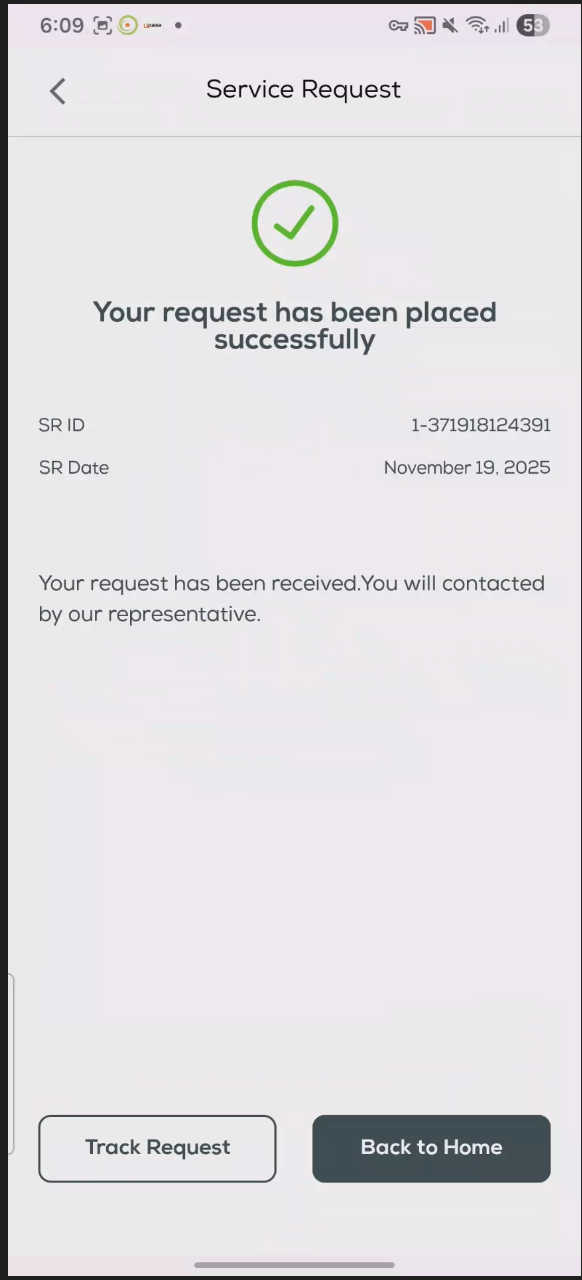
2-SR Creation English Android |
18-Track Request navigates to My Orders screen. |
P
|
19-Nov-25 |
|
| 22339 |
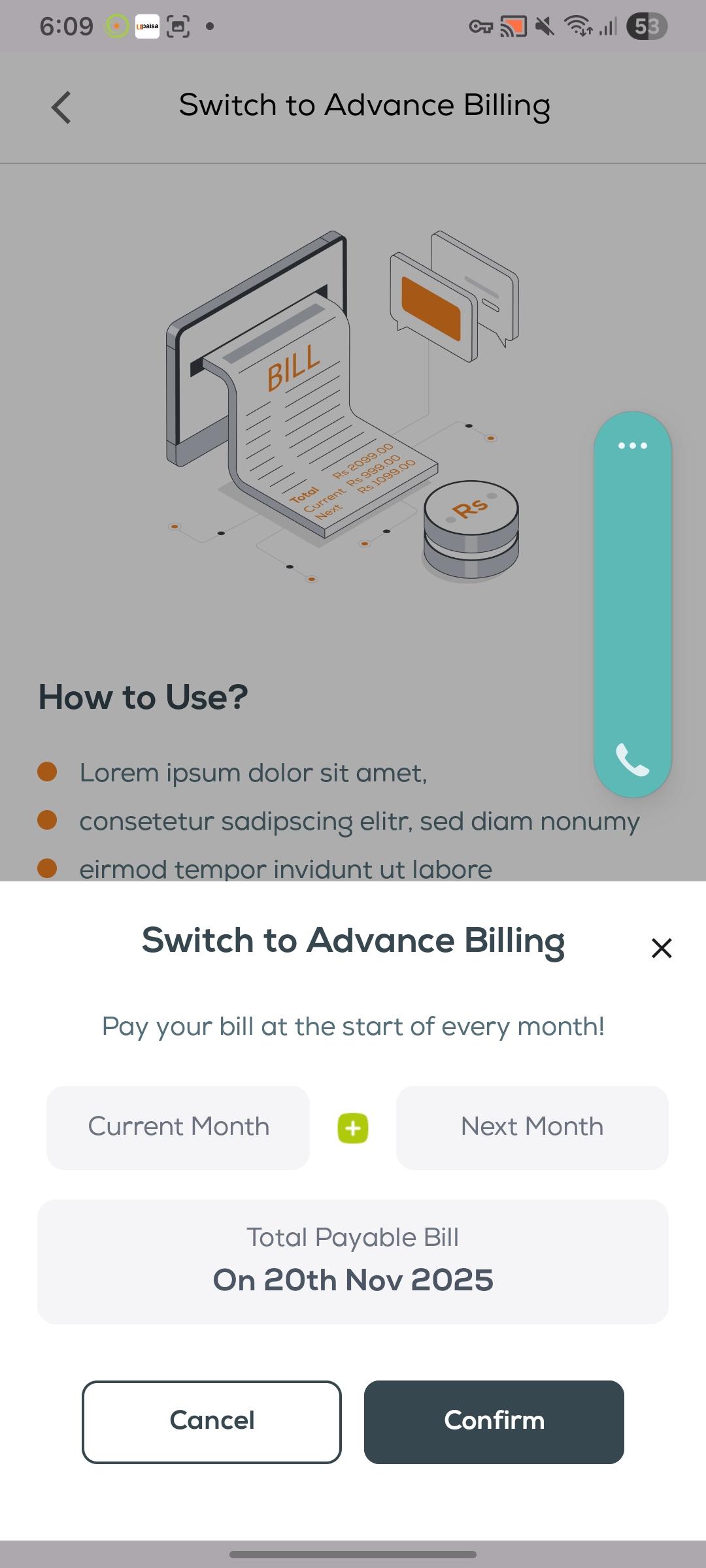
4-SR Creation Urdu Android |
16-If user is not advanced, redirect to Service Request screen. |
P
|
19-Nov-25 |
|
| 20009 |
1- |
37-To Verify that in a New Order for GPON Subscription, resources are allowed to be changed after 48 hours in an order where resources were reserved. |
P
|
20-Nov-25 |
No image
|
| 20009 |
1- |
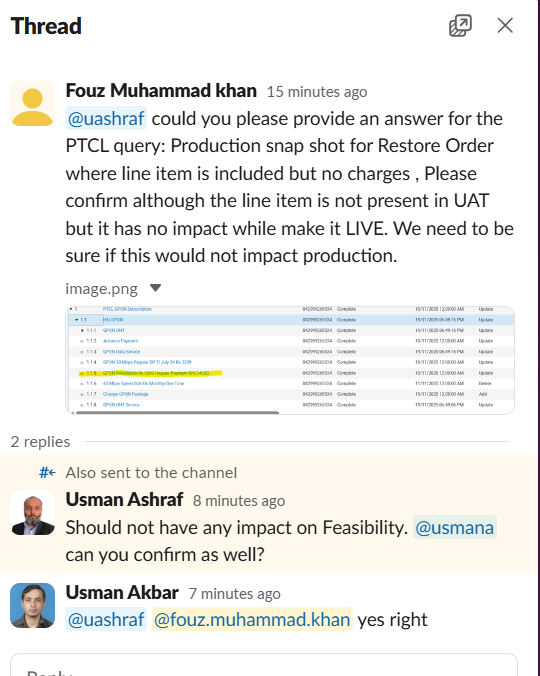
22-To verify that for a Restore Order for GPON Subscription if there are any OTC Charges available then the Order moves to Awaiting Payment Confirmation, and proceeds after payment is received. |
P
|
20-Nov-25 |
|
| 20009 |
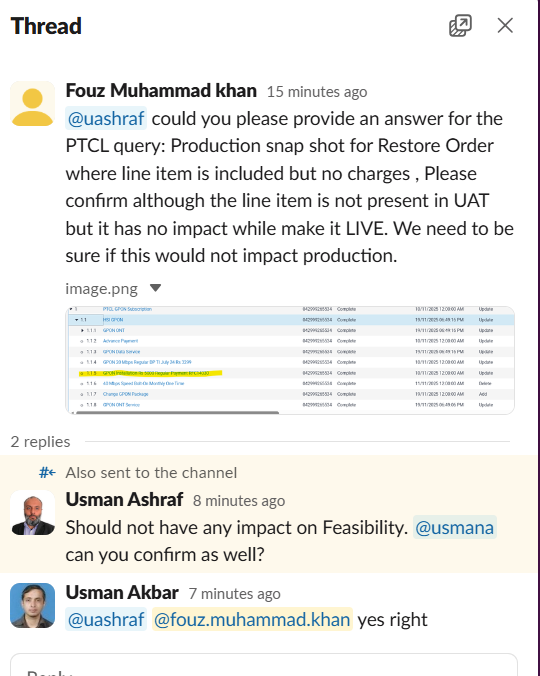
1- |
22-To verify that for a Restore Order for GPON Subscription if there are any OTC Charges available then the Order moves to Awaiting Payment Confirmation, and proceeds after payment is received. |
P
|
20-Nov-25 |
|
| 20009 |
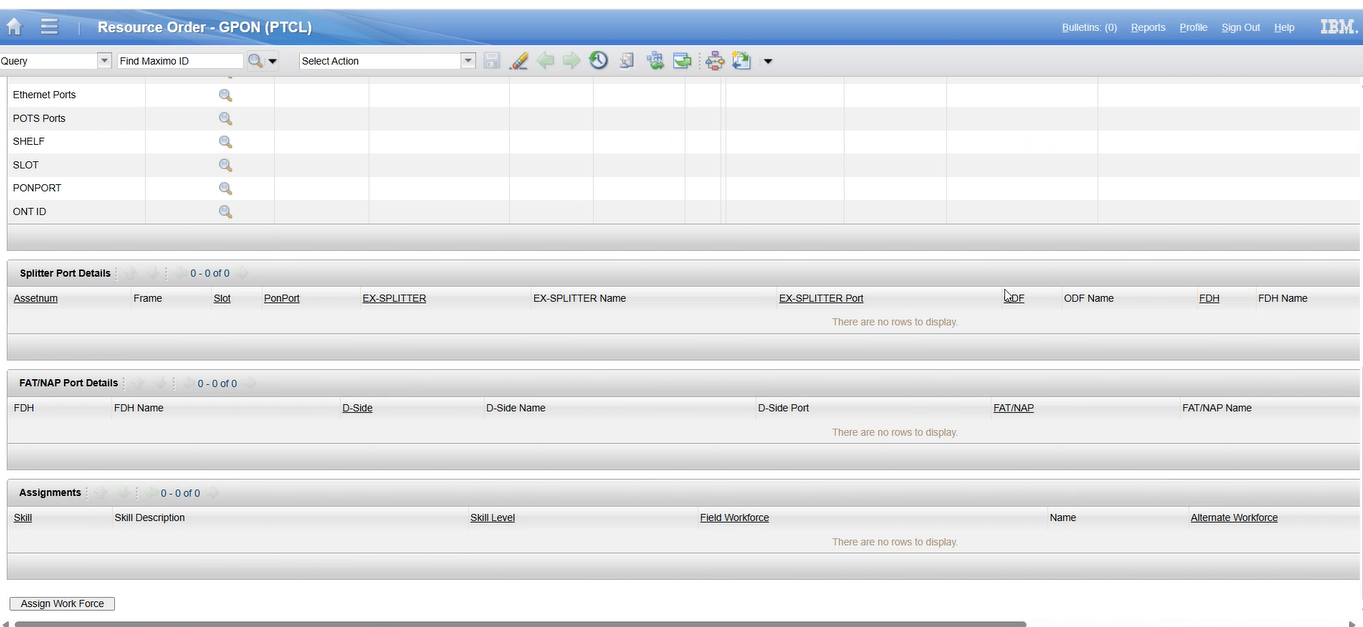
1-GPON Auto Eligibility/Feasibility |
21-To Create a New Order having GPON Subscription when ‘Y’ is returned from Auto Feasibility, verify order moves to ‘Awaiting Payment Confirmation’ or ‘WFRA’, SMS sent, and resources are editable after new role assignment in Maximo. |
P
|
20-Nov-25 |
|
| 20009 |
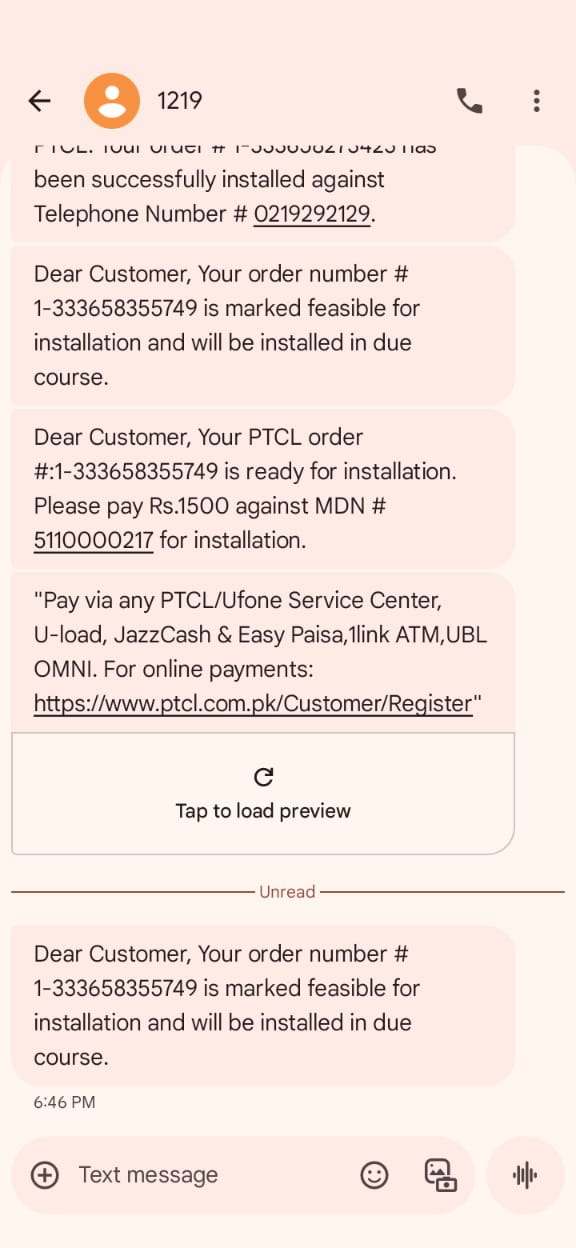
1-GPON Auto Eligibility/Feasibility |
19-To Verify that when Auto Feasibility returns ‘N’, and Manual Feasibility marks ‘Not Feasible’, the Order is marked as Not Feasible and SMS sent. |
F
|
11-Nov-25 |
|
| 20009 |
1- |
30-To Verify that in a New Order for GPON Subscription when exception is returned by Auto-Feasibility web service the order is moved to Awaiting Mark Feasibility and error message displayed. |
P
|
20-Nov-25 |
|
| 3333 |
1-crm ui function |
2-ui tst |
P
|
23-Nov-25 |
|
| 3333 |
1-crm ui function |
2-ui tst |
P
|
23-Nov-25 |
|
| 3333 |
1-crm ui function |
2-ui tst |
P
|
23-Nov-25 |

|
| 15942 |
1-Advance Billling 2 |
1-Create a New Order and check if Nature of Billing is set to Advance based on Division that is included in the criteria list. |
P
|
24-Nov-25 |
No image
|
| 15942 |
1-Advance Billling 2 |
2-Create a New Order and check if Nature of Billing is set to Advance based on Division that is not included in the criteria list.
Example :
F8 Division is not set for advance so in this case Advance billing feature will not be given to customer. |
P
|
27-Nov-25 |
No image
|
| 15942 |
1-Advance Billling 2 |
3-Create a New Order and check if Nature of Billing is set to Postpaid based on Division that is not included in the criteria list. |
P
|
27-Nov-25 |
No image
|
| 15942 |
1-Advance Billling 2 |
4-Create a Modify Order and check if Nature of Billing is set to Advance based on Division that is included in the criteria list. |
P
|
02-Dec-25 |
No image
|
| 15942 |
1-Advance Billling 2 |
5-Create a Modify Order and check if Nature of Billing is set to Advance based on Division that is not included in the criteria list.
Example :
F8 Division is not set for advance so in this case Advance billing feature will not be given to customer. |
P
|
27-Nov-25 |
No image
|
| 15942 |
1-Advance Billling 2 |
6-Create a Modify Order and check if Nature of Billing is set to Postpaid based on Division that is not included in the criteria list. |
P
|
27-Nov-25 |
No image
|
| 15942 |
1-Advance Billling 2 |
7-Create a Migration Order and check if Nature of Billing is set to Advance based on Division that is included in the criteria list. |
P
|
02-Dec-25 |
No image
|
| 15942 |
1-Advance Billling 2 |
8-Create a Migration Order and check if Nature of Billing is set to Advance based on Division that is not included in the criteria list.
Example :
F8 Division is not set for advance
XDSL closed and migrate to GPON
in this case Advance billing feature will not be given to customer. |
P
|
04-Dec-25 |
No image
|
| 15942 |
1-Advance Billling 2 |
9-Create a Migration Order and check if Nature of Billing is set to Postpaid based on Division that is not included in the criteria list. |
P
|
02-Dec-25 |
No image
|
| 15942 |
1-Advance Billling 2 |
13-Verify if it is allowed to Configure Division in the matrix (for IT Ops team) |
P
|
24-Nov-25 |
No image
|
| 15942 |
1-Advance Billling 2 |
14-Create an SR to verify Return STB (Return STB/ATV with all accessories) for GPON. Verify response and charges |
P
|
27-Nov-25 |
No image
|
| 15942 |
1-Advance Billling 2 |
15-Create an SR to verify Return STB (Return STB/ATV with all accessories) for GPON. Verify response and charges |
P
|
03-Dec-25 |
No image
|
| 15942 |
1-Advance Billling 2 |
16-Create an SR to verify Return ATV (Return STB/ATV with remote and charger) for GPON. Verify response and charges |
P
|
03-Dec-25 |
No image
|
| 15942 |
1-Advance Billling 2 |
17-Create an SR to verify Return ATV (Return STB/ATV with remote and charger) for GPON. Verify response and charges |
P
|
26-Nov-25 |
No image
|
| 15942 |
1-Advance Billling 2 |
18-Create an SR to verify Return STB (Return STB/ATV without any accessories) for GPON. Verify response and charges |
P
|
03-Dec-25 |
No image
|
| 15942 |
1-Advance Billling 2 |
19-Create an SR to verify Return STB (Return STB/ATV without any accessories) for GPON. Verify response and charges |
P
|
03-Dec-25 |
No image
|
| 15942 |
1-Advance Billling 2 |
20-Create an SR to verify Return STB (Return STB/ATV with all accessories) for Copper. Verify response and charges |
P
|
03-Dec-25 |
No image
|
| 15942 |
1-Advance Billling 2 |
21-Create an SR to verify Return STB (Return STB/ATV with all accessories) for Copper. Verify response and charges |
P
|
03-Dec-25 |
No image
|
| 15942 |
1-Advance Billling 2 |
22-Create an SR to verify Return ATV (Return STB/ATV with remote and charger) for Copper. Verify response and charges |
P
|
03-Dec-25 |
No image
|
| 15942 |
1-Advance Billling 2 |
23-Create an SR to verify Return ATV (Return STB/ATV with remote and charger) for Copper. Verify response and charges |
P
|
03-Dec-25 |
No image
|
| 15942 |
1-Advance Billling 2 |
24-Create an SR to verify Return STB (Return STB/ATV without any accessories) for Copper. Verify response and charges |
P
|
03-Dec-25 |
No image
|
| 15942 |
1-Advance Billling 2 |
25-Create an SR to verify Return STB (Return STB/ATV without any accessories) for Copper. Verify response and charges |
P
|
03-Dec-25 |
No image
|
| 15942 |
1-Advance Billling 2 |
26-Create an SR to verify Return STB (Return STB/ATV with all accessories) for Inactive GPON. Verify response and charges |
P
|
11-Dec-25 |
No image
|
| 15942 |
1-Advance Billling 2 |
27-Create an SR to verify Return STB (Return STB/ATV with all accessories) for Inactive GPON. Verify response and charges |
P
|
11-Dec-25 |
No image
|
| 15942 |
1-Advance Billling 2 |
28-Create an SR to verify Return STB (Return STB/ATV with all accessories) for Inactive Copper. Verify response and charges |
P
|
11-Dec-25 |
No image
|
| 15942 |
1-Advance Billling 2 |
29-Create an SR to verify Return STB (Return STB/ATV with all accessories) for Inactive Copper. Verify response and charges |
P
|
11-Dec-25 |
No image
|
| 15942 |
1-Advance Billling 2 |
30-Create Admin SR |
P
|
26-Nov-25 |
No image
|
| 15942 |
1-Advance Billling 2 |
31-Drop down menu options available |
P
|
26-Nov-25 |
No image
|
| 15942 |
1-Advance Billling 2 |
32-Amount to be adjusted in Next bill |
P
|
27-Nov-25 |
No image
|
| 15942 |
1-Advance Billling 2 |
33-SR is closed
SR will be created in Siebel
CBS will send Response via API with charges
Once successful response received from CBS , SR will be closed on Siebel |
P
|
26-Nov-25 |
No image
|
| 15942 |
1-Advance Billling 2 |
34-SR is Open/Pending
SR will keep open once CBS API send failure |
P
|
27-Nov-25 |
No image
|
| 15942 |
1-Advance Billling 2 |
35-Retry API case |
P
|
10-Dec-25 |
No image
|
| 15942 |
1-Advance Billling 2 |
36-One by One SR is locked or not
In case of Multiple TV Devices , separate SR should be creatd |
P
|
03-Dec-25 |
No image
|
| 15942 |
1-Advance Billling 2 |
37-Configurable Charges for all above use cases of Return STB/ATV |
P
|
27-Nov-25 |
No image
|
| 15942 |
1-Advance Billling 2 |
38-Verify if it is allowed to Set the Commercial Name for a Package (for IT Ops team) |
P
|
24-Nov-25 |
No image
|
| 15942 |
1-Advance Billling 2 |
39-SMS text is configurable (Static text) |
P
|
27-Nov-25 |
No image
|
| 15942 |
1-Advance Billling 2 |
40-Email text is configurable (Static text) |
P
|
27-Nov-25 |
No image
|
| 15942 |
1-Advance Billling 2 |
41-WhatsApp text is configurable (Static text) |
P
|
26-Nov-25 |
No image
|
| 15942 |
1-Advance Billling 2 |
42-WhatsApp Communication Enable/Disable |
P
|
28-Nov-25 |
No image
|
| 15942 |
1-Advance Billling 2 |
43-Instant |
P
|
01-Dec-25 |
No image
|
| 15942 |
1-Advance Billling 2 |
44-First of Next month |
P
|
01-Dec-25 |
No image
|
| 15942 |
1-Advance Billling 2 |
45-First of next month is role base function. |
P
|
01-Dec-25 |
No image
|
| 15942 |
1-Advance Billling 2 |
46-System shall force to change the billing |
P
|
01-Dec-25 |
No image
|
| 15942 |
1-Advance Billling 2 |
47-SMS on order completion: Dear #CUSTNAME#, starting #DATE#, we’re shifting to an advance billing cycle. Your next bill will include charges for next month, plus complete bill of the current month. |
P
|
01-Dec-25 |
No image
|
| 15942 |
1-Advance Billling 2 |
48-Email on order completion: Dear Customer, we would like to inform you that starting from #DATE#, we will be implementing an advance billing cycle. Your upcoming bill will now include charges for next month, plus complete bill of the current month. If you have any questions or require further assistance, please call at 1218. |
P
|
01-Dec-25 |
No image
|
| 15942 |
1-Advance Billling 2 |
49-Nature of billing is changed but Advance billing packages/VAS and DS are not selected.
When User change the nature of Billing from Post to Adv then only ADV Pakcaged should be slectable |
P
|
01-Dec-25 |
No image
|
| 15942 |
1-Advance Billling 2 |
50-Check message sent by creating Migration xDSL to GPON Conversion (xDSL Termination)
? Order Type: Terminate Order
? Sub Type / Detail: xDSL to GPON Conversion Order
? Nature of Billing: Advance
? Migration Flag: Y
? Order Status: Complete
use linked order as above to complete the flow
Dear [Customer Name], your DSL to Flash Fiber migration request against [Order #] is received. Flash Fiber will activate soon after your DSL connection is deactivated. All pending dues will be carried forward to the upcoming bill. Call 1218 for more details! |
P
|
02-Dec-25 |
No image
|
| 15942 |
1-Advance Billling 2 |
51-Dear Customer, we’ve received your request against Order no. (Order #) for migration from DSL to Fiber. Your existing DSL connection will soon be deactivated.
All pending dues will be carried forward to the upcoming bill. For any support or assistance, please contact us at 1218. |
P
|
02-Dec-25 |
No image
|
| 15942 |
1-Advance Billling 2 |
52-Check message sent by creating Migration xDSL to GPON Conversion (xDSL Termination)
? Order Type: Terminate Order
? Sub Type / Detail: xDSL to GPON Conversion Order
? Nature of Billing: postpaid
? Migration Flag: Y
? Order Status: Complete
use linked order as above to complete the flow
Dear [Customer Name], your DSL to Flash Fiber migration request against [Order #] is received. Flash Fiber will activate soon after your DSL connection is deactivated. All pending dues will be carried forward to the upcoming bill. Call 1218 for more details! |
P
|
02-Dec-25 |
No image
|
| 15942 |
1-Advance Billling 2 |
53-Dear Customer, we’ve received your request against Order no. (Order #) for migration from DSL to Fiber. Your existing DSL connection will soon be deactivated.
All pending dues will be carried forward to the upcoming bill. For any support or assistance, please contact us at 1218. |
P
|
02-Dec-25 |
No image
|
| 15942 |
1-Advance Billling 2 |
54-Check message sent by creating Migration xDSL to GPON Conversion (GPON New Connection)
? Order Type: New Order
? Sub Type / Detail: xDSL to GPON Conversion Order
? Nature of Billing: Advance
? Migration Flag: Y
? Order Status: Created |
P
|
02-Dec-25 |
No image
|
| 15942 |
1-Advance Billling 2 |
55-Same Above |
P
|
02-Dec-25 |
No image
|
| 15942 |
1-Advance Billling 2 |
56-Check message sent by creating Migration xDSL to GPON Conversion (GPON New Connection)
? Order Type: New Order
? Sub Type / Detail: xDSL to GPON Conversion Order
? Nature of Billing: Postpaid
? Migration Flag: Y
? Order Status: Created |
P
|
02-Dec-25 |
No image
|
| 15942 |
1-Advance Billling 2 |
57-Same Above |
P
|
02-Dec-25 |
No image
|
| 15942 |
1-Advance Billling 2 |
58-Check message sent by creating Migration xDSL to GPON Conversion (GPON New Connection)
? Order Type: New Order
? Sub Type / Detail: xDSL to GPON Conversion Order
? Nature of Billing: Postpaid
? Migration Flag: Y
? Order Status: Completed |
P
|
02-Dec-25 |
No image
|
| 15942 |
1-Advance Billling 2 |
59-Same Above |
P
|
02-Dec-25 |
No image
|
| 15942 |
1-Advance Billling 2 |
60-Check message sent by creating Migration xDSL to GPON Conversion (GPON New Connection)
? Order Type: New Order
? Sub Type / Detail: xDSL to GPON Conversion Order
? Nature of Billing: Postpaid
? Migration Flag: Y
? Order Status: Completed |
P
|
02-Dec-25 |
No image
|
| 15942 |
1-Advance Billling 2 |
61-Same Above |
F
|
02-Dec-25 |
No image
|
| 15942 |
1-Advance Billling 2 |
62-Check message sent by creating Postpaid Change of Internet Price Plan (Upgrade)
? Order Type: Modify Order
? Sub Type / Detail: Change of Internet Price Plan (upgrade)
? Nature of Billing: Postpaid
? Order Status: Complete |
P
|
27-Nov-25 |
No image
|
| 15942 |
1-Advance Billling 2 |
63-Same Above |
P
|
27-Nov-25 |
No image
|
| 15942 |
1-Advance Billling 2 |
64-Check message sent by creating Postpaid Change of Internet Price Plan (Downgrade)
? Order Type: Modify Order
? Sub Type / Detail: Change of Internet Price Plan (downgrade)
? Nature of Billing: Postpaid
? Order Status: Complete |
P
|
28-Nov-25 |
No image
|
| 15942 |
1-Advance Billling 2 |
65-Same Above |
P
|
28-Nov-25 |
No image
|
| 15942 |
1-Advance Billling 2 |
66-Check message sent by creating Advance Change of Internet Price Plan (Upgrade)
? Order Type: Modify Order
? Sub Type / Detail: Change of Internet Price Plan (upgrade)
? Nature of Billing: Advance
? Order Status: Complete |
P
|
26-Nov-25 |
No image
|
| 15942 |
1-Advance Billling 2 |
67-Same Above |
P
|
26-Nov-25 |
No image
|
| 15942 |
1-Advance Billling 2 |
68-Check message sent by creating Advance Change of Internet Price Plan (Downgrade)
? Order Type: Modify Order
? Sub Type / Detail: Change of Internet Price Plan (Downgrade)
? Nature of Billing: Advance
? Order Status: Complete |
P
|
28-Nov-25 |
No image
|
| 15942 |
1-Advance Billling 2 |
69-Same Above |
P
|
28-Nov-25 |
No image
|
| 15942 |
1-Advance Billling 2 |
70-Check message sent by creating New Order for Bolt-On Activation - Advance
? Order Type : New Order
? Sub Type / Detail: Bolt-On Addition (Action-Add)
? Nature of Billing: Advance
? Order Status: Complete |
P
|
09-Dec-25 |
No image
|
| 15942 |
1-Advance Billling 2 |
71-Same Above |
P
|
09-Dec-25 |
No image
|
| 15942 |
1-Advance Billling 2 |
72-Check message sent by creating New Order for Bolt-On Activation - Postpaid
? Order Type : New Order
? Sub Type / Detail: Bolt-On Addition (Action-Add)
? Nature of Billing: Postpaid
? Order Status: Complete |
P
|
27-Nov-25 |
No image
|
| 15942 |
1-Advance Billling 2 |
73-Same Above |
P
|
27-Nov-25 |
No image
|
| 15942 |
1-Advance Billling 2 |
74-Check message sent by creating Modify Order for Bolt-On Activation - Advance
? Order Type : Modify Order
? Sub Type / Detail: Bolt-On Addition (Action-Add)
? Nature of Billing: Advance
? Order Status: Complete |
P
|
26-Nov-25 |
No image
|
| 15942 |
1-Advance Billling 2 |
75-Same Above |
P
|
26-Nov-25 |
No image
|
| 15942 |
1-Advance Billling 2 |
76-Check message sent by creating Modify Order for Bolt-On Activation - Postpaid
? Order Type : Modify Order
? Sub Type / Detail: Bolt-On Addition (Action-Add)
? Nature of Billing: Postpaid
? Order Status: Complete |
P
|
27-Nov-25 |
No image
|
| 15942 |
1-Advance Billling 2 |
77-Same Above |
P
|
27-Nov-25 |
No image
|
| 15942 |
1-Advance Billling 2 |
82-Check message sent by creating New Order for Bolt-On Deactivation - Advance
? Order Type : New Order
? Sub Type / Detail: Bolt-On Deletion (Action-Delete)
? Nature of Billing: Advance
? Order Status: Complete |
P
|
09-Dec-25 |
No image
|
| 15942 |
1-Advance Billling 2 |
83-Check message sent by creating New Order for Bolt-On Deactivation - Postpaid
? Order Type : New Order
? Sub Type / Detail: Bolt-On Deletion (Action-Delete)
? Nature of Billing: Postpaid
? Order Status: Complete |
P
|
09-Dec-25 |
No image
|
| 15942 |
1-Advance Billling 2 |
84-Check message sent by creating Modify Order for Bolt-On Deactivation - Advance
? Order Type : Modify Order
? Sub Type / Detail: Bolt-On Deletion (Action-Delete)
? Nature of Billing: Advance
? Order Status: Complete |
P
|
26-Nov-25 |
No image
|
| 15942 |
1-Advance Billling 2 |
85-Same Above |
P
|
28-Nov-25 |
No image
|
| 15942 |
1-Advance Billling 2 |
86-Check message sent by creating Modify Order for Bolt-On Deactivation - Postpaid
? Order Type : Modify Order
? Sub Type / Detail: Bolt-On Deletion (Action-Delete)
? Nature of Billing: Postpaid
? Order Status: Complete |
P
|
27-Nov-25 |
No image
|
| 15942 |
1-Advance Billling 2 |
87-Same Above |
P
|
27-Nov-25 |
No image
|
| 15942 |
1-Advance Billling 2 |
92-Bolt-on Activation SMS for FOC and Limited validity (validity less than 10 years) |
P
|
27-Nov-25 |
No image
|
| 15942 |
1-Advance Billling 2 |
100-Bolt-on Expiry SMS for FOC and Limited validity (validity less than 10 years) |
P
|
28-Nov-25 |
No image
|
| 15942 |
1-Advance Billling 2 |
102-Bolt-on Expiry SMS for Paid and Limited validity (validity less than 10 years) |
P
|
27-Nov-25 |
No image
|
| 15942 |
1-Advance Billling 2 |
104-Check message sent by creating New Order for VAS Activation - Advance
? Order Type : New Order
? Sub Type / Detail: VAS Addition (Action-Add)
? Nature of Billing: Advance
? Order Status: Complete |
P
|
28-Nov-25 |
No image
|
| 15942 |
1-Advance Billling 2 |
105-Same Above |
P
|
28-Nov-25 |
No image
|
| 15942 |
1-Advance Billling 2 |
106-Check message sent by creating New Order for VAS Activation - Postpaid
? Order Type : New Order
? Sub Type / Detail: VAS Addition (Action-Add)
? Nature of Billing: Postpaid
? Order Status: Complete |
P
|
27-Nov-25 |
No image
|
| 15942 |
1-Advance Billling 2 |
107-Same Above |
P
|
27-Nov-25 |
No image
|
| 15942 |
1-Advance Billling 2 |
108-Check message sent by creating Modify Order for VAS Activation - Advance
? Order Type : Modify Order
? Sub Type / Detail: VAS Addition (Action-Add)
? Nature of Billing: Advance
? Order Status: Complete |
P
|
08-Dec-25 |
No image
|
| 15942 |
1-Advance Billling 2 |
109-Same Above |
P
|
08-Dec-25 |
No image
|
| 15942 |
1-Advance Billling 2 |
110-Check message sent by creating Modify Order for VAS Activation - Postpaid
? Order Type : Modify Order
? Sub Type / Detail: VAS Addition (Action-Add)
? Nature of Billing: Postpaid
? Order Status: Complete |
P
|
27-Nov-25 |
No image
|
| 15942 |
1-Advance Billling 2 |
111-Same Above |
P
|
27-Nov-25 |
No image
|
| 15942 |
1-Advance Billling 2 |
117-Create Restore Order with Copper triple play where at least one of the IPTV is restored, check if application enforces user to select CPE Type (Equipment) and Payment Mode(onetime / installment) for restored IPTV. Set the Payment mode as One Time and process the order. Verify if Siebel sends IPTV Charges to CBS using existing CRM-CBS integration. |
F
|
01-Dec-25 |
No image
|
| 15942 |
1-Advance Billling 2 |
124-Create a GPON triple play order with multiple IPTV STBs and paymet mode is one time and verify the tax calculator service. It should be able to calculate the prices and tax for STB products along with existing products. Verify the Payment step. |
P
|
24-Nov-25 |
No image
|
| 15942 |
1-Advance Billling 2 |
125-Create a Copper triple play order with STB and payment mode is installment and verify the tax calculator service. It should be able to calculate the prices and tax for STB products along with existing products. Verify the Payment step. |
P
|
28-Nov-25 |
No image
|
| 15942 |
1-Advance Billling 2 |
126-Create a GPON triple play order with multiple IPTVs (1 with One time charges and Other with installment) with ATVs and verify the tax calculator service. It should be able to calculate the prices and tax for ATV products along with existing products. Verify the Payment step. |
P
|
24-Nov-25 |
No image
|
| 15942 |
1-Advance Billling 2 |
127-Create a Copper triple play order with ATV and verify the tax calculator service. It should be able to calculate the prices and tax for ATV products along with existing products. Verify the Payment step. |
P
|
28-Nov-25 |
No image
|
| 15942 |
1-Advance Billling 2 |
128-New order - triple play with multi IPTVs installed (payment mode is installment) 2 months STB installement charges should be charged |
P
|
11-Dec-25 |
No image
|
| 15942 |
1-Advance Billling 2 |
130-Format alignment with BI
For Bulk Migration , share the Format that will be shared with Business to fill for bulk migration |
P
|
11-Dec-25 |
No image
|
| 15942 |
1-Advance Billling 2 |
133-For a Customer Owned IPTV STB Equipment Asset, click on "Get IPTV Equipment Info" and verify the status of IPTV Equipment |
P
|
26-Nov-25 |
No image
|
| 15942 |
1-Advance Billling 2 |
134-For a PTCL Owned ATV Equipment Asset, click on "Get IPTV Equipment Info" and verify the status of IPTV Equipment |
P
|
26-Nov-25 |
No image
|
| 15942 |
1-Advance Billling 2 |
135-Create a Modify Order for shifting from Postpaid to Advance with user that has rights. Select "First of Next Month" as the option and submit the order. Verify if order is going to the new step and it is locked with no changes allowed. |
P
|
01-Dec-25 |
No image
|
| 15942 |
1-Advance Billling 2 |
136-Verify the Siebel job (backend) if the order is moved to next step once the effective date is achieved. |
P
|
02-Dec-25 |
No image
|
| 15942 |
1-Advance Billling 2 |
137-Create a Modify Order for shifting from Postpaid to Advance with user that has rights. Select "Immediate" as the option and complete Order till Billing. Verify from Billing if the status is set properly for Billing execution. |
P
|
01-Dec-25 |
No image
|
| 15942 |
1-Advance Billling 2 |
138-Create a Modify Order for shifting from Postpaid to Advance with user that does not have rights. Ensure that the default value "Immediate" is selected and not allowed to change. |
P
|
01-Dec-25 |
No image
|
| 15942 |
1-Advance Billling 2 |
139-SR shall be generated |
P
|
04-Dec-25 |
No image
|
| 15942 |
1-Advance Billling 2 |
140-SR shall be routed to correct ID |
P
|
04-Dec-25 |
No image
|
| 15942 |
1-Advance Billling 2 |
141-SR shall be generated |
P
|
04-Dec-25 |
No image
|
| 15942 |
1-Advance Billling 2 |
142-SR shall be routed to correct ID |
P
|
04-Dec-25 |
No image
|
| 15942 |
1-Advance Billling 2 |
143-SR shall be generated |
P
|
04-Dec-25 |
No image
|
| 15942 |
1-Advance Billling 2 |
144-SR shall be routed to correct ID |
P
|
04-Dec-25 |
No image
|
| 15942 |
1-Advance Billling 2 |
155-User is able to view Unbilled amount summary in agreed format
CBS UI for Unbilled is required
IT P will share the screenshot of of CBS UI |
P
|
11-Dec-25 |
No image
|
| 15942 |
1-Advance Billling 2 |
166-User is able to view Unbilled amount summary in agreed format |
P
|
11-Dec-25 |
No image
|
| 15942 |
1-Advance Billling 2 |
167-Bifurcation for advance/postpaid billing |
P
|
05-Dec-25 |
No image
|
| 15942 |
1-Advance Billling 2 |
168-portfolio update for bolt-ons and other redemption awards |
P
|
05-Dec-25 |
No image
|
| 15942 |
1-Advance Billling 2 |
169-Shadow Portfolio replica packages |
P
|
05-Dec-25 |
No image
|
| 15942 |
1-Advance Billling 2 |
170-App Visibility / Flows and bills verfication, usage and CDRs, Package |
P
|
05-Dec-25 |
No image
|
| 15942 |
1-Advance Billling 2 |
171-Usage reflection on UPTCL App + Website |
P
|
05-Dec-25 |
No image
|
| 15942 |
1-Advance Billling 2 |
172-Shop display / order placement |
P
|
05-Dec-25 |
No image
|
| 15942 |
1-Advance Billling 2 |
173-lead generation |
P
|
05-Dec-25 |
No image
|
| 15942 |
1-Advance Billling 2 |
174-All whatsapp flows to ensure customer type i.e postpaid or advance are identified at the start of their journeys and relevant offerings shown accordingly |
P
|
05-Dec-25 |
No image
|
| 15942 |
1-Advance Billling 2 |
175-If incorrect mapped product is being selected on whatsapp example advance user attempting to subscribe postpaid vas, then error should be returned to user |
P
|
05-Dec-25 |
No image
|
| 15942 |
1-Advance Billling 2 |
176-Billing month |
P
|
24-Nov-25 |
No image
|
| 15942 |
1-Advance Billling 2 |
177-Due Date |
P
|
24-Nov-25 |
No image
|
| 15942 |
1-Advance Billling 2 |
178-Due Amount |
P
|
11-Dec-25 |
No image
|
| 15942 |
1-Advance Billling 2 |
179-Merged items (will be verified according to the agreement in email) |
P
|
12-Dec-25 |
No image
|
| 15942 |
1-Advance Billling 2 |
180-QR Code |
P
|
24-Nov-25 |
No image
|
| 15942 |
1-Advance Billling 2 |
181-QR Code lable |
P
|
24-Nov-25 |
No image
|
| 15942 |
1-Advance Billling 2 |
182-Front bill Ad left links |
P
|
24-Nov-25 |
No image
|
| 15942 |
1-Advance Billling 2 |
183-Front bill Ad right links |
P
|
24-Nov-25 |
No image
|
| 15942 |
1-Advance Billling 2 |
184-Backside bill Ad left links |
P
|
24-Nov-25 |
No image
|
| 15942 |
1-Advance Billling 2 |
185-Backside bill Ad right links |
P
|
24-Nov-25 |
No image
|
| 15942 |
1-Advance Billling 2 |
186-Payment channels clickable |
P
|
24-Nov-25 |
No image
|
| 15942 |
1-Advance Billling 2 |
187-Click here box pushed by Prism |
P
|
11-Dec-25 |
No image
|
| 15942 |
1-Advance Billling 2 |
188-Bill Line |
P
|
12-Dec-25 |
No image
|
| 15942 |
1-Advance Billling 2 |
190-Segregation of months of all ine items in each quadrant (month shuld be visible agaonst the line items) |
P
|
11-Dec-25 |
No image
|
| 15942 |
1-Advance Billling 2 |
194-New order - triple play with multi IPTVs installed (payment mode is installment) 2 months STB installement charges should be visible on invoice Summary Page |
P
|
11-Dec-25 |
No image
|
| 15942 |
1-Advance Billling 2 |
195-Segregation of months of all ine items in each quadrant (month shuld be visible agaonst the line items) |
P
|
11-Dec-25 |
No image
|
| 15942 |
1-Advance Billling 2 |
198-New Billing cycle is created for Advance billing |
P
|
08-Dec-25 |
No image
|
| 15942 |
1-Advance Billling 2 |
199-Bill Run date is same as postpaid |
P
|
24-Nov-25 |
No image
|
| 15942 |
1-Advance Billling 2 |
200-Due date is different from postpaid |
P
|
24-Nov-25 |
No image
|
| 15942 |
1-Advance Billling 2 |
201-TOS date is different from postpaid |
P
|
04-Dec-25 |
No image
|
| 15942 |
1-Advance Billling 2 |
202-Customer is Tos automatically upon the configured date |
P
|
04-Dec-25 |
No image
|
| 15942 |
1-Advance Billling 2 |
203-TOS notification to customer |
P
|
04-Dec-25 |
No image
|
| 15942 |
1-Advance Billling 2 |
204-Customer Notification on TOS |
P
|
04-Dec-25 |
No image
|
| 15942 |
1-Advance Billling 2 |
205-Resume from TOS on payment |
P
|
04-Dec-25 |
No image
|
| 15942 |
1-Advance Billling 2 |
206-All payment rules are same as postpaid |
P
|
04-Dec-25 |
No image
|
| 15942 |
1-Advance Billling 2 |
207-Customet Notification on Resume |
P
|
04-Dec-25 |
No image
|
| 15942 |
1-Advance Billling 2 |
208-POS date is different from postpaid |
P
|
08-Dec-25 |
No image
|
| 15942 |
1-Advance Billling 2 |
209-Customer is Pos (CMP) automatically upon the configured date |
P
|
08-Dec-25 |
No image
|
| 15942 |
1-Advance Billling 2 |
210-OCR Notifications |
P
|
04-Dec-25 |
No image
|
| 15942 |
1-Advance Billling 2 |
211-CMP Notifications |
P
|
08-Dec-25 |
No image
|
| 15942 |
1-Advance Billling 2 |
212-advance billing to remain on one new bill cycle |
P
|
04-Dec-25 |
No image
|
| 15942 |
1-Advance Billling 2 |
213- postpaid customer will remain on old bill cycle |
P
|
04-Dec-25 |
No image
|
| 15942 |
1-Advance Billling 2 |
214-Tagging of bill cycle based on “nature of billing” will be automatic. |
P
|
04-Dec-25 |
No image
|
| 15942 |
1-Advance Billling 2 |
215-Without changing billing cycle, nature of billing change is not allowed. |
P
|
04-Dec-25 |
No image
|
| 15942 |
1-Advance Billling 2 |
216-Tagging of bill cycle shall be automated for migration and modify order (postpaid to Advance migration) |
P
|
04-Dec-25 |
No image
|
| 15942 |
1-Advance Billling 2 |
217-Any other order type which triggers change of “nature of billing”, bill cycle should automatically be converted. |
P
|
04-Dec-25 |
No image
|
| 15942 |
1-Advance Billling 2 |
218-One bill Capability |
P
|
09-Dec-25 |
No image
|
| 15942 |
1-Advance Billling 2 |
219-Creation of new Campaigns in CMS |
P
|
04-Dec-25 |
No image
|
| 15942 |
1-Advance Billling 2 |
220-Integration with BI |
P
|
04-Dec-25 |
No image
|
| 15942 |
1-Advance Billling 2 |
221-Triggering Confirmation |
P
|
04-Dec-25 |
No image
|
| 15942 |
1-Advance Billling 2 |
223-Email |
F
|
10-Dec-25 |
No image
|
| 15942 |
1-Advance Billling 2 |
224-WhatsApp |
P
|
09-Dec-25 |
No image
|
| 15942 |
1-Advance Billling 2 |
225-UPTCL App |
P
|
10-Dec-25 |
No image
|
| 15942 |
1-Advance Billling 2 |
227-Customer Portal (website) |
P
|
10-Dec-25 |
No image
|
| 15942 |
1-Advance Billling 2 |
228-Test Case |
P
|
04-Dec-25 |
No image
|
| 15942 |
1-Advance Billling 2 |
229-Test Case |
P
|
04-Dec-25 |
No image
|
| 15942 |
1-Advance Billling 2 |
230-Test Case |
P
|
04-Dec-25 |
No image
|
| 15942 |
1-Advance Billling 2 |
232-Commission report |
P
|
10-Dec-25 |
No image
|
| 15942 |
1-Advance Billling 2 |
235-Speed |
P
|
05-Dec-25 |
No image
|
| 15942 |
1-Advance Billling 2 |
236-Removal on Expiry |
P
|
05-Dec-25 |
No image
|
| 15942 |
1-Advance Billling 2 |
237-Speed Revert After removal of Speed Bolt-on |
P
|
05-Dec-25 |
No image
|
| 15942 |
1-Advance Billling 2 |
238-Base PPID Speed 20Mbps, Bolt-on is 50Mbps and upgraded Base speed to 50Mbps, Bolt-on should be removed. |
P
|
05-Dec-25 |
No image
|
| 15942 |
1-Advance Billling 2 |
239-Base PPID Speed 20Mbps, Bolt-on is 50Mbps and upgrade Bolt-on to 100Mbops , 50Mbps Bolt-on should be removed. |
P
|
05-Dec-25 |
No image
|
| 15942 |
1-Advance Billling 2 |
240-Postpaid customer shall get postpaid bolt-on |
P
|
05-Dec-25 |
No image
|
| 15942 |
1-Advance Billling 2 |
241-Advance Billing customer shall get Advance billing bolt-on |
P
|
05-Dec-25 |
No image
|
| 15942 |
1-Advance Billling 2 |
242-Nature of billing shall be checked by system (no human intervention) |
P
|
05-Dec-25 |
No image
|
| 15942 |
1-Advance Billling 2 |
246-DS is not included because it is charged on monthly basis |
P
|
09-Dec-25 |
No image
|
| 15942 |
1-Advance Billling 2 |
252-Internal shifting Separate charges
Copper Advance Customer , internal shift charges example Rs. 500 will be validated |
P
|
12-Dec-25 |
No image
|
| 15942 |
1-Advance Billling 2 |
254-Rename Arrears as 'Arrears / Advance |
P
|
09-Dec-25 |
No image
|
| 15942 |
1-Advance Billling 2 |
255-Upfront visibility in Arrear/Advance head |
P
|
09-Dec-25 |
No image
|
| 15942 |
1-Advance Billling 2 |
256-Detail page |
P
|
12-Dec-25 |
No image
|
| 15942 |
1-Advance Billling 2 |
257-Validate Package name is visible on invoice |
P
|
04-Dec-25 |
No image
|
| 15942 |
1-Advance Billling 2 |
258-PTCL Owned
If Device is PTCL property |
P
|
26-Nov-25 |
No image
|
| 15942 |
1-Advance Billling 2 |
259-Customer Owned
If Device is Customer property |
P
|
26-Nov-25 |
No image
|
| 15942 |
1-Advance Billling 2 |
260-Availability of Button on siebel UI
Press button to get the response either PTCL Property or Customer Property |
P
|
26-Nov-25 |
No image
|
| 15942 |
1-Advance Billling 2 |
261-To be tested for ATV
IPTV devices will be ATV for this test case |
P
|
26-Nov-25 |
No image
|
| 15942 |
1-Advance Billling 2 |
262-To be tested for STB
IPTV devices will be STB for this test case |
P
|
26-Nov-25 |
No image
|
| 15942 |
1-Advance Billling 2 |
273-Role is mandatory to move the customer from Postpaid to Advance |
P
|
04-Dec-25 |
No image
|
| 15942 |
1-Advance Billling 2 |
275-In advance billing, only Advance products are visible and selectable |
P
|
08-Dec-25 |
No image
|
| 15942 |
1-Advance Billling 2 |
276-New Order for 3 monthly Advance payments Boost Package verification. |
P
|
01-Dec-25 |
No image
|
| 15942 |
1-Advance Billling 2 |
277-Place New Order for standard subscription. Select BB PKG whose flag is anabled for Area base, system shall validate Eligibility and Feasibility and e2e life cycle of order. |
P
|
05-Dec-25 |
No image
|
| 15942 |
1-Advance Billling 2 |
290-Verify if it is allowed to Set the Commercial Name for a Package (for CBS Ops team)
WCT Part |
P
|
11-Dec-25 |
No image
|
| 15942 |
1-Advance Billling 2 |
292-Whats App Text will be snet same as SMS |
P
|
05-Dec-25 |
No image
|
| 15942 |
1-Advance Billling 2 |
293-Email Will be sent |
P
|
05-Dec-25 |
No image
|
| 15942 |
1-Advance Billling 2 |
294-Configure Due_date offset value |
P
|
26-Nov-25 |
No image
|
| 15942 |
1-Advance Billling 2 |
295-STB/ATV Virtual offer code & Price configuration |
P
|
24-Nov-25 |
No image
|
| 15942 |
1-Advance Billling 2 |
304-Campiagn with Postpaid Flag |
P
|
08-Dec-25 |
No image
|
| 15942 |
1-Advance Billling 2 |
305-Campiagn with Postpaid Flag |
P
|
08-Dec-25 |
No image
|
| 15942 |
1-Advance Billling 2 |
306-Campiagn with Postpaid Flag |
P
|
08-Dec-25 |
No image
|
| 15942 |
1-Advance Billling 2 |
307-Campiagn with Postpaid Flag |
P
|
08-Dec-25 |
No image
|
| 15942 |
1-Advance Billling 2 |
308-Campiagn with Postpaid Flag |
P
|
08-Dec-25 |
No image
|
| 15942 |
1-Advance Billling 2 |
309-Campiagn with Postpaid Flag |
P
|
09-Dec-25 |
No image
|
| 15942 |
1-Advance Billling 2 |
310-Campiagn with Advance Flag |
P
|
09-Dec-25 |
No image
|
| 15942 |
1-Advance Billling 2 |
311-Campiagn with Advance Flag |
P
|
09-Dec-25 |
No image
|
| 15942 |
1-Advance Billling 2 |
312-Campiagn with Advance Flag |
P
|
09-Dec-25 |
No image
|
| 15942 |
1-Advance Billling 2 |
313-Campiagn with Advance Flag |
P
|
09-Dec-25 |
No image
|
| 15942 |
1-Advance Billling 2 |
314-Campiagn with Advance Flag |
P
|
10-Dec-25 |
No image
|
| 15942 |
1-Advance Billling 2 |
315-Campiagn with Advance Flag |
P
|
10-Dec-25 |
No image
|
| 15942 |
1-Advance Billling 2 |
316-Campiagn with Advance Flag |
P
|
10-Dec-25 |
No image
|
| 15942 |
1-Advance Billling 2 |
317-Campiagn with Advance Flag |
P
|
10-Dec-25 |
No image
|
| 15942 |
1-Advance Billling 2 |
318-Campiagn with Advance Flag |
P
|
10-Dec-25 |
No image
|
| 15942 |
1-Advance Billling 2 |
319-Campiagn with Advance Flag |
P
|
10-Dec-25 |
No image
|
| 15942 |
1-Advance Billling 2 |
320-Campiagn with Advance Flag |
P
|
10-Dec-25 |
No image
|
| 15942 |
1-Advance Billling 2 |
321-Campiagn with Advance Flag |
P
|
10-Dec-25 |
No image
|
| 15942 |
1-Advance Billling 2 |
322-Campiagn with Advance Flag |
P
|
10-Dec-25 |
No image
|
| 15942 |
1-Advance Billling 2 |
323-WhatsApp will be valited with Same SMS text |
P
|
02-Dec-25 |
No image
|
| 15942 |
1-Advance Billling 2 |
324-WhatsApp will be valited with Same SMS text |
P
|
02-Dec-25 |
No image
|
| 15942 |
1-Advance Billling 2 |
325-WhatsApp will be valited with Same SMS text |
P
|
02-Dec-25 |
No image
|
| 15942 |
1-Advance Billling 2 |
326-WhatsApp will be valited with Same SMS text |
P
|
27-Nov-25 |
No image
|
| 15942 |
1-Advance Billling 2 |
327-WhatsApp will be valited with Same SMS text |
P
|
28-Nov-25 |
No image
|
| 15942 |
1-Advance Billling 2 |
328-WhatsApp will be valited with Same SMS text |
P
|
28-Nov-25 |
No image
|
| 15942 |
1-Advance Billling 2 |
329-WhatsApp will be valited with Same SMS text |
P
|
09-Dec-25 |
No image
|
| 15942 |
1-Advance Billling 2 |
330-WhatsApp will be valited with Same SMS text |
P
|
27-Nov-25 |
No image
|
| 15942 |
1-Advance Billling 2 |
331-WhatsApp will be valited with Same SMS text |
P
|
28-Nov-25 |
No image
|
| 15942 |
1-Advance Billling 2 |
332-WhatsApp will be valited with Same SMS text |
P
|
27-Nov-25 |
No image
|
| 15942 |
1-Advance Billling 2 |
333-Button is not enable untill user read T&C |
P
|
05-Dec-25 |
No image
|
| 15942 |
1-Advance Billling 2 |
334-Nature of Billing Identification |
P
|
05-Dec-25 |
No image
|
| 15942 |
1-Advance Billling 2 |
335-Button Enable/Disbale for Advance billing customer |
P
|
05-Dec-25 |
No image
|
| 15942 |
1-Advance Billling 2 |
336-Error Message if SR is already submitted |
P
|
05-Dec-25 |
No image
|
| 15942 |
1-Advance Billling 2 |
337-WhatsApp |
P
|
02-Dec-25 |
No image
|
| 15942 |
1-Advance Billling 2 |
338-WhatsApp Text |
P
|
02-Dec-25 |
No image
|
| 15942 |
1-Advance Billling 2 |
339-WhatsApp Text |
P
|
02-Dec-25 |
No image
|
| 15942 |
1-Advance Billling 2 |
340-WhatsApp Text |
P
|
26-Nov-25 |
No image
|
| 15942 |
1-Advance Billling 2 |
341-Bolton Deactivation- WhatsApp on Advance Customer |
P
|
09-Dec-25 |
No image
|
| 15942 |
1-Advance Billling 2 |
342-Bolton Deactivation -WhatsApp on Postpaid Customer |
P
|
09-Dec-25 |
No image
|
| 15942 |
1-Advance Billling 2 |
343-Advance SMS channel by OCR |
P
|
28-Nov-25 |
No image
|
| 15942 |
1-Advance Billling 2 |
344-Postpaid SMS channel by OCR |
P
|
05-Dec-25 |
No image
|
| 15942 |
1-Advance Billling 2 |
345-Advance SMS channel by CMP |
P
|
05-Dec-25 |
No image
|
| 15942 |
1-Advance Billling 2 |
346-Postpaid SMS channel by CMP |
P
|
05-Dec-25 |
No image
|
| 15942 |
1-Advance Billling 2 |
347-Advance Email Channel by OCR |
P
|
28-Nov-25 |
No image
|
| 15942 |
1-Advance Billling 2 |
348-Postpaid Email Channel by OCR |
P
|
05-Dec-25 |
No image
|
| 15942 |
1-Advance Billling 2 |
349-Advance Email Channel by CMP |
P
|
05-Dec-25 |
No image
|
| 15942 |
1-Advance Billling 2 |
350-Postpaid Email Channel by CMP |
P
|
05-Dec-25 |
No image
|
| 15942 |
1-Advance Billling 2 |
351-Advance Whatsapp Channel by OCR |
P
|
28-Nov-25 |
No image
|
| 15942 |
1-Advance Billling 2 |
352-Postpaid Whatsapp Channel by OCR |
P
|
05-Dec-25 |
No image
|
| 15942 |
1-Advance Billling 2 |
353-Advance Whatsapp Channel by CMP |
P
|
05-Dec-25 |
No image
|
| 15942 |
1-Advance Billling 2 |
354-Postpaid Whatsapp Channel by CMP |
P
|
05-Dec-25 |
No image
|
| 15942 |
1-Advance Billling 2 |
355-Advance SMS channel |
P
|
01-Dec-25 |
No image
|
| 15942 |
1-Advance Billling 2 |
356-Postpaid SMS channel |
P
|
12-Dec-25 |
No image
|
| 15942 |
1-Advance Billling 2 |
357-Advance Email channel |
P
|
01-Dec-25 |
No image
|
| 15942 |
1-Advance Billling 2 |
358-Postpaid Email channel |
P
|
12-Dec-25 |
No image
|
| 15942 |
1-Advance Billling 2 |
359-PSTN Advance Whatsapp channel |
P
|
01-Dec-25 |
No image
|
| 15942 |
1-Advance Billling 2 |
360-PSTN Postpaid Whatsapp channel |
P
|
12-Dec-25 |
No image
|
| 15942 |
1-Advance Billling 2 |
362-Postpaid SMS channel |
P
|
27-Nov-25 |
No image
|
| 15942 |
1-Advance Billling 2 |
363-Advance Email channel |
F
|
24-Nov-25 |
No image
|
| 15942 |
1-Advance Billling 2 |
364-Postpaid Email channel |
F
|
27-Nov-25 |
No image
|
| 15942 |
1-Advance Billling 2 |
366-Postpaid Whatsapp channel |
P
|
27-Nov-25 |
No image
|
| 15942 |
1-Advance Billling 2 |
367- Advance SMS channel |
P
|
05-Dec-25 |
No image
|
| 15942 |
1-Advance Billling 2 |
368-Postpaid SMS channel |
P
|
05-Dec-25 |
No image
|
| 15942 |
1-Advance Billling 2 |
369-Advance Email Channel |
P
|
05-Dec-25 |
No image
|
| 15942 |
1-Advance Billling 2 |
370-Postpaid Email Channel |
P
|
05-Dec-25 |
No image
|
| 15942 |
1-Advance Billling 2 |
371-Advance Whatsapp Channel |
P
|
05-Dec-25 |
No image
|
| 15942 |
1-Advance Billling 2 |
372-Postpaid Whatsapp Channel |
P
|
05-Dec-25 |
No image
|
| 15942 |
1-Advance Billling 2 |
373-Advance SMS channel |
P
|
03-Dec-25 |
No image
|
| 15942 |
1-Advance Billling 2 |
374-Postpaid SMS channel |
P
|
02-Dec-25 |
No image
|
| 15942 |
1-Advance Billling 2 |
375-Advance Email Channel |
P
|
03-Dec-25 |
No image
|
| 15942 |
1-Advance Billling 2 |
376-Postpaid Email Channel |
F
|
02-Dec-25 |
No image
|
| 15942 |
1-Advance Billling 2 |
377-Advance Whatsapp Channel |
P
|
03-Dec-25 |
No image
|
| 15942 |
1-Advance Billling 2 |
378-Postpaid Whatsapp Channel |
P
|
02-Dec-25 |
No image
|
| 15942 |
1-Advance Billling 2 |
379-Advance SMS channel |
P
|
02-Dec-25 |
No image
|
| 15942 |
1-Advance Billling 2 |
380-Postpaid SMS channel |
P
|
02-Dec-25 |
No image
|
| 15942 |
1-Advance Billling 2 |
381-Advance Email Channel |
P
|
02-Dec-25 |
No image
|
| 15942 |
1-Advance Billling 2 |
382-Postpaid Email Channel |
P
|
02-Dec-25 |
No image
|
| 15942 |
1-Advance Billling 2 |
383-Advance Whatsapp Channel |
P
|
02-Dec-25 |
No image
|
| 15942 |
1-Advance Billling 2 |
384-Postpaid Whatsapp Channel |
P
|
02-Dec-25 |
No image
|
| 15942 |
1-Advance Billling 2 |
385-Advance SMS channel |
P
|
26-Nov-25 |
No image
|
| 15942 |
1-Advance Billling 2 |
386-Postpaid SMS channel |
P
|
09-Dec-25 |
No image
|
| 15942 |
1-Advance Billling 2 |
387-Advance Email Channel |
P
|
26-Nov-25 |
No image
|
| 15942 |
1-Advance Billling 2 |
388-Postpaid Email Channel |
P
|
09-Dec-25 |
No image
|
| 15942 |
1-Advance Billling 2 |
389-Advance Whatsapp Channel |
P
|
26-Nov-25 |
No image
|
| 15942 |
1-Advance Billling 2 |
390-Postpaid Whatsapp Channel |
P
|
09-Dec-25 |
No image
|
| 15942 |
1-Advance Billling 2 |
391-Advance SMS channel |
P
|
05-Dec-25 |
No image
|
| 15942 |
1-Advance Billling 2 |
392-Postpaid SMS channel |
P
|
05-Dec-25 |
No image
|
| 15942 |
1-Advance Billling 2 |
393-Advance Email Channel |
P
|
05-Dec-25 |
No image
|
| 15942 |
1-Advance Billling 2 |
394-Postpaid Email Channel |
P
|
05-Dec-25 |
No image
|
| 15942 |
1-Advance Billling 2 |
395-Advance Whatsapp Channel |
P
|
11-Dec-25 |
No image
|
| 15942 |
1-Advance Billling 2 |
396-Postpaid Whatsapp Channel |
P
|
11-Dec-25 |
No image
|
| 15942 |
1-Advance Billling 2 |
397-Advance SMS channel |
P
|
26-Nov-25 |
No image
|
| 15942 |
1-Advance Billling 2 |
398-Postpaid SMS channel |
P
|
27-Nov-25 |
No image
|
| 15942 |
1-Advance Billling 2 |
399-Advance Email Channel |
P
|
26-Nov-25 |
No image
|
| 15942 |
1-Advance Billling 2 |
400-Postpaid Email Channel |
P
|
27-Nov-25 |
No image
|
| 15942 |
1-Advance Billling 2 |
401-Advance Whatsapp Channel |
P
|
26-Nov-25 |
No image
|
| 15942 |
1-Advance Billling 2 |
402-Postpaid Whatsapp Channel |
P
|
27-Nov-25 |
No image
|
| 15942 |
1-Advance Billling 2 |
403-Advance SMS channel |
P
|
27-Nov-25 |
No image
|
| 15942 |
1-Advance Billling 2 |
404-Postpaid SMS channel |
P
|
28-Nov-25 |
No image
|
| 15942 |
1-Advance Billling 2 |
405-Advance Email Channel |
P
|
27-Nov-25 |
No image
|
| 15942 |
1-Advance Billling 2 |
406-Postpaid Email Channel |
P
|
28-Nov-25 |
No image
|
| 15942 |
1-Advance Billling 2 |
407-Advance Whatsapp Channel |
P
|
27-Nov-25 |
No image
|
| 15942 |
1-Advance Billling 2 |
408-Postpaid Whatsapp Channel |
P
|
28-Nov-25 |
No image
|
| 15942 |
1-Advance Billling 2 |
409-Advance SMS channel |
P
|
03-Dec-25 |
No image
|
| 15942 |
1-Advance Billling 2 |
410-Postpaid SMS channel |
P
|
03-Dec-25 |
No image
|
| 15942 |
1-Advance Billling 2 |
411-Advance Email Channel |
P
|
03-Dec-25 |
No image
|
| 15942 |
1-Advance Billling 2 |
412-Postpaid Email Channel |
P
|
03-Dec-25 |
No image
|
| 15942 |
1-Advance Billling 2 |
413-Advance Whatsapp Channel |
P
|
03-Dec-25 |
No image
|
| 15942 |
1-Advance Billling 2 |
414-Postpaid Whatsapp Channel |
P
|
03-Dec-25 |
No image
|
| 15942 |
1-Advance Billling 2 |
415-Advance SMS channel |
P
|
03-Dec-25 |
No image
|
| 15942 |
1-Advance Billling 2 |
416-Postpaid SMS channel |
P
|
03-Dec-25 |
No image
|
| 15942 |
1-Advance Billling 2 |
417-Advance Email Channel |
P
|
03-Dec-25 |
No image
|
| 15942 |
1-Advance Billling 2 |
418-Postpaid Email Channel |
P
|
03-Dec-25 |
No image
|
| 15942 |
1-Advance Billling 2 |
419-Advance Whatsapp Channel |
P
|
03-Dec-25 |
No image
|
| 15942 |
1-Advance Billling 2 |
420-Postpaid Whatsapp Channel |
P
|
03-Dec-25 |
No image
|
| 15942 |
1-Advance Billling 2 |
421-Advance SMS channel |
P
|
05-Dec-25 |
No image
|
| 15942 |
1-Advance Billling 2 |
422-Advance Email Channel |
P
|
05-Dec-25 |
No image
|
| 15942 |
1-Advance Billling 2 |
423-Advance Whatsapp Channel |
P
|
10-Dec-25 |
No image
|
| 15942 |
1-Advance Billling 2 |
424-Postpaid Whatsapp Channel |
P
|
11-Dec-25 |
No image
|
| 15942 |
1-Advance Billling 2 |
425-Advance SMS channel |
P
|
10-Dec-25 |
No image
|
| 15942 |
1-Advance Billling 2 |
426-Postpaid SMS channel |
P
|
10-Dec-25 |
No image
|
| 15942 |
1-Advance Billling 2 |
427-Advance Email Channel |
P
|
10-Dec-25 |
No image
|
| 15942 |
1-Advance Billling 2 |
428-Postpaid Email Channel |
P
|
10-Dec-25 |
No image
|
| 15942 |
1-Advance Billling 2 |
429-Advance Whatsapp Channel |
P
|
10-Dec-25 |
No image
|
| 15942 |
1-Advance Billling 2 |
430-Postpaid Whatsapp Channel |
P
|
10-Dec-25 |
No image
|
| 15942 |
1-Advance Billing2 |
179-Merged items (will be verified according to the agreement in email) |
P
|
15-Dec-25 |
No image
|
| 15942 |
1-Advance Billing2 |
282-xDSL customer is on postpaid TV Only billing, to advance billing 2P/3P |
P
|
15-Dec-25 |
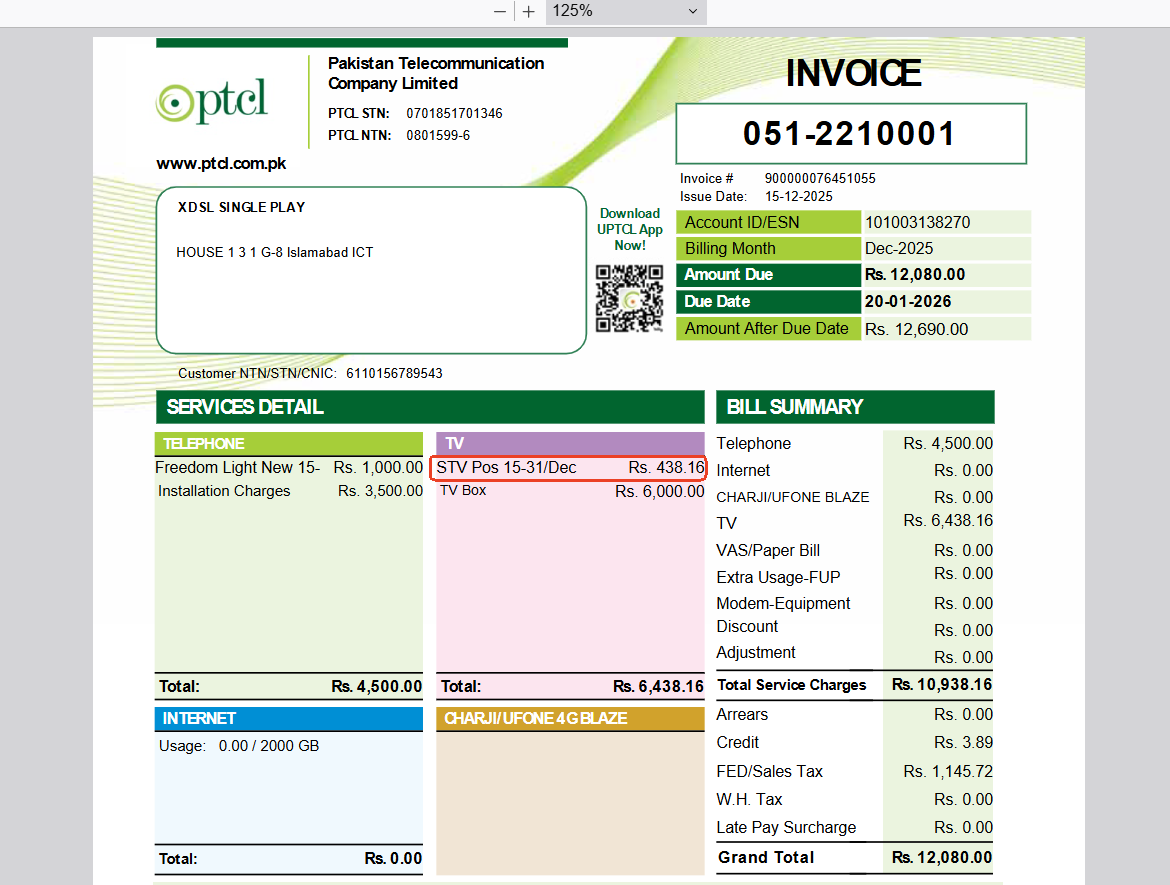
|
| 15942 |
1-Advance Billing2 |
283-xDSL customer is on advance billing TV Only to advance billing 2P/3P - |
P
|
16-Dec-25 |
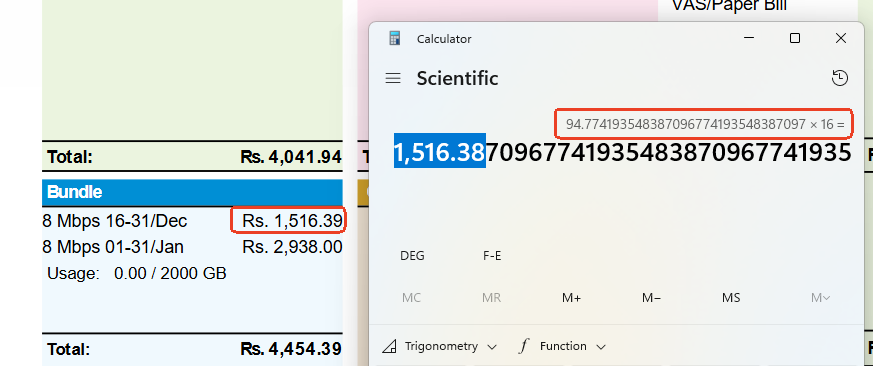
|
| 15942 |
1-Advance Billing2 |
283-xDSL customer is on advance billing TV Only to advance billing 2P/3P - |
P
|
16-Dec-25 |
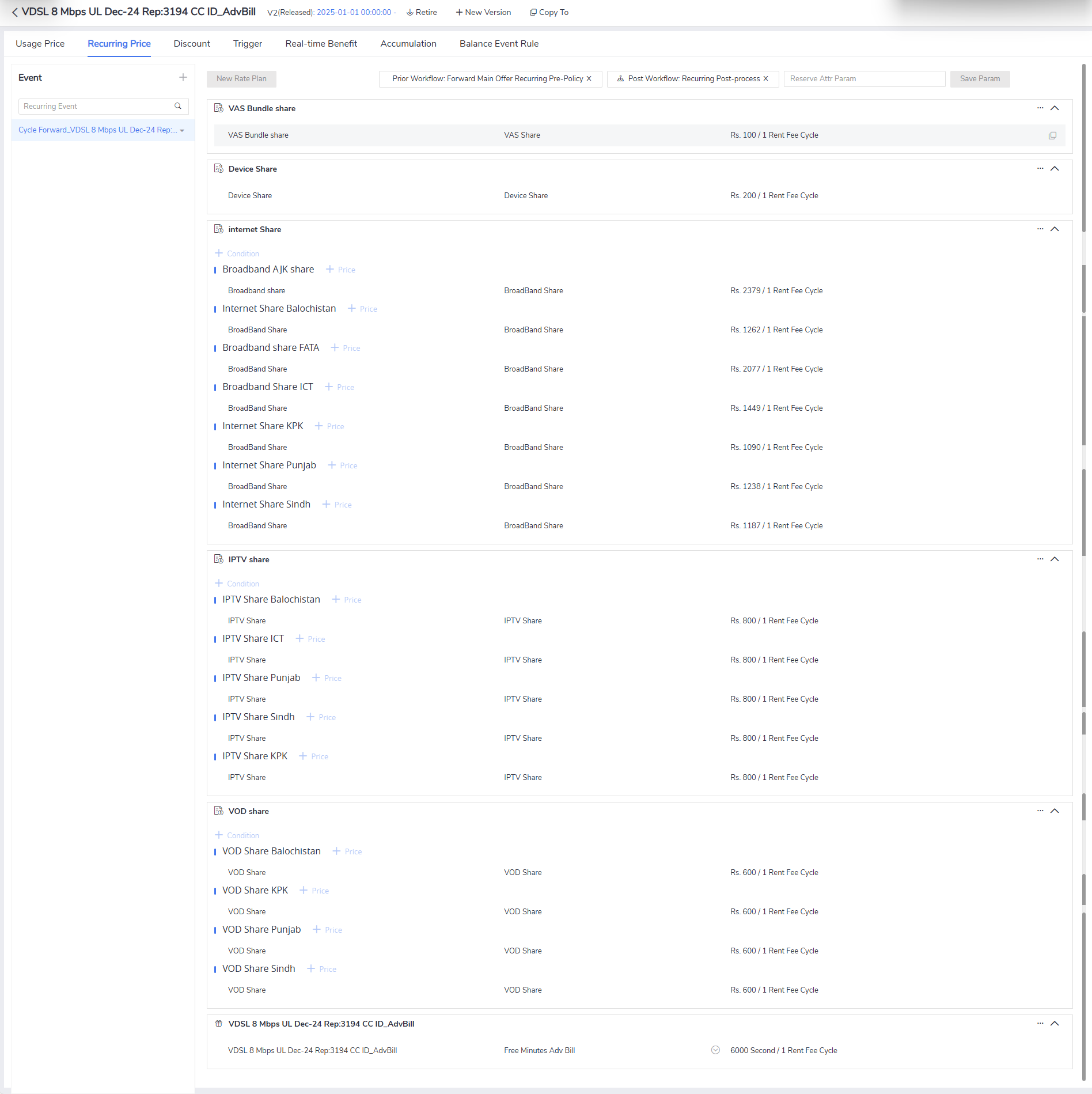
|
| 15942 |
1-Advance Billing2 |
283-xDSL customer is on advance billing TV Only to advance billing 2P/3P - |
P
|
16-Dec-25 |
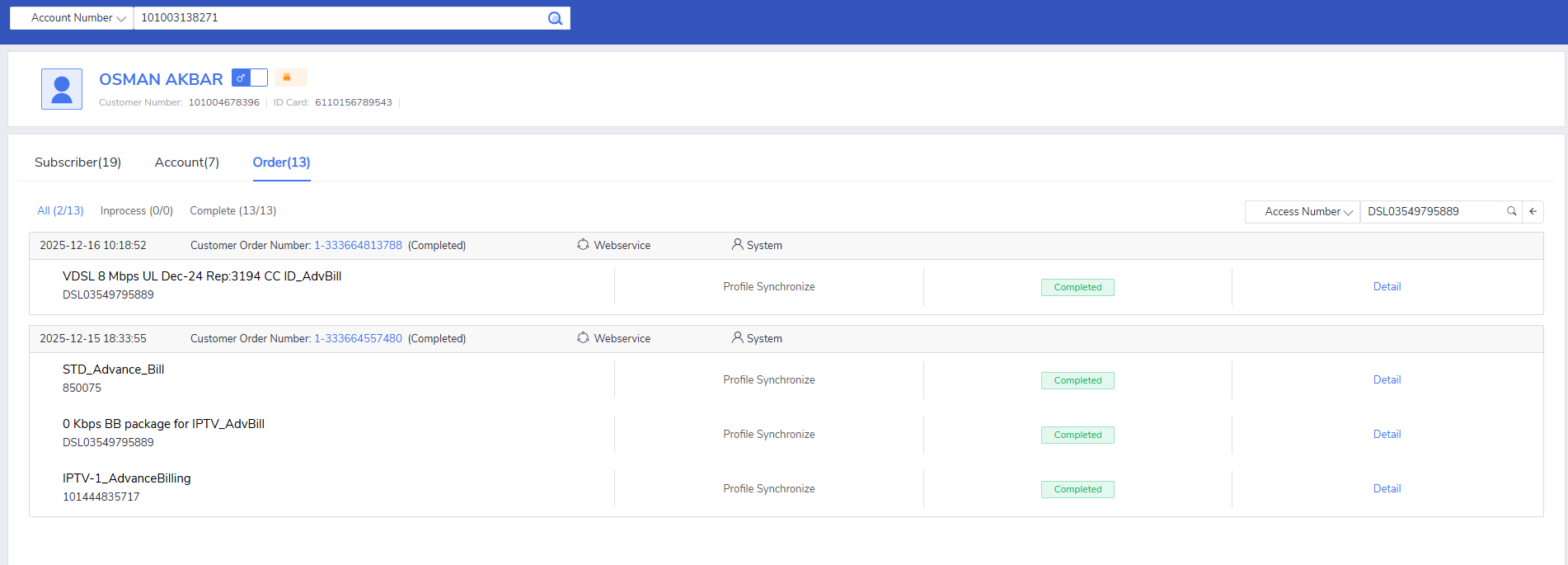
|
| 15942 |
1-Advance Billing2 |
281-FF customer is on advance billing TV Only to advance billing 2P/3P - |
P
|
16-Dec-25 |
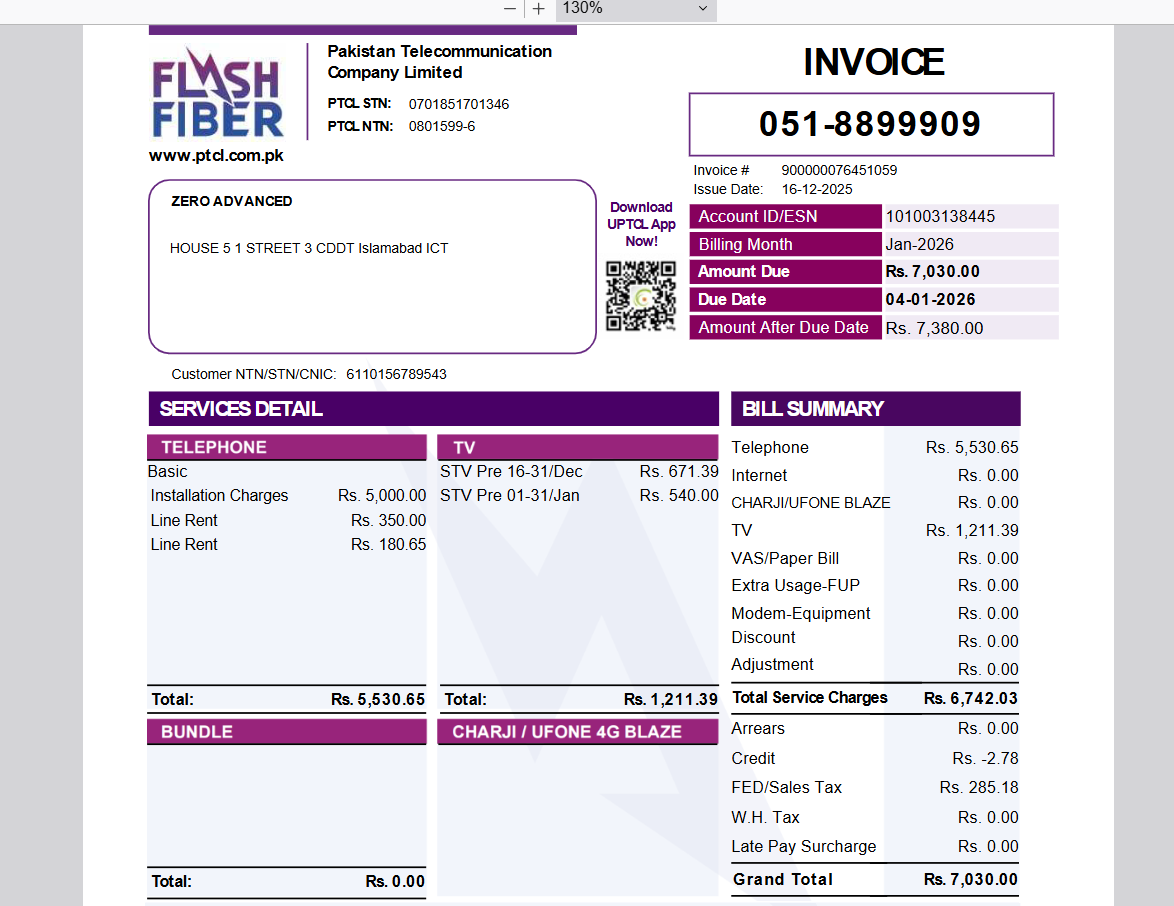
|
| 15942 |
1-Advance Billing2 |
281-FF customer is on advance billing TV Only to advance billing 2P/3P - |
P
|
16-Dec-25 |
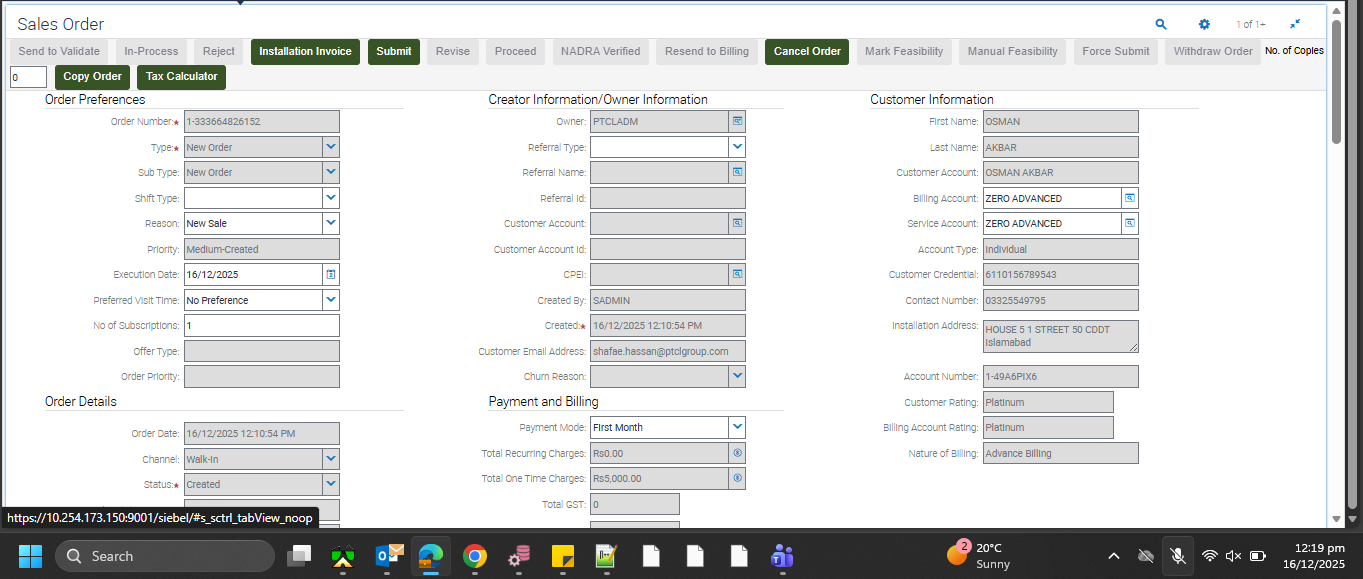
|
| 15942 |
1-Advance Billing2 |
278-FF customer is on advance billing single play to advance billing 2P/3P - |
P
|
16-Dec-25 |
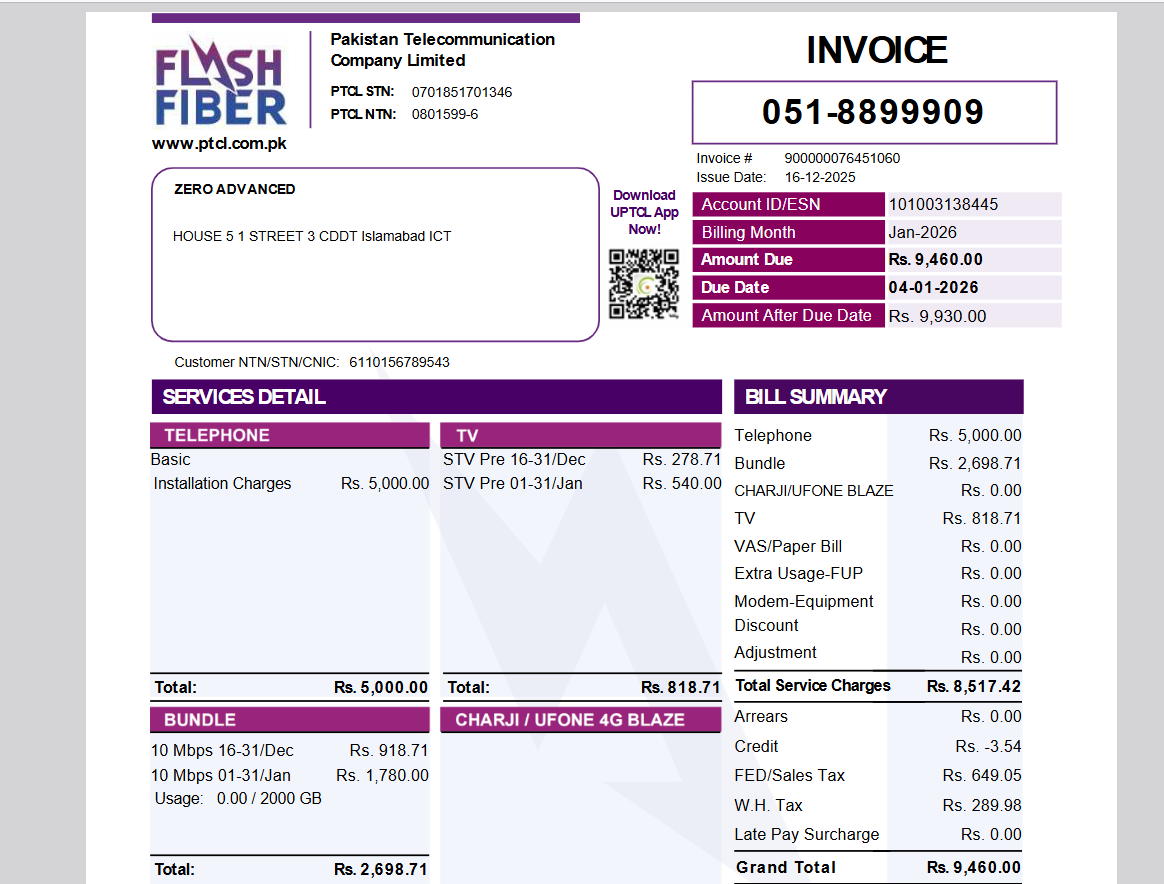
|
| 15942 |
1-Advance Billing2 |
278-FF customer is on advance billing single play to advance billing 2P/3P - |
P
|
16-Dec-25 |
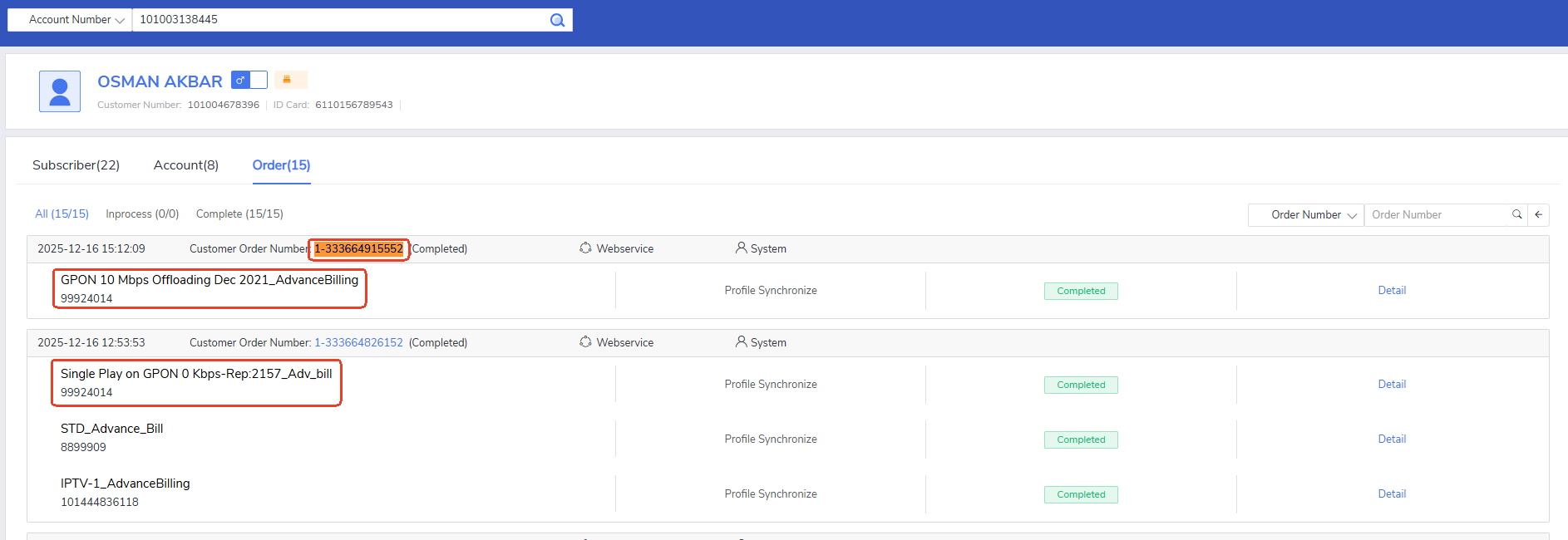
|
| 15942 |
1-Advance Billing2 |
278-FF customer is on advance billing single play to advance billing 2P/3P - |
P
|
16-Dec-25 |
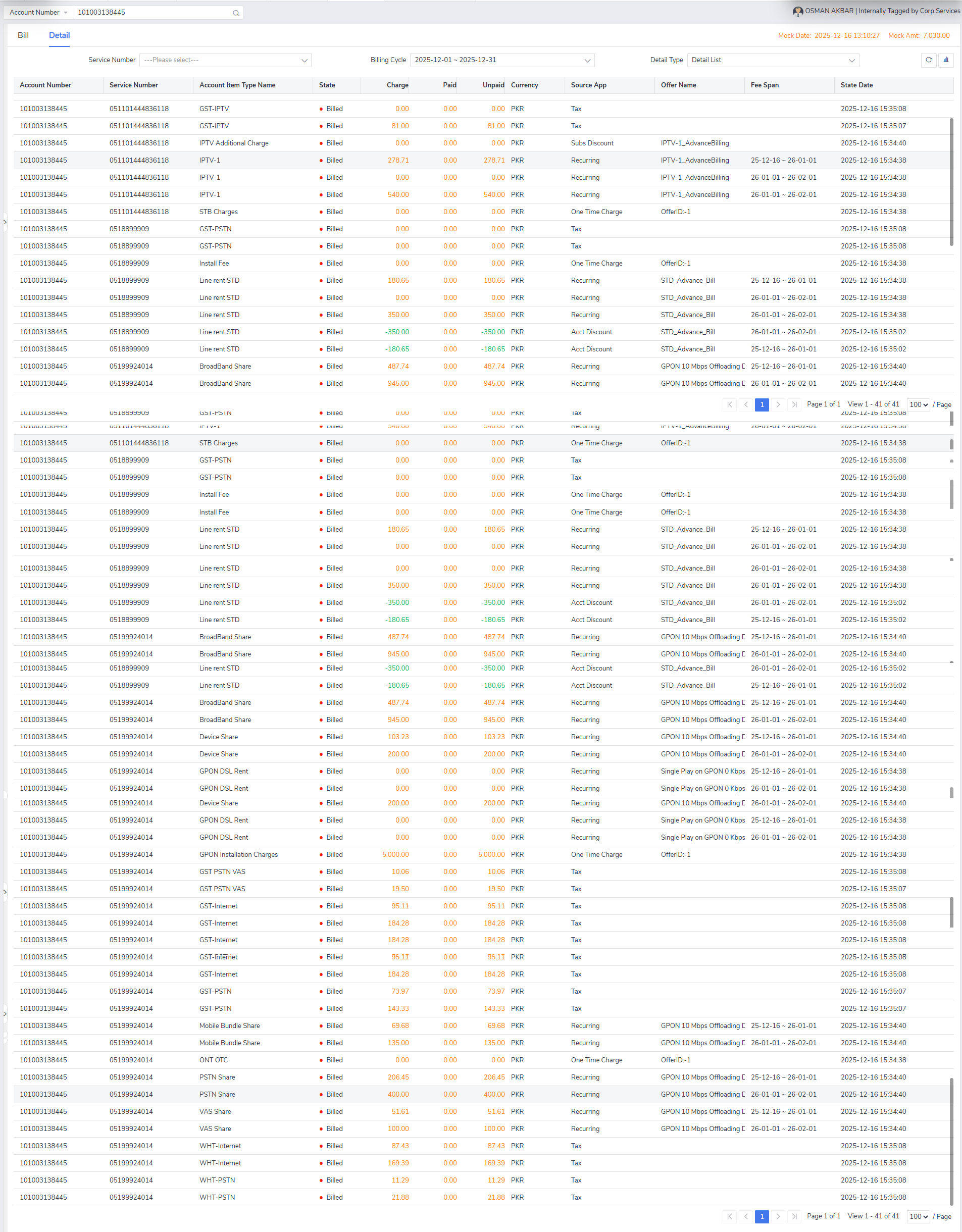
|
| 15942 |
1-Advance Billing2 |
118-Create Restore Order with Copper triple play where at least one of the IPTV is restored, check if application enforces user to select CPE Type (Equipment) and Payment Mode(onetime / installment) for restored IPTV. Set the Payment mode as Installment and process the order. Verify if Siebel sends IPTV Charges to CBS using existing CRM-CBS integration. |
P
|
17-Dec-25 |
No image
|
| 15942 |
1-Advance Billing2 |
118-Create Restore Order with Copper triple play where at least one of the IPTV is restored, check if application enforces user to select CPE Type (Equipment) and Payment Mode(onetime / installment) for restored IPTV. Set the Payment mode as Installment and process the order. Verify if Siebel sends IPTV Charges to CBS using existing CRM-CBS integration. |
P
|
17-Dec-25 |
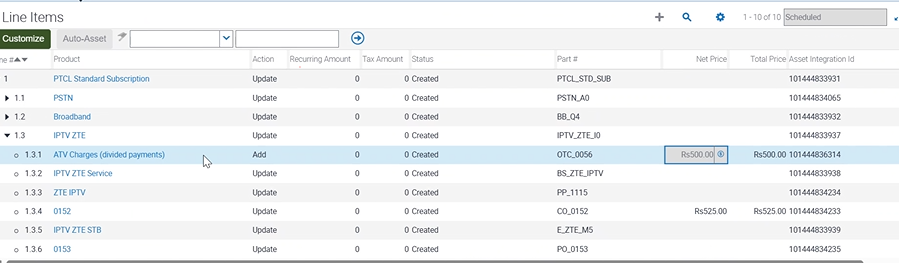
|
| 15942 |
1-Advance Billing2 |
118-Create Restore Order with Copper triple play where at least one of the IPTV is restored, check if application enforces user to select CPE Type (Equipment) and Payment Mode(onetime / installment) for restored IPTV. Set the Payment mode as Installment and process the order. Verify if Siebel sends IPTV Charges to CBS using existing CRM-CBS integration. |
P
|
17-Dec-25 |
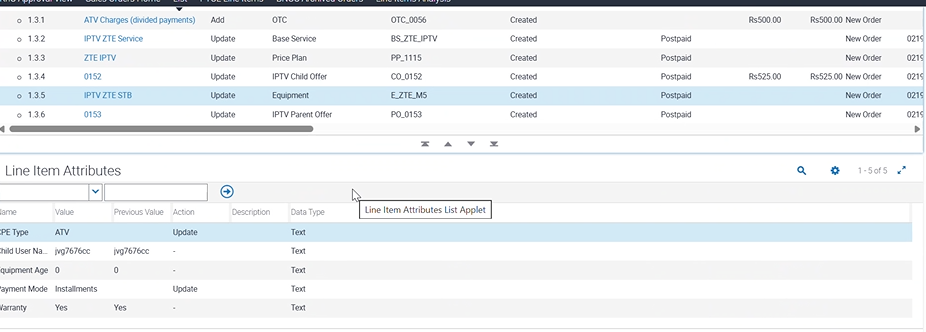
|
| 15942 |
1-Advance Billing2 |
118-Create Restore Order with Copper triple play where at least one of the IPTV is restored, check if application enforces user to select CPE Type (Equipment) and Payment Mode(onetime / installment) for restored IPTV. Set the Payment mode as Installment and process the order. Verify if Siebel sends IPTV Charges to CBS using existing CRM-CBS integration. |
P
|
17-Dec-25 |
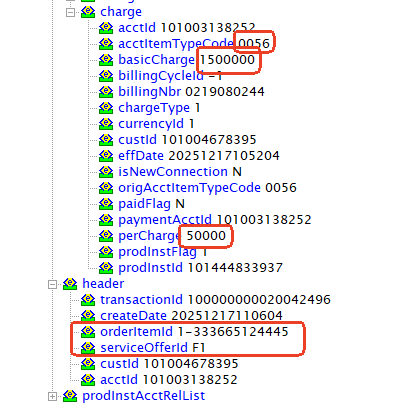
|
| 15942 |
1-Advance Billing2 |
118-Create Restore Order with Copper triple play where at least one of the IPTV is restored, check if application enforces user to select CPE Type (Equipment) and Payment Mode(onetime / installment) for restored IPTV. Set the Payment mode as Installment and process the order. Verify if Siebel sends IPTV Charges to CBS using existing CRM-CBS integration. |
P
|
17-Dec-25 |
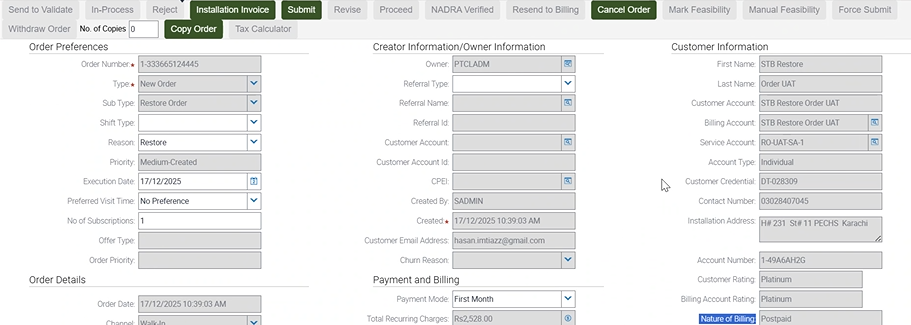
|
| 15942 |
1-Advance Billing2 |
118-Create Restore Order with Copper triple play where at least one of the IPTV is restored, check if application enforces user to select CPE Type (Equipment) and Payment Mode(onetime / installment) for restored IPTV. Set the Payment mode as Installment and process the order. Verify if Siebel sends IPTV Charges to CBS using existing CRM-CBS integration. |
P
|
17-Dec-25 |
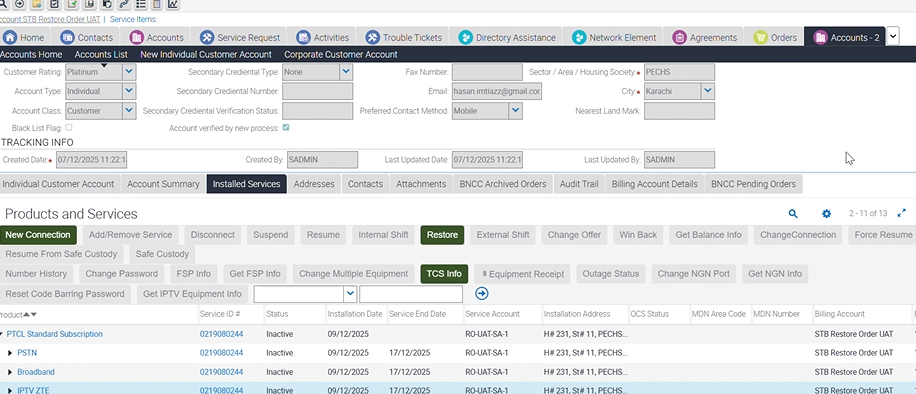
|
| 15942 |
1-Advance Billing2 |
116-Create Restore Order with Copper triple play where at least one of the IPTV is restored, check if application enforces user to select CPE Type (Equipment) and Payment Mode(onetime / installment) for restored IPTV. Set the Payment mode as One Time and process the order. Verify if Siebel sends IPTV Charges to CBS using existing CRM-CBS integration. |
P
|
17-Dec-25 |
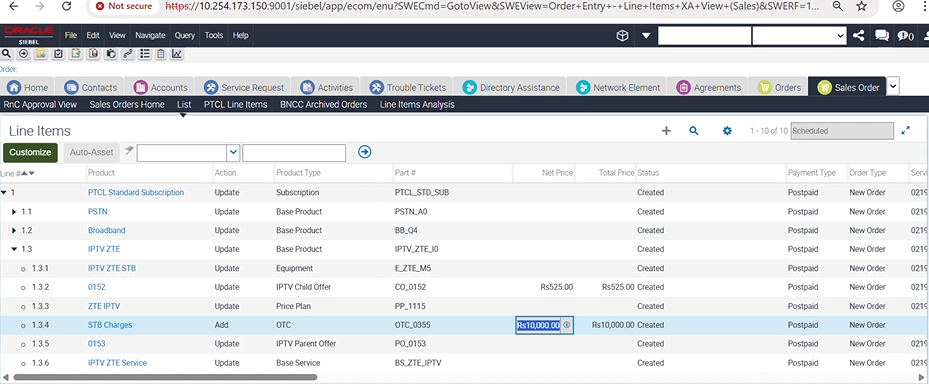
|
| 15942 |
1-Advance Billing2 |
116-Create Restore Order with Copper triple play where at least one of the IPTV is restored, check if application enforces user to select CPE Type (Equipment) and Payment Mode(onetime / installment) for restored IPTV. Set the Payment mode as One Time and process the order. Verify if Siebel sends IPTV Charges to CBS using existing CRM-CBS integration. |
P
|
17-Dec-25 |
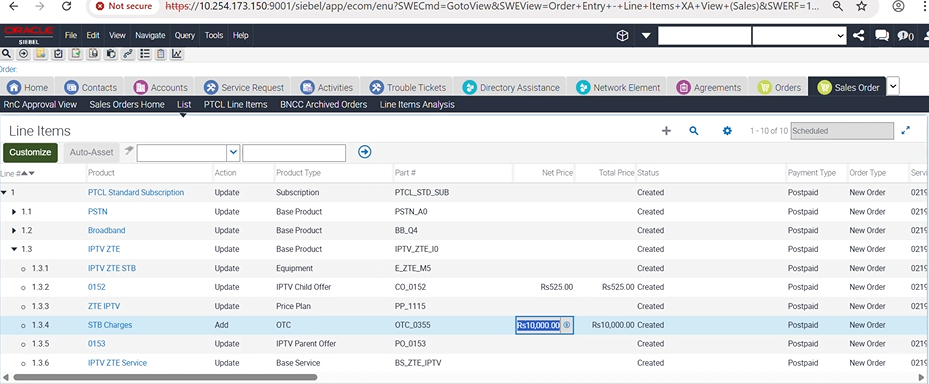
|
| 15942 |
1-Advance Billing2 |
116-Create Restore Order with Copper triple play where at least one of the IPTV is restored, check if application enforces user to select CPE Type (Equipment) and Payment Mode(onetime / installment) for restored IPTV. Set the Payment mode as One Time and process the order. Verify if Siebel sends IPTV Charges to CBS using existing CRM-CBS integration. |
P
|
17-Dec-25 |
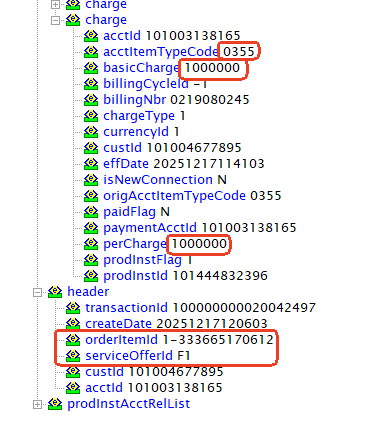
|
| 22667 |
1-POMS Enhancements for Devices Vendor Partnerships |
1-Verify Devices Portfolio is Available in POMS |
F
|
04-Dec-25 |
No image
|
| 15942 |
1-Advance Billing2 |
285-Waada Subscription Testing
WADA is DS
Need to enable/subscribe for Advance customer |
P
|
22-Dec-25 |
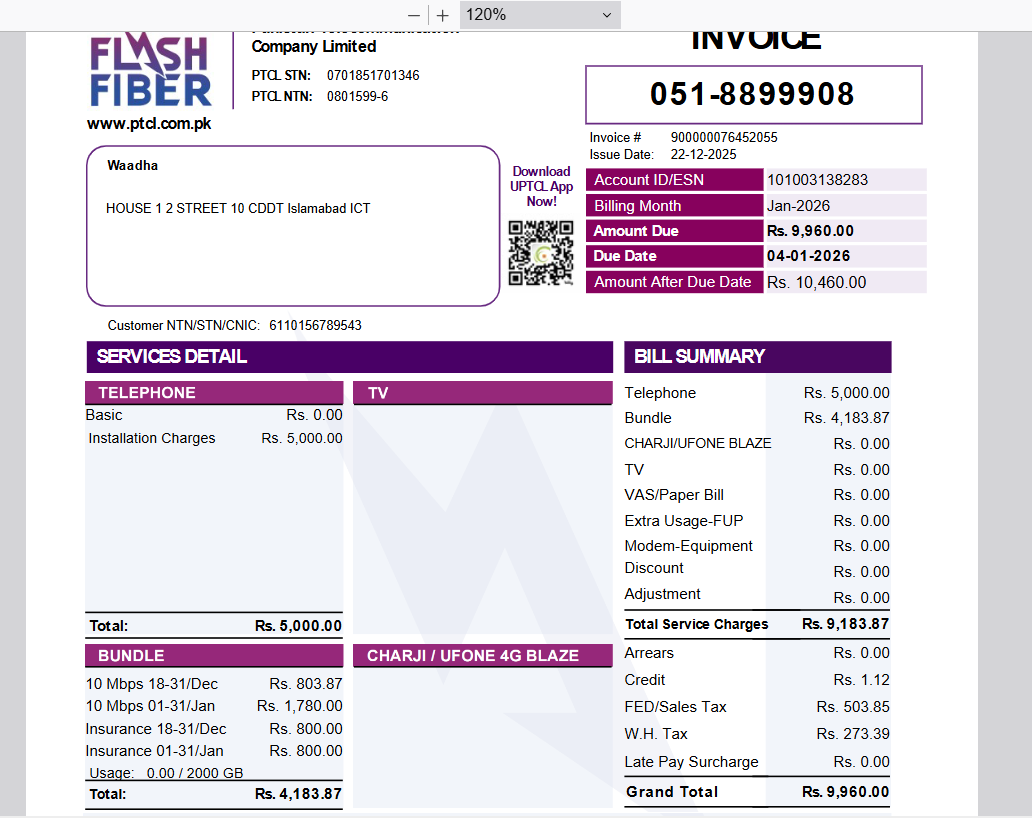
|
| 20009 |
1-GPON Auto Eligibility/Feasibility |
54-New Order > GPON > Create an order with promo, where ports are available and move order till WFRA in Maximo. Mark order as Not Feasible in Maximo, and then “Proceed” from Siebel with promo, where no spare ports for available FAT/NAP are available. Eligibility process should not return the FDH and display updated error prompt. |
F
|
22-Dec-25 |
No image
|
| 22667 |
1-POMS Enhancements for Devices Vendor Partnerships |
1-Verify Devices Portfolio is Available in POMS |
P
|
29-Dec-25 |
No image
|
| 20999 |
1-Create Traffic Routing Rule – PTCL 1218 |
1-Verify user can create routing rule for PTCL 1218 |
P
|
06-Jan-26 |
|
| 3333 |
1-crm ui function |
2-ui tst |
P
|
24-Nov-25 |
No image
|
| 3333 |
1-crm ui function |
2-ui tst |
P
|
24-Nov-25 |
No image
|
| 15942 |
1-Advance Billing2 |
291-WCT will verify Bulk Migartion Part |
P
|
24-Dec-25 |
No image
|
| 3333 |
1-crm ui function |
3-fgg |
F
|
10-Jan-26 |
No image
|
| 3333 |
1-crm ui function |
1-Testing data |
P
|
10-Jan-26 |
No image
|
| 3333 |
1-crm ui function |
2-ui tst |
P
|
24-Nov-25 |
No image
|
| 23003 |
2- |
31-Discovery & Synchronization (Data Synchronization) |
F
|
28-Jan-26 |
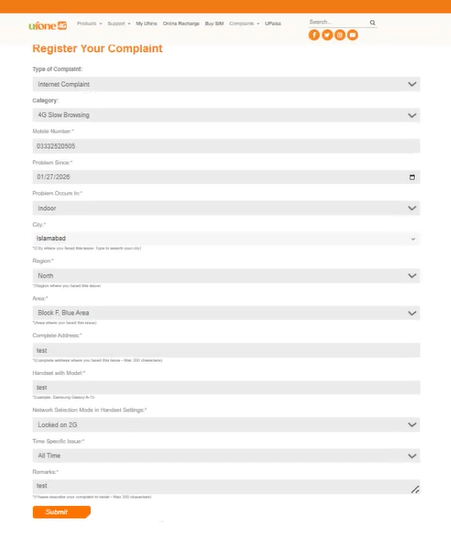
|
| 22935 |
1-Complaint Registration & Tracking on Ufone Website |
1-Complaint Registration & Tracking on Ufone Website |
P
|
30-Jan-26 |
|
| 23003 |
3-SRC |
1-Number Type. New a MSISDN Type |
P
|
04-Feb-26 |
No image
|
| 23003 |
2-IM |
28-SOL-IM-FC-Impact Analysis |
F
|
05-Feb-26 |
No image
|
| 23003 |
2-IM |
28-SOL-IM-FC-Impact Analysis |
F
|
05-Feb-26 |
No image
|
| 23003 |
2-IM |
28-SOL-IM-FC-Impact Analysis |
F
|
05-Feb-26 |
No image
|
| 23003 |
2-IM |
28-SOL-IM-FC-Impact Analysis |
F
|
05-Feb-26 |
No image
|
| 23003 |
2-IM |
28-SOL-IM-FC-Impact Analysis |
F
|
05-Feb-26 |
No image
|